I still remember auditing a business website that looked perfect on paper.
- Good traffic.
- Well-written content.
- Strong SEO basics.
But there was one problem.
No emails were coming in.
The reason was simple.
The email address was visible—but not clickable.
That’s when we implemented an Email Mailto Tag.
Within a few days, users started sending inquiries directly from the website. No copying, No switching tabs, Just one click and instant communication.
That experience made one thing very clear: this simple HTML link plays a huge role in user experience and On Page SEO.
What Is an Email Mailto Tag?
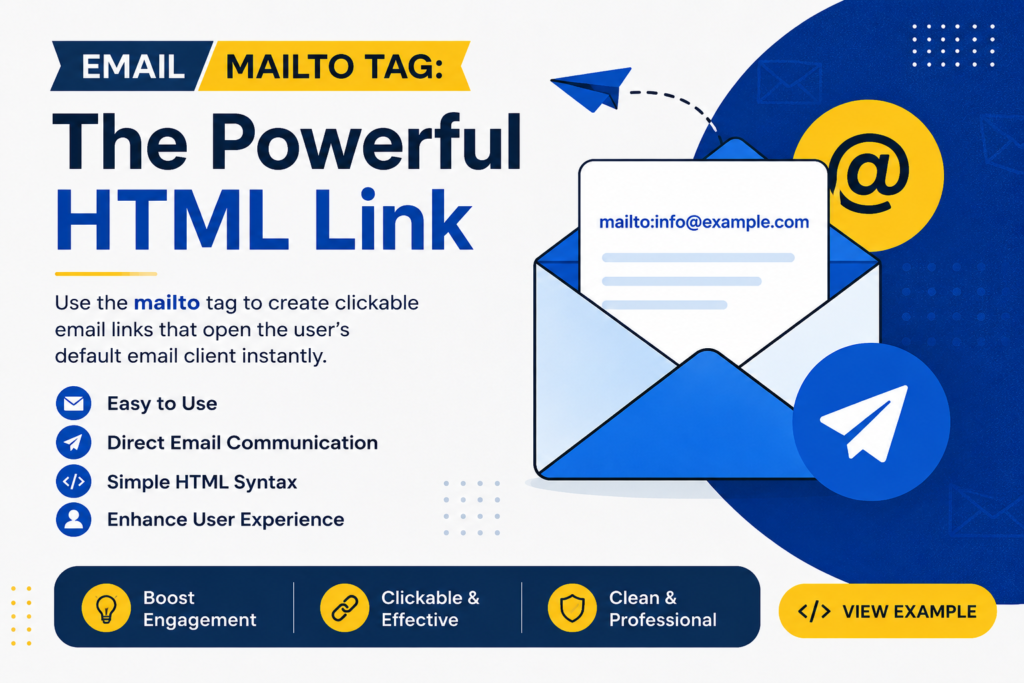
An Email Mailto Tag is an HTML link that opens the visitor’s default email application when clicked.
Instead of manually copying an email address, users can instantly start writing an email.
In simple terms, it transforms plain text into a clickable email action.
This makes communication faster, smoother, and more user-friendly—especially for visitors who prefer email over contact forms.
Why This Email Link Still Matters
Modern users are impatient.
They don’t want extra steps.
If contacting your business feels complicated, they leave.
The Email Mailto Tag removes friction and allows immediate interaction, which is exactly what users expect today.
From an on page SEO perspective, smoother interactions improve engagement signals like time on page and reduced bounce rate—factors search engines pay attention to.
How Mailto Links Work
This email linking method uses the mailto: protocol.
When a user clicks it:
Their default email client opens
The recipient email address is pre-filled
They can send a message instantly
Browsers recognize this as a communication command, not just text. That’s why proper formatting is essential for consistency across devices.
Types of Mailto Tag Formats and Attributes
The Email Mailto Tag supports several useful formats that improve usability.
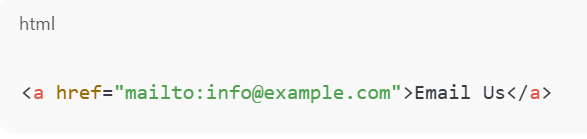
Basic Mailto Link
This opens the email client with the recipient filled in.
Mailto Link With Subject Line
Helpful for directing user intent.

Mailto Link With Body Text
Commonly used for support or service requests.

These variations make this email linking method flexible and practical for different business needs.
How to Create Mailto Links in Web Pages Correctly
Creating an Email Mailto Tag is easy, but mistakes reduce its effectiveness.
Best practices include:
Use clear, action-based anchor text
Keep subject lines short and relevant
Avoid spammy or promotional wording
Encode spaces properly
Clean implementation ensures compatibility across browsers and devices while maintaining a professional appearance.
Where Mailto Links Are Used for Effective Communication
Placement directly impacts performance.
This type of email link works best where user intent is already high.
Effective locations include:
Contact pages
Website footers
About pages
Service pages
Support sections
From an on page SEO viewpoint, these placements encourage interaction and improve overall usability.
Streamlining Email Communication With One Click
Without a clickable email link, users go through unnecessary steps:
Read → copy email → open app → paste → write → send
Too much effort.
The Email Mailto Tag reduces this entire process to a single click.
Fewer steps mean more responses, which is why email links often outperform complex contact forms for quick communication.
Crafting Effective Email Links on Your Website
Not all email links convert well.
To get results:
Use clear CTAs like “Email Our Team”
Place links near relevant content
Avoid cluttering pages with too many links
Pair them with trust signals like address or phone number
When done right, this email linking approach feels natural and helpful—not intrusive.
Email Mailto Tag vs Contact Forms
Both serve different purposes.
Contact forms are structured and controlled
Email links are instant and flexible
For quick questions, business inquiries, or support requests, the Email Mailto Tag offers speed and simplicity.
From an on page SEO perspective, both help engagement—but email links reduce friction significantly.
Are Mailto Links Safe for SEO?
Yes, completely.
Search engines understand mailto links.
- They do not harm indexing.
- They do not block crawling.
Instead, they indirectly support on page SEO by improving real user behavior and interaction.
Better experience leads to stronger SEO signals.
Common Mistakes to Avoid
Many websites misuse the Email Mailto Tag.
Avoid these errors:
Displaying email addresses without links
Overusing mailto links on every page
Writing spam-triggering subject lines
Ignoring mobile usability
One well-placed email link is more effective than several poorly implemented ones.
Final Thoughts: Small Link, Real Impact
Most websites focus heavily on content, keywords, and backlinks.
But forget how users actually connect.
The Email Mailto Tag turns passive visitors into active conversations with almost no effort.
- No plugins.
- No complex setup.
- No technical barriers.
And learning how to implement such practical, conversion-focused elements is exactly what DSOM (Dehradun School of Online Marketing) emphasizes—teaching students how on page SEO, user experience, and real-world implementation come together to generate genuine leads and measurable results.