LSI (Latent Semantic Indexing): 1 Powerful Concept That Transforms Content Relevance in SEO
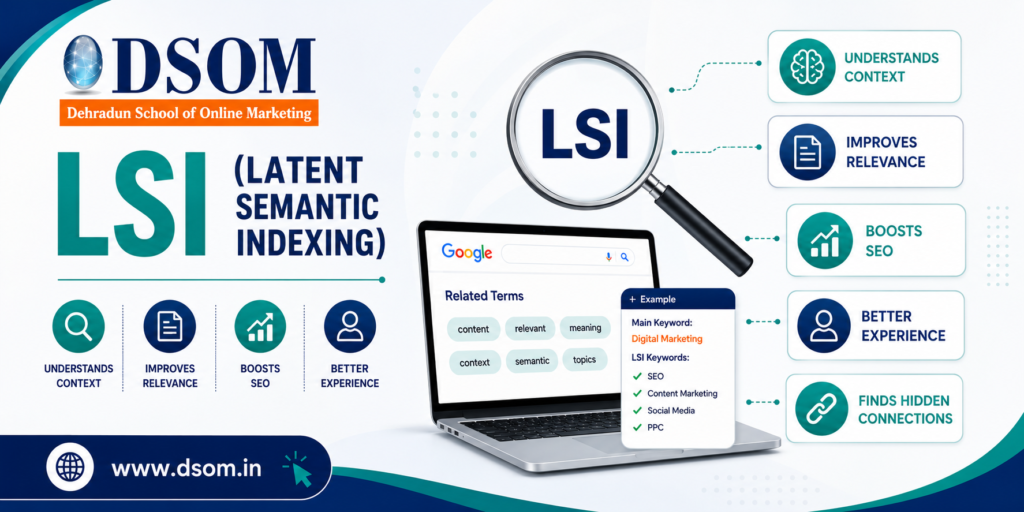
LSI: How Context Changed the Way My Content Ranked LSI changed the way my content ranked—and I didn’t realize it at first. A few years ago, I wrote a blog post that I thought was perfectly optimized. The main keyword was everywhere.The headings were structured.The content was detailed. Yet the page refused to rank. It hovered on page two for months. Then I noticed something important. The article was repetitive—but not meaningful. So I rewrote it using contextual principles. I reduced repetition. I expanded context. I focused on clarity. Within weeks, rankings improved. That’s when it clicked: LSI isn’t about stuffing related words—it’s about helping search engines understand meaning, especially when paired with strong on page SEO. What Is LSI? LSI (Latent Semantic Indexing) is a concept that focuses on understanding relationships between words and topics within content. Instead of relying on exact keyword matches, it emphasizes context. In simple terms, LSI helps search engines understand what a page is truly about, rather than what keyword appears most often. Why Context Matters More Than Keywords Alone Search engines no longer work like scanners. They interpret meaning. They analyze: Topic coverage Concept relationships Search intent This is where LSI becomes important. From an on-page SEO perspective, contextual depth reduces keyword stuffing and increases relevance signals. Types of Related Keywords and Their Applications Contextual terms are not synonyms. They are words and phrases that naturally appear within a topic. Common categories include: Topical Terms Words commonly associated with the subject. Co-Occurring Phrases Terms that frequently appear together in trusted content. Intent Modifiers Words that clarify user purpose. Supporting Concepts Ideas that expand topic depth. Using these correctly strengthens LSI signals without forcing optimization. How to Use Contextual Keywords in Content The biggest mistake people make is forcing related words unnaturally. Here’s the correct approach: Use them naturally in sentences Add them where they improve explanation Include them in examples Avoid repetition for SEO purposes When done right, LSI improves readability instead of hurting it. Where Context Fits in SEO Strategy Semantic understanding is not a standalone tactic. It works alongside: Keyword research Content structure Internal linking Search intent In a complete SEO strategy, LSI helps strengthen topical authority and ranking stability. Context and On-Page SEO: The Real Connection On page, SEO is not just about tags. It’s about clarity. When content covers ideas naturally and completely, LSI helps search engines connect the dots. This leads to: Better crawl interpretation Stronger relevance Improved ranking consistency Going Beyond the Basics At an advanced level, contextual optimization helps with: Content expansion Avoiding over-optimization Ranking for related queries Supporting semantic search One well-written page can rank for multiple queries without duplication. Enhancing Content Relevance Naturally Relevance is the foundation of modern SEO. When content answers questions thoroughly, search engines reward it. LSI works quietly in the background by improving: Engagement Readability User satisfaction All of which support long-term on page SEO. Common Misunderstandings Let’s clear the confusion: It’s not keyword stuffing It’s not synonym replacement It’s not a ranking hack It’s about meaning and clarity Understanding this prevents poor optimization decisions. Do Search Engines Actually Use This Concept? Search engines don’t use the academic version directly. But they absolutely use semantic understanding. When SEOs talk about LSI, they’re referring to how search engines interpret topic relationships in real-world content. Final Thoughts: Meaning Always Wins SEO has evolved. Repetition no longer works.Context does. LSI helps content feel natural to readers and clear to search engines. It improves depth, relevance, and long-term performance. And learning how to apply contextual SEO correctly is exactly what DSOM (Dehradun School of Online Marketing) focuses on—training students to master on page SEO, content strategy, and real-world optimization techniques that lead to sustainable rankings and authority.
Site Navigation & Breadcrumb: How Structure Improves UX and SEO

Site Navigation & Breadcrumb play a critical role in how users and search engines experience your website. A few years ago, I audited a site that had excellent content. The blogs were informative.The keywords were optimized.The backlinks were strong. Yet users were leaving quickly. Bounce rate was high. Pages per session were low. Conversions were suffering. The problem wasn’t the content. It was structure. Users couldn’t understand where they were—or where to go next. Once we redesigned the Site Navigation & Breadcrumb system, engagement improved, crawl paths became clearer, and overall on page SEO performance strengthened. That experience made one thing clear: when structure is intuitive, everything else works better. What Is Site Navigation & Breadcrumb? Site Navigation & Breadcrumb refer to the systems that help users and search engines understand how pages are organized and connected. Site navigation helps users move between sections Breadcrumbs show users where they are within the site hierarchy In simple terms, they answer two questions: Where am I?Where can I go next? When these answers are clear, user experience improves—and so does SEO. Why Site Navigation & Breadcrumb Matter for SEO Search engines don’t just rank pages. They analyze structure. Clear Site Navigation & Breadcrumb systems help search engines: Understand page hierarchy Discover deeper pages Distribute link equity Improve crawl efficiency From an on page SEO perspective, good navigation supports internal linking, relevance, and engagement signals. Types of Navigation Structures & Breadcrumb Designs Not all navigation systems work the same way. Here are the most common types: Hierarchical Navigation Organizes pages from broad categories to specific subpages. Flat Navigation Keeps important pages closer to the homepage with fewer clicks. Mega Menus Used on large websites to display multiple categories clearly. Breadcrumb Designs Hierarchy-based (Home > Category > Page) Attribute-based (Product filters) History-based (User navigation path) Each format supports usability differently, depending on site size and goals. How to Design Intuitive Site Navigation Good navigation feels invisible. Users shouldn’t have to think. Best practices include: Clear menu labels Logical category grouping Limited menu depth Mobile-friendly layouts A well-designed Site Navigation & Breadcrumb structure helps users move naturally through content without frustration. Where to Implement Breadcrumb for Maximum Effect Breadcrumbs shouldn’t be everywhere—but they should be strategic. They work best on: Blog posts Category pages Product pages Deep content structures Placed near the top of a page, breadcrumbs help users retrace steps easily and signal hierarchy to search engines. Mastering User-Friendly Site Navigation User-friendly navigation is about clarity, not creativity. When navigation is predictable: Users stay longer Pages per session increase Bounce rates drop These behavioral signals indirectly support on page SEO by improving engagement and satisfaction. The Importance of Breadcrumb Trails Breadcrumbs are often underestimated. But they provide powerful benefits: Reduce user confusion Improve internal linking Help search engines understand structure Enhance SERP appearance with breadcrumb markup When implemented correctly, breadcrumb trails reinforce a clean and crawlable site architecture. Site Navigation & Breadcrumb and Internal Linking Navigation and breadcrumbs are internal links. And internal links matter. They: Distribute authority Help search engines discover pages Clarify topical relationships A strong Site Navigation & Breadcrumb system creates a natural internal linking framework without manual effort. Common Navigation Mistakes to Avoid Even good sites make these errors: Overcrowded menus Confusing labels Broken breadcrumb paths Inconsistent structure These issues frustrate users and weaken SEO performance. Simple, consistent navigation always wins. Does Navigation Directly Affect Rankings? Not directly. But indirectly? Absolutely. Clear Site Navigation & Breadcrumb systems improve: Crawl efficiency User engagement Content discoverability Search engines reward sites that are easy to explore—for both bots and humans. Navigation vs Breadcrumb: Know the Difference Navigation helps users move forward.Breadcrumbs help users understand location. Both serve different purposes—but work best together. When combined, they create a complete orientation system for your website. Final Thoughts: Structure Is the Silent SEO Advantage Most websites focus on content and keywords. But forget structure. Site Navigation & Breadcrumb systems quietly shape how users experience your site and how search engines understand it. They don’t replace on page SEO—they strengthen it. And learning how to design intuitive navigation systems and breadcrumb trails correctly is exactly what DSOM (Dehradun School of Online Marketing) focuses on—training students to master on page SEO, site structure, and real-world optimization strategies that improve usability, visibility, and long-term growth.
Nofollow Links: Understanding Control, Trust, and SEO Safety
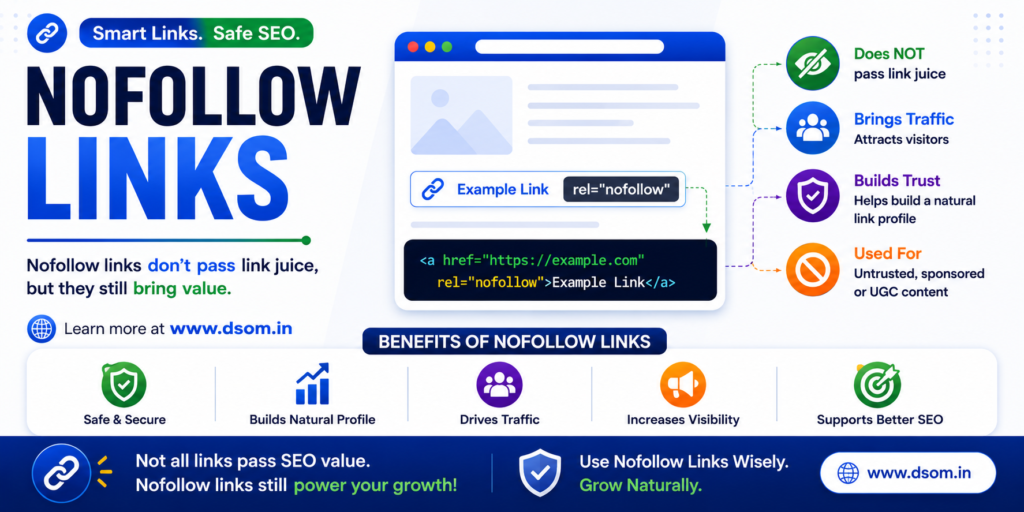
Introduction: How One Nofollow Link Saved a Website From Trouble A few years ago, I audited a website that looked fine on the surface. Good traffic.Decent rankings.Clean design. But something was off. The site was linking out aggressively—to comments, forums, and sponsored content—without any control. A manual action followed. That’s when I learned the real importance of Nofollow Links. After fixing the outbound links and applying the correct attributes, the site slowly recovered. Rankings stabilized. Trust was restored. That experience made one thing clear: Nofollow Links are not weak links—they are protective signals, especially when combined with solid on page SEO. What Are Nofollow Links? Nofollow Links are hyperlinks that include a special attribute telling search engines not to pass link equity to the linked page. In simple terms, they say: “You can see this link, but don’t count it as a vote of trust.” These links are commonly used when you don’t want to endorse or transfer authority to another website. Why Link Control Matters More Than You Think Many people assume the nofollow attribute is useless. That’s a mistake. Nofollow Links play a crucial role in protecting your website from spam, penalties, and trust issues. From an on page SEO perspective, they help you maintain a clean and natural linking profile—something search engines value heavily. SEO isn’t just about gaining authority.It’s also about controlling risk. Types and Uses of Nofollow Links This attribute is used in specific situations where trust or intent is unclear. Common use cases include: Comment section URLs Sponsored or paid promotions User-generated content External references you don’t endorse Each use case ensures Nofollow Links help safeguard your site’s credibility. How Nofollow Links Work Behind the Scenes Search engines crawl these links—but treat them differently. Instead of transferring authority, they simply acknowledge the connection. This helps search engines: Understand link intent Identify paid or user-generated content Prevent manipulation That’s why Nofollow Links signal transparency, not weakness. How to Use the Nofollow Attribute in SEO Strategy Using this attribute strategically is a sign of mature SEO. Best practices include: Applying it to paid or sponsored content Using it in comment sections and forums Combining it with high-quality dofollow references Avoiding overuse on editorial links A balanced mix supports long-term on page SEO health. Where These Links Are Typically Used You’ll most often see Nofollow Links in places where control is limited. Typical locations include: Blog comments Social media platforms Advertisements and banners Affiliate links User profiles These areas are prone to spam, making controlled linking essential. Understanding the Role of Link Attributes in Trust SEO is built on trust. Search engines want to see that you’re responsible with your links. By using Nofollow Links correctly, you signal that: You understand linking intent You’re not manipulating rankings You protect users from misleading endorsements That trust contributes indirectly to stronger on page SEO signals. Nofollow vs. Dofollow: Strategic Link Usage Both link types serve different purposes. Nofollow Links control risk Dofollow links pass authority Use dofollow references when you trust and endorse content. Use the nofollow attribute when: The link is paid The content is user-generated You don’t fully trust the destination Smart SEO isn’t choosing one—it’s knowing when to use each. Are These Links Safe for SEO? Yes—when used correctly. Search engines expect natural usage of nofollow attributes. Pages that never use Nofollow Links often look suspicious. Used responsibly, they protect your site from penalties and improve long-term stability. Final Thoughts: Control Is the Real SEO Advantage Most people chase backlinks. Smart SEOs manage links. Nofollow Links give you control—over trust, authority flow, and risk. They don’t weaken your SEO.They protect it. And learning how to balance nofollow and dofollow links correctly is exactly what DSOM (Dehradun School of Online Marketing) focuses on—training students to master on page SEO, ethical link strategies, and real-world optimization techniques that ensure sustainable growth, credibility, and long-term success.
Broken Links: 1 Silent Threat That Damages SEO and User Trust
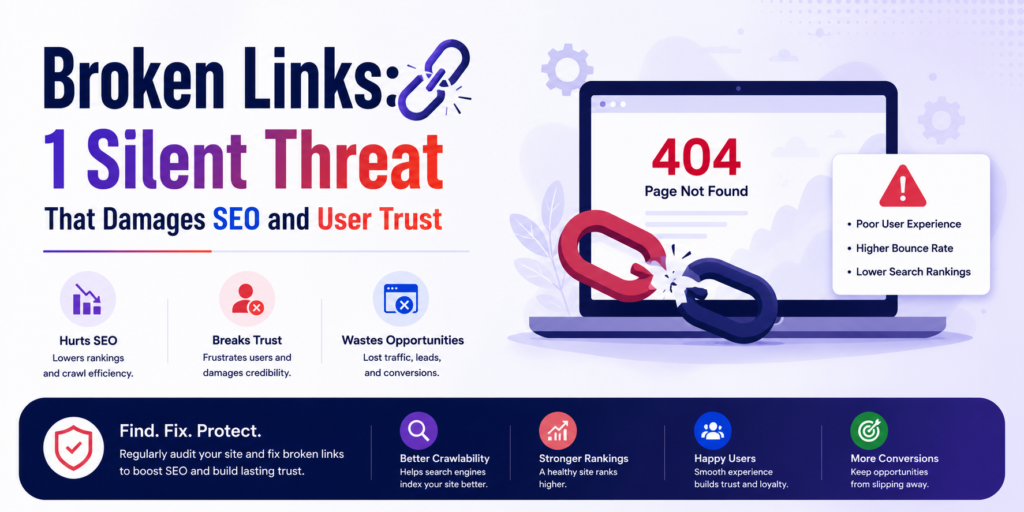
Introduction: How Broken Links Quietly Killed My Rankings A few years ago, one of my blog posts suddenly stopped performing. Traffic dropped.Bounce rate increased.User engagement collapsed. At first, nothing looked wrong. The content was still relevant.Keywords were ranking.Backlinks were intact. Then I noticed it. Multiple Broken Links inside the article. Some pages no longer existed. Some external resources were removed. Some images failed to load. Users clicked… and hit dead ends. That’s when I realized something important: Broken Links don’t announce themselves—but they silently destroy trust, experience, and SEO performance, especially when ignored in on page SEO. What Are Broken Links? Broken Links are hyperlinks that no longer lead to a valid destination. Instead of opening the intended page, they usually return errors like: 404 Not Found 410 Gone Server errors Blank pages In simple terms, a broken link promises information—but delivers nothing. And for users and search engines, that’s a bad experience. Why Link Errors Are More Dangerous Than You Think Many website owners ignore them. After all, it’s “just a link,” right? Wrong. Broken Links create friction, confusion, and frustration. From an on page SEO perspective, they signal: Poor maintenance Weak user experience Low content reliability Search engines want to send users to trustworthy websites—and broken paths damage that trust. Types of Broken Links and Their Impact Not all link errors behave the same way. Here are the most common types and why they matter: Internal Link Errors Links pointing to pages on your own website that no longer exist. Impact:Confuses users and search engines, harming crawlability. External Link Errors Links pointing to third-party websites that removed or changed pages. Impact:Reduces credibility and interrupts content flow. Image Load Failures Images that fail to load due to incorrect URLs or deleted files. Impact:Hurts visual experience and accessibility. Redirect Issues Links stuck in redirect loops or pointing to outdated URLs. Impact:Wastes crawl budget and slows down pages. Each type of Broken Links chips away at user trust in different ways. How Broken Links Affect On Page SEO Search engines evaluate how users interact with your pages. Broken paths increase: Bounce rate Exit rate Time-to-frustration From an on page SEO standpoint, this tells search engines: “This page doesn’t deliver what it promises.” Over time, rankings suffer—even if content quality is high. How to Find and Fix Broken Links You can’t fix what you don’t detect. Here’s how professionals handle it: 1. Use Crawling Tools SEO tools can scan your site and identify problem URLs instantly. 2. Check Google Search Console Coverage and crawl error reports often highlight link issues. 3. Manual Audits Click through key pages, menus, and CTAs—especially older content. 4. Fix Strategically Once identified, you can: Update the link Redirect it Remove it Replace it with a better resource Fixing Broken Links restores both usability and SEO strength. Where These Issues Commonly Occur on Websites Some areas are more vulnerable than others. Common problem zones include: Old blog posts Deleted product pages Website footers Resource pages External references If content isn’t reviewed regularly, errors multiply silently. Detecting and Fixing Link Errors the Right Way Fixing isn’t just about removal—it’s about intent. Best practices include: Redirecting removed pages to relevant alternatives Updating outdated external references Removing useless links entirely Maintaining internal link hygiene Smart handling of Broken Links improves user flow and crawl efficiency. The Hidden Costs of Broken Links The real damage isn’t obvious. Hidden costs include: Lost conversions Lower trust Wasted crawl budget Reduced authority signals Poor brand perception A single broken path may seem harmless—but dozens create friction across your entire site. Are Broken Links a Direct Ranking Factor? Not directly. But indirectly? Absolutely. They affect: User satisfaction Crawl efficiency Engagement metrics Search engines reward websites that provide seamless experiences. Broken experiences don’t rank well. Final Thoughts: Small Errors, Massive Impact Most SEO problems aren’t dramatic. They’re subtle. Broken Links quietly sabotage trust, experience, and performance—one click at a time. Fixing them doesn’t require advanced tactics.It requires awareness and consistency. And learning how to audit, detect, and fix such real-world SEO issues is exactly what DSOM (Dehradun School of Online Marketing) focuses on—training students to master on page SEO, website maintenance, and practical optimization skills that protect rankings, users, and long-term growth.
Rich Snippet: A Powerful Feature That Makes Search Results Stand Out
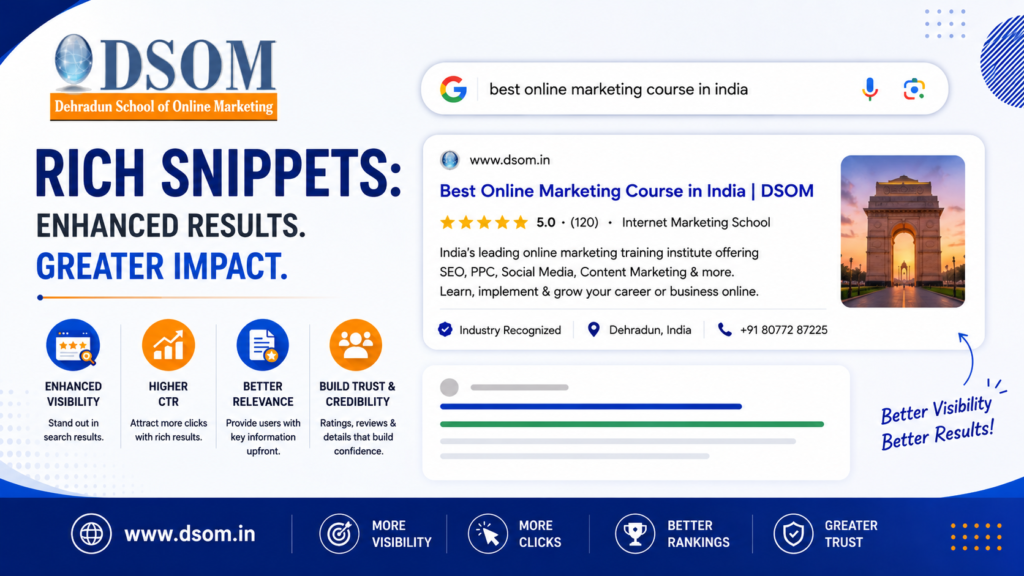
A few years ago, I published a blog post that ranked on the first page of Google. Sounds like success. Except it wasn’t. The page was visible—but invisible at the same time. No clicks. No attention. It showed up in search results, but users skipped right past it. Then we made one strategic change. We optimized the content for a rich snippet. The ranking didn’t change. But the result did. Extra details started appearing—ratings, structured information, clearer context. Suddenly, clicks increased without moving a single position. That’s when it became clear: Ranking gets you seen.Rich snippets get you chosen. And when combined with strong on-page SEO, they quietly outperform competitors. What Is a Rich Snippet? (Simple Definition) A rich snippet is an enhanced search result that displays additional information beyond the standard blue link. Instead of just a title and meta description, it may show: Star ratings Prices FAQs Images Event details In simple terms, it makes your search results more informative and more noticeable. Why Rich Snippets Matter More Than Rankings Ranking alone is no longer enough. Search results are crowded. Users don’t read them. They scan. A rich snippet helps your result stand out by giving users instant context and confidence. From an on-page SEO perspective, this directly improves: Click-through rate (CTR) User trust Search result engagement More engagement sends stronger signals to search engines. A Simple Example (Why They Work So Well) Imagine searching for “best budget headphones.” One result shows just a title. Another shows star ratings, price range, and availability. Which one do you click? That’s the advantage of enhanced search results. They help users decide faster—and faster decisions mean more clicks. Types of Rich Snippets and Their SEO Impact Different content types trigger different enhanced results. The most common ones include: Review & Rating Snippet Displays star ratings that immediately grab attention. Product Snippet Shows price, availability, and reviews. FAQ Snippet Displays questions and answers directly in search results. Recipe Snippet Includes cooking time, ratings, and images. Event Snippet Shows date, time, and location information. Each format improves visibility and aligns better with user intent. How Rich Snippets Work (Behind the Scenes) Rich snippets are powered by structured data. Search engines read this structured information to understand what your content represents. When implemented correctly, your page becomes eligible for enhanced presentation in search results. This clarity helps search engines match your content with the right intent—an essential part of on-page SEO. How to Optimize Content for Rich Snippets These enhanced results don’t appear by accident. Optimization requires intent. Here’s what works consistently: Use clear headings and structured content Answer common user questions directly Match structured data with visible content Follow Google’s guidelines strictly Content that is easy to understand is easier to enhance. Where Rich Snippets Appear in Search Results A rich snippet appears directly below the page title in search results. It may display: FAQs beneath the result Ratings next to the title Pricing and availability Extra descriptive elements These enhancements increase screen space and visual dominance—often pushing competitors down without outranking them. Visibility vs Position: The Real Advantage Visibility isn’t just about ranking #1. It’s about presence. Enhanced listings increase: Screen space Visual appeal Clarity Even when your page isn’t the top result, it can still attract the most clicks. Rich Snippets and On-Page SEO: The Silent Connection Rich snippets don’t directly improve rankings. But they strongly influence ranking signals. Here’s how they support on-page SEO: Higher CTR Reduced pogo-sticking Improved relevance perception Better user satisfaction Google watches how users interact. Better interaction leads to better performance. Common Mistakes That Prevent Rich Snippets Many websites fail to qualify due to avoidable errors. Common mistakes include: Structured data that doesn’t match page content Keyword stuffing inside schema Ignoring validation errors Using misleading markup One accurate implementation is far more powerful than multiple incorrect ones. Are Rich Snippets Guaranteed? No. Even perfect optimization doesn’t guarantee display. Search engines decide when and where to show enhanced results. Think of it this way: You’re not forcing the outcome—you’re increasing eligibility. Who Should Focus on Rich Snippets? These enhancements are especially valuable for: Students learning SEO fundamentals Bloggers and content creators E-commerce websites Service-based businesses Educational and informational sites Wherever users compare results, enhanced listings matter. Why Rich Snippets Are the Future of Search Search is becoming more visual, more informative, and more intent-driven. Rich snippets align perfectly with this shift. They help users make faster decisions and help search engines deliver better experiences. That’s why enhanced results continue to expand across industries. Final Thoughts: Small Enhancement, Big Difference Most websites focus on: Keywords Content Backlinks But ignore how results actually appear. A rich snippet bridges that gap. It turns ordinary listings into attention-grabbing results that earn clicks, trust, and visibility. And learning how to implement such advanced yet practical SEO techniques is exactly what DSOM (Dehradun School of Online Marketing) focuses on—training students to master on-page SEO, structured data, and real-world optimization strategies that drive real traffic, real clicks, and real growth.
Email Mailto Tag: The Powerful HTML Link Most Websites Ignore
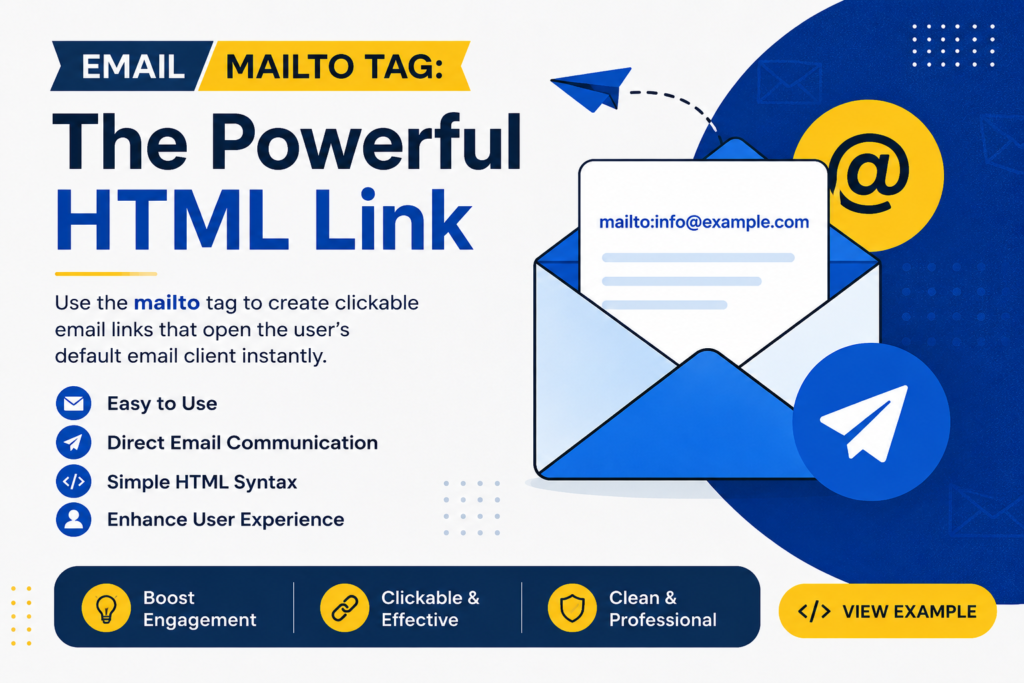
I still remember auditing a business website that looked perfect on paper. Good traffic. Well-written content. Strong SEO basics. But there was one problem. No emails were coming in. The reason was simple. The email address was visible—but not clickable. That’s when we implemented an Email Mailto Tag. Within a few days, users started sending inquiries directly from the website. No copying, No switching tabs, Just one click and instant communication. That experience made one thing very clear: this simple HTML link plays a huge role in user experience and On Page SEO. What Is an Email Mailto Tag? An Email Mailto Tag is an HTML link that opens the visitor’s default email application when clicked. Instead of manually copying an email address, users can instantly start writing an email. In simple terms, it transforms plain text into a clickable email action. This makes communication faster, smoother, and more user-friendly—especially for visitors who prefer email over contact forms. Why This Email Link Still Matters Modern users are impatient. They don’t want extra steps. If contacting your business feels complicated, they leave. The Email Mailto Tag removes friction and allows immediate interaction, which is exactly what users expect today. From an on page SEO perspective, smoother interactions improve engagement signals like time on page and reduced bounce rate—factors search engines pay attention to. How Mailto Links Work This email linking method uses the mailto: protocol. When a user clicks it: Their default email client opens The recipient email address is pre-filled They can send a message instantly Browsers recognize this as a communication command, not just text. That’s why proper formatting is essential for consistency across devices. Types of Mailto Tag Formats and Attributes The Email Mailto Tag supports several useful formats that improve usability. Basic Mailto Link This opens the email client with the recipient filled in. Mailto Link With Subject Line Helpful for directing user intent. Mailto Link With Body Text Commonly used for support or service requests. These variations make this email linking method flexible and practical for different business needs. How to Create Mailto Links in Web Pages Correctly Creating an Email Mailto Tag is easy, but mistakes reduce its effectiveness. Best practices include: Use clear, action-based anchor text Keep subject lines short and relevant Avoid spammy or promotional wording Encode spaces properly Clean implementation ensures compatibility across browsers and devices while maintaining a professional appearance. Where Mailto Links Are Used for Effective Communication Placement directly impacts performance. This type of email link works best where user intent is already high. Effective locations include: Contact pages Website footers About pages Service pages Support sections From an on page SEO viewpoint, these placements encourage interaction and improve overall usability. Streamlining Email Communication With One Click Without a clickable email link, users go through unnecessary steps: Read → copy email → open app → paste → write → send Too much effort. The Email Mailto Tag reduces this entire process to a single click. Fewer steps mean more responses, which is why email links often outperform complex contact forms for quick communication. Crafting Effective Email Links on Your Website Not all email links convert well. To get results: Use clear CTAs like “Email Our Team” Place links near relevant content Avoid cluttering pages with too many links Pair them with trust signals like address or phone number When done right, this email linking approach feels natural and helpful—not intrusive. Email Mailto Tag vs Contact Forms Both serve different purposes. Contact forms are structured and controlled Email links are instant and flexible For quick questions, business inquiries, or support requests, the Email Mailto Tag offers speed and simplicity. From an on page SEO perspective, both help engagement—but email links reduce friction significantly. Are Mailto Links Safe for SEO? Yes, completely. Search engines understand mailto links. They do not harm indexing. They do not block crawling. Instead, they indirectly support on page SEO by improving real user behavior and interaction. Better experience leads to stronger SEO signals. Common Mistakes to Avoid Many websites misuse the Email Mailto Tag. Avoid these errors: Displaying email addresses without links Overusing mailto links on every page Writing spam-triggering subject lines Ignoring mobile usability One well-placed email link is more effective than several poorly implemented ones. Final Thoughts: Small Link, Real Impact Most websites focus heavily on content, keywords, and backlinks. But forget how users actually connect. The Email Mailto Tag turns passive visitors into active conversations with almost no effort. No plugins. No complex setup. No technical barriers. And learning how to implement such practical, conversion-focused elements is exactly what DSOM (Dehradun School of Online Marketing) emphasizes—teaching students how on page SEO, user experience, and real-world implementation come together to generate genuine leads and measurable results.
Meta Keywords: Why They No Longer Matter in Modern SEO
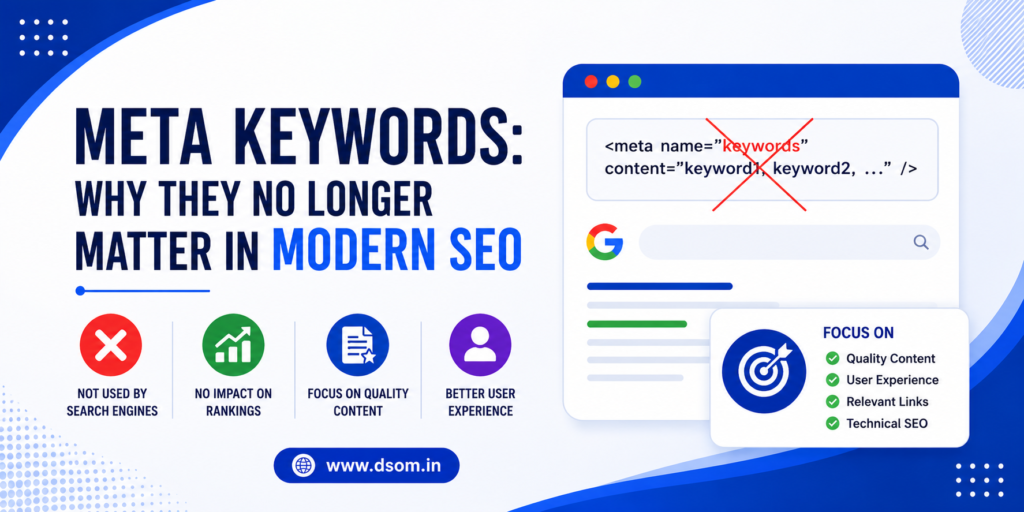
Introduction: When Meta Keywords Controlled Rankings Meta Keywords were once the backbone of SEO. I remember my early days in digital marketing. You’d publish a page.Add a long list of keyword terms.And rankings would follow. For a while, it worked. Then everything changed. Search engines became smarter. Manipulation increased. Keyword stuffing exploded. And suddenly, this once-powerful element lost its influence. That shift taught an important lesson: SEO evolves, and understanding why things change matters just as much as knowing what to use. What Are Meta Keywords? Meta Keywords are a type of HTML meta tag that allowed website owners to list keywords relevant to a page’s content. These keyword tags were placed in the page’s source code and were originally used by search engines to understand topic relevance. In simple terms, they acted as a signal telling search engines what the page was about—before algorithms became advanced enough to interpret content naturally. Why Meta Keywords Were Important in Early SEO In the early days of search engines, crawling technology was limited. Search engines relied heavily on metadata to categorize pages. At that time, meta keywords helped: Define page topics Influence ranking decisions Organize search results However, this reliance made them easy to manipulate. And manipulation always leads to devaluation. Types of Meta Keywords and Early Strategies Back then, there were common approaches to keyword tag usage. Exact-Match Keyword Lists Pages listed primary search terms directly. Broad Keyword Coverage Websites added multiple variations hoping to rank for more queries. Repetitive Keyword Stuffing The most abused strategy—repeating terms excessively. These tactics eventually led to abuse, which is why search engines began ignoring keyword tags entirely. How to Choose the Right Keywords Today Even though Meta Keywords are no longer used for ranking, keyword selection itself is still critical. Modern keyword strategy focuses on: Search intent Topic relevance Content depth Semantic relationships Instead of relying on hidden tags, search engines now analyze visible content, structure, and user behavior. This shift aligns closely with strong on page SEO practices. Where Meta Keywords Were Traditionally Placed Meta Keywords were added inside the <head> section of a webpage’s HTML. They were invisible to users but readable by search engines. Today, while the tag still exists in HTML standards, major search engines no longer use it as a ranking factor. Its placement remains purely informational—if used at all. The Role of Meta Keywords in Modern SEO Here’s the honest truth. Meta Keywords have no direct impact on rankings today. Major search engines like Google completely ignore them. However, understanding their history helps SEO professionals avoid outdated practices and focus on what actually matters. Modern SEO values: Content quality Relevance User experience Context Not hidden keyword lists. Why Search Engines Stopped Using Meta Keywords The reason is simple: abuse. Website owners began: Stuffing irrelevant terms Targeting competitor brand names Misleading search engines To protect result quality, algorithms evolved. Search engines now rely on machine learning, semantic analysis, and engagement signals instead of static keyword tags. This evolution strengthened on page SEO standards overall. Strategizing Keyword Selection Without Meta Tags Even without Meta Keywords, keyword strategy is still essential. Here’s what replaces them today: Optimized titles and headings Natural keyword usage in content Internal linking Structured data User-focused writing Keywords now support content—not control it. Common Myths Around Meta Keywords Let’s clear some confusion. ❌ They do not boost rankings❌ They do not help indexing❌ They do not influence visibility The only value Meta Keywords offer today is educational—helping marketers understand how SEO has evolved. Using them won’t hurt your site, but they won’t help either. Should You Use Meta Keywords at All? For most websites—no. There’s no SEO benefit. Some CMS platforms still include them by default, but they’re unnecessary. Your effort is better spent on: Content optimization Page structure Internal linking User experience These elements drive results in modern on page SEO. Final Thoughts: Learn the History, Focus on What Works SEO is full of outdated tactics. Meta Keywords are one of the biggest examples. They remind us that SEO is not about shortcuts—it’s about adaptation. Understanding what no longer works is just as important as mastering what does. And learning this evolution-based approach is exactly what DSOM (Dehradun School of Online Marketing) focuses on—training students to understand SEO fundamentals, modern on page SEO strategies, and real-world optimization techniques that actually drive traffic, rankings, and long-term growth.
Canonical Tag: 1 Critical Fix That Stops SEO Duplication
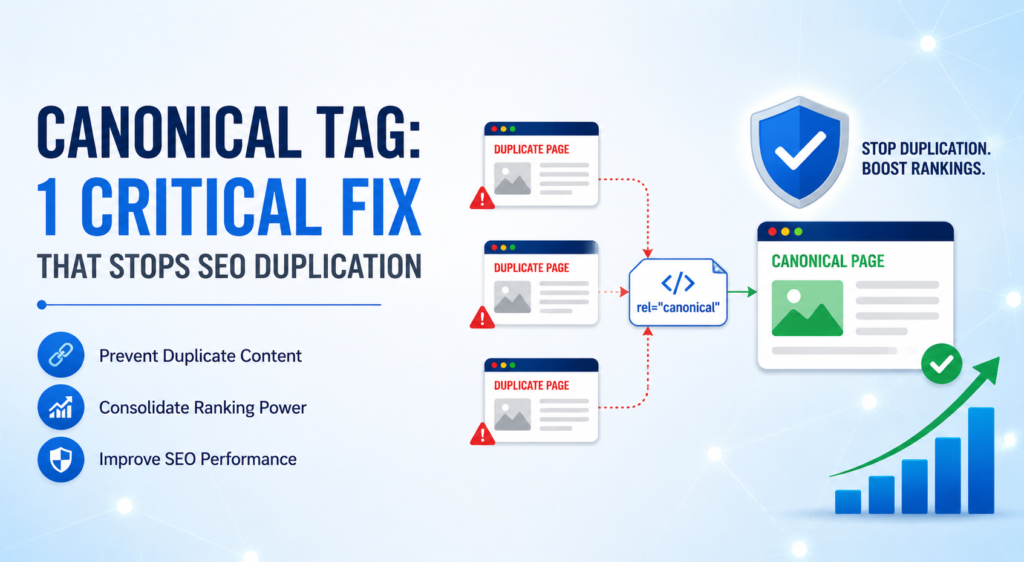
Introduction: The Day One Small Tag Saved an Entire Website A few years ago, I worked on a website that was doing everything right. Strong content.Good backlinks.Clean design. Yet rankings were stuck. Some pages competed with each other in search results. Traffic was split. Visibility suffered. The problem wasn’t content quality. It was duplication. That’s when we implemented a Canonical Tag. Within weeks, search engines stopped treating similar URLs as competitors. Rankings stabilized. Authority consolidated. That moment taught me a powerful lesson: this single tag doesn’t change your content—it tells search engines which version matters. And when combined with solid on-page SEO, it quietly fixes problems most people never notice. What Is a Canonical Tag? A Canonical Tag is an HTML element that tells search engines which version of a page should be considered the primary or “master” version. When multiple URLs show similar or identical content, this tag prevents confusion. In simple terms, it says: “This is the version you should index and rank.” It doesn’t redirect users.It guides search engines. And that distinction matters. Why Duplicate Content Is a Silent SEO Killer Duplicate content doesn’t always mean copied text. It often comes from: URL parameters Session IDs Pagination Filtered pages HTTP vs HTTPS versions Without guidance, search engines may split ranking signals between URLs. That’s where a canonical element becomes essential for protecting on page SEO performance. Types of Canonical Implementations There isn’t just one scenario where canonicalization is needed. Common implementations include: Self-Referencing Canonical Used when a page points to itself as the preferred version. Cross-Domain Canonical Used when content is syndicated across multiple domains. Parameter-Based Canonical Used to handle tracking URLs and filters. Each approach serves a different purpose—but all aim to consolidate authority correctly. How to Implement Canonical Tag Correctly A Canonical Tag is placed inside the <head> section of a webpage. Best-practice guidelines include: Point only to relevant, matching content Use absolute URLs Avoid conflicting signals (like canonical + noindex) Keep it consistent across internal linking Correct implementation ensures search engines understand your intent clearly. Where a Canonical Tag Is Essential to Avoid Duplication A Canonical Tag becomes critical in situations like: E-commerce product variations Blog posts with multiple category URLs Pagination and sorting options Content syndication In these cases, it helps prevent internal competition and preserves ranking strength. Avoiding Duplicate Content Without Changing UX One of the biggest advantages of canonicalization is flexibility. You don’t need to remove pages. You don’t need to block users. You don’t need heavy redirects. By using a Canonical Tag, you control how search engines interpret pages—while users still enjoy full functionality. That balance is key to sustainable on page SEO. Canonical vs Redirect: Know the Difference A redirect sends users and bots elsewhere. A canonical reference guides bots only. Use redirects when pages should not exist. Use a Canonical Tag when multiple versions must remain accessible but shouldn’t compete. Knowing when to use which is a mark of advanced SEO understanding. Common Canonical Mistakes to Avoid Even experienced SEOs make mistakes here. Avoid: Pointing canonicals to unrelated pages Using multiple canonical references Forgetting to update them during site migrations Blocking canonical URLs in robots.txt One wrong setup can undo months of SEO work. Canonical Tag and On Page SEO: The Hidden Connection On page SEO isn’t just about keywords and headings. It’s also about clarity. A Canonical Tag provides that clarity by consolidating signals like: Internal links Backlinks Engagement metrics When search engines clearly understand which page matters, everything else performs better. Final Thoughts: One Tag, Long-Term SEO Stability Most SEO problems aren’t loud. They’re subtle. A Canonical Tag fixes one of the most common silent issues—duplicate content—without disrupting user experience. It protects rankings. It consolidates authority. It strengthens on page SEO. And learning how to implement such technical yet practical SEO solutions is exactly what DSOM (Dehradun School of Online Marketing) focuses on—training students to master real-world SEO elements, technical foundations, and strategies that create long-term visibility and growth.
Meta Tags: The Invisible Power That Drives Search Visibility and Clicks
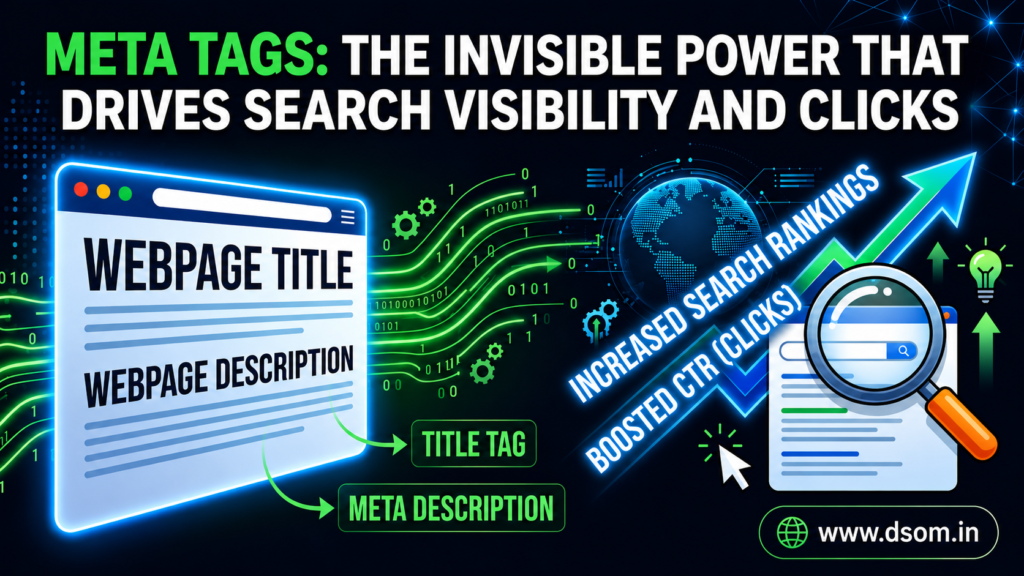
Introduction: When My Page Looked Perfect—but Got No Clicks Meta Tags were the last thing I thought to check. The content was solid.The keywords were researched.The page ranked—but nobody clicked. Impressions were visible.Traffic wasn’t. When I reviewed the page carefully, the issue became obvious. The title felt lifeless.The description was missing.The page had no presence in search results. Once the metadata was rewritten, click-through rate improved almost immediately—without changing a single word of content. That moment made something very clear: what users see before clicking is just as important as what they read after. What Are Meta Tags? Meta Tags are snippets of HTML code placed inside a webpage’s <head> section to communicate important information to search engines and browsers. They do not appear on the visible page. Instead, they explain what the page is about, how it should be displayed, and how it should be handled during crawling and indexing. In simple terms, this metadata acts as a bridge between your content and search engines—translating intent, relevance, and structure. Why Meta Tags Matter in SEO Search engines rely on signals to determine: What a page represents How it should appear in results Whether users are likely to trust it Meta Tags help shape these decisions by providing structured context. From an on page SEO perspective, this directly impacts visibility, relevance, and user engagement—especially through titles and descriptions that appear in SERPs. Types of Page-Level Metadata and Their Purposes Not all HTML tags serve the same function. Title Element Defines the clickable headline shown in search results and browser tabs. Description Element Summarizes page content and influences user click behavior. Robots Directive Controls crawling and indexing instructions. Charset Declaration Ensures correct text rendering across browsers. Viewport Setting Optimizes display for mobile devices. Each of these elements works together to shape how a page is interpreted and presented. How to Write Engaging Search Snippets Effective metadata is written for humans first. Best practices include: Clear and concise language Alignment with search intent Natural keyword placement Informational or emotional appeal Well-crafted snippets build trust before the click even happens. Where Metadata Plays a Critical Role Page-level information matters most at key interaction points. It influences: Search result appearance Social media previews Browser tab labels Indexing behavior From an on page SEO standpoint, this layer is foundational—not optional. Ignoring it means handing over control of your page’s presentation to algorithms. Meta Tags: Your Website’s Hidden Voice Your content speaks after the click. Meta Tags speak before it. They decide whether users pause, read, and choose—or scroll past. Think of them as your website’s elevator pitch in search results. Short.Clear.Intentional. The Impact of Metadata on User Behavior While page-level tags don’t guarantee rankings, they strongly influence: Click-through rate Bounce rate Perceived relevance Brand trust Search engines observe how users interact with results. Better engagement sends stronger quality signals over time. Common Metadata Mistakes to Avoid Many websites hurt performance unintentionally. Avoid: Duplicate titles across pages Missing descriptions Keyword stuffing Truncated headlines Generic wording One poorly written setup can undermine even the best content. Metadata and On Page SEO: The Direct Relationship On page SEO is about clarity and alignment. When page information matches content accurately, search engines trust the page more. Trust leads to consistency.Consistency leads to stability. Final Thoughts: Control the Message Before the Click SEO is not just about ranking. It’s about choice. Users choose what looks relevant, clear, and trustworthy. Meta Tags give you control over that choice. They shape first impressions, guide search engines, and support strong on page SEO when used correctly. And learning how to apply these fundamentals strategically is exactly what DSOM (Dehradun School of Online Marketing) focuses on—training students to master on page SEO, search visibility fundamentals, and real-world optimization techniques that drive clicks, trust, and sustainable growth.
Robots.txt: How It Controls Crawling and Protects SEO Visibility
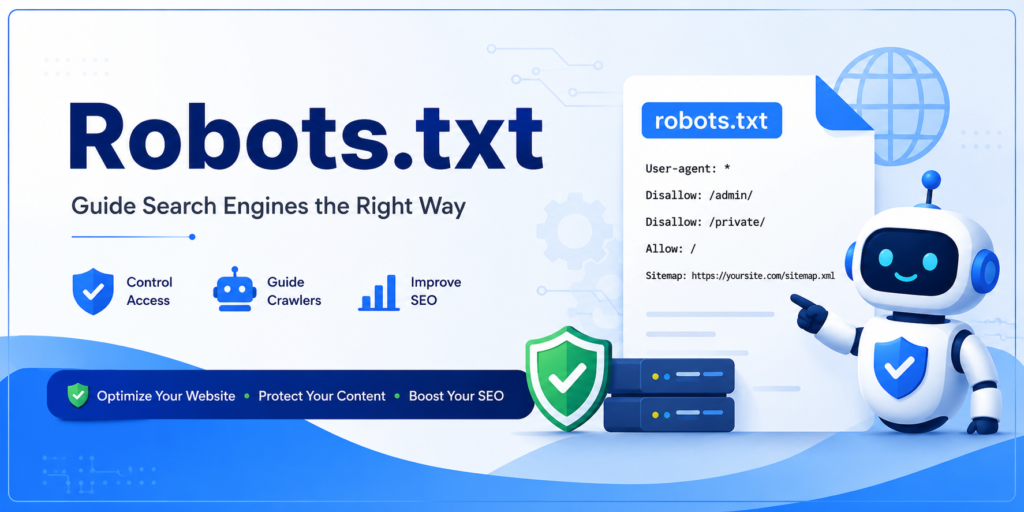
Introduction: How One Crawl File Nearly Erased a Website A few years ago, a website I was managing lost visibility overnight. Not slowly.Not gradually. Entire sections vanished from search results. The content was untouched.Backlinks were stable.On page SEO was strong. The problem turned out to be a single misconfigured Robots.txt file that blocked critical pages from being crawled. Once fixed, recovery began—but the lesson stayed permanent. A small technical file had complete control over search engine access. What Is Robots.txt? Robots.txt is a simple text file that gives instructions to search engine crawlers about which parts of a website they can or cannot access. It doesn’t affect users. It doesn’t remove pages. It only communicates with bots. In plain terms, it sets boundaries for automated crawlers so search engines know where they are welcome. Why Crawl Control Matters in SEO Search engines have limited crawl budgets. They don’t explore every page endlessly. When crawl paths are unclear, important pages may be ignored while unimportant areas are scanned repeatedly. From an on page SEO perspective, proper crawl guidance helps search engines focus on pages that actually matter for rankings and visibility. Types of Directives Used for Crawl Management Crawl control relies on a few core directives that search engines understand: User-agent Specifies which crawler the rules apply to. Disallow Blocks access to specific folders or URLs. Allow Overrides restrictions for important paths. Sitemap Points crawlers toward your XML sitemap. These instructions work together to define how Robots.txt manages crawler behavior. How Crawlers Read Crawl Instructions When a search engine visits your website, it first checks for the Robots.txt file. If present, crawlers read the rules before accessing any page. If absent, crawlers assume full permission. This is why even a small mistake in the file can prevent search engines from seeing your content. How to Configure Crawl Rules Safely Safe configuration is about balance. Best practices include: Allowing important pages to be accessed Blocking admin panels and duplicate paths Never blocking CSS or JavaScript files Testing rules before deployment A carefully configured Robots.txt setup supports efficient crawling without damaging SEO performance. Where This File Lives in Website Structure The crawl instruction file must live in the root directory of a website. Example:yourwebsite.com/robots.txt Search engines will not recognize it if placed anywhere else. Location matters as much as configuration. The Gatekeeper Role in SEO This file acts like a digital security guard. It doesn’t remove pages. It doesn’t hide content from users. It simply decides where crawlers are allowed to go. That’s why Robots.txt is often called the gatekeeper of a website—it controls access without changing content. Controlling Web Crawlers Without Blocking Growth Major search engines like Google, Yahoo! respect crawl rules. When used wisely, crawl instructions help: Prevent crawl waste Reduce duplicate content paths Protect sensitive directories Improve crawl efficiency Strategic use of Robots.txt strengthens technical foundations that support long-term SEO visibility. Robots.txt vs Meta Robots Tags These two tools serve different purposes. Robots.txt → controls crawling Meta robots tags → control indexing Understanding this difference prevents accidental blocking of valuable pages. Using the wrong tool in the wrong place can quietly harm visibility. Common Crawl Control Mistakes Many SEO issues come from small errors, such as: Blocking the entire site unintentionally Restricting important page folders Forgetting to update rules after site changes Using crawl rules to hide sensitive data Even one incorrect line in Robots.txt can undo months of SEO work. Does Crawl Control Affect Rankings? Not directly. But indirectly, absolutely. If search engines can’t crawl your pages, they can’t index or rank them. That’s why Robots.txt influences SEO visibility by controlling access—not rankings themselves. Final Thoughts: Small File, Massive Responsibility Most SEO problems aren’t obvious. They’re technical. Robots.txt is one of those quiet elements that decides whether your content is visible or invisible. Used correctly, it protects crawl efficiency and strengthens on page SEO.Used carelessly, it blocks growth before it begins. And learning how to manage such critical technical SEO elements is exactly what DSOM (Dehradun School of Online Marketing) focuses on—training students to master on page SEO, crawl management, and real-world optimization strategies that protect visibility and ensure long-term success.