Boost Your Website Performance with Fast-Loading Page

Why is Speed Important in Web Designing? User Experience: A fast-loading website improves user experience and keeps visitors engaged. Slow-loading websites can frustrate users, resulting in high bounce rates and low user engagement. Search Engine Optimization (SEO): Google has stated that page speed is a crucial factor in search engine rankings. Fast-loading websites are more likely to rank higher on search engines, resulting in increased traffic and visibility. Conversion Rates: A slow-loading website can significantly impact conversion rates. A fast-loading website, on the other hand, can lead to higher conversion rates, resulting in increased revenue and ROI. Tips to Optimize Your Site for Speed Use a Content Delivery Network (CDN) A CDN can significantly reduce the loading time of your website by delivering content to users from a server closest to them. This reduces the distance between the user and the server, resulting in faster loading times. CDN providers like Cloudflare, Akamai, and Amazon CloudFront offer affordable CDN services for websites of all sizes. Compress Images Large images can slow down your website’s loading time, especially if they’re not optimized for the web. Compressing images can reduce their size without compromising their quality. You can use tools like Smush or Kraken to compress images before uploading them to your website. Minimize HTTP Requests HTTP requests are made when a website loads and each request takes time to complete. Minimizing the number of HTTP requests can significantly improve your website’s loading time. You can do this by combining multiple files into one, reducing the number of images and videos, and using browser caching to reduce the number of HTTP requests. Use a Fast Web Host The speed of your web host can significantly impact your website’s loading time. Choose a reliable web host with a fast server response time and uptime. You can use tools like Pingdom or GTmetrix to test your website’s loading time and identify any issues related to your web host. Minify CSS, HTML, and JavaScript Minifying code involves removing unnecessary characters, such as white space and comments, from CSS, HTML, and JavaScript files. This can significantly reduce file size and improve loading time. You can use tools like HTML Minifier, CSS Nano, and UglifyJS to minify your website’s code. Enable Compression Enabling compression can reduce the size of your website’s files and speed up loading time. You can use Gzip or deflate compression to compress your website’s files. Most web servers support compression, but you may need to enable it manually. You can use tools like Check GZIP compression or GIDNetwork to check if compression is enabled on your website. Use a Fast Theme/Framework The theme or framework you choose for your website can significantly impact your website’s loading time. Choose a lightweight and fast-loading theme or framework that’s optimized for speed. Popular fast-loading frameworks include Bootstrap and Foundation. Optimize Your Database Optimizing your database can improve your website’s loading time by removing unnecessary data and optimizing tables. You can use plugins like WP-Optimize to optimize your WordPress database. The plugin removes unnecessary data, such as post revisions, spam comments, and trash, from your database and optimizes database tables to improve performance. In conclusion, optimizing your website for speed is crucial for providing a better user experience and improving your website’s search engine rankings, conversion rates, and revenue. By following these tips, you can significantly improve your website’s loading time and provide a better user experience for your visitors.
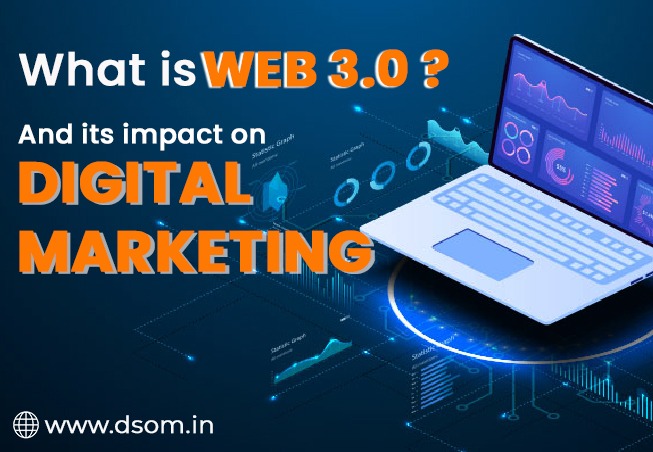
What is Web 3.0 and its impact on Digital Marketing ?
Web 3.0, also known as the Semantic Web, is a concept that refers to the next generation of the World Wide Web, in which the internet becomes more intelligent and able to understand the meaning of the data it contains. It is based on the idea of using metadata and semantic technologies to create a more interconnected and intelligent web, where machines are able to understand and interpret the context and meaning of the information they encounter.In Simple Language, Web 3.0, also known as the “Semantic Web,” is a vision for the future of the internet in which machines are able to understand and process the meaning of the data on the web, rather than just the raw data itself. This would allow for more intelligent search and information retrieval, as well as the ability for machines to interoperate and communicate with each other more effectively. In terms of digital marketing, Web 3.0 technologies could potentially be used to better understand and target customer segments, as well as to personalize marketing messages and optimize the customer experience. For example, a company could use semantic technologies to analyze the language and context of customer reviews and feedback and use this information to improve its products and services. In terms of digital marketing, Web 3.0 could potentially have a number of benefits. For example: Improved targeting: By understanding the meaning of the data it contains, the Semantic Web could help marketers to better target their advertising and marketing efforts to specific audiences and demographics. Enhanced personalization: Web 3.0 could enable marketers to deliver more personalized and relevant marketing messages to consumers, based on the context and meaning of the data they have collected about them. Better insights: The Semantic Web could help marketers to more easily analyze and interpret large amounts of data, providing them with valuable insights into consumer behavior and preferences. Increased automation: Web 3.0 could also facilitate the automation of certain marketing tasks, such as targeting and personalization, freeing up marketers to focus on more strategic and creative endeavors. Overall, Web 3.0 has the potential to revolutionize the way digital marketing is conducted, by enabling marketers to better understand and reach their target audiences, and to deliver more personalized and relevant marketing messages. But Web 3.0 technologies are still in the early stages of development, and it is not yet clear how they will be adopted and used in the digital marketing industry. However, as these technologies continue to evolve and mature, they may offer new opportunities for companies to better understand and engage with their customers.
How to Optimize Images for Websites: A Beginner

Optimizing images for websites is crucial to ensure faster page loading times, improved user experience, and better search engine rankings. Here’s a beginner’s guide on how to optimize images for websites. Choose the Right File Format: The first step in optimizing images for your website is to choose the right file format. There are three main file formats that are commonly used for images on sites: JPEG, PNG, and GIF. JPEG is best for images with a lot of detail and color, such as photographs. It has a smaller file size compared to other formats, making it ideal for web use. PNG is best for images with transparency or a small number of colors, such as logos or graphics. PNG files are larger in size than JPEG files but offer better quality. GIF is best for animated images and images with a limited number of colors, such as icons or small animations. GIF files are generally smaller in size compared to other formats. Compress Images for Website: After choosing the right file format, the next step is to Compress Images for the Website. Compression reduces the file size of an image without significantly affecting the quality. There are several tools and software available online that you can use to Compress Images for Websites. Some popular options include Adobe Photoshop, GIMP, and TinyPNG. Compress Images for Website, it’s important to strike a balance between file size and image quality. You want your images to be as small as possible without sacrificing too much quality. Resize Your Images: Another important step in optimizing images for websites is resizing them. Large images can slow down your website’s loading time and negatively impact the user experience. Resize your images to the appropriate dimensions before uploading them to your website. This will help reduce the file size of your images and improve the overall performance of your website. There are several online tools and software available to help you resize your images. Some popular options include Adobe Photoshop, GIMP, and Canva. Use Descriptive File Names: When uploading images to your website, it’s important to use descriptive file names. Descriptive file names help search engines understand what the image is about and improve the image’s search engine rankings. Instead of using generic file names like “IMG_001,” use descriptive file names like “beach-sunset.jpg” or “company-logo.png.” This will help search engines and users understand what the image is about. Add Alt Text: Alt text is a description of an image that is used by screen readers for the visually impaired. It’s also used by search engines to understand what the image is about. When adding alt text to your images, be descriptive and use relevant keywords. This will help improve the image’s search engine rankings and make it more accessible to visually impaired users. Use Lazy Loading: Lazy loading is a technique that loads images as the user scrolls down the page. This helps improve the loading time of your website and prevents large images from slowing down the page. There are several plugins and tools available that can help you implement lazy loading on your website. Some popular options include WP Rocket and Lazy Load by WP Rocket. Use a Content Delivery Network (CDN): A content delivery network (CDN) is a network of servers that distribute your website’s content to users based on their location. This helps improve the loading time of your website and ensures a better user experience. By using a CDN, your images will be served from the server closest to the user, reducing the loading time and improving the overall performance of your website. Conclusion Optimizing images for websites is an important part of improving the performance and user experience of your website. By following these tips, you can reduce the file size of your images, improve the loading time of your website, and boost your search engine rankings.
How to build an Attractive Resume
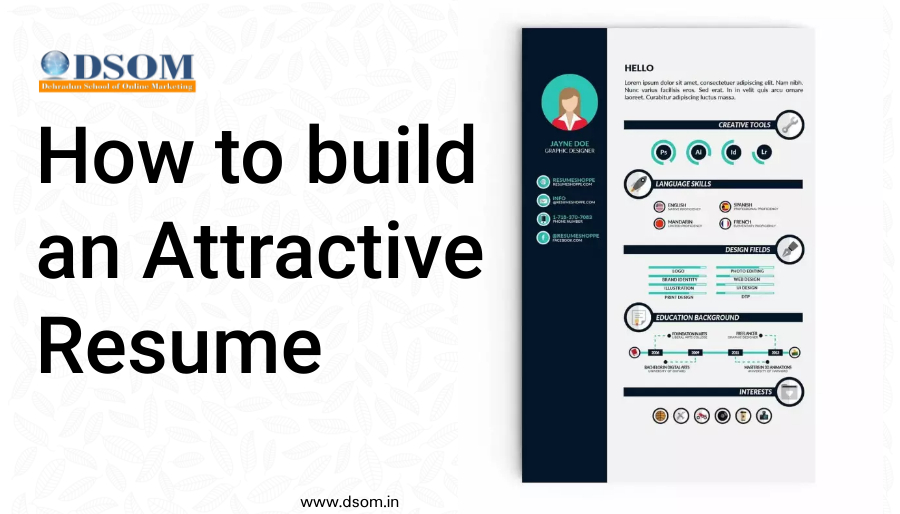
An attractive resume is one that is easy to read, clearly organized, and visually appealing. Here are some tips for building an attractive resume: Keep it concise: Choose a clean, professional font and layout. Times New Roman and Arial are both safe choices. Avoid using more than two different font sizes or styles.Aim for a length of one to two pages. Use a clear, easy-to-read font and layout: Choose a font that is professional and easy to read, and use headings and bullet points to break up the text and make it easier to scan. Use headings and bullet points to organize your information and make it easy to scan. Focus on your achievements: Rather than simply listing your responsibilities, highlight specific accomplishments and successes in your career. Use action verbs to describe your responsibilities and achievements. This will make your resume more dynamic and engaging. Use keywords: Use language from the job posting in your resume to show that you have the skills and experience the employer is looking for. Proofread: Make sure there are no spelling or grammar errors in your resume. It’s a good idea to have a friend or professional proofreader review your resume as well. Customize your resume for each job: Tailor your resume to the specific job you are applying for by highlighting the skills and experience that are most relevant to the position.Use white space effectively to break up blocks of text and make the resume easier on the eyes. Include a cover letter: A cover letter is a great opportunity to introduce yourself and explain why you are the best fit for the job. Make sure to tailor your cover letter to the specific job and company you are applying to. By following these tips, you can create an attractive resume that will help you stand out to potential employers.
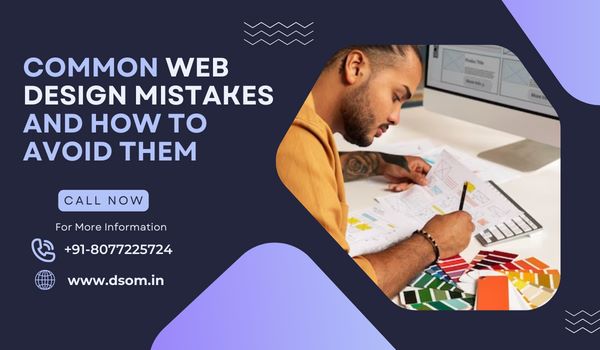
Common web design mistake and how to avoid them
What is Web design and why is it so important to avoid mistakes while designing a website? Web design is the process of developing and designing websites using various types of skills, it involves planning, conceptualization, and strategy to make the user experience better and ultimately increase the number of visitors. Do you know there are over 1 Billion websites on www (World Wide Web) in January 2023? Since the inception of Word press the rate of creation of websites was increasing day by day, and to compete in this is very difficult. But most website is not good, there are several web design mistakes on those websites which affect them in many ways, such as bad user experience if your website is difficult to navigate or slow speed, the user will quickly leave your website, and it also affects your SEO score which is very important to rank your website on Search Engine Result Page. Now the question arises what are these mistakes and how to avoid them? Let’s jump in and study in detail. Common Web design mistakes and how to avoid them Bad Navigation or Layout If a user or crawler is visiting a website, the first thing they want in a website is everything is understandable, its layout or structure, and perfect navigation otherwise the visitor will leave your website and the crawler will never rank that website. To avoid this common web design mistake first you need to categorize and arrange them hierarchically to make navigation more understandable like Menus, contact forms, etc. The second thing you must keep in mind is the layout, you will have to create a responsive web design website so that it can run on any screen size without disturbing the structure and quality of the website. Hard to Read If you have blogging websites, services websites, or e-commerce websites, you want your content to be easy to read for the targeted audience, otherwise, it will only make them feel like a waste of time. To avoid this common mistake you can do a few things Your Subheadings should be clear as possible so that the user can easily understand the content. Use of color on interesting words or paragraphs, to engage users on your website. If possible use Sans-Serif fonts, it is the most readable font. And if you are using Word press then you can use a different page builder like Elementor, or Divi they will provide advanced design settings to improve your website readability, and can easily avoid this web design mistake. Mistake in images There are so many people who think that using images everywhere on a website makes it look good. But in today’s world the answer is no, it not only makes it look messy but also heavily impacts the speed of the website. The solution to avoid this mistake is by using quality images over quantity of images, which are relevant to your website’s content. You can reduce the size of the high-quality images by reducing their quality from different online compressing software available. You can use Slider to make it more alive and attractive without placing images everywhere on the website. Mistake in choosing the colors Choosing the wrong Color palette is the most common web design mistakes done by web designers. The different color pattern has a different influence on users. For ex- Blue is the color of faith, belief, etc. So it is important to choose the right combination of colors. Always use color according to the trends and don’t use too many colors. Check the color, how is it looking on different devices, is it appealing or not. Never use too many shades of one color it will only make your website fade. Unclear Call to Action One of the most important aspects of the website is CTA, which tells the user to take different-different actions. And if the CTA is not clearly defined or not working properly or faded will definitely decrease user engagement. To avoid this common web design mistake, we should use bold typography and highly contrasting colors. Always use the clear word to define CTA like Download now, Register here, Submit, etc. Also, put the CTA on that where it is easy to access for users, and don’t use too many CTA in one place it will look overcrowded and put a bad impact on user experience. Mistake in Optimizing the Website Every website owner wants their website to rank on the first page of the Search engine result page, but very few people know how to do that by optimizing the website. Some people do optimize their websites but they did not complete every aspect of optimization that’s why they get incomplete results. To avoid this web design mistake Use of proper Title, and heading tags, not long but clearly describing the keywords. Url should be 60-70px long only and clear. Use different heading tag H1, H2, H3, etc. to show data in a perfect structure. Always stay away from plagiarized content, it will critically harm your SEO ranking Artificial intelligence content is easy to use but it is also easy to identify it according to different webmaster guidelines. Proper use of different Meta tags which is essential for the SEO of the websites like Schema, title, Meta description, robot.txt, etc. Website Security, password, and backup mistakes We are living in a world where we have to keep sharing our personal information online for different purposes, the same goes for the users. They will trust those websites that have some type of certificate or are certified by some trustworthy authorities. So it is important to take SSL (Secure Socket Layer) certificate to tell the users that the website is secure like HTTPS. Second is the password, a website always remains at risk of cyber-attacks, so it is important to have a strong password like the combination of upper-lowercase letters, symbols, and numbers, and must be long. Third is
What is Graphic Designing ?
Graphic design is the art and practice of creating visual content for communication and problem-solving. It involves the use of text, images, and other elements to create visual representations of ideas and messages. Graphic designers use a variety of design elements such as typography, color, composition, and layout to create visual communication that is effective and aesthetically pleasing. They work with a variety of mediums, including print, digital, and interactive media, to create designs that meet the needs of their clients or employers. Graphic design can be applied to a wide range of industries, including advertising,marketing, publishing, and web design. Scope Of Graphic Designing ? The scope of graphic design is vast and varied, as it is an essential component of many industries and fields. Some common areas where graphic designers may work include: Advertising: Graphic designers may create visual materials, such as advertisements, for use in print, online, or other media. Marketing: Graphic designers may design marketing materials, such as brochures, flyers, and social media graphics, to promote products or services. Publishing: Graphic designers may create layouts and designs for books, magazines, and other printed materials. Web design: Graphic designers may work on the visual design and layout of websites and other online platforms. Corporate branding: Graphic designers may create logos, branding materials, and other visual elements for companies and organizations. Packaging design: Graphic designers may design packaging for products, including layout, typography, and imagery. Environmental design: Graphic designers may create visual elements for public spaces, such as wayfinding signs, murals, and other environmental graphics. Future Scope of Graphic Designer as a Carrer ? Graphic design is a dynamic and in-demand field with a bright future outlook. As technology continues to advance, the need for skilled graphic designers will likely increase as well. Some trends that may shape the future of graphic design include: Increased emphasis on digital design: With the increasing use of digital media and the proliferation of mobile devices, there will likely be a growing demand for graphic designers who are skilled in creating designs for digital platforms. The rise of user experience (UX) design: UX design involves creating designs that are not only visually appealing, but also functional and easy to use. As more companies focus on creating positive user experiences, there may be increased demand for designers with UX skills. The use of artificial intelligence (AI) in design: AI and machine learning technologies are being used to automate certain design tasks, but there will still be a need for human designers to oversee and create high-quality designs. The importance of sustainability: As awareness of environmental issues grows, there may be increased demand for graphic designers who can create designs that are environmentally friendly and sustainable. Overall, the future looks bright for graphic designers who are skilled, adaptable, and able to keep up with the latest design trends and technologies.
What are the job profiles after graphic Designing course with salary ?
There are a variety of job profiles available to individuals who have completed a graphic design course in India. Some examples of these job profiles include: Graphic Designer: A graphic designer is responsible for creating visual concepts, using computer software or by hand, to communicate ideas that inspire, inform, or captivate consumers. They develop the overall layout and production design for various applications such as advertisements, brochures, magazines, and corporate reports. The median annual salary for a graphic designer in India is around Rs. 3,00,000 to Rs. 5,00,000. Art Director: An art director is responsible for the visual style and images in magazines, newspapers, product packaging, and movies. They create the overall design of a project and direct others who develop artwork or layouts. The median annual salary for an art director in India is around Rs. 5,00,000 to Rs. 10,00,000. UX Designer: A UX (user experience) designer is responsible for designing and improving the usability, accessibility, and pleasure provided in the interaction between a user and a product. They conduct user research, design flows and wireframes, and prototype and test interfaces to ensure a positive user experience. The median annual salary for a UX designer in India is around Rs. 4,00,000 to Rs. 7,00,000. Illustrator: An illustrator is an artist who specialized in creating original visual content for books, magazines, advertisements, product packaging, and websites. They use a variety of media, such as pencil, ink, and digital tools, to create illustrations that tell a story or explain a concept. The median annual salary for an illustrator in India is around Rs. 3,00,000 to Rs. 5,00,000. Animator: An animator is responsible for creating the illusion of movement by displaying a series of static images in rapid succession. They may work on a variety of projects, including films, television shows, video games, and websites. The median annual salary for an animator in India is around Rs. 3,00,000 to Rs. 5,00,000. Please note that these are just a few examples of job profiles and salaries in the field of graphic design in India. Actual salaries may vary based on factors such as experience, education, location, and industry.
Website Designing as a Career Option
Completed your graduation but still sitting at home wondering what next? Why not opt for a skill development course and open up new job opportunities… Learning website designing course can be a great option! As in today’s digital age, having a strong online presence is crucial for businesses and individuals alike. Having a Website where plays an important role in establishing and showcasing any organization’s brand identity, because of which the demand for skilled website designers has been steadily increasing. Let’s first start with what website designing is? Website Designing simply refers to the process of creating and designing the visual appearance of a website. It involves combining different elements such as graphics, images, text, colors and interactive features to create an aesthetically appealing and functional website. By pursuing a course in website designing you get know about the necessary knowledge and skills required for creating a visually appealing and functional website, as the course will help you in better understanding of basic web design principles such as (layout, typography, color theory, and visual hierarchy), responsive design, UI/UX, different coding languages such as (HTML, CSS, Javascript, Jquery, etc) and other relevant technologies. You will also gain hands-on experience working with industry-standard tools and software. When you complete the website designing course, you will be equipped with the expertise to design and develop websites as per the modern designing trends and user expectations. In simple words you will be able to design websites that are responsive, appealing, user-friendly, and with good UI/UX. The job prospects for website designers are generally favorable, given the increasing demand for websites and online presence across industries. Here are some key factors that contribute to the positive job outlook for website designers: Growing Online Presence: In today’s digital age, businesses of all sizes recognize the importance of having a professional website. From small local businesses to large corporations, organizations need visually appealing and functional websites to showcase their products, services, and brand. This demand creates a steady need for skilled website designers. E-commerce Boom: With the rise of online shopping and e-commerce, businesses are expanding their online presence and investing in user-friendly and visually appealing e-commerce websites. Website designers with expertise in e-commerce platforms and user experience design are particularly sought after in this sector. Mobile-Friendly Design: Mobile usage continues to increase, and responsive web design has become a necessity. Website designers who can create mobile-friendly designs that provide a seamless user experience across different devices are in high demand. Web Development Agencies and Design Firms: Many website designers work in web development agencies or design firms, which provide services to clients ranging from small businesses to large enterprises. These agencies often have a constant need for talented designers to handle various client projects. UX and UI Design Focus: User experience (UX) and user interface (UI) design have become crucial elements in website development. Companies are increasingly emphasizing the user-centric design approach to enhance user satisfaction and engagement. Website designers who specialize in UX and UI design principles and practices are highly sought after. Continuous Technological Advancements: The web design field is continuously evolving, with new technologies, frameworks, and design trends emerging. Website designers who stay updated with the latest industry developments and acquire new skills are well-positioned to take advantage of new job opportunities. Entrepreneurship Opportunities: With the right skills and business acumen, website designers can start their own web design businesses or freelance practices. This allows for greater autonomy, the ability to work with diverse clients, and the potential for higher earnings. Other then the full time career option, you can also enter the freelance market that offers flexible work timings and remote jobs, which means you can just work on projects independently sitting at home, just collaborate with clients from diverse industries and build a successful career as a freelance website designer. However, continuous learning and staying up to date with the latest trends is essential in the field of website which makes it even more interesting as no one can get bored of it because as you start working on it, you get to learn something new every day. So, if you are a graduate seeking career advancement and growth opportunities, enrolling in a website designing course can be a wise choice. STOP thinking any further, unleash your creativity and embrace the world of website designing now!
Top Advantages of Digital Marketing in 2023
In today’s digital age, businesses need to have an online presence to stay competitive. Digital marketing has become an essential tool for businesses of all sizes to reach their target audience and increase brand awareness. With the rise of technology and the internet, digital marketing has become increasingly popular, and businesses are now investing more in digital marketing strategies than ever before. In this article, we will discuss the advantages of digital marketing and how it can benefit your business. Cost-effective One of the primary advantages of digital marketing is that it is cost-effective. Traditional marketing methods such as print advertising and TV commercials can be expensive and may not provide a high return on investment (ROI). With digital marketing, you can reach a wider audience at a lower cost. For example, social media advertising can be targeted to specific demographics, interests, and behaviors, which means you can spend your marketing budget on people who are most likely to be interested in your products or services. Increased Reach Digital marketing provides a vast reach, and businesses can target their audience globally. With social media and search engines, you can reach a broader audience and increase brand awareness. Your target audience can find you with a simple search, and with the right digital marketing strategy, you can rank higher on search engines, which will increase your visibility. Real-time Results Digital marketing provides real-time results, and businesses can see the effectiveness of their campaigns in real time. You can track the number of clicks, impressions, and conversions, which will help you optimize your marketing strategy. With real-time results, you can adjust your campaigns to ensure that you are targeting the right audience and getting the most out of your marketing budget. Improved Customer Engagement Digital marketing allows businesses to engage with their customers in real time. Social media platforms, for example, allow customers to interact with businesses, ask questions, and provide feedback. This engagement can help build relationships with customers and improve customer loyalty. Measurable Results Digital marketing provides measurable results, and businesses can see the ROI of their marketing campaigns. With traditional marketing methods, it can be challenging to track the effectiveness of your campaigns. With the advantage of digital marketing, you can track the number of clicks, impressions, and conversions, which will help you determine the ROI of your campaigns. This data can help you adjust your marketing strategy and improve your ROI. Targeted Marketing Digital marketing allows businesses to target their audience with precision. With tools like Google AdWords and social media advertising, you can target specific demographics, interests, and behaviors. This means that you can spend your marketing budget on people who are most likely to be interested in your products or services. Targeted marketing can help increase your ROI and ensure that you are reaching the right audience. Increased Brand Awareness Digital marketing can help businesses increase brand awareness. With social media, businesses can reach a wider audience and increase their visibility. By providing valuable content and engaging with customers, businesses can build their brand reputation and improve brand recognition. Better Conversion Rates Digital marketing can help businesses improve their conversion rates. By targeting specific demographics, interests, and behaviors, businesses can reach people who are most likely to be interested in their products or services. This targeted approach can help increase the likelihood of conversions and lead to a higher ROI. Competitive Edge Digital marketing can provide businesses with a competitive edge. By utilizing digital marketing strategies, businesses can reach a wider audience, improve their brand reputation, and increase conversions. Digital marketing can help businesses stay competitive in today’s digital age and stand out from their competitors. These are some advantages of online advertising.
Points to keep in mind while choosing Digital Marketing Institute

There are a few key things you should consider when choosing a digital marketing institute: Curriculum: Make sure the institute covers a wide range of digital marketing topics, including SEO, PPC, social media marketing, content marketing, email marketing, and mobile marketing. Faculty: Look for an institute with experienced and knowledgeable instructors who have real-world experience in the field. Industry partnerships: Consider an institute that has partnerships with industry leaders or companies, as this can provide valuable networking and job opportunities. Flexibility: If you have a busy schedule, you may want to look for an institute that offers flexible scheduling options, such as online courses or evening and weekend classes. Reputation: Read reviews and talk to alumni to get a sense of the institute’s reputation and whether it is well-regarded in the industry. Accreditation: Look for an institute that is accredited by a reputable organization, as this can help ensure the quality of the education you will receive. Practical experience: Choose an institute that provides hands-on experience and practical assignments, rather than just theoretical knowledge. Placement assistance: See if the institute provides placement assistance and has a good track record of placing students in top companies. Cost and duration: Consider the cost and duration of the course, and compare it with other institutes before making a decision. Online or offline course: Decide whether you want to attend an online or offline course, based on your convenience and preferences. Reviews and ratings: Read reviews and ratings of the institute and its course from past students to get an idea of the quality of education and training provided.