Adobe Photoshop Tools Name & there Uses
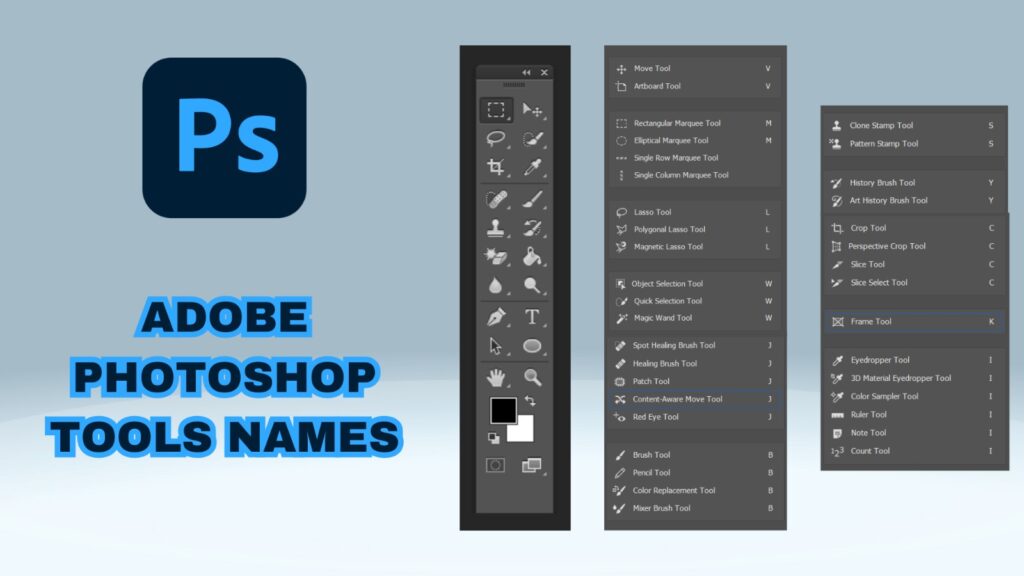
Adobe Photoshop is a well-known and powerful image editing software programme. Photographers, designers, graphic artists, web designers, and other professionals frequently utilise it. Photoshop allows users to create digital artwork or enhance existing digital images for usage on websites, television, print publications, and a variety of other platforms. Adobe Photoshop includes a plethora of tools and capabilities that allow users to modify and enhance their images without the need for sophisticated software or expensive photography equipment. Photoshop has a lot of tools that can make it an incredibly versatile tool for photo editing. One of the best ways to make the most of them is by becoming familiar with the Photoshop toolbar. The Toolbar The Toolbar is an indispensable part of the Photoshop interface. It contains tools for selection, painting and editing and provides quick access to the tools in the program. Many of the tools have multiple modes and the Toolbar provides easy access to these modes as well. You can also customize the row of icons by going to Edit Menu. This feature will allow you to rearrange the tools and include commands from menus that can be accessed with a right-click. The Photoshop toolbar includes the following Below tools: The Move Tool The Lasso Tools/polygonal lasso tool/magnetic lasso tool The Marquee Tools The Quick Selection Tool/Magic Wand Tool The Eraser Tool/Background Eraser Tool/Magic Eraser Tool The Eyedropper Tool/color sampler tool/ruler tool/note tool The Crop Tool/perspective crop tool/slice tool The Spot Healing Brush/Healing Brush/Patch Tool/Content-Aware Move Tool/Red Eye Tool The Brush Tool/pencil tool/color replacement tool/mixer brush tool The Clone Stamp Tool/pattern stamp tool The History Brush Tool The Zoom Tool The Move Tool The Move Tool is used to rearrange and transform visual elements. It can also be used to rotate, scale, crop, move, and rotate images’ layers. The Move Tool’s various modes allow users to accurately move components without altering the image. The Lasso Tools/polygonal lasso tool/magnetic lasso tool The Lasso Tools, which include the Polygonal Lasso Tool and the Magnetic Lasso Tool, are used to select irregular or manually drawn shapes in a picture. To swiftly choose an area, the Magnetic Lasso Tool tracks a mouse movement in the image. The Marquee Tools The Marquee Tools are used to choose parts of an image that are rectangular or elliptical. The tools operate by selecting a single layer or all visible layers in a document.. The Quick Selection Tool/Magic Wand Tool The Quick Selection Tool and the Magic Wand Tool are particularly useful for picking certain portions of an image based on colour or tonal range. The Quick Selection Tool selects comparable coloured pixels automatically and can be customised using a variety of parameters. The Magic Wand Tool selects areas of similar colour with a single click or drag. The Eraser Tool/Background Eraser Tool/Magic Eraser Tool Users can eliminate and erase elements from an image using the Eraser Tool, Background Eraser Tool, and Magic Eraser Tool. The Eraser Tool is ideal for erasing fine details, whilst the Background Eraser Tool is useful for erasing bigger regions. With a single click, the Magic Eraser Tool instantly removes sections of an image. The Eyedropper Tool/color sampler tool/ruler tool/note tool The Eyedropper Tool, Colour Sampler Tool, Ruler Tool, and Note Tool enable users to sample colours from images, measure distances, and take notes fast and accurately. These tools are especially useful for intricate, precise projects. The Crop Tool/perspective crop tool/slice tool The Crop Tool, including the Perspective Crop Tool and the Slice Tool, are used to resize an image. The Crop Tool helps to eliminate any unwanted parts of an image as well as to resize the image once the desired part has been selected. The Perspective Crop Tool enables users to change the perspective, while the Slice Tool can be used to divide larger images into smaller parts. The Spot Healing Brush/Healing Brush/Patch Tool/Content-Aware Move Tool/Red Eye Tool Some of Adobe Photoshop’s most popular tools are the Spot Healing Brush, Healing Brush, Patch Tool, Content-Aware Move Tool, and Red Eye Tool. The Spot Healing Brush swiftly fixes minor flaws, whereas the Healing Brush may repair huge parts of an image. The Patch Tool is used to pick and move sections of an image from one part to another, but the Content-Aware Move Tool works to keep the image’s integrity when elements are relocated or replaced. The Red Eye Tool aids with the reduction of red eyes in photographs. The Brush Tool/pencil tool/color replacement tool/mixer brush tool The Brush Tool, Pencil Tool, Color Replacement Tool, and Mixer Brush Tool are used for painting, drawing, and creating textures in an image. The Brush Tool can be used to create soft or hard edges for shapes or lines, the Pencil Tool is used to draw very precise lines, the Color Replacement Tool allows users to quickly replace one color with another, and the Mixer Brush Tool enables users to blend colors together for a more natural and realistic look. The Clone Stamp Tool/pattern stamp tool Users can copy and paste items from one area to another using the Clone Stamp Tool and Pattern Stamp Tool. The Clone Stamp Tool may copy and paste a selection from one region to another, whereas the Pattern Stamp Tool can apply a pattern to a specific area of an image. The History Brush Tool The History Brush Tool is one of the more powerful image editing tools. It enables users to undo previous modifications and changes and return them to their original state. The Zoom Tool Finally, the Zoom Tool helps users to zoom in and out of a document for a better view of the image. Adobe Photoshop has an incredible range of tools to help users create and manipulate fantastic images with ease. With a bit of practice and experimentation, anyone can learn how to create beautiful images with Photoshop’s tools.
How to Improve Your Google Ads quality score
Google Ads Quality Score is a rating system that determines the connection and usefulness of your ad to users searching for your targeted keywords. It is crucial for the success of your Google Ads campaigns, as it affects your ad’s position and cost-per-click (CPC). In this article, we will discuss some tips on how to improve your Google Ads Quality Score quickly. Relevant keywords: Use relevant keywords that match the intent of the users. The more relevant your keywords are to your ad and landing page, the higher your Quality Score will be. Ad copy: Write ad copy that is relevant to your keywords and landing page. The ad copy should clearly communicate what you are offering and why users should click on your ad. Landing page experience: Make sure your landing page provides a good user experience. The landing page should be relevant to the ad copy and provide the information that users are looking for. The page should load quickly, be mobile-friendly, and have a clear call to action. Ad extensions: Make use of ad extensions to add more details and enhance the user experience. Ad extensions include site links, callouts, structured snippets, and more. Negative keywords: Use negative keywords to put stop to your ads from showing for irrelevant searches. Negative keywords can help improve your Quality Score by ensuring your ads are only shown to users who are likely to be interested in your products or services. Geographic targeting: If you are targeting a certain geographic area, make sure your ad copy and landing page are relevant to that location. This will improve the user experience and increase your Quality Score. Device targeting: Make sure your ad and landing page is optimized for the devices you are targeting. For example, if you are targeting mobile devices, make sure your landing page is mobile-friendly. Ad relevance: Ensure your ad is relevant to the user’s search query. This can be achieved by using dynamic keyword insertion (DKI) or writing multiple ad copies for each ad group. Historical performance: Historical performance plays an important role in your Quality Score. If your ads have a high click-through rate (CTR), a good conversion rate, and a low bounce rate, your Quality Score will improve. The quality score is determined by several factors, including the ad’s expected click-through rate (CTR), ad relevance, landing page experience, ad format, and historical performance data. The higher the quality score, the more likely your ad will be displayed, and the less you’ll pay for each click. Google uses the quality score to secure that users see relevant ads that are more likely to result in clicks and conversions. This benefits both the advertisers and the users, as it helps advertisers to reach their target audience and users find what they are looking for more easily. Google Ads, formerly known as Google AdWords, is a platform for online advertising, where businesses can display their ads on Google’s search engine results pages (SERPs) and other Google properties. Here are some ways that Google Ads can be useful for businesses: Targeted advertising: Google Ads allows businesses to target specific audiences based on demographics, interests, location, and other factors, which helps ensure that their ads are shown to the right people. Cost-effective: With Google Ads, businesses only pay when someone clicks on their ad, which makes it an economical advertising option, especially for small businesses with limited marketing budgets. Measurable results: Google Ads provides detailed analytics and reporting tools that allow businesses to track their ad performance and measure their ROI. Increased visibility: Google Ads can help businesses increase their visibility online and reach new customers who may not have discovered their business otherwise. Flexibility: Google Ads offers a wide range of ad formats and customization options, which allows businesses to create ads that fit their specific marketing goals and objectives. Overall, Google Ads can be a powerful tool for businesses to reach their target audience, increase brand awareness, and drive sales and conversions If your ad materialize above the search results, it is more likely to be clicked on, which will improve your Quality Score. In conclusion, improving your Google Ads Quality Score requires a combination of factors, including relevant keywords, ad copy, landing page experience, ad extensions, negative keywords, geographic targeting, device targeting, ad relevance, historical performance, and ad placement. By focusing on these factors and continually monitoring and optimizing your campaigns, you can quickly improve your Quality Score and achieve better results with your Google Ads campaigns. Google Ads quality score is a metric used by Google to measure the relevance and quality of an ad in relation to its keywords and landing page. It is a score ranging from 1 to 10, with 10 being the highest score.
10 Digital Marketing ideas that helps your business to grow ?

“Discover innovative ideas to help your business grow and succeed. From search engine optimization and content marketing to social media and email campaigns, we have the strategies you need to reach and engage with your audience. Grow your customer base and drive sales with our proven techniques for online marketing and advertising. Contact us to learn more about how we can help your business thrive.” 10 Digital Marketing ideas Search engine optimization (SEO): By optimizing your website and its content for search engines, you can increase the visibility of your website and attract more potential customers. Content marketing: By creating and sharing valuable, relevant, and consistent content, you can attract and retain a clearly defined audience and ultimately drive profitable customer action. Social media marketing: By using social media platforms to promote your brand and connect with customers, you can increase brand awareness and drive traffic to your website. Email marketing: By sending targeted and personalized emails to your audience, you can nurture relationships with current and potential customers and drive sales. Pay-per-click (PPC) advertising: By placing ads on search engine results pages or other websites and paying a fee each time someone clicks on your ad, you can drive targeted traffic to your website and generate leads. Influencer marketing: By partnering with influencers who have a large following in your industry, you can reach a new audience and increase brand awareness. Affiliate marketing: By partnering with other businesses and promoting their products or services on your website or social media channels, you can earn a commission on sales made through your referral. Video marketing: By creating and sharing videos on social media, your website, or other platforms, you can engage with your audience, demonstrate your products or services, and educate potential customers. Mobile marketing: By optimizing your website and marketing efforts for mobile devices, you can reach customers who are using their phones to search for products and services. Local SEO: By optimizing your online presence for local search results, you can increase the visibility of your business to customers who are searching for products or services in your area.
The Dos and Don’ts of Logo Design
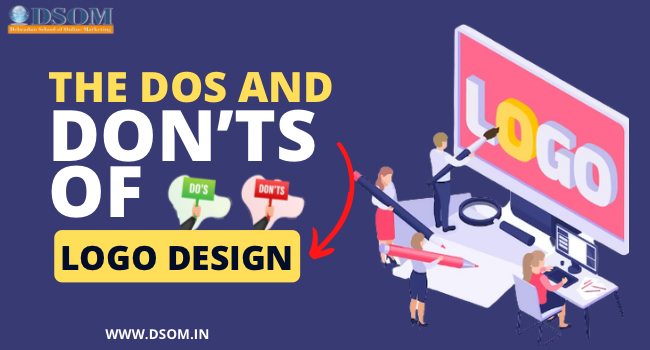
Logo design is a crucial aspect of building a brand’s identity and recognition. A logo is the face of a brand and serves as a visual representation of its values, personality, and message. A well-designed logo can communicate a brand’s identity effectively, establish a strong presence, and create a lasting impression on its audience. However, designing a great logo requires careful planning, attention to detail, and adherence to best practices. In this blog post, we will discuss the dos and don’ts of logo design to help you create a logo that reflects your brand identity and resonates with your target audience. Dos of Logo Design 1.Research and Planning Before creating a logo, it is crucial to conduct research and plan the design. This involves understanding the brand’s values, target audience, and industry. Researching competitors can also provide insights into effective logo design. By conducting thorough research and planning, designers can create logos that accurately represent the brand’s identity and resonate with its audience. 2.Keep it Simple Simplicity is key to creating a memorable and effective logo. A simple design is more versatile, easier to recognize, and easier to reproduce at different sizes and on different media. A complex logo can be confusing and hard to remember. Therefore, it is essential to keep the design simple yet impactful. 3.Use Appropriate Typography Typography plays a crucial role in logo design. The font should be legible, appropriate for the brand’s industry and values, and complement the other design elements. The typography can convey the brand’s personality and tone, and it should be chosen carefully to ensure that it aligns with the brand’s identity. 4.Consider Color Theory Colors can evoke emotions and convey meaning, making them a powerful tool in logo design. Understanding color theory and its impact on brand perception is essential to choosing the right colors for a logo. The color palette should be appropriate for the brand’s industry, values, and target audience. By considering color theory, designers can create logos that resonate with the audience and convey the brand’s message effectively. Don’ts of Logo Design 1.Copy or Plagiarize Copying or plagiarizing another brand’s logo is unethical and illegal. It also undermines the brand’s credibility and can lead to legal consequences. Designers should create original logos that reflect the brand’s identity and values. 2.Overcomplicate An overly complex logo can be confusing and hard to remember. It can also be difficult to reproduce in different media and sizes. Therefore, it is essential to keep the design simple yet impactful. By avoiding overcomplicating the design, designers can create logos that are memorable and versatile. 3.Use Inappropriate Typography Choosing a font that is too ornate, hard to read, or inappropriate for the brand’s industry can lead to a confusing or unprofessional logo. Therefore, it is crucial to choose typography that aligns with the brand’s identity and values. The typography should be legible and complement the other design elements. 4. Disregard Color Theory Using colors that clash or have negative connotations can damage the brand’s image and reputation. It is essential to understand color theory and its impact on brand perception. By choosing the right colors, designers can create logos that resonate with the audience and convey the brand’s message effectively. In conclusion, logo design plays a crucial role in building a brand’s identity and recognition. By following the dos of logo design, such as conducting research, keeping it simple, using appropriate typography, and considering color theory, designers can create effective and memorable logos. On the other hand, avoiding the don’ts of logo design, such as copying or plagiarizing, overcomplicating, using inappropriate typography, and disregarding color theory, can help prevent common mistakes that can damage a brand’s image.
Why Content is important to rank the website ?
Content is important for ranking websites because it provides value to the user. When a website has high-quality, informative, and relevant content, it can help to attract visitors and keep them engaged. This is because the content addresses the needs and interests of the user, which can lead to a positive user experience. Additionally, search engines like Google use algorithms that analyze the content of a website to determine its relevance and quality. Websites with high-quality content are more likely to rank higher in search engine results, which can lead to more traffic and potentially more business. Finally, having a good mix of different types of content (such as text, images, and videos) can make a website more engaging and appealing to users, which can also help improve its rankings. Content is important for ranking a website for a few reasons: Relevance: Search engines want to deliver the most relevant and high-quality results to their users. Therefore, it’s important to have content that is relevant to the topic or keywords you are trying to rank for. Keywords: By including relevant keywords in your content, you can signal to search engines what your content is about and increase the chances of it ranking for those keywords. User experience: In addition to helping with search engine ranking, good content also helps improve the user experience. If visitors find your content helpful and informative, they are more likely to stay on your site and interact with it, which can improve your search engine ranking through user signals such as dwell time and bounce rate. Link building: High-quality content can also help you build links from other websites, which is a key ranking factor. When other websites link to your content, it can help show search engines that your content is valuable and can help improve your ranking. Overall, having high-quality and relevant content is important for both users and search engines, and can help improve the ranking of your website.
What Shandhya Says about DSOM !

1.Welcome, please introduce yourself to our readers?Hello, I’m Sandhya Bisht. I recently joined DSOM (Digital School of Online Marketing) to pursue a digital marketing course. I have a keen interest in digital marketing. With DSOM’s digital marketing course, I gained theoretical as well as practical knowledge about digital marketing. 2.Please tell us, why you decide to go for Digital Marketing? Digital marketing is a rapidly growing industry. There are good career opportunities in Digital Marketing, so I decided to pursue a Digital Marketing Course. 3.Why you decide to join DSOM? When I decided to do Digital Marketing, I got to know about DSOM, as they are the best Digital Marketing Institue in Dehradun. Then I, enquired about the whole course and attended the 3- days free demo classes that were quite amazing and I joined DSOM. DSOM focuses more on practical training rather than just theoretical knowledge. 4.How was your experience with DSOM? My experience with DSOM is amazing. I learned a lot of things here. The trainers at DSOM are very helpful. They provided me with the assistance I always required for my growth and technical knowledge. I am grateful to them. 5.Tell the readers, how Digital Marketing helped in your career? Digital marketing is a dynamic field and it help me improve my skills. I learned a lot of things like social media marketing, content marketing, search engine optimization (SEO), email marketing, analytics, and more which will help me grow my career. 6.How would you rate DSOM Training Program on a Scale as 1-10? I will give 10/10. 7.What would you say to Digital Marketing Aspirants? Digital marketing is a dynamic field. Stay curious and be open to learn new skills. If you are looking for the best digital marketing institute, you should join DSOM.
The Role of Color Theory in Web Designing
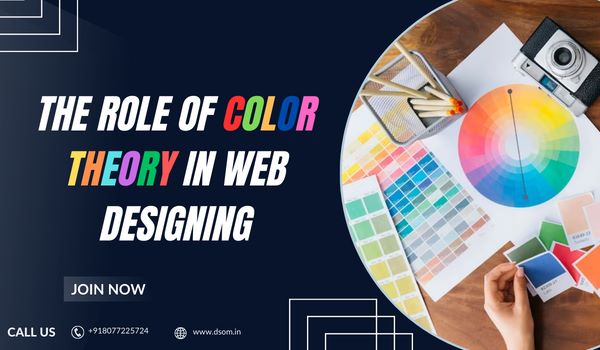
Web designing is an art that involves various aspects, including layout, typography, and color. While all these elements are important, color is perhaps the most crucial one. Color theory is a fundamental concept that every web designer should understand. In this section, we will explore the basics of color theory and why it is important in web designing. The Impact of Color Psychology on Web Designing Color psychology is the study of how different colors can affect people’s emotions and behaviors. It is an essential aspect of web designing as it can help you create a website that resonates with your target audience. Here are some tips on how to use color psychology in web designing: Understand the emotions evoked by different colors. For example, blue is associated with trust and stability, while red is associated with passion and energy. Use color to highlight the most important elements on your website. For example, you can use a bold color for your call-to-action button to make it stand out. Use contrasting colors to create visual interest and hierarchy on your website. How to Choose the Right Color Scheme for Your Website Use a color wheel to choose a color scheme. A color wheel is a tool that helps you understand the relationship between colors. The most common color schemes include monochromatic, complementary, and analogous. Consider your brand identity. Your color scheme should reflect your brand’s personality and values. For example, if you’re a health and wellness brand, you might want to use green or blue to convey a sense of calm and serenity. Think about your target audience. Different colors appeal to different demographics. For example, bright colors might be more appealing to children, while muted tones might be more appealing to older adults. Test your color scheme. Before finalizing your color scheme, test it on different devices and screens to ensure that it looks good and is legible. Color Combinations and Contrast Color combinations and contrast are crucial aspects of web designing. A good color combination can make your website visually appealing and easy to navigate. Here are some tips on creating effective color combinations: Use the 60-30-10 rule. This rule states that you should use one color for 60% of your website, another color for 30%, and a third color for 10%. Use contrasting colors. Contrasting colors create visual interest and help guide the user’s eye. For example, you might use a dark color for your background and a light color for your text. Use shades and tints. Shades are created by adding black to a color, while tints are created by adding white. Using shades and tints can help create a cohesive color. Color contrast is also an important aspect of web designing. Good contrast ensures that your website is legible and easy to read. Here are some techniques for improving color contrast: Use high contrast between text and background. The most legible combination is black text on a white background, but you can use other combinations as long as they have high contrast. Use color contrast checkers. Color contrast checkers are tools that help you determine if your website has enough contrast. There are many free color contrast checkers available online. Use alternative text. Alternative text is a text that appears when an image fails to load. It’s important to ensure that the alternative text has enough contrast with the background. Conclusion In conclusion, color theory is an essential aspect of web designing. Understanding color psychology, choosing the right color, and creating effective color combinations and contrast can help you create a visually appealing and effective website. Remember to consider your brand identity and target audience when choosing your color, and test your website on different devices and screens to ensure that it looks good and is legible. With these tips, you can create a website that stands out and resonates with your audience.
What Student say About DSOM!

1 Welcome, Please introduce yourself to our Readers? Hello, I’m Ankit Nautiyal, I have done my bsc from Dehradun. And I have also done my digital marketing course from DSOM and currently also doing my internship from Adxventure. 2.Please tell us, Why you decide to go for Digital Marketing One of my cousin recommended me for this course as he has been the ex-alumnus of DSOM. 3.Why you Decide to join DSOM? As I mentioned above, I was recommended by my cousin for this course and then I came DSOM for enquiry and chose the 3 day demo class. After that I decided to choose DSOM for my course. 4.How was your experience with DSOM? Overall it was a good experience,Vikas sir best teacher in DSOM. His skills and knowledge about digital marketing is very good. 5.Tell us the readers, how Digital Marketing helped in your career? Recently i have joined Adxventure for my internship. i also got my first internship and learn a lot of SEO on page ,off page, socialmedia optimization and many other stuff too. 6.How would you rate DSOM Training Program on a Scale os 1-10 ? I would like to rate DSOM – 8/10 7.What would you say to Digital Marketing Aspirants? DSOM is one of the top institute for digital marketing in d.dun . I have come to learn many new things that help me grow in this field.If you are interested come and join DSOM All doubts one solution - DSOM.
The Importance of User Experience in Web Designing
User experience (UX) is a crucial aspect of web design. In today’s digital era, where the internet plays a vital role in our daily lives, having a good UX on a website is essential for businesses to attract and retain their customers. A good UX not only enhances the user’s satisfaction but also helps to increase conversions and improve the overall performance of the website. In this blog, we’ll explore the importance of UX in web designing and how it can impact your business. What is User Experience? User experience (UX) refers to how a user feels while interacting with a website or an application. It encompasses all aspects of a user’s interaction with a website, including its usability, accessibility, aesthetics, and functionality. In simple terms, it is the overall experience a user has when they visit a website. UX design involves creating an intuitive and engaging interface that enhances the user’s experience while using a website or an application. User experience while using a website or an application The Importance of UX in Web Designing Improves Website Performance A website’s performance is a crucial factor in determining its success. A good UX design can significantly improve a website’s performance by reducing bounce rates, increasing the time spent on the website, and improving the conversion rate. A well-designed website with a good UX will load quickly and be easy to navigate, which will keep users engaged and increase the chances of them converting into customers. Enhances Customer Satisfaction Customer satisfaction is the key to any business’s success. A website with a good UX design can significantly improve customer satisfaction by providing a seamless and enjoyable experience for users. A website that is easy to navigate, aesthetically pleasing, and provides valuable information will keep users engaged and satisfied. Boosts Conversions A good UX design can also help to boost conversions. A website that is easy to navigate, provides valuable information, and has a clear call-to-action will increase the chances of users converting into customers. A well-designed website with a good UX will make it easier for users to find what they are looking for, which will ultimately increase the chances of them converting. Improves Brand Image A website with a good UX design can significantly improve a business’s brand image. A website that is easy to use, aesthetically pleasing, and provides valuable information will leave a positive impression on users. A positive user experience can help to establish trust and credibility, which will improve the overall perception of the brand. Increases User Engagement A website with a good UX design can also increase user engagement. A website that is easy to navigate, provides valuable information, and has an engaging interface will keep users engaged and interested. This will increase the chances of users returning to the website and engaging with the brand further. How to Improve UX in Web Designing Conduct User Research Conducting user research is essential to understanding your target audience’s needs and preferences. It will help you create a website that is tailored to your target audience’s requirements, which will improve the overall UX. Create an Intuitive Navigation System Creating an intuitive navigation system is crucial to improving the UX of a website. Users should be able to find what they are looking for quickly and easily. Creating a clear and concise navigation system will help users navigate the website with ease. Use Aesthetically Pleasing Design The visual appearance of a website plays a crucial role in the overall UX. Using aesthetically pleasing design elements will create a positive impression on users and improve their experience. However, it is important to strike a balance between aesthetics and functionality. Optimize Website Speed Website speed is a crucial factor in determining the UX of a website. A slow website can significantly impact the user’s experience and lead to high bounce rates. Optimizing website speed by minimizing the use of heavy images and videos, using a content delivery network (CDN), and compressing files can significantly improve the website’s performance and UX. Use Clear Call-to-Actions Clear call-to-actions (CTAs) are essential to improving the UX of a website. CTAs should be prominently placed and clearly visible to users. They should also be easy to understand and use, which will increase the chances of users converting into customers. Ensure Accessibility Ensuring accessibility is crucial to improving the UX of a website. A website should be accessible to all users, including those with disabilities. Designing a website with accessibility in mind by using proper headings, alt tags for images, and keyboard navigation will improve the website’s overall UX. Conclusion In conclusion, user experience (UX) is a crucial aspect of web designing. A good UX design can significantly improve a website’s performance, boost conversions, enhance customer satisfaction, and increase user engagement. To improve the UX of a website, businesses should conduct user research, create an intuitive navigation system, use aesthetically pleasing design, optimize website speed, use clear call-to-actions, and ensure accessibility. By prioritizing UX in web designing, businesses can create a website that is tailored to their target audience’s needs and preferences, which will ultimately improve the website’s overall performance and help to achieve business goals.
Points to Remember while Making Website for your Business
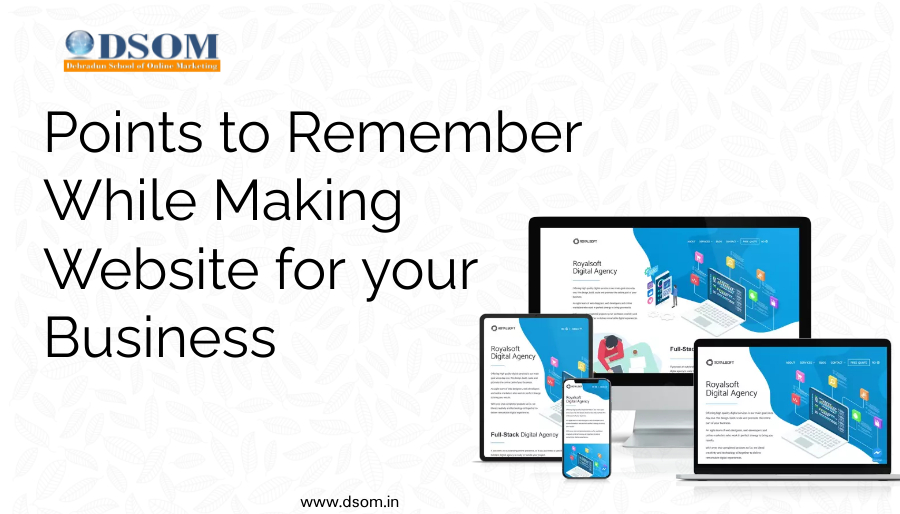
Creating a website for your business is an essential step in today’s digital age.A well-designed and optimized website can help you reach new customers, build brand awareness and increase conversions. However, with so many elements to consider, it can be overwhelming to know where to start. In this article, we will provide a list of important points to remember when creating a business website, to ensure that it is effective in driving growth and success for your business. Points to Remember : Keep the design simple and easy to navigate: A clean and simple design will make it easy for visitors to find what they are looking for and navigate through your website. Use high-quality images and videos to showcase your products or services: Visual elements can help to grab the attention of visitors and make your website more engaging. They also help to demonstrate the quality and value of your products or services. Optimize your website for search engines to improve visibility: By optimizing your website for search engines, you can help to improve its visibility in search engine results pages (SERPs), making it more likely that people will find your website when they search for keywords related to your business. Make sure your website is mobile-friendly and responsive: With more and more people accessing the internet on mobile devices, it’s important to ensure that your website is optimized for mobile devices and that it looks and works well on different screen sizes. Include clear calls-to-action to encourage conversions: Calls-to-action (CTAs) are buttons or links that prompt visitors to take a specific action, such as making a purchase or signing up for a newsletter. Clear and prominent CTAs can help to increase conversions and drive business growth. Incorporate social proof, such as customer testimonials, to build trust: Social proof is a psychological phenomenon in which people conform to the actions of others in an attempt to reflect correct behavior. Showcasing customer testimonials and reviews can help to build trust and credibility with potential customers. Include contact information and a contact form to make it easy for customers to reach out: Providing your contact information and a contact form on your website makes it easy for potential customers to get in touch with you, which can help to increase conversions and drive business growth. Ensure your website has a fast loading speed: A fast loading speed can help to improve the user experience and keep visitors engaged on your website. Make it easy for customers to make purchases or book appointments: If your business sells products or services, make sure it is easy for customers to make purchases or book appointments directly from your website. Regularly update your website with fresh content to keep it relevant: Regularly updating your website with fresh and relevant content can help to keep visitors engaged, improve SEO, and demonstrate your business’s expertise and authority in the field.