Career in Digital Marketing After Graduation

Introduction to Career in Digital Marketing After Graduation For students today, Digital Marketing After Graduation is quickly becoming one of the most preferred career options. After completing graduation, many students feel uncertain about their next move. Traditional career paths are no longer the only option, and the rise of online businesses has opened new doors. This is where digital marketing comes in—a field that focuses on skills, creativity, and real-world results rather than just degrees. What is Digital Marketing? Digital marketing means promoting anything online with the help of the internet. For example: When you see ads on Instagram, YouTube, or Google—that is digital marketing. When a business posts on social media or shows up on Google search, that is also digital marketing. In simple words, it is a way to connect with people online and sell products or services. There are a few basic parts of digital marketing: Search Engine Optimization (SEO): Helping a website appear on Google Social media: Promoting on Instagram, Facebook, etc. Content: Writing blogs, posts, or making videos Ads: Running paid ads helps to reach more people Email: Sending offers and updates to customers You don’t need any technical knowledge to start. If you can use a phone and internet, you can begin learning Digital Marketing After Graduation easily. Why Choose Digital Marketing After Graduation? Choosing Digital Marketing can be a gamechanger because businesses today heavily depend on internet platforms to engage and connect with their customers. From small startups to large companies, everyone needs digital marketing to grow. Here are some strong reasons to consider it: High demand across industries No restriction of academic background Opportunity to work creatively and analytically Freelancing and remote work options Fast career growth with practical skills Career Options in Digital Marketing When you step into Digital Marketing After Graduation, you unlock a variety of career paths based on your interests: SEO Specialist Focuses on improving website rankings on search engines like Google using keywords, backlinks, and optimization techniques. Social Media Manager Handles platforms like Instagram, Facebook, and LinkedIn by creating engaging content and building brand awareness. Content Marketer Creates blogs, articles, and website content that attract and educate the audience. PPC (Paid Ads) Expert Runs paid campaigns on Google Ads and social media to generate leads and conversions. Email Marketing Specialist Designs email strategies to nurture customers and increase engagement. Digital Marketing Manager With experience, you can manage complete marketing strategies and lead teams. Benefits of Digital Marketing Career Flexible working environment Opportunities to work with global clients Continuous learning and growth High demand in the job market Unlimited earning potential Skills Required to Start and Succeed To build a strong career in Digital Marketing After Graduation, you should start developing these skills: Basic SEO and keyword research Content creation and communication Social media management Analytical thinking and data understanding Creativity and adaptability How to Start Digital Marketing After Graduation Starting your journey in Digital Marketing After Graduation may feel confusing at first, but the good news is—it’s actually simple if you follow the right steps. You don’t need a technical background or prior experience. With the right approach and consistency, you can build a strong career in this field. 1. Learn the Fundamentals Begin by understanding the basics of digital marketing. You can start with free resources like YouTube, blogs, and online tutorials, or enroll in a professional course for structured learning. Focus on key areas like SEO, social media marketing, content creation, and paid ads to build a solid foundation. 2. Choose Your Niche Digital marketing is a wide field, so it’s important to find what suits you best. Explore different areas such as SEO, social media management, content writing, or PPC advertising. Once you identify your interest, focus on mastering that specific skill. 3. Gain Practical Experience Learning alone is not enough—you need hands-on practice. Start working on small projects like managing your own Instagram page, creating a blog, or helping a local business. You can also apply for internships or freelance gigs to gain real-world experience. 4. Build a Strong Portfolio In digital marketing, your work speaks louder than your degree. Create a portfolio that showcases your projects, campaigns, or results. This will help you stand out when applying for jobs or pitching clients. 5. Apply for Jobs or Start Freelancing Once you have basic knowledge and some practical experience, start applying for entry-level jobs or internships. You can also explore freelancing platforms to earn independently. With time and experience, you can move towards higher-paying roles or even start your own digital marketing agency. Reasons to Join Digital Marketing The world is going online Social media is used by almost everyone The Internet has no bounds; it has a global presence. Digital marketing helps to get both national and international clients. With everyone scrolling through the Internet, businesses are doing huge online promotion and the need of digital marketers is increasing each year. All you need is a computer/laptop and an internet connection to build a career in digital marketing. Challenges to Consider in Digital Marketing While Digital Marketing After Graduation offers many benefits, there are some challenges: Requires consistent learning High competition at the beginner level Results may take time to achieve However, with dedication, effort and practice, these challenges can be overcome. Future Scope The future of Digital Marketing After Graduation looks extremely promising. As more businesses go online, the demand for skilled professionals will continue to grow. Emerging technologies like AI and automation will further enhance this field. Salary Expectations One of the biggest advantages of Digital Marketing After Graduation is the earning potential: Freshers: ₹15,000 – ₹30,000/month 1–3 years: ₹30,000 – ₹70,000/month Experienced: ₹1,00,000+/month Freelancers can make even more depending on their skills. Conclusion Digital Marketing After Graduation is not just a career option—it is a future-ready choice. It offers flexibility, creativity, and strong growth opportunities without requiring a specific degree. If you are willing to learn and adapt, this field can help you build a successful and rewarding career.
15 Illustrator Add-ons

Illustrator is an incredibly powerful tool for designers, with a vast array of features and capabilities that can streamline the design process and produce stunning results. However, there are also a number of add-ons available that can expand upon Illustrator’s already impressive functionality and take your work to the next level. Here are 15 Illustrator add-ons that will blow your mind. 1. Astute Graphics Astute Graphics is a collection of leading-edge, creative Illustrator tools that enable vector designers to work efficiently and with creativity without being hindered by technical constraints. Plugins such as Vector Scribe, Phantasm, and Stylism offer a range of tools that can help you to create precise and beautiful vector artwork with ease. 2. VectorFirstAid VectorFirstAid is an add-on that can help you to identify and fix common issues with your Illustrator files. It scans your documents for common problems such as open paths, stray points, and ungrouped objects and then provides quick and easy solutions for correcting these issues. This can save you a lot of time and frustration in the long run. 3. WidthScribe WidthScribe is a plugin for Illustrator that adds a set of tools that allow you to manipulate the width of your vector strokes. Whether you’re creating calligraphic artwork or technical diagrams, this plugin can help you to create beautiful, flowing lines with a high degree of precision. 4. Phantasm Phantasm is a set of tools for color correction and manipulation in Illustrator. The plugin includes features such as color adjustment, curves manipulation, vector halftone effects, and live color adjustments. This allows you to have greater control over the color of your design in a way that can significantly impact the final result. 5. Symbols Library The Symbols Library is a collection of vector symbols that you can quickly and easily add to your Illustrator projects. The library includes a range of symbols for graphic design such as arrows, lines, and shapes, as well as symbols for web design such as buttons and icons. 6. Fontself Maker Fontself Maker is a plugin for Illustrator that allows you to create your own custom fonts. This can be a fun and creative way to add a unique touch to your design work, and can be especially useful if you work in branding or logo design where custom typography is often a key part of the design. 7. DrawScribe DrawScribe is a collection of vector drawing tools that can help you to create complex vector shapes with incredible precision. This plugin includes tools for easily creating curves, smooth points, and even for generating shapes from photographs or sketches. 8. VectorScribe VectorScribe is a plugin for Illustrator that adds a range of tools to help you optimize your workflow and create complex graphics more quickly and easily. This plugin includes tools for creating perfect circles, lines, and curves, as well as features for more advanced tasks such as dynamic measure tool and dynamic shapes to assist in modifying objects. 9. Shuffle Shuffle is a set of scripts for Illustrator that can help you to randomly arrange and distribute vector shapes in your design. This can help you to quickly create unique and organic designs with a high degree of randomness. 10. Hot Door CADtools Hot Door CADtools is a plugin for Illustrator that adds a set of tools for technical drawing and illustration. This plugin includes tools for creating dimension lines, architectural graphics, and isometric projection grids, among other features that can facilitate technical illustration. 11. CValley Xtream Path CValley Xtream Path is a plugin for Illustrator that allows you to edit paths with more precision. The plugin includes a range of features such as path smoothing, corner reshaping, and path extension features. These tools can help you to create clean, precise lines more easily, facilitating in creating designs that have a high degree of detail. 12. ColliderScribe ColliderScribe is a plugin for Illustrator that helps you to set up and accurately align complex vector shapes. This plugin includes a number of tools that can help you to create accurate path intersections and detect overlapping shapes, which can be particularly useful for creating complex designs with geometric shapes. 13. MirrorMe MirrorMe is a plugin for Illustrator that allows you to create symmetrical designs with ease. This plugin includes a range of tools for creating symmetrical shapes and patterns, which can help you to create uniform designs with a high degree of precision. 14. Vectoraster Vectoraster is an add-on for Illustrator that allows you to create vector patterns and images based on raster images. The plugin includes a range of controls over the resulting vector output, such as path spacing adjustments, different pattern types, and colors. This tool is essential when you are attempting to create unique and organic designs and are turned off by the inorganic edge raster images provide. 15. Font Awesome Font Awesome is an icon font and toolkit for Illustrator, containing over 1,000 high-quality vector icons. The font is entirely scalable, meaning that it can be used in any size, and includes a range of styles and categories, making it an incredibly versatile vector graphics resource for many designs. These add-ons are just a few of the many tools available to extend the functionality of Illustrator. Whether you’re looking for tools to streamline your workflow, create precise and detailed vector designs, or add unique touches to your work, chances are there’s an add-on out there that can help. Try some of these add-ons today and see how they can improve your design work!
WordPress Vs. Web development
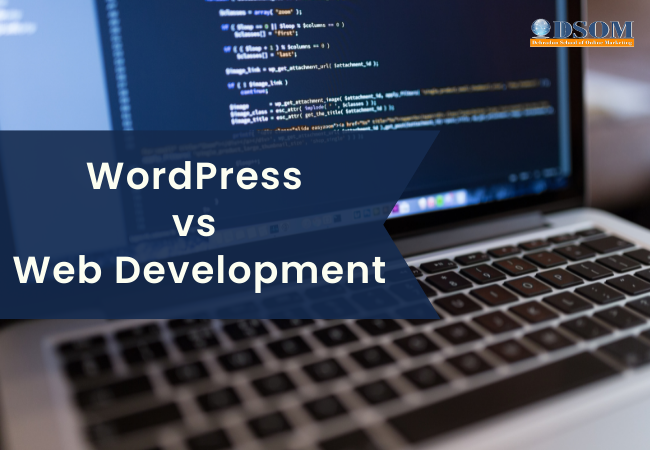
WordPress Vs. Web development Which One IS Best for You? WordPress websites have a superb UI. Everyone has a primary CMS(Content Management System) that allows everybody to make their websites in keeping with their need. But maximum of ordinary websites don’t have any CMS, and they’re uploaded on every occasion even if there may be a minor alternate. You can construct your own CMS, But It takes a long time to construct one as WordPress. Now you’ll be wondering about selecting a WordPress web website online in preference to constructing one with the aid of using yourself. But there are numerous terrible facets to the usage of WordPress. As WordPress makes use of a totally interactive CMS, so it presents you drag and drop facility with the aid of using, which you may, without problems, make any adjustments in that portion. But the adjustments are restricted, i.e., you may alternate something you need if it’s a far gift within the subject matter you pick out. If you’re making an internet site with the aid of using yourself, it can take a long time to finish that; however, you’ll research stuff from it. Nowadays, HTML5, CSS3, and JavaScript are commonly used for making frontend or maybe backend(Node.js) for websites. If you need to be an awesome developer, then I will propose that you should make an internet site yourself in preference to the usage of WordPress pre-construct themes. But if you need to run a blog web website online or something that doesn’t require any essential information to be uploaded with the aid of using the customers, then you may pick out WordPress. If you construct an internet site yourself, then you may upload the specified capability without compromising on the layout part. Will WordPress Replace Web Developers? No, WordPress won’t update net builders. WordPress makes creating and editing websites easier, faster, and less expensive. But there’ll usually be a want for builders to construct the WordPress core, in addition to the subject matters and plug-ins that permit internet site proprietors to personalize its layout and expand its features. Pros And Cons of Web Development and WordPress: Web Development PROS: Building a website from scratch gives you the ability to make it as one-of-a-kind as you can while also incorporating specific features and capabilities that you might not be able to include if you use WordPress. A WordPress website is not as search engine friendly as a website that was developed from the ground up. This indicates that it has the potential to rank higher in search engines than a website that was constructed with templates using a CMS such as WordPress. This is highly crucial for any type of business that uses the internet and wants to boost the number of customers it converts online. Using a design exclusive to your firm will ensure that a custom-built website successfully incorporates your company’s branding. Because of this, your company will stand out from the competition. A custom-built website may expand alongside the company as it expands. This indicates that in the event that you decide to make any modifications to your firm in the future, you will always be able to get in touch with the company that built the website for you so that it may be updated. A website that was designed from scratch receives more incredible support than one that was assembled using pre-made templates. This is due to the fact that it was developed by an experienced web designer who specializes in the creation of all different kinds of websites. This means that in the event that any kind of error or problem develops, the original developer will always be able to correct it. Web Development cons: Websites that are developed from the ground up often incur higher costs than those that are built using WordPress. This is because they are tailored to meet your company’s specific requirements and require the knowledge of trained professionals. When compared to utilizing WordPress, the time required to develop a website from scratch using customized code is significantly longer. Any modifications to the site could take some time. You will need to rely on the time and availability of the developers working on your project. WordPress’s Advantages: When opposed to establishing a website from scratch, developing a website through the use of WordPress requires significantly less time. This is due to the fact that the CMS has already been established, and as a result, you will have more time to focus on the content and design of your website. WordPress comes with a collection of pre-made themes in its database. You can rapidly alter the appearance of your website by selecting a different theme from those that are available in the library rather than spending time and effort developing your own. Your website can be built on a trustworthy foundation, thanks to WordPress. This is because it is a vast community of developers who collaborate to find any security loopholes or defects in the system and then provide a security fix. The reason for this is that it is a community. WordPress is continually releasing updates, any of which may be downloaded and installed by users at any time to make their websites more secure. You may take care of search engine ranking with WordPress by using one of the many SEO plug-ins that are available for WordPress. You can add some fundamental SEO components to any website using these plug-ins. These components include Meta Description, H1 tags, and Meta Titles. In point of fact, certain WordPress plug-ins can provide you with information regarding the degree to which your website is optimized for search engines. CONS of WordPress While it is wonderful that you can select any theme of your choosing from the library, you could find it challenging to change the theme in accordance with your individual preferences. In this scenario, you will need the assistance of a knowledgeable web developer familiar with WordPress’s features. Even while the platform
What is Experimental Graphic Design?

Introduction An extraordinary path beckons artists and designers in the dynamic field of graphic design, where creativity knows no bounds and innovation thrives: the world of experimental graphic design. This thrilling strategy questions established norms and invites us to travel in a world where artistic expression is unrestricted. We set out on a visual exploration of the world of experimental graphic design in this blog post, learning about its significance and sharing eye-catching examples that continue to push the boundaries of the visual storytelling medium. What Experimental Graphic Design Is All About A compelling tapestry of unconventional thinking, audacious creativity, and fearless design is what defines experimental graphic design. It’s a creative playground where designers can channel their inner alchemist by fusing various components like colour, typography, composition, and imagery to produce something wholly original and unexpected. This strategy defies expectations and invites us to observe how chaos and innovation interact. Experimental graphic design is fundamentally about pushing the boundaries of design and discovering untapped potentials and aesthetics. Designers create a link between the mind and the canvas by stepping outside of the ordinary, fostering a vibrant creative dialogue. This strategy encourages viewers to interact more deeply, evoking ideas and conversations that upend the status quo. Significance and Purpose Additionally, experimental graphic design has the ability to redefine design trends and reshape the visual lingo of various industries, so its significance goes beyond individual projects. A culture of innovation and exploration is fostered as experimental concepts have an impact on conventional design methodologies. David Carson: Carson is renowned for his innovative work in the field of typography, and his unconventional designs defied expectations. His bold typography and creative layouts in publications like Ray Gun revolutionized the industry. Milton Glaser: A design legend, Glaser challenged conventions with his experimental approach to typography and illustration. His famous “I NY” logo exemplifies how experimentalism and simplicity can come together to produce designs that stand the test of time. Jessica Walsh is a co-founder of Sagmeister & Walsh and is known for her experimental work that combines surrealism, art, and design. Her dynamic compositions and strong colour schemes invite interpretation and confound perception. Fanette Mellier: Mellier’s experimental typography experiments with form, pushing boundaries of legibility and visual poetry. Her designs are an invitation to decode and engage with the unexpected. Non-Format: The creative duo of Kjell Ekhorn and Jon Forss consistently push the envelope with experimental color, shape, and texture combinations. Their designs are visual narratives that redefine the limits of visual communication.
SEO and its Tools

What is SEO? Search Engine Optimization is a process to improve website quality and web pages. SO that search bots can crawl and index web pages quickly, and site rank will be high. Need for (SEO)Search Engine Optimization SEO is essential for Crawling the page; without these tools, a website cannot be ranked, and your web pages will not be searched in a search engine or found at the bottom on SERPs. Google Algorithms: Google Panda, Penguins, Humming Bird, Google Mobile Phone Algorithm, Rank Brain, Google Pigeon, Google Possum Algorithm, Medic, BERT, SMITH, MUM and many more. Techniques of Search Engine Optimization The white Hat technique follows all rules of the Google algorithm. This technique depends on hard work and quality of work. The white Hat technique takes 4 to 6 months. Gray Hat follows some rules of the Google algorithm and sometimes breaks the rules. But maintain a balance of rule-following strings. Gray Hat takes less time rather than White Hat. Black Hat does not follow the rules of the Google algorithm and tries to follow wrong or illegal ways of optimization. Black Hat optimization is done very fast, but it is not static. A negative technique is used for dropping another website down. This is not a good practice. On-page optimization When we work on a web page to improve web page quality and user experience by making the webpage attractive, colourful, and quality work, it is called on-page Search Engine Optimization(SEO). Adding videos, images, maps, URLs, and HTML codes on web pages are parts of on-page. Important Points During the on-page optimization following points should remember:- Niche First of all, you have to choose a niche so that you can make a plan of your content according to your place. Without selecting a niche, you cannot write a good and centralized blog. Keyword Using popular and good critical words brings web pages to a high rank. Keywords play an essential role in on-page optimization. You can check the critical words popularity on the Keywords planner tool. Heading Heading structure is essential for on-page. Headings are of 6 types, from H1 to H6. These heading have their fixed place. We cannot change them against the rule. Title The title tells the Search Engine what the topic is about. The title should have contained a maximum of 70 characters as per the Google algorithm. Description Description plays an important role in rich snippets and tells Google bots what the article is about. Description presents the aim of a blog. A good description should be approx. 170 characters. Good language Good language is a vital part of on-page optimization because the content is king and most on-page technique depends on the content. If the language is good and without spelling mistakes, the content will be good on its own. Plagiarism Content should be plagiarism-free. Otherwise, the page will not be ranked. Length of content Content length should be between 800 to 1000 words on average. Alt text Alt-text is also called Alternative Text. Alt Text is used for adding and describing images so that Google bots can detect that image. Bold text, underline, and paragraph. Content should be bold, Underlined, and in paragraph section. So that on-page optimization is done fast. Tools of on-page Optimization Free Tools Sitemaps checker Google keyword planner Google Analytics Tools Google plagiarism Checker Moz on-page grader Hub spot Website Grader Google Search Console Upcity Free Report Card Internet Marketing Ninjas Google Trends Seobility Google Developer Page Speed Insight Paid Tools Copyscape KW Finder Growth Bar Woorank Linkody Remove’em Answer the public Keyword Hero SpyFu Off-page Optimization Off-Page optimization is the process of optimization which is practiced outside of our own website. The off-page SEO depends connecting with other websites through links. Making backlinks, inbound links, outbound links, bookmarking sites, commenting, reviewing, and making profiles on other websites are part of the off-page SEO technique. How to do Off-page optimization? Profile Backlinks Inbound links Outbound links External links Social bookmarking Directory submissions Blog posting Blog Commenting Review Blog commenting Guest Posting Q & Ans site Local business listing Off-page Tools Ahrefs Majestic Moz Link Explorer Check my Links Web Archive Talkwalker Alerts Screaming Frog Spider Buzz Stream Streak for Gmail SEMrush Conclusion In conclusion, if you follow the Google algorithm honestly and write good content with deep knowledge, Your White hat on-page SEO will be done quickly, but it can take time. For Off-Page optimization, make good quality backlinks and social bookmarking sites to promote your page.
From Beginner to Expert: Pankaj Journey to Earning Rs. 50,000 per Month with Graphic Design
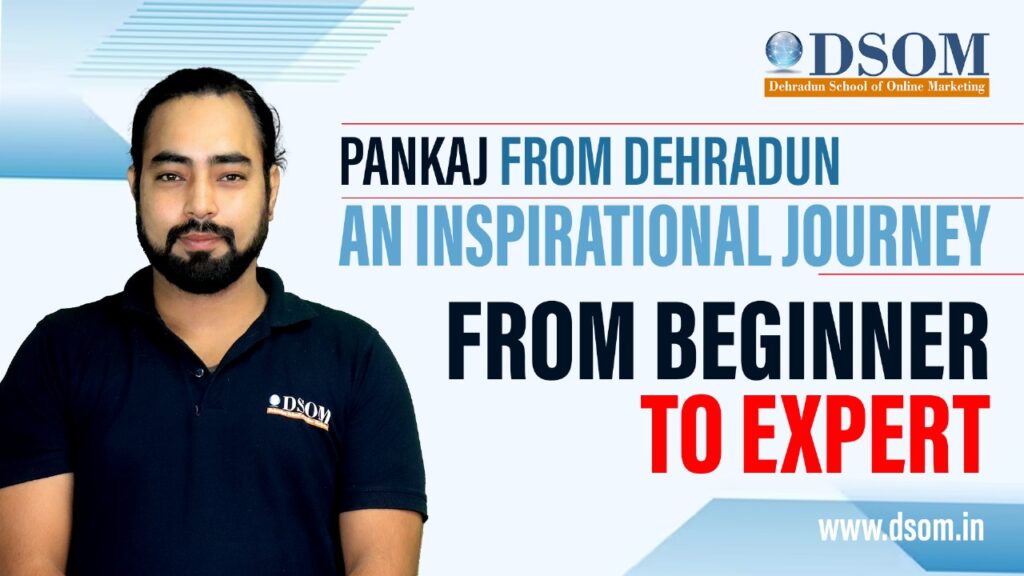
Introduction: In today’s digital age, where creativity and technology converge, the world of graphic designing offers boundless opportunities. Meet Pankaj, a young professional who transformed his life after completing a Graphic Design course at DSOM (Dehradun School of Online Marketing) Pankaj’s story is a testimony to the power of learning, determination, and pursuing one’s passion. Chapter 1: The Beginning Pankaj journey began with a desire to escape the monotony of his 9-to-5 job. He knew he had a creative flair but lacked the skills to turn his passion into a profession. That’s when he discovered DSOM’s Graphic Designing course. With a leap of faith, he enrolled in the program, excited to explore his potential. Chapter 2: The Learning Phase At DSOM, Ravi was introduced to a comprehensive curriculum covering design fundamentals, software proficiency, and industry-specific techniques. His instructors were industry experts who provided hands-on training and valuable insights. Pankaj dedication shone through as he practiced tirelessly, honing his skills in Adobe Photoshop, Illustrator, and InDesign. Chapter 3: Building a Portfolio With each passing day, Pankaj’s designs improved. He started building a portfolio showcasing his diverse projects, from creating eye-catching social media graphics to designing sleek logos for local businesses. His portfolio became his resume, showcasing his talents to potential clients. Chapter 4: Freelancing and Networking After completing the course, Pankaj decided to dip his toes into the world of freelancing. Armed with his portfolio and newfound skills, he began bidding on freelance graphic design projects on platforms like Upwork and Fiverr. Networking became crucial as Pankaj joined design communities, attended webinars, and collaborated with fellow designers. Chapter 5: Landing the Big Clients As Pankaj experience and reputation grew, he started attracting bigger clients. His unique style and ability to understand a client’s vision made him stand out. Local businesses, startups, and even established brands began seeking his services. With every successful project, Pankaj confidence soared. Chapter 6: Scaling Up Pankaj hard work and determination soon paid off. His freelancing income began to surpass his 9-to-5 job earnings. It was time to make a decision – stick with the traditional job or take the leap into full-time freelancing. Pankaj chose the latter, and it proved to be a game-changer. His income steadily climbed. Chapter 7: Consistency and Adaptability Pankaj understood that the design industry was ever-evolving. He continued learning and adapting to new design trends and software updates. His ability to deliver high-quality work on time kept clients coming back, and referrals poured in. Chapter 8: Reaping the Rewards Today, Pankaj earns ₹50,000 per month, a far cry from his initial struggles. He attributes his success to his relentless pursuit of learning and his decision to follow his passion. His journey from novice to niche designer is nothing short of inspiring. Conclusion: Pankaj’s story demonstrates that with the right education, dedication, and a dash of courage, anyone can turn their passion into a profitable profession. DSOM played a pivotal role in Pankaj transformation, providing him with the skills and knowledge he needed to thrive in the competitive world of graphic design. So, if you’ve ever dreamt of pursuing a creative career, Pankaj journey should serve as a beacon of hope and motivation. Remember, it’s never too late to chase your dreams and earn a living doing what you love.
Top 10 AI Tools for Plagiarism-Free Content Writing: Boost Your SEO & Digital Marketing Efforts
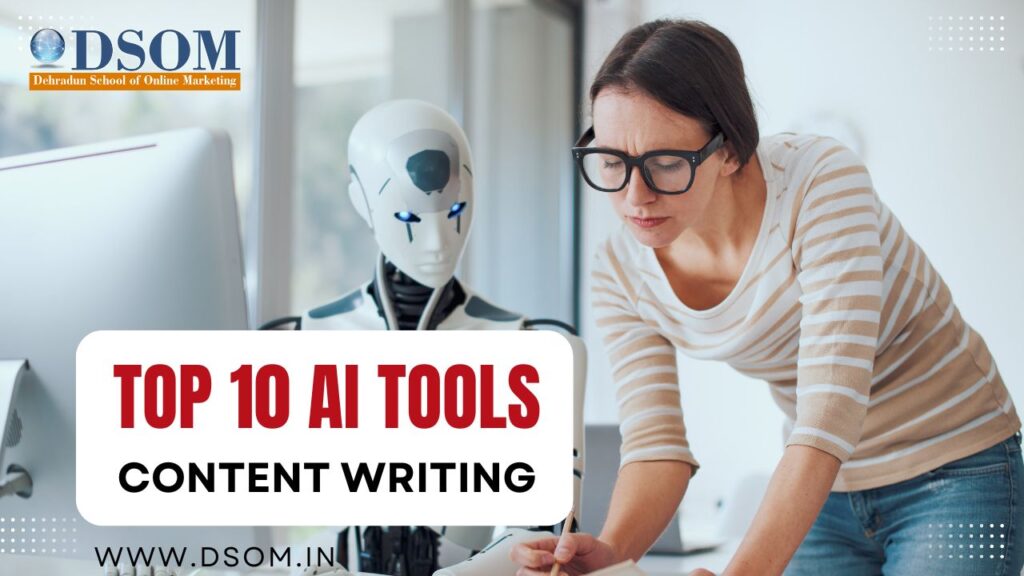
The Importance of Content Writing in Digital Marketing and SEO In today’s digital world, content writing plays a crucial role in building brand authority, engaging audiences, and driving conversions. Whether it’s blog posts, website content, social media updates, or email marketing campaigns, well-crafted content enhances a brand’s visibility and credibility. Content writing is also an essential component of Search Engine Optimization (SEO). High-quality, keyword-optimized content helps websites rank higher on search engine results pages (SERPs). This increased visibility brings organic traffic, reduces reliance on paid advertising, and establishes a brand’s online presence. Moreover, in digital marketing, engaging content is vital for audience interaction and lead generation. It fuels social media marketing, enhances email campaigns, and improves website retention rates. However, producing unique, engaging, and plagiarism-free content consistently can be challenging. This is where AI-powered content writing tools come into play. Top 10 AI Tools for Content Writing (Plagiarism-Free) ChatGPT OpenAI’s ChatGPT is an advanced AI language model that assists with content creation, brainstorming ideas, generating blog posts, and even refining existing content. It can help digital marketers and content writers craft unique and engaging content with ease. Grammarly Grammarly is a widely used AI tool that enhances writing quality by checking grammar, punctuation, and sentence structure. It also has a plagiarism checker to ensure originality, making it an excellent choice for content writers and marketers. Jasper (Formerly Jarvis) Jasper AI is one of the most powerful AI-driven content creation tools. It helps writers generate long-form blog posts, social media captions, and ad copy. With its advanced algorithms, Jasper produces plagiarism-free and SEO-friendly content. Writesonic Writesonic is designed for marketers and content creators who need AI-generated articles, blog posts, and marketing copy. It ensures originality and provides SEO-optimized content for better engagement and rankings. Copy.ai Copy.ai is a fantastic tool for generating high-quality marketing copy, product descriptions, and blog posts. It uses advanced AI algorithms to create compelling and unique content without plagiarism. QuillBot QuillBot is primarily a paraphrasing tool that helps rewrite and refine content while maintaining its original meaning. It ensures that the text is plagiarism-free while improving readability and coherence. Rytr Rytr is an AI-powered writing assistant that generates high-quality content for blogs, emails, and social media. It helps create SEO-optimized and plagiarism-free content quickly and efficiently. SEO.ai SEO.ai is specifically designed for SEO-focused content writing. It helps writers create keyword-rich, plagiarism-free, and high-ranking content that improves a website’s search visibility. Frase.io Frase.io is a content optimization tool that helps generate, analyze, and refine content based on SEO best practices. It ensures plagiarism-free content and helps with topic research, making it ideal for bloggers and marketers. Surfer SEO Surfer SEO integrates AI-powered content writing with SEO optimization. It analyzes top-performing content and suggests improvements to ensure originality and better search rankings. Why Use AI Content Writing Tools? Saves Time & Effort: AI tools can generate high-quality content quickly, reducing the time needed for research and writing. Ensures Originality: Many AI tools include plagiarism checkers to ensure that the content remains unique and free from duplication. Improves SEO: AI-driven content tools help with keyword optimization, improving search engine rankings. Enhances Readability: These tools refine grammar, sentence structure, and clarity, making content more engaging. Learn Digital Marketing with DSOM If you want to master digital marketing, including content writing, SEO, and social media marketing, join DSOM (Dehradun School of Online Marketing). Established in 2017, DSOM has trained over 5000+ students, with 90% achieving success and earning a handsome income. Contact us: 8077225724, 9410102425 Start your journey toward a successful career in digital marketing with expert guidance and hands-on learning at DSOM!
Ashutosh ( DSOM Ex- student)- To DSOM’s Trainers I’ll give 10/10

Q1.Welcome, Ashutosh! Please introduce yourself to our readers? I am graduate in b.com (honors),I have completed my graduation in year 2020.then my friend referred me DSOM as I wanted to pursue a career in digital marketing. I have done 3months course of digital marketing from DSOM and now I m doing training from AdxVenture. Q2.Please Tell Us, why you decided to go for Digital Marketing? As the internet and electronic devices become increasingly important in our lives, the need for digital marketing increases. Businesses are using digital more than ever, and opportunities in the sector are excellent.so I decided to go for digital marketing. Q3.Why you decided to join DSOM? As I told you before that my friend told me about DSOM then I decided to take the demo classes of 3 days and the way of teaching was very impressive for me Q4.How was your experience with DSOM? I have a great experience in DSOM as faculty members are very helpful. They helped and supported me throughout my course. I have learned many things from my colleagues. Still I am learning experiencing many things in DSOM. Q5.Tell us the readers, How Digital Marketing helped in your Career? Digital marketing encompasses more roles and skills than ever before, in me and it’s helped me becoming more flexible, versatile in nature that makes it so fascinating and exciting. Q6.How would you rate DS0M’s training program on a scale of 1-10? To DS0M’s course l’ll give 9/10 and to DS0M’s Trainers I’ll give 10/10. Q7.What would you say to Digital Marketing Aspirants? In digital marketing you need to be more patience and cool minded because success doesn’t come in a night, you have to keep on doing what you are doing with more focus and hard work and you should not quit if you are not getting the immediate result.
5 ways to make money from home using AI(Artificial-Intelligence) in 2024
Introduction: In 2024 Artificial intelligence is transforming how people can make money by using this. As we know, we’re in a digital world and this should be changed in robotics and AI(Artificial-Intelligence) in the coming future. SO, it is essential to teach people how to use AI so they can earn money through AI at home. Automatic content production creating fresh content and enhancing e-commerce platforms. AI enables individuals’ businesses to streamline and boost the efficiency of their content. However, high-paying jobs are now changing to fully remote and AI-based. Professionals increasingly recognize that they don’t need any employee at the office or a single employer to achieve financial success. So, in these terms, every person who is familiar with the IT sector should know how to use AI and make money at home. Here are some ways to make money using AI AI-powered content creation: Automated writing and Editing: Some AI tools like ChatGPT, Gemini, and many more can generate high-quality content for blogs, articles, websites, or anything you want. Freelancers and content creator can enhance their content with just a click and these AI tools can do everything. With AI at their disposal, individuals and organizations can unlock new doors of creativity and efficiency in their writing endeavors. Video Editing and Image Generation: Some AI platforms like DALL-E and Midjourney allow users to create stunning and high-quality content as they want. With AI technologies at their fingertips, individuals can unlock new opportunities and possibilities for creating innovations and attractive storylines. AI-powered Newsletter: The emergence of AI-powered newsletters marks a significant shift in how businesses and organizations can engage with their audience, and how can they make their content more efficient and creative, this can be a most powerful key to making your content creative and productive. Moreover, AI(Artificial-Intelligence) can help you in crafting weekly or monthly newsletters, it will save you time and allow you to create more efficient content and engage your audience. Creating a Newsletter can be a profitable venture with a high-based audience. Moreover, you can also incorporate hyperlinks and promote your products and services through this. AI-powered newsletters offer a powerful solution to deliver targeted and engaging contents that give results. AI-powered copywrite: If you are working as a freelancer copywriter, either part-time or full-time, then you have to think of using Artificial Intelligence to boost your work, quality, and content. As a freelancer Copywriter, you can use AI tools to make your content processor easier by generating content outlines, this can be useful for you as a freelancer copywriter. Print-on-demand: Print-on-demand is a very popular way to make money at home by using this. AI(Artificial-Intelligence) tools can help you out to generating high-quality content, catchy quotes, and attractive articles. You can use print-on-demand service to put this on items like mugs, t-shirts, pillows, bags, notebooks, and any other gift items. This little startup can help you to make money at home by using AI tools. AI-Generated Artwork: Here is another way to make money at home by using AI tools. Tools like Midjourney can be very useful to create beautiful illustrations of nature. Floral arrangements, fruits, and other science-related images. This can be edited and can be sold on digital platforms like Esty. Additionally, It is important to ensure that you are creating high-quality and enhancing content and the accuracy of your digital artwork. AI-generated content sometimes has flaws, such as being unrealistic, excessive editing, and proportions. Which needs to be corrected. Winding Up: To conclude, Artificial Intelligence presents a plethora of opportunities for generating income across various industries at home by just using skills and some digital tricks. Integrating AI technologies into content creation, E-commerce, retail, healthcare, and business can enhance their operations and unlock new revenue-generating paths in 2024. One such use is that of leveraging AI tools and AI-powered software to make money. With just a few Google searches, you can easily find what you want and what type of content you want to create. As the traditional job market continues to evolve, these AI-driven avenues provide a path for individuals to thrive independently. Paving the way for a future where work can not be confined to the constraint of an office employer’s premises. In the coming future jobs can be eaten by robotics and AI. So, it is essential to know about Artificial intelligence, machine learning, and digital marketing so that in the future you have the option to earn by using these skills at home.
How to Design a Website that is User-Friendly and Easy to Navigate
Introduction In today’s digital age, having a user-friendly and easy-to-navigate website is crucial for businesses and individuals alike. A well-designed website not only enhances the user experience but also boosts engagement, conversion rates, and search engine rankings. In this article, we will explore the essential elements and strategies for creating a website that is both user-friendly and easy to navigate. Understanding User Behavior Analyzing User Behavior Before diving into the design process, it’s essential to understand how users interact with websites. Conducting user research and analyzing behavioral data will provide valuable insights into user preferences, pain points, and expectations. User Personas Creating user personas helps in identifying different user segments and tailoring the website’s design to meet their specific needs. Consider factors such as age, interests, goals, and technical proficiency to cater to a diverse audience. The Principles of User-Friendly Web Design Simplicity is Key A cluttered and complex website can overwhelm visitors, leading to higher bounce rates. Embrace simplicity in design, layout, and navigation to provide an intuitive browsing experience. Clear and Intuitive Navigation Implement a well-structured navigation menu that is easy to find and understand. Use clear labels for each category and ensure that visitors can access any page within a few clicks. Consistency in Design Consistency in design elements, such as colors, fonts, and buttons, establishes a cohesive look and feel throughout the website. Consistency enhances brand recognition and improves user trust. Mobile Responsiveness With most internet users accessing websites on mobile devices, it’s vital to optimize the website for various screen sizes. A mobile-friendly design ensures a seamless experience across all devices. Fast Loading Speed Website speed directly impacts user satisfaction and search engine rankings. Optimize images, minify code, and use caching techniques to achieve faster loading times. Creating Engaging Content Quality Content Matters Informative and engaging content is the backbone of a user-friendly website. Craft well-written articles, blog posts, and product descriptions that provide value to visitors. Visual Content Incorporate relevant images, videos, and infographics to break up text and make the content more visually appealing. Visual elements can convey complex information quickly and retain user interest. Readability and Formatting Use clear and readable fonts with appropriate font sizes. Break content into smaller paragraphs and use bullet points to enhance readability. Importance of Web Accessibility Ensuring website accessibility is not only an ethical consideration but also a legal requirement in many regions. Make the website inclusive and accessible to users with disabilities. Alt Text for Images Provide descriptive alternative text (alt text) for images to assist visually impaired users using screen readers. Keyboard Navigation Test and optimize the website for keyboard-only navigation to accommodate users who cannot use a mouse. Conducting Usability Testing Usability Testing Defined Usability testing involves observing real users interacting with the website to identify any usability issues and areas of improvement. A/B Testing Implement A/B testing to compare different design variations and determine which one performs better in terms of user engagement and conversions. Conclusion Designing a user-friendly and easy-to-navigate website is a dynamic process that requires a deep understanding of user behavior, thoughtful design choices, and continuous optimization. By following the principles outlined in this article, businesses and individuals can create websites that attract visitors and keep them engaged and satisfied. FAQs Q1: Why is website navigation essential for user experience? A2: Website navigation helps users find information quickly and easily, enhancing their overall experience. Q2: What is the significance of mobile responsiveness in web design? A2: Mobile responsiveness ensures the website adapts to different screen sizes, offering a seamless experience on various devices. Q3: How does website speed impact search engine rankings? A3: Search engines consider page loading speed a ranking factor, with faster websites receiving better search visibility. Q4: Why is website accessibility crucial? A4: Website accessibility ensures that all users, including those with disabilities, can access and interact with the content effectively. Q5: How can usability testing benefit a website? A5: Usability testing helps identify user pain points and areas of improvement, leading to a more user-friendly website.