What are the top SMO techniques for boosting social media engagement?
Social media optimization or SMO is a process that uplift the companies to analyze and audit in their social media account and their contents about 88% of business market are on social media. SMO has to practice regular testing and modifications to give the best results just like in SEO. It gives a great range of vision for the content creation, that would create a betrothment of traffic, clicks, and other things. Here are some techniques for boosting social media optimization:– 1- Use of Relevant Hashtags (#):- In the world of social media optimization use of #Hashtags is as important as the content. The reach of audience/traffic can be increased by using trending Hashtags with the content and the hashtags should be similar to your brands. The more reach to users, the more will be the user engagement. On Instagram users can use 30 hashtags in its post but social media optimization experts say that 11 relevant hashtags can create great traffic engagement. For example ( #abc #def #ghi #jkl ) 2- Sharing of Top Quality Content:- When there have been many changes in Google and its algorithms, but the only thing that remained constant is the Quality of Content and its importance. High-quality content boosts the SMO, ranking of the website. 3- Use of relevant Keywords:- Use of keywords in your links, pages, and hashtags should be selected carefully whenever sharing content on your page or post because it will help in increasing the ranking of your website. For improving SMO, a tool that can be used is SEMRUSH,it helps in finding the best keywords for your brand or company. 4– Creation of Unique Content:- Creating unique content can attract mass traffic or audience to your page or post. This is the first and foremost strategy in SMO engagement. Content is the base of your SMM (social media marketing) that is why the content should be educational, informative, entertaining, and inspirational. For this, you can use different formats of texts, images, videos, and other things that will improve the quality and uniqueness of your content. 5– Involvement of Internet Celebrity:- An Internet celebrity is an individual that has its own fame and value on the Internet. An internet celebrity has a power to attract a huge crowd on social media platforms nationally or internationally. Getting connected with internet influencers can make your brand noticeable across the globe. 6– Use of Call of Action (CTA):- CTA also known as a Call of Action refers to instructions. For example – commenting, reading a blog, liking a post, or following a company on social media platforms. CTA motivates the audience to interact with companies. 7– Using of Social Sharing Button:- Adding social sharing buttons at the end of an article or post enables the audience to share your content on social media platforms or globally on their own. 8– Linking with relevant social media sites:- Links with relevant social media sites can increase audience traffic and ranking of your site. Selecting relevant social media site should be implemented carefully because some social media sites may do good on one platform but fails to grow on another site. For example:- Facebook, Instagram, Twitter, Pinterest,linkedIn. 9– Creating Social Bookmarking:- Social Bookmarking refers to the connecting of website links to social media websites or adding of website connections to social networks. The links uploaded are public or viewable to everyone by this it promotes networking and participation actively, and much more. 10– Content Strategy:- For the improvement of traffic on social media the production of the right type of high-quality, informative, and valuable content on your post. Using creative, unique content can improve traffic engagement and the ranking of the website. 11– Know Your Audience:- For the improvement of the SMO community, you should know the audience well. You should know the interests, preferences, their needs of the audience. Some tools to use for this are – Surveys, Polls, and Quizzes. 12– Recognizing social media goals:- Identifying or recognizing the social media goals on a primary level should be implemented for the optimization of social media. 13– Using of images :- Posting relevant and high-quality images can make a person notice your article or content. Images has the ability to attract the audience of every age whether it is a teenager, adult or senior citizens. 14– Optimizing Posting Schedule:- Posting your content at the right time which means when the audience is most active can improve and increase ranking and traffic on your website. It can vary with one brand to another brand and from one platform to another platform. 15– Tracking Your Progress:- The only proper way to look if your social media is optimized or not is done by tacking the process. Tracking the engagement, number of posts shared, number of comments received on posts, number of likes received, and much more. Once you track the data you’ll be able to make better and best effective decisions to optimize your social media accounts.
Launch Your Digital Career with DSOM’s Comprehensive 9-Month Program
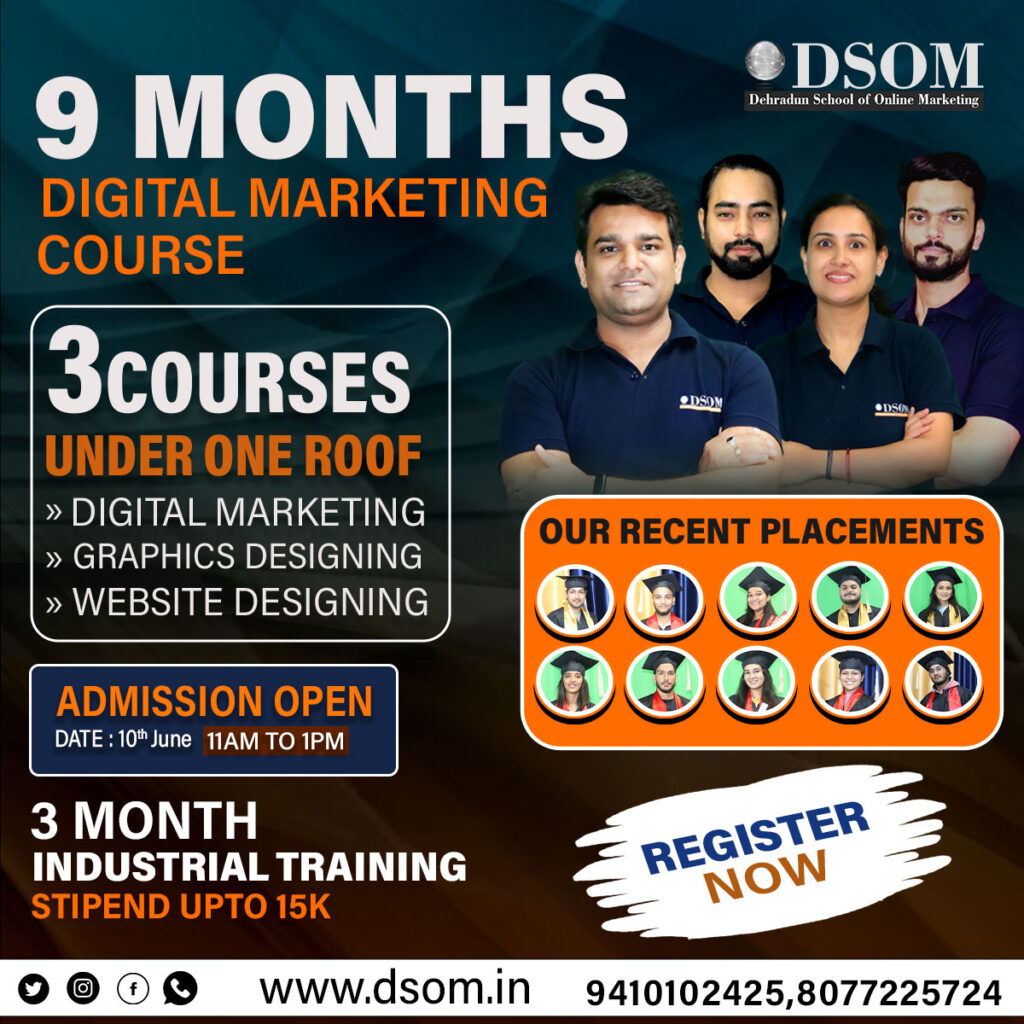
Launch Your Digital Career with DSOM’s Comprehensive 9-Month Program The digital world is booming, and with it, the demand for skilled digital marketing professionals. If you’re looking to launch a fulfilling career in this exciting field, the Dehradun School of Online Marketing’s (DSOM) 9-month digital marketing course could be your perfect stepping stone. More Than Just Marketing: A Well-Rounded Skillset This program goes beyond just teaching you the ins and outs of digital marketing. It equips you with a comprehensive skillset that will make you a valuable asset in the job market. Here’s what you’ll gain: Digital Marketing Mastery: Dive deep into SEO, SEM, social media marketing, content marketing, email marketing, and more. Learn to create and execute data-driven digital marketing campaigns that deliver results. Graphic Design Prowess: Unleash your creativity with Photoshop training. Master the tools and techniques to design stunning visuals that elevate your marketing efforts. Website Building Basics: Understand the fundamentals of website design using user-friendly platforms like WordPress. Learn to create functional and aesthetically pleasing websites. Communication Confidence: Hone your communication skills to become a clear and persuasive communicator. This includes written and verbal communication, essential for success in any digital role. Personality Development: DSOM focuses on more than just technical skills. This course helps you develop your interpersonal skills, confidence, and overall personality to thrive in a professional setting. Industry Ready with Internship and Stipend The program culminates in a 3-month industrial training placement. This real-world experience allows you to apply your learnings in a professional environment, gain valuable hands-on experience, and build your portfolio. What’s even better? You can earn a stipend of up to ₹15,000 per month during your internship! Why Choose DSOM? Here are just a few reasons why enrolling in DSOM’s 9-month program is a smart investment for your future: Comprehensive Curriculum: Get a holistic education that equips you with the skills and knowledge to succeed in the ever-evolving digital marketing landscape. Industry-Experienced Trainers: Learn from seasoned professionals who share their practical knowledge and insights. Focus on Practical Application: Gain hands-on experience through projects, assignments, and the final internship. Stipend Opportunity: Earn while you learn during your internship placement. Career Support: DSOM provides guidance and assistance with resume writing, interview preparation, and job placement. Take the First Step Towards Your Digital Dreams If you’re passionate about the digital world and eager to launch a rewarding career, DSOM’s 9-month program is the perfect launchpad. With its comprehensive curriculum, industry focus, and internship opportunities, this program will equip you with the skills and experience you need to stand out from the crowd. Visit DSOM’s website today to learn more and take the first step towards your digital marketing dreams!
Career After Graduation in Graphic Designing

The career that aligns with your destiny operates within an advanced world where each individual thinks in their own way. Graphic designing after graduation integrates your destiny into your thinking and can lead you to career-oriented opportunities. It is the perfect avenue to explore your art and identity, turning them into tools that, depending on your techniques and role, can lead you to become a successful graphic designer. Whatever you think or feel passionate about can be conveyed through a visual image, showcasing the power of graphic design. Introduction to Graphic Designing After Graduation We study to gain knowledge that will help us in our careers. Studying hard can lead to success, but having a wealth of knowledge and ideas can result in a fulfilling career. Nowadays, many people graduate and seek to explore their capabilities. You can become a graphic designer if your art and ideas are useful enough. As a graphic designer, you use your designs to enhance products and make them more valuable. Graduates aspire to have an artistic and rewarding professional career and strive to unlock their full potential. The field of graphic design effectively conveys information through visual images and content. Even individuals with limited experience can improve their skills through graphic design. Graphic designers,also known as graphic artists or communication designers, combine art and technology to communicate through images and project execution using various tools such as Adobe Illustrator, Affinity Designer, Procreate, Adobe Photoshop, and Affinity Photo. Graphic design conveys a specific message to the customer through websites, social media, and other platforms. It showcases the presentation of products and represents its art through visual appeal to attract customers. This allows everyone to sell their products virtually or in reality. Every object displays detailed graphic material describing it, whether it’s a project, thing, or content. It is an ever-present tool in our daily lives, not a novelty but an essential part of everyone’s life. The material it shows conveys the complexity of the object, highlighting its creativity and potential beyond conventional boundaries. Graphic design incorporates several elements such as line, shape, color, texture, typography, and space. These elements are crucial for a comprehensive understanding of any project. The initial impression of a project is largely based on these elements and other factors. Graphic design covers various areas including brand identity design, marketing and ad design, packaging design, UI/UX design, print publication design, lettering and typography design, graphic illustration, and data visualization. Each content aims to effectively portray its subject, conveying quality and quantity through “Design that embodies a creative mind helping another object.” After graduation, every person needs a career that offers opportunities for growth and advancement. Graphic design is a great path to choose for a supportive career as it allows you to display your artistic abilities, showcase the visibility of products through a strong portfolio, stay updated on design trends and language, and align your career goals with your interests. Scope of Graphic Designing After Graduation Graphic design is a practical subject that involves working with software tools. It’s not just about being new to the beginner, but rather about your ability and potential in the field. The scope of graphic design is increasing day by day. Your skills represent your ability to be creative and showcase your passion. Graphic Design: Graphic designers are passionate individuals who solve project problems through design. Their artistic collaboration addresses the project’s content and solves problems through artistic thinking. Let’s see types of graphic designing one can opt for: Types of Graphic Designing: Logo Design: A design that embodies the company’s identity for its website and other platforms, presenting a cohesive brand image. Advertisement Design: A design that provides information and serves as a promotional tool for a company or its products. The company uses it to promote its products and services, resulting in increased sales and reaching more customers. Website Design: The materials used in an app or website can significantly impact how a company or website is perceived, similar to how packaging design represents a product. It conveys information about the product even without physically interacting with it, which can influence a person’s desire to purchase it. Printed Design: Designs used for books, magazines, templates, and other materials, physically communicating a strong message to customers through front images and providing complete information. Process: Anything involving a specific series of actions done step by step, particularly for a specific purpose. A graphic designer undergoes a process of learning software, as well as the fundamentals, principles, and concepts. The software only accounts for 20% of the work, while the other elements contribute 80% to completing the process. Fundamentals: There are primarily four fundamental types of design elements: color, imagery, typography, and composition. The design embodies strength, luxury, elegance, modernity, and coolness. Principles: Elements that are fundamental for graphic designers to understand: Composition Hierarchy: A pecking order of text, shape, and image to have a place. Typography: It is important to use a specific font or text when designing a product or targeting a particular audience. Balance: The tools are equally balanced and placed in a specific order by every concept. Concepts: The basic concepts included in graphic design are contrast, color, composition, balance, theory, white space, emphasis, typography, hierarchy, pattern, rhythm, movement, unity, alignment, and branding. Career in Graphic Designing After Graduation As a career-oriented job, the graphic designer creates a company’s brand identity through designs, including logos, advertisements, and blog images, using specific fonts and colors. Among the skills that a good graphic designer should have been fundamental principles of design, such as color theory, typography, and composition in art. Proficiency must also be applied to design software programs like Adobe Photoshop, Illustrator, and InDesign so attention with detail can be developed. Design Studio: Work with a creative group to consult on branding, advertisements, and project assessment with clients. In-House Designer: Work as a designer for a specific project, where you design all assets in line with the brand. UX and Web Design: Choose
Career After 12th In Digital Marketing
Digital marketing after 12th class is a vast and dynamic profession. Entering such a profession is mainly compared to diving in an ocean of technologies. It is a skill-based course with the critical growth and proper scope of success. It is highly in demand not only in India but also in countries like Dubai, England, Canada, Singapore, and many more. The students can get high pay packages in this field after 12th class. With this short-term course (3-6 months), lots of golden opportunities for quick progress are available, from digital marketing or online marketing to that field: the promotion of anything with the help of Email Marketing, Multimedia, Google Ads, and Search Engine Optimization (SEO). Digital marketing courses make career chase more relaxed, with students learning how to use tools for designing, video editing, SEO, and website designing right on WordPress. Digital Marketing Courses After 12th: Key Courses There’s a list of some essential courses falling under Digital Marketing: Search Engine Optimization The process that helps websites achieve high rankings on search engine results pages like Google, Bing, Duck-Duck Go, and many more. Attract organic traffic with the relevant users and guarantee the SERP. SMM (Social Media Marketing) Social media platforms, tools, and practices across which users build a social network by sharing knowledge, connecting to promote a brand/business, increasing sales, and driving website traffic either organically or inorganically. PPC (Pay Per Click) An online model of advertising in digital marketing that diverts traffic to the advertisers’ websites, whereby the publisher only charges the advertiser any amount if a click is made on those websites by the customers. Email Marketing Here, we make an effective use of electronic mail as a means of promoting commercial or fundraising messages to the audience. Benefits of Joining a Digital Marketing Course After 12th Class Higher Studies: Aspirants who have completed the 12th standard often desire to pursue higher studies about their interest and passion. Employment: Graduates can enter the workforce directly and secure employment in line with what they studied, though it is usually at an entry-level or internship position within companies. Entrepreneurship: Some graduates become self-employed and practice management and family businesses with skills and knowledge acquired during studies. Also, interning with them can lead to published works that help a student get promotions, higher pay, or better job opportunities in the future. Freelancing: People with skills such as digital marketing can freelance or consult for other types of service providers or companies. Changing Career: Some people find a new interest or experience a career aspiration in a course of study, hence changing their fields or the industry. Opportunities and Jobs Career Growth: Doing a course in digital marketing would open preferences and options, making it a fast-growing occupation in the digital world and engaging with potential customers using internet strategies. Mobile Marketing Techniques: As the use of mobile devices is fast emerging, mobile marketing techniques have also become necessary and advanced. This course provides techniques for reaching an audience through smartphones and tablets. E-Commerce Marketing: This would be one of the courses that will help begin business or online retail. Content Writing and Marketing: Good content is an asset to any website or digital marketing campaign. This course will get you training, live projects, and practicals. Data Analytics: Most classes will also teach how to use analytics tools to measure the success of marketing campaigns and analyze them. Why Choose Digital Marketing as a Career After 12th Class? All these reasons mentioned above make digital marketing a good career option, and now we talk in detail about all these reasons. Digital marketing is booming nowadays in the industry. The reason is that all companies are looking for unique digital marketing techniques to boost their business, and many more things are done with the help of digital marketing. Some benefits are: high-demand curriculum, diverse career options, quick career growth, skill development programs, affordable entrepreneurial opportunities, high-paying jobs, and flexible and practical courses. Conclusion A digital marketing course after the 12th class has a lot to offer in career options. The area of digital marketing is dynamic, ever-changing, and promises a better future with ensuing growth. So, why to wait? Explore this opportunity as a career now.
5 ways to make money from home using AI (Artificial-Intelligence) in 2024
Introduction: In 2024 Artificial intelligence is transforming how people can make money by using this. As we know, we’re in a digital world and this should be changed in robotics and AI in the coming future. SO, it is essential to teach people how to use AI so they can earn money through AI at home. Automatic content production creating fresh content and enhancing e-commerce platforms. AI enables individuals’ businesses to streamline and boost the efficiency of their content. However, high-paying jobs are now changing to fully remote and AI-based. Professionals increasingly recognize that they don’t need any employee at the office or a single employer to achieve financial success. So, in these terms, every person who is familiar with the IT sector should know how to use AI and make money at home. Here are some ways to make money using AI AI-powered content creation: Automated writing and Editing: Some AI tools like ChatGPT, Gemini, and many more can generate high-quality content for blogs, articles, websites, or anything you want. Freelancers and content creator can enhance their content with just a click and these AI tools can do everything. With AI at their disposal, individuals and organizations can unlock new doors of creativity and efficiency in their writing endeavors. b. Video Editing and Image Generation: Some AI platforms like DALL-E and Midjourney allow users to create stunning and high-quality content as they want. With AI technologies at their fingertips, individuals can unlock new opportunities and possibilities for creating innovations and attractive storylines. 2. AI-powered Newsletter: The emergence of AI-powered newsletters marks a significant shift in how businesses and organizations can engage with their audience, and how can they make their content more efficient and creative, this can be a most powerful key to making your content creative and productive. Moreover, AI can help you in crafting weekly or monthly newsletters, it will save you time and allow you to create more efficient content and engage your audience. Creating a Newsletter can be a profitable venture with a high-based audience. Moreover, you can also incorporate hyperlinks and promote your products and services through this. AI-powered newsletters offer a powerful solution to deliver targeted and engaging contents that give results. 3. AI-powered copywrite: If you are working as a freelancer copywriter, either part-time or full-time, then you have to think of using Artificial Intelligence to boost your work, quality, and content. As a freelancer Copywriter, you can use AI tools to make your content processor easier by generating content outlines, this can be useful for you as a freelancer copywriter. 4. Print-on-demand: Print-on-demand is a very popular way to make money at home by using this. AI tools can help you out to generating high-quality content, catchy quotes, and attractive articles. You can use print-on-demand service to put this on items like mugs, t-shirts, pillows, bags, notebooks, and any other gift items. This little startup can help you to make money at home by using AI tools. 5. AI-Generated Artwork: Here is another way to make money at home by using AI tools. Tools like Midjourney can be very useful to create beautiful illustrations of nature. Floral arrangements, fruits, and other science-related images. This can be edited and can be sold on digital platforms like Esty. Additionally, It is important to ensure that you are creating high-quality and enhancing content and the accuracy of your digital artwork. AI-generated content sometimes has flaws, such as being unrealistic, excessive editing, and proportions. Which needs to be corrected. Winding Up: To conclude, Artificial Intelligence presents a plethora of opportunities for generating income across various industries at home by just using skills and some digital tricks. Integrating AI technologies into content creation, E-commerce, retail, healthcare, and business can enhance their operations and unlock new revenue-generating paths in 2024. One such use is that of leveraging AI tools and AI-powered software to make money. With just a few Google searches, you can easily find what you want and what type of content you want to create. As the traditional job market continues to evolve, these AI-driven avenues provide a path for individuals to thrive independently. Paving the way for a future where work can not be confined to the constraint of an office employer’s premises. In the coming future jobs can be eaten by robotics and AI. So, it is essential to know about Artificial intelligence, machine learning, and digital marketing so that in the future you have the option to earn by using these skills at home.
Content Making and How to search on Google when creating content
Content Making How to Make Content Have you ever heard about the phrase that “Content is king” and that you have to make Quality content. More content does not mean better content. Its quality matters everywhere. We should never compromise with quality. If you want to start blogging as a carrier, you must follow these tips to make quality content for your blog or a website. Make Your Content Valuable and Relevant Innovative and Unique Content Use Plain English and Keep Your Content short Always Start with Keyword Research Stay On Topic Use the “Inverted Pyramid” Method Write for Your Audience Use Appropriate Images Use Standard and Well-Formatted text Grammar and Spelling errors Use Long Tail Keyword Internal Linking Proper On-page SEO When we discuss SEO friendly web content tips that can be easily understood by the search engines. The more they can understand about your page, the greater are your chances of achieving a better ranking in their search results. To make content for your business website can be challenging, but by following these simple tips you can make sure that your content is valuable and relevant and connecting with your readers. Google Keyword Planner What is Google Keyword Planner? The Keyword Planner is a part of the Google Adwords advertising platform. It allows users to research and analyze lists of keywords for use in pay-per-click campaigns. The keyword planner is designed as a paid search tool but its data is nevertheless extremely useful for SEOs. It is one of the most used keyword research tools. It is a free tool which is integrated with Google Adwords. This tool requires you to create an Adwords account before you start using the tool. It serves two main purposes for those who want to achieve good rankings and get more visitors to their website through SEO – to provide keyword ideas and to give estimates of monthly search volumes for keywords. As choosing keywords is a critical stage in the SEO process, knowing how to use this tool properly is essential. Instructions to use: Sign in to your AdWords account. In the upper right corner, click the tool icon, and then under “Planning,” click Keyword Planner. Type or paste one or more of the following in the “Find new keywords” search box and, on your keyboard, press “Enter” after each one: Words or phrases that describe what you’re advertising. The URL of a webpage or entire website related to your business. Click Get started. Review your keywords in the keyword ideas page. How to search on Google How to get better search results using Google search? “Effective searching is a powerful skill.” Millions of people use Google search every day for a variety of reasons. Google has its own way of understanding things and how it interprets each query. To be effective and get maximum output, you need to understand it and remember it. Learn a few tips and tricks to filter and better your Google search results on Google. Start with simple basics: No matter what you’re looking for, start with a simple search like where’s the closest airport? You can always add a few descriptive words if necessary. Search using your voice: To search with your voice, say “Ok Google” or select the Microphone. Choose web friendly words: A search engine works by matching the words you enter to pages on the web. So using words that are likely to appear on pages will yield the best results. For example, instead of saying my head hurts, say headache, because that’s the phrase a medical website would use. Ignore spelling: Google’s spell checker automatically uses the most common spelling of a given word, whether or not you spell it correctly. Capitalization: A search for New York Times is the same as a search for new york times. Search by file type: Search for specific types of files, such as PDFs, PPTs, or XLS, by adding file type: and the 3-letter files abbreviation. Search within a website: To search within a particular website just add site:sitename to your query. Ignore punctuation: Search ignores punctuation. This includes @# %^*() = []\ and other special characters. Find related websites: You can find websites that have content similar to a website that you already know, by using the ‘related’ modifier. For instance, when you type related: wikipedia.com, you will find a list of websites that contain information similar to Wikipedia. Use descriptive words: The more unique the word, the more likely you are to get relevant results. Find quick answers For many searches, Google will do the work for you and show an answer to your question in the search results. Some features, like information about sports teams, aren’t available in all regions. Weather: Search weather to see the weather in your location or add a city name, like weather Seattle, to find weather for a certain place. Dictionary: Put defines in front of any word to see its definition. Calculations: Enter a math equation like 3*9123, or solve complex graphing equations. Unit conversions: Enter any conversion, like 3 dollars in euros. Sports: Search for the name of your team to see a schedule, game scores and more. Quick facts: Search for the name of a celebrity, location, movie, or song to find related information.
Photoshop, PowerPoint Slideshow and Video Making in digital marketing

Photoshop is photo editing, image creation and graphic design software developed and manufactured by the Adobe Company in 1988. The software allows users to manipulate, crop, resize, and correct color on digital photos. The software is particularly popular amongst professional photographers and graphic designers. In addition to this, there are various tools that can help you make the changes according to your wishes in the software. Photoshop can edit the picture in any picture and create new designs. Nowadays this software is used mainly by creating photos, making albums, making flakes, making posters, and book covers etc. Features of Photoshop: Files made in Photoshop can be easily inserted into web pages. The work of Photoshop can also be removed by an undo option. In this, the history palette has been provided in which the list of old works is shown, using this palette can bring the photo or image in the old condition. Photoshop has many tools to select the image by which different parts of the image can be selected. With this feature, any photo can be easily done in Photoshop. In Photoshop, it can be done in Photoshop very fast and easy to repair or change the desired colors. Photoshop has many effective tools, with the help of which can easily insert different effects in the photo. Photoshop can easily change the size of any image and the image can also be rotated. In Photoshop, the layer is used to work smoothly on the image, through the layer feature; we can work on it by dividing the image into different parts. The image created by Photoshop can be saved in different image extensions such as Bitmap, GIF, JPG, PNG, PDF etc. PowerPoint Slideshow (PPT) A PowerPoint slideshow is also known as a PowerPoint presentation (PPT) A PowerPoint slideshow (PPT) is a presentation created on software from Microsoft that allows users to add audio and video features to provide better visual impact. It is considered to be a multimedia technology and also acts as a tool for collaboration and content sharing. PowerPoint slideshows are also flexible, allowing presenters to customize the slides to fit their needs. PowerPoint slideshows are considered to be one of the easiest, most useful and most accessible methods to create and present visual aids. Reordering the presentation is easy with the drag-and-drop feature. It helps to improve audience focus, increase visual impact and also increase interactivity and spontaneity during a presentation. PPT files are used for creating presentations in the home and business environments. The Many wonderful Uses of PowerPoint: Use PowerPoint in lectures, seminars, business presentations, sales pitches, and similar activities. Use PowerPoint to make tutorial slideshows and videos. Use PowerPoint to make info graphics, visual resumes, and other graphics. Use PowerPoint to make photo slideshows Video Making How to make SEO- friendly Videos Online videos have become a very useful method for sharing information. YouTube is one of the most searched websites in the world today, with over 800 million individual and unique visits each and every month. This is second only to Google, which makes it a great place to market your business, promote an online course or providing information to your target audience. By applying these video SEO techniques, you can make your videos search engine friendly and to improve your chances of attracting new viewers and to maximize your position on the search engine rankings for YouTube and through other search engines, including Google, use the following tips to help make your video more SEO friendly: Make sure it loads quickly – We live in a “give it to me now” world so it is vital to make sure that when a visitor clicks on your video it begins right away. Videos that take too long to load often encourage viewers to close the window and move on to the next. Before uploading your video to one of the many platforms available consider the video’s file size and resolution requirements. These two factors will have a large impact on the video’s load time. Create a relevant and effective title – The title for your video should explain what your video is about in a clear and concise manner. Use keywords in the title that are relevant to your video content. Optimize the content around the video – You shouldn’t just have a video up and nothing else. Google and other search engines will crawl through everything on the page to determine relevance. This means that you should include keyword-rich descriptions along with your videos. Add links in the videos – Add links at the end of your video that link to other videos. You can do this on YouTube using their Annotations tool. Links can help to provide more views for your other videos and can result in traffic to other pages as well – all of which can benefit your search engine ranking. In addition to adding links in the videos themselves, consider adding a link to the description as well. Use keywords in the URL – Don’t just use a generic URL. Search engines such as Google will use the URL of your videos in order to identify your video content. Because of this, use keywords that relate to your video content. This only works if you display one video a page – so don’t post more than one video on each page. Post on YouTube – YouTube isn’t just a video hosting service, it’s also a search engine in itself. In fact, it’s the second biggest search engine behind Google. Once you upload your video to YouTube, you can use embed code to embed it to your website to improve your SEO even more. Encourage social interactions – Google uses social signals as a major factor for determining search engine rankings. So allow comments on your video and encourage social sharing by adding social share buttons to your video, making it easy for viewers to post your
All about SMO- Social Media Optimization and its benefits for business
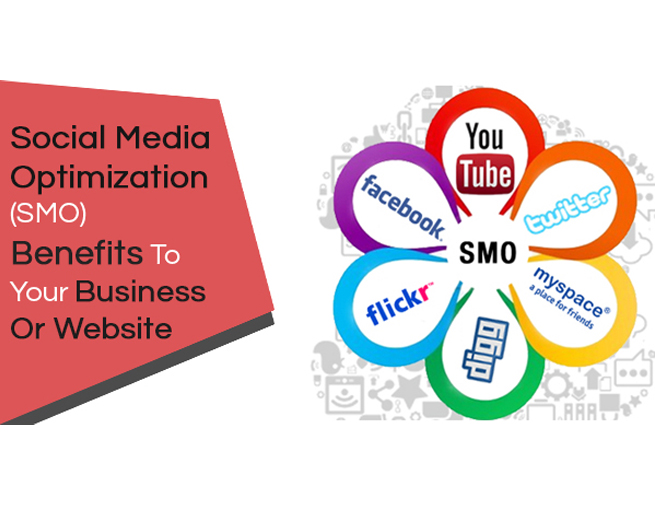
What is SMO? SMO stands for Social Media Optimization. SMO is a process of increasing awareness of any product, brand or business on social media outlets, communities or platform. It is an essential part of Internet marketing that helps to promote a business or a brand to increase its reach through various social media channels (like Facebook, Twitter, etc). Social media optimization includes using RSS feeds, social news and bookmarking sites, as well as social media sites and video and blogging sites. SMO is similar to SEO (search engine optimization) in that the goal is to market your business on a social platform and drive more and more traffic to your Web site. Nowadays all Social Networking Sites are used, so if you have a business then you will need Social Media Optimization and this is the easiest way to promote your business in a very short time. In SMO, you can also target local audiences and you can promote your business locally. Today, we have many Social Networking Sites that we use: Facebook Linkedin Twitter Pinterest Youtube Google+ With Social Network you can live in Directly Contact with your audience. The more you stay in contact with your users, the more your engagement will increase and grow your business quickly. Why SMO is so important? Stronger Web Presence – These all social media platform gives an opportunity for a brand or a business to get maximum user. It has a stronger web presence, which helps to reach out a stronger website. It makes clients to aware the brand by helping you create a company brand on the World Wide Web. Generate Potential Leads – Today the most of the people are connected on Social media platforms that help you reach to potential customers. It helps to reach to the customers across the World to generate potential leads with no additional investments. Stay Connected With Potential Customers – You can stay in contact with your potential customers through social media and understand their need and preferences in a better way which can provide you with healthy inputs to build customized campaigns. The users try to be online through various platforms that connect with them and help to spread the business information to users. What are benefits of SMO and Why SMO is used? If you have a website for which you want to consider SMO but there is a question coming in your mind “Why use SMO,” then read the below listed benefits of SMO services for a business: Traffic: Apart from search engines and email marketing, the top source of traffic is SMO. If done in an effective way, you can expect huge traffic on your website. Website’s visibility: As you know, a big number of people use social networking websites, forums, and online communities; SMO helps you to increase website visibility. Communication channel: Now a day, companies provide their customers a business channel (apart from traditional email and call support) such as Facebook page, so that the customers can easily reach them and they can have a great connection. Free advertisement: Social media platforms are being proven as a great source of advertisement. Ease of target: With social media platforms and online communities, you can even advertise to a limited audience. Or, if your business covers the worldwide audience, then it becomes much easier to reach the global audience with services. Customer satisfaction: If a customer contacts you via your Social Media channel and gets an immediate response then it helps increasing the customer satisfaction rate while increasing the credibility as well. Sharing quick updates: If you want to announce the launch of a new product, a press release, or important information that should reach your customers, then SMO provides you a superb platform in form of Facebook page, Twitter, etc. Cost effective compared to other mediums: While SMO provides several free options like blogging, forum posting, etc. You have several paid options to reach the targeted audience. For example, Facebook Ads, Twitter Ads, Linkedin Ads, StumbleUpon Ads, etc. While these are paid options, they are also cost-effective compared to other mediums. Build relationship with customers: When you update something on your Facebook page, Twitter or any other such platform, then your customers share their views, which help understanding what your customers need. So, it helps building trust and a strong relationship while giving you chance for betterment. Quick Popularity: If you need quick popularity then you either need to take help of Television Advertisement or Services. With help of SMO, you can get quick popularity. Sell more services and products: It helps to sell more services and products. Improve search engine ranking: In sync with SEO and SMO efforts can also help in improving the ranking on the search engines. Tips to improve SMO If you want to improve SMO then you can use some of the following tips: 1.Share fresh content to your audience Be humble on the social platform and do not share content that hurts anyone. Build Reputation Engage users on social platform Be Social – It is very important to have social and good relationships on social platform. Try to Increase your links Make tagging and bookmarking easy Reward helpful and valuable users Participate (join the conversation) Know how to target your audience Be real Be updated
All about Facebook and how to use it for your business and reach out more
Facebook Using Facebook to Market your Business Facebook is a popular free Social Networking Site that connects people with friends and others who work, study and live around them. It allows registered users to create profiles, upload photos and videos, and send messages. People use Facebook to keep in touch with friends, post photos, share links and exchange other information. The site, which is available in 37 different languages, includes public features such as: Marketplace – allows members to post, read and respond to classified ads. Groups – allows members who have common interests to find each other and interact. Events – allows members to publicize an event, invite guests and track who plans to attend. Pages – allows members to create and promote a public page built around a specific topic. Presence technology – allows members to see which contacts are online and chat. SMO- Facebook Social Media Optimization (SMO) is a process that facilitates easy sharing of content by the users on online social networks. Social networking sites like Facebook are driving an increasing number of users to the websites. That’s the reason no brand could successfully market itself without having a Facebook fan page. To drive social referral traffic to your website, you need to ensure that: Your content is useful and satisfactory for the end user Your content is easy to share across various platforms You need to treat your Facebook fan page as your another website that needs to be optimized for a particular keyword or set of keywords. Search engines like Google, Bing www.dsom.in | This copy is under Copyright and not for sale to other people and Yahoo are incorporating social actions of the people in their search results and our team of Facebook SMO experts is apt to create buzz for your brand on this topmost and most popular social networking site. To optimize your Facebook page, we will employ the following tactics: Create a custom URL for your brand Add Facebook Like Plugin into your website Allow the user to add comments to increase the clicks on the Like button Post fresh, interactive and fun content including videos, trivia questions and polls Add pictures in content that increase it Likes and Clicks Optimize the keywords in Information Section And many more Benefits of Facebook for business This kind of marketing strategy is low cost. Facebook can be used for sharing information relating to the business. Face can be used for sharing pictures and videos from your business. Users can be active on Facebook. This sociable network allows a business to get in touch with existing and possible clients. Awareness can be raised by making use of Facebook. Facebook can drive traffic to your website. How to create Facebook account Creating a Facebook account is free, and will only take a few minutes. Once your account is created, you can share interesting things with friends, upload images, chat, and much more. Step 1: Go to the Facebook website https://facebook .com Step 2: Fill the details in the Signup form. Step 3: After completing the form Click “Sign Up” option. A menu box will be opened. Step 4: The next step they ask you can find your friends on Facebook via your Gmail id, Skype or other mail service You can skip this option by Clicking “Skip this Step” option. www.dsom.in | This copy is under Copyright and not for sale to other people Step 5: Next Step is filling your Profile Information. The information’s are about your Schooling, College and Employee details. Step 6: Now Add your Profile Picture. You can upload a picture from your pc. You can take a picture from your webcam. Step 7: Now your new Account will be created. Note: you must be at least 13 years old to create a Facebook account
All about Twitter and how to use it for business to reach out more.
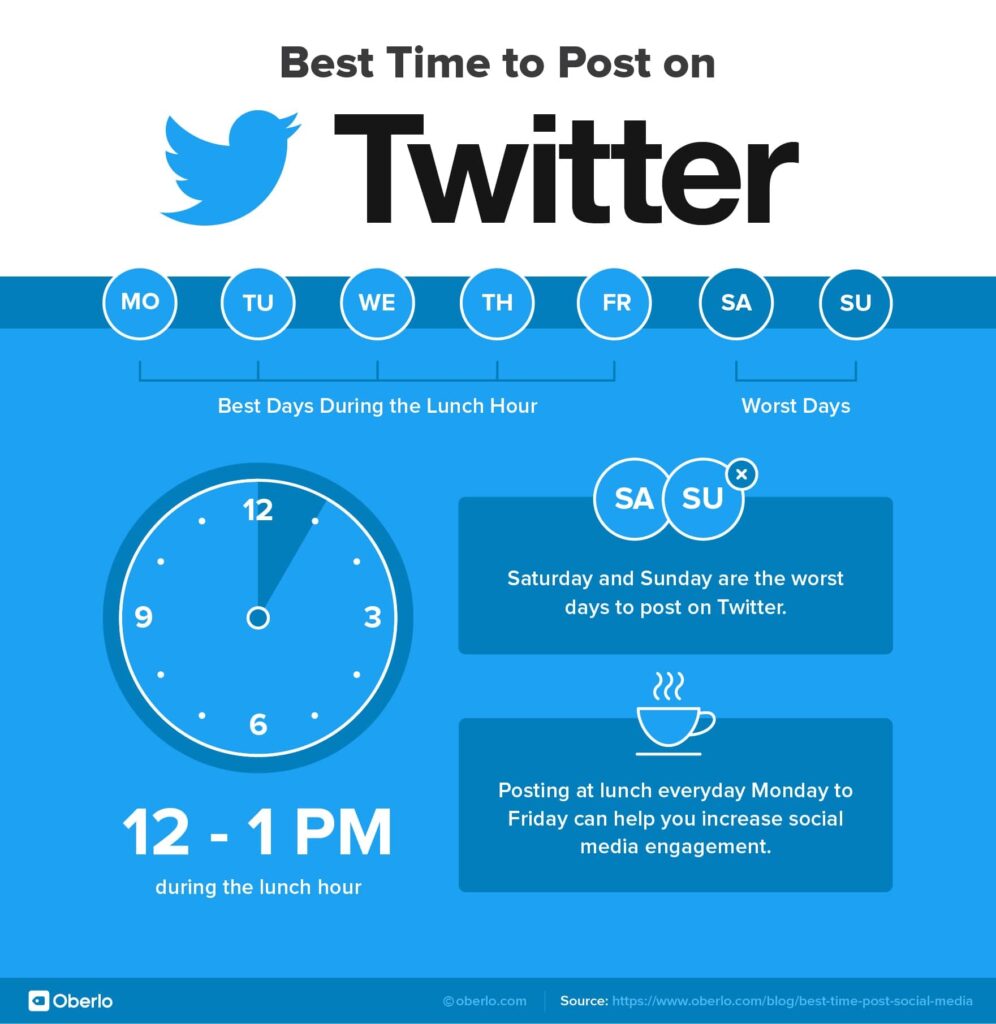
Using Twitter to Market your Business Twitter is a free social networking micro blogging service that enables registered users to send ‘tweets,’ or short messages of 140 characters or less. Twitter members can broadcast tweets and follow other users’ tweets by using multiple platforms and devices. Twitter is nothing but it is way to advertise your business on twitter. This is most popular social media website and it is helpful to drive huge traffic on your website. Basic Points of Twitter Tweet: It is a short message sent or a post shared by you on Twitter. It must be 140 characters long and can include hashtags, images, videos and URLs. Better is first sort your URL then post on twitter. Retweet (RT): It refers to sharing or reposting someone else?s tweet. It is simply the repetition of another user to tweet or post. By default, it begins with “RT: @username,” tweet text. @reply: It is used to reply to other users. It starts with @username followed by your tweet, where username is the Twitter handle of the recipient. It is saved in the replies tab of a user. DM (Direct Message): It is used to send private message to someone you are following. Only the recipient can read the direct message. #Hashtag: It is used to add “Hash” sign before important keywords in your tweet. It helps your tweet get easily found by your target audience. Twitter Handle: It is your username, e.g. the text after the @ sign. SMO- Twitter Twitter SMO has the following 5 basic phase: To get followers for your website. To retain your followers. To encourage the people to interact productively. Using the newest set of tools, technique and tactics. Increasing your ROI How can a business benefit from Twitter SMO? Monitor what people are saying about your brand You can use Twitter as a form of extended customer service You can use Twitter to drive traffic to your website, blog or other social media You can run special deals and promotions on twitter A business can use tweets as real time testimonies Twitter SMO boosts visibility on search engines Find out about the latest industry trends These are only a few of the benefits that you can reap from Twitter SMO. Incorporate and get your Twitter Optimized now and get amazing results. How to create Twitter account Creating a Twitter account is free, and will only take a few minutes. Once your account is created, you can share interesting things with friends, upload images, chat, and much more. Step 1: Go to the Twitter website https://twitter.com first. Step 2: Click on the Signup Button. Step 3: Fill the form that has come to you now. Step 4: Enter your full name in the Full Name Box, Enter Phone Number or Email Id in the box with Phone or Email. Step 5: Enter Password in the Password box. Step 6: Tick the Twitter based on my recent website visits. Tick both of them into the Advance Option below. Let’s find others this allows you to search your friends from email. Let others find me by My Phone Number; this can help you find your mobile from Mobile. Step 7: How did you use Email or Phone, to Create Profile. A verification code will be received on the one you used. If you have created an account from the email, then enter Mobile Number and verify the Mobile Account. Step 8: Now customize your Profile accordingly. Such as: Profile Picture Update, Cover Picture Update. Select Username of your profile. Step 9: Username Selecting Tips We can change our Username at any time. Keep in mind that the user name you are selecting is not already anybody else. Step 10: Now you will have a Welcome Page Open in it, Let’s Go! Click on Option. On click of Let’s Go, you will be asked about your interest. Click on Continue and select Continue in the options that you are interested in. Step 11: According to your interest, some profiles will be recommended for you to follow. It depends on who you follow. Now your Twitter account is ready.