Local Business Listing Guide: How to Rank Higher in Local Search (2026)
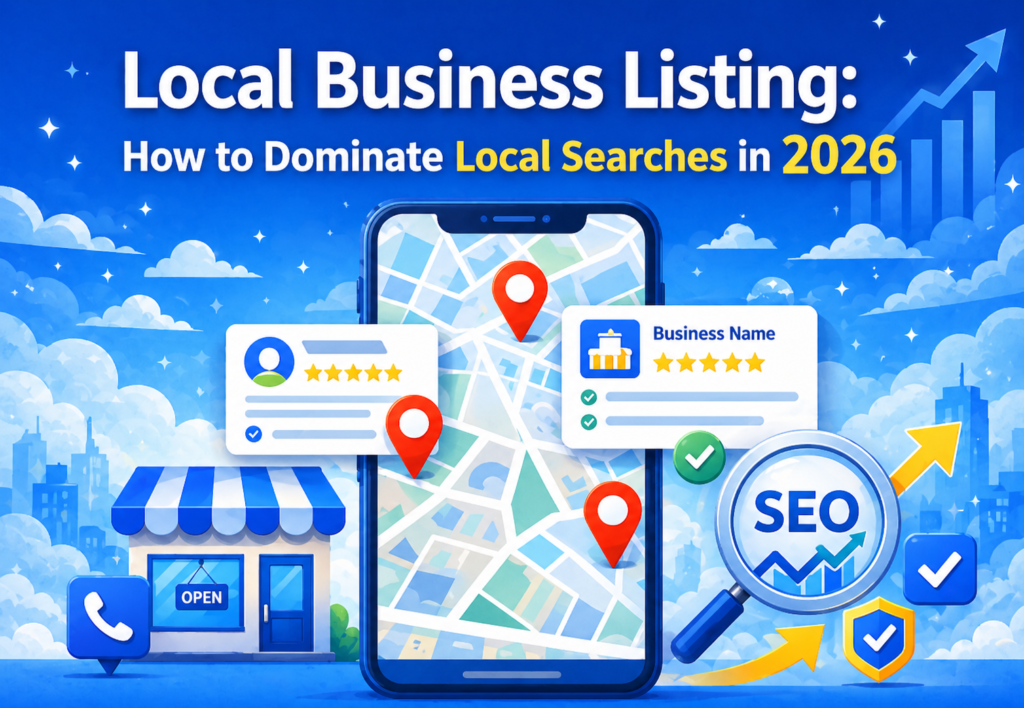
If you run a small business, you already know how competitive the digital world has become. But here’s a question—how do local customers discover nearby services in today’s digital marketing landscape? Easy… they search online. And that’s exactly where local business listing steps in as one of the most powerful off-page SEO strategies to skyrocket local visibility, trust, and website traffic. But what really makes local business listing so effective in digital marketing? How can you optimize your presence across local directories? And what should you include to get maximum local traffic? Let’s break it down in the most practical way possible. What is a local business listing in SEO? Imagine this: Someone in your city searches on Google—“best cake shops near me.” Suddenly, Google shows a local business listing with photos, ratings, directions, and website links. Ever wondered how those businesses appear at the top? Because they’re properly listed in online business directories. A local business listing is an online profile of your business that appears on various directories such as Google Business Profile, Bing Places, Justdial, India Mart, Sulekha, and dozens more. It contains key details like Business Name Address Phone Number Website Category Working Hours Photos Reviews In digital marketing, local business listing play a crucial role in off-page SEO because search engines use these listings to verify your business’s legitimacy and local relevance. Why Is It Important? Because it helps you: Appear in “near me” searches Boost visibility in your local city Enhance Google Map rankings Build trust and credibility Increase walk-in and online traffic Strengthen your overall digital marketing strategy If your business isn’t listed locally, you’re practically invisible to customers who are ready to buy. How to Optimize Your Business for Local Listings Here’s a question… Is a local business listing enough? Not really. If your listings are not optimized, consistent, and trustworthy, search engines won’t push you to the top. Let’s explore the optimization tactics that truly move the needle in off-page SEO. 1. Keep Your NAP (Name, Address, Phone) Consistent Everywhere One small mismatch like “MG Rd.” vs “M.G. Road” can confuse Google. So ensure your information is identical across all directories. Why? Because consistent NAP helps search engines trust that your business is real. 2. Choose the Right Business Categories Most people pick random categories. But Google ranks businesses based on category accuracy. For example: Instead of “Store,” choose “Cake Shop,” “Bakery,” or “Custom Cakes Store.” Instead of “Clinic,” choose “Dental Clinic,” “Skin Clinic,” etc. This one change can dramatically boost visibility. 3. Add High-Quality Photos People trust what they see. Upload: Interior photos Products Team pictures 360° view Before/after photos (if relevant) Photos also improve engagement, which boosts SEO. 4. Use Keyword-Optimized Descriptions Your description should naturally include terms like digital marketing Local Business Listing off-page seo Your main services Benefits Example: “We are a digital marketing agency providing SEO, website design, and social media services in Dehradun.” Short, clear, and keyword optimized. 5. Collect and Respond to Reviews Reviews are the backbone of trust and local SEO. Why? Because Google uses reviews to measure customer satisfaction. Steps: Ask customers to leave a review Reply to every review (positive or negative) Add keywords in your responses (naturally) 6. Add Accurate Working Hours When your business is “closed,” Google lowers your ranking during that time. So ensure your hours are always updated—especially on festivals, holidays, or special days. 7. Add Products & Services Section Not many businesses use this section, but it’s a huge SEO booster. Add: Service name Price (optional) Description Category This helps Google understand your business better. 8. Add Website and Tracking Parameters Link your website with UTM parameters to track traffic: Example: ?utm_source=google&utm_medium=listing&utm_campaign=local_seo This helps you measure how many customers came through your listing. Where to Do Local Business Listing for Maximum Visibility You might wonder… Which local directories matter in digital marketing? Here are the top platforms that truly impact off-page SEO and local visibility: 1. Google Business Profile (Most Important) If you’re not on Google, you’re nowhere. It helps you appear on: Google Search Google Maps “Near me” searches 2. Address Guru Extremely useful for Indian businesses targeting local leads. 3. Apple Maps Business Connect iPhone users depend heavily on Apple Maps. 4. Justdial Useful for Local business listing. 5. Sulekha Great for home services, education, and B2C businesses. 6. IndiaMart Perfect for industrial, wholesale, B2B, and manufacturing businesses. 7. Yelp Still relevant for hospitality, restaurants, and service providers. 8. Facebook Business Page Optimized Facebook pages also rank locally. 9. Trustpilot Excellent for online credibility and reviews. 10. Local Classified Sites OLX, Quikr, and Locanto are great for temporary promotions. 11. Local Chamber of Commerce Listings Boosts authority and trust signals. 12. Industry-Specific Directories Examples: Zomato (restaurants) Practo (doctors) UrbanClap/Urban Company (services) TripAdvisor (travel & hotels) Local business listing on the right platforms multiply your reach. Things to Include in Your Local Business Listing 1. Business Name (Correct and Consistent) Your business name must be the same across every directory, website, and social profile. Any inconsistency confuses search engines and weakens trust signals. Always use your real, official business name without adding keyword stuffing. 2. Complete Address with Landmark A full, accurate address helps both customers and Google understand exactly where you are located. Adding a nearby landmark improves navigation accuracy and reduces the chances of customers getting lost. 3. Primary and Secondary Phone Numbers Having more than one contact number increases your chances of receiving inquiries. If one number is busy or unreachable, customers can still connect with the alternate number, improving conversions. 4. Website Link Always add your website URL to every listing—this helps drive traffic and boosts your authority. An SEO-optimized website increases trust and enhances your off-page SEO results. 5. Short & Long Business Descriptions Descriptions help search engines understand what your business offers. Include keywords naturally, like “digital marketing,” “local business listing,” and “off-page SEO,” to improve visibility without sounding forced. 6. Categories & Subcategories Selecting the right categories helps your business appear in
7 Proven Reasons Natural Backlinks Are Essential for Powerful Off Page SEO

Introduction: Digital Marketing Starts with Authority—But How Do You Earn It? Digital marketing evolves every year, but one truth never changes: Google rewards authority. How do you build that authority? How do you signal to search engines that your website deserves higher rankings? Why do some brands get top positions while others struggle endlessly? The answer is simple yet often misunderstood: Natural Backlinks. In today’s competitive digital world—where Google filters out manipulative techniques—natural backlinks are the most trusted form of off-page SEO strength. But what makes them so important? Why does Google value them more than any artificial backlink? And how can your business earn them consistently? This article explains everything in a clear, professional, and data-backed way. What Are Natural Backlinks in SEO? Natural backlinks are links earned organically, without any effort to manipulate search engines. They occur when: A website mentions your content voluntarily A blogger cites your article as a credible source A journalist references your research A business links to your tool or report A content creator credits your insights or data There is no exchange, no payments, and no link agreements. Just genuine value being acknowledged. Why Are Natural Backlinks Critical in Digital Marketing? Because Google views them as Authentic signals of trust Proof of your authority Indicators of content value Reliable endorsement of your expertise When multiple websites link to yours without your involvement, Google concludes: You produce exceptional content You deliver unique insights You contribute meaningfully to your industry This is the pure essence of off-page SEO. Why Natural Backlinks Matter in Digital Marketing In the era of constant algorithm updates, natural backlinks remain the most stable and resilient ranking asset. Here’s why they matter: They Build Credibility That Cannot Be Faked Anyone can create thousands of low-quality links. But natural backlinks? They require real value. Google can identify authenticity—and rewards it. They Strengthen Your Website’s Trust Profile Search engines treat natural mentions as unbiased endorsements. This directly improves: Trustworthiness Expertise Ranking probability They Support Sustainable, Long-Term SEO Growth Paid or manipulated links can disappear. Natural backlinks stay for years. This creates long-lasting ranking stability. They Increase Brand Awareness Organically Every natural mention exposes your brand to new readers, industries, and markets. This improves digital marketing reach without additional cost. They Are 100% Google-Safe Since natural links cannot be categorized as spam, they prevent: Penalties Algorithmic suppression Manual actions This ensures safe and compliant off-page SEO. How to Gain Natural Backlinks (Professional, Ethical, Sustainable Methods) Natural backlinks cannot be forced—but they can be strategically attracted. Here are the most effective ways to earn them. Publish Authoritative, High-Value Content Ask yourself: Is this content unique enough for others to reference? Types of link-attracting content include: Research-driven articles Original reports Case studies Step-by-step guides Industry surveys Educational frameworks Comprehensive tutorials The more value you provide, the more natural backlinks you attract. Create Data and Statistics Pages Data is one of the most linkable content formats in digital marketing. People reference: Numbers Trends Percentages Projections Industry breakdowns Journalists and bloggers specifically rely on data pages, making them ideal for natural backlinks. Build Free Tools, Templates, and Checklists Resources attract natural backlinks because people love citing useful tools. Examples: SEO audit templates Keyword research sheets Content planning calendars ROI calculators Industry report PDFs When your tool provides measurable value, people link to it repeatedly. Offer Newsworthy Insights Unique viewpoints attract attention. Publish: Market predictions Expert commentary Professional opinions Industry warnings Trend analysis Businesses and media often quote these insights. Update Evergreen Content Regularly Evergreen topics continue generating natural backlinks for years. Examples: “Basics of digital marketing” “Understanding Off-Page SEO” “Guide to content optimization” Updated content naturally attracts new links. Promote Content on Professional Platforms Visibility leads to discovery—and discovery leads to natural backlinks. Share your content on: LinkedIn Industry groups Professional networks Niche communities Online forums Press release websites The more professionals see your work, the more citations you receive. Build Strong Relationships in Your Industry People link to brands they trust. Build relationships with: Editors Journalists Publishers Blog owners Content managers Influencers Strong professional networks multiply natural backlinks effortlessly. Types of Natural Backlinks and Their Benefits Different natural backlinks serve different strategic purposes. Here are the most impactful ones. Editorial Natural Backlinks These occur when someone links to your content willingly while publishing a new article. Benefits: Strong authority signal Highly trusted Contextual relevance Long-term SEO value Contextual In-Content Backlinks These links appear naturally within the body of an article. Google values them because: They match the topic They offer context They suggest relevance They aid user experience Contextual links are among the strongest forms of natural backlinks. Resource Page Backlinks Many websites maintain “Resources” or “Recommended Tools” pages. If your content is listed there, the backlink is Stable Trustworthy Valued Referenced repeatedly Citation Backlinks (Data & Research Citations) These backlinks occur when: Research papers Case studies Industry reports Whitepapers …cite your findings. These are some of the highest authority natural backlinks possible. Media Mentions and PR Backlinks Journalists frequently reference: Quotes Insights Data Unique opinions Such mentions strengthen brand authority significantly. Social Mentions Leading to Natural Links Social links may not be direct ranking factors, but they lead to discovery. Discovery results in more organic editorial links. Things to Avoid in Backlink Building Not all links are helpful. Some can damage your digital marketing campaign permanently. Here’s what to avoid. Avoid Buying Backlinks Google detects and penalizes paid links. This risk is never worth it. Avoid Excessive Anchor Text Optimization Repetitive, keyword-heavy anchors appear manipulative. Use natural patterns. Avoid Low-Quality Directories Most generic directories are considered spam signals. Only niche-specific directories are safe. Avoid Link Exchanges “I link to you; you link to me” is easily detectable. Exchange-based patterns harm trust. Avoid Automated Link Building Tools Automated systems create unnatural footprints. Search engines monitor these patterns closely. Avoid Forum & Blog Comment Spam Comment backlinks rarely add value—and often trigger ranking issues. Avoid Rapid, Unnatural Link Growth Sudden spikes in backlinks appear suspicious.
11 Proven Ways Article Submission Strengthens Digital Marketing
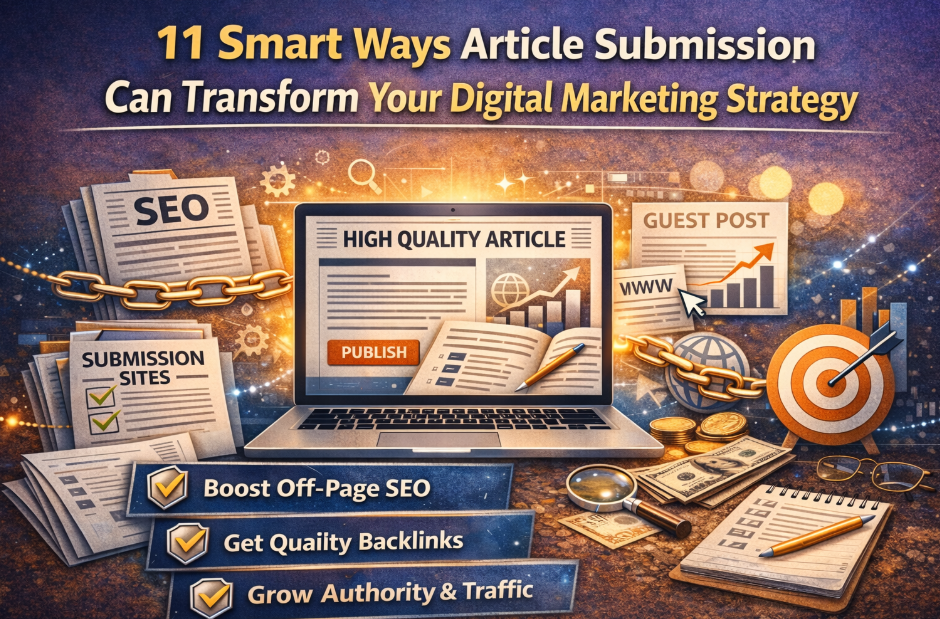
Introduction: Can Article Submission Really Change Your Digital Marketing Game? Let’s be honest—digital marketing is crowded. Every brand is fighting for attention. Every marketer is chasing rankings, backlinks, and visibility. But here’s a question most people miss: What if one simple off-page SEO technique could dramatically boost your authority, traffic, and credibility? That technique is article submission. Not the old-school spammy type… But powerful, value-driven article submission builds influence. So how exactly does it transform your digital marketing strategy? Let’s unlock the 11 smart ways. Article Submission Strengthens Your Off-Page SEO Foundation Your website can have perfect content, fast loading speed, and beautiful UI… But without off-page SEO, it’s invisible. Article submission creates authoritative mentions of your brand across the web. These signals tell search engines: “People trust this website.” Stronger trust = higher rankings. It Helps You Build High-Quality, Contextual Backlinks Backlinks are the backbone of digital marketing success. But not all backlinks are created equal. Article submission helps you earn: Natural contextual links Links placed within valuable content Links from niche-relevant platforms These are exactly the links that search engines love. Article Submission Expands Your Online Presence Instantly Want to be everywhere your audience is? Article submission makes it possible. Instead of waiting for traffic to come to your website, your content appears across: Article directories Blogs Community platforms Social publishing sites This multiplies your reach without multiplying your workload. It Builds Long-Term Organic Traffic Channels Articles published on high-authority platforms continue to rank for months or even years. That means you enjoy: Passive traffic Evergreen visibility Continuous brand exposure Imagine getting leads even while you sleep. Article Submission Positions You as an Industry Expert Want your brand to be seen as a market leader? Your audience needs to see your knowledge across the internet. When people consistently find your articles on reputable sites, they start thinking: “This brand knows what it’s talking about.” Authority is earned—and Article Submission helps you earn it faster. It Helps You Target New Keyword Clusters Easily Search engines rank pages, not websites. That means the more content you publish, the more keywords you can target. Article submission lets you rank for keyword clusters such as Industry questions How-to terms Informational searches Long-tail queries This strengthens your overall digital marketing reach. Article Submission Creates Trust Signals for Your Brand People trust brands they see everywhere. When your articles appear across multiple platforms, your brand gains: Recognition Authority Credibility Familiarity And familiar brands always convert better. It Helps You Educate, Engage, and Add Real Value Great digital marketing is not about selling— It’s about teaching. Article Submission lets you publish: Solutions Tutorials Guides Expert insights This increases engagement and builds a loyal audience. Article Submission Brings Referral Traffic from Multiple Sources Imagine your articles reaching: Niche readers People searching for solutions Communities and forums Social shares Each of these becomes a new traffic source. And unlike paid ads, referral traffic is free and unlimited. It Diversifies Your Link-Building Strategy for Better SEO Search engines love a natural-looking backlink profile. Article submission helps you diversify your: Anchor texts Link types Link sources A diverse link profile = safer and stronger SEO results. Article Submission Helps You Outrank Competitors Easily Most competitors skip article submission or do it poorly. That gives you a golden opportunity. By publishing consistently: Your authority grows Your visibility multiplies Your credibility develops faster Your rankings improve This gives you an instant competitive advantage. What Is Article Submission in SEO? Now that you know its benefits, let’s define it clearly. It is the process of writing, optimizing, and publishing articles on third-party platforms to gain backlinks, visibility, and authority. It supports your digital marketing strategy by: Enhancing off-page SEO Building trust Improving rankings Increasing your online footprint But remember—effective article submission requires quality, not quantity. How to Write Articles (Step-by-Step) Want your article submission efforts to work? Follow this proven framework: Start With a Clear Keyword Strategy Choose keywords relevant to your topic and industry. Focus on long-tail keywords that match user intent. Write an Attention-Grabbing Headline Your headline decides whether people will read your article or skip it. Make it: Emotional Powerful Clear Benefit-driven Use Short Paragraphs for Easy Reading People skim more than they read. Break your content into easy-to-digest chunks. Add Real, Actionable Value Avoid generic content. Give practical tips, steps, examples, and solutions. Use Your Keywords Naturally Keyword stuffing hurts SEO. Keep your usage balanced and organic. Add Your Website Link Naturally Tell readers where to learn more. But don’t overload the article with links. Proofread Before Publishing Readability matters. Clean grammar = better authority. Types of Article Submission Sites Not all platforms are equal. Here are the main types you should know: High-Authority Article Directories These sites help you earn strong SEO value and instant visibility. Niche-Specific Blogs or Directories Best for targeting people who are interested in your exact industry. Guest Blogging Platforms Provide high-quality backlinks and relevant readership. Social Publishing Platforms These amplify brand visibility and shareability. Community Blogs & Collaborative Platforms Great for engaging with communities and generating discussions. Things to Avoid in Article Submission These mistakes can damage your digital marketing results: Publishing Low-Quality Content Search engines penalize poor content. Always publish helpful, original work. Submitting Duplicate Articles Rewrite, repurpose, or refresh—never copy-paste. Using Spammy Websites Choose platforms with good authority and trust. Keyword Stuffing Over-optimization harms SEO. Keep it natural. Adding Too Many Links One or two links are enough. Focus on value, not manipulation. Ignoring Formatting Articles should be structured, clean, and easy to read. Not Following Submission Guidelines Every website has rules. Follow them to avoid rejection. Final Thoughts: Is Article Submission Worth It in Digital Marketing? Absolutely YES. In a competitive world of digital marketing, article submission is one of the smartest and most cost-effective techniques to grow your: Authority Traffic Backlinks Credibility Visibility Off-page SEO The more consistently you publish, the faster your brand grows.
7 Powerful Ways Q&A Sites Boost Your SEO : Digital Marketing

Digital Marketing Starts with Authority—And Q&A Sites Are Your Shortcut Digital marketing today is no longer just about creating blogs or optimizing keywords. It’s about earning authority. But how do you build authority when your competitors are publishing content every day? Here’s a smarter thought: what if you could answer questions where your audience is already searching? That’s where Q&A sites become a goldmine in off-page SEO. Before we understand how they work, ask yourself: When was the last time you Googled something and didn’t land on a Quora thread or Reddit discussion? Exactly! This is your chance to leverage what’s already ranking—instead of waiting for your new article to climb the SERPs. What Are Q&A Sites and Their Importance in SEO? Ever noticed how platforms like Quora, Reddit, Stack Exchange, and niche Q&A communities dominate search results? These are called Q&A Sites, and they are online platforms where people ask questions and experts (like you) provide helpful answers. But why do they matter in digital marketing? Because Q&A platforms already have something your website is struggling for: Massive domain authority User-generated content Wide keyword footprint Long-form discussion threads Search engines trust them So, what happens when you post answers there? Your brand appears: On high-authority pages In front of your target audience In front of active searchers With your expertise on display Isn’t this exactly what off-page SEO aims for? SEO Benefits of Using Q&A Sites High-quality referral traffic Faster indexing compared to new websites Brand trust and authority Keyword visibility without publishing full blogs Answer-based long-tail rankings Natural backlink opportunities (non-spammy) In short: Q&A sites help Google see you as an expert—without doing heavy SEO work. How to Use Q&A Sites for Brand Exposure (Smart Off-Page SEO Strategy) Most people dump random answers on Q&A platforms hoping for traffic. But if everyone is doing that, how do you stand out in the noisy world of digital marketing? Simple—you follow a framework. And here are the exact strategies top marketers secretly use: 1. Find Questions That Already Rank on Google Ask yourself: Why answer a question nobody is searching for? Search these on Google: “Site: quora.com your topic” “Best tools for digital marketing Quora” “Digital marketing questions” Find questions that: Already appear on Google Have high engagement Match your expertise Offer room for high-quality answers These give you instant visibility. 2. Write Answers That Feel Like Mini-Blog Posts Most answers are: • Junk • Copy-pasted • One-line text • Promotional garbage That’s your advantage. Your answers should include: A hook question A real-life example Data or facts Clear steps A subtle CTA (not a promo) Example: Instead of writing “Use SEO tools to rank faster,” Write, “Did you know 93% of online experiences start with a search engine?” This instantly creates authority. 3. Use Keyword Placement Naturally (Without Spamming) Search engines index Q&A content. So use keywords like digital marketing Q&A Sites off-page SEO But do it naturally—as if you’re guiding a friend. 4. Add Value First, Link Later Your link should feel like a solution, not a promotion. Always follow the 80/20 rule: 80% value, 20% suggestion. Example link CTA ideas: “Here’s a guide I wrote that breaks this process in detail…” “I covered this with step-by-step screenshots here…” These links get clicks—not flags. 5. Engage Consistently (Not One-Answer Strategy) Consistency wins. If you answer: 1 question/day = 365 high-authority touchpoints a year 5 questions/week = 260 opportunities Imagine how many SERPs you can dominate. 6. Follow Trending Topics Every Q&A platform has “Hot Questions.” Answer these early—you get: More visibility More upvotes More profile authority Being early = ranking more. 7. Build a Recognizable Author Profile People buy from people—not anonymous usernames. Optimize your profile with: Photo Short bio Expertise line Website link Social links This improves trust and traffic. Types of Questions to Engage With on Q&A Sites Here’s where most digital marketers go wrong: They answer irrelevant or overly broad questions—and get ignored. Instead, engage with these 5 question types that generate maximum SEO value and traffic. 1. Beginner-Level Questions (High Volume) Examples: • What is digital marketing? • How do beginners learn SEO? • What are the best tools for off-page SEO? Why answer? Because these rank everywhere. 2. Comparison Questions (High Intent) Examples: • SEO vs PPC: Which is better? • WordPress vs. Shopify for beginners? People asking these want solutions now. 3. Problem-Solving Questions (High Trust) Examples: • Why is my website not ranking? • Why is my traffic dropping? When you solve problems, people follow you. 4. Process-Based Questions (High Engagement) Examples: • How to build backlinks for free? • How to start a digital marketing career? These allow detailed, blog-like answers. 5. Niche Industry Questions (High Authority) Examples: • Best digital marketing strategies for real estate? • How to promote local businesses online? Niche answers attract targeted clients. Things to Avoid on Q&A Platforms (Mistakes That Kill Your SEO Efforts) Just because Q&A sites give opportunities doesn’t mean you do anything you want. One mistake can even get you banned. Avoid these traps like fire: 1. Don’t Post Low-Quality, One-Line Answers Google ignores them. Users downvote them. Moderators remove them. 2. Don’t Stuff Keywords Never force phrases like • digital marketing • Q&A Sites • off-page seo Keyword stuffing kills trust 3. Don’t Add Spammy Links Never use: Affiliate links Salesy links Irrelevant links Add value, then add a link. 4. Don’t Copy from Blogs Copied content gets: • Flags • A lower quality score • Zero ranking • Possible penalties Always write original answers. 5. Don’t Ignore User Comments When users reply, respond! Engagement boosts your visibility. 6. Don’t Fake Expertise Never pretend. Real experience builds real authority. 7. Don’t Violate Guidelines Each platform has strict rules. Follow them or face a ban. Why Q&A Sites Matter More in 2026 for Digital Marketing Ask yourself: If AI-generated content is everywhere, how do users trust what’s authentic? Simple: They trust humans who answer real questions. Q&A sites give you: Real conversations Real credibility Real engagement Real SEO signals And Google LOVES real. With algorithms
Document Sharing: The Hidden SEO Power Move
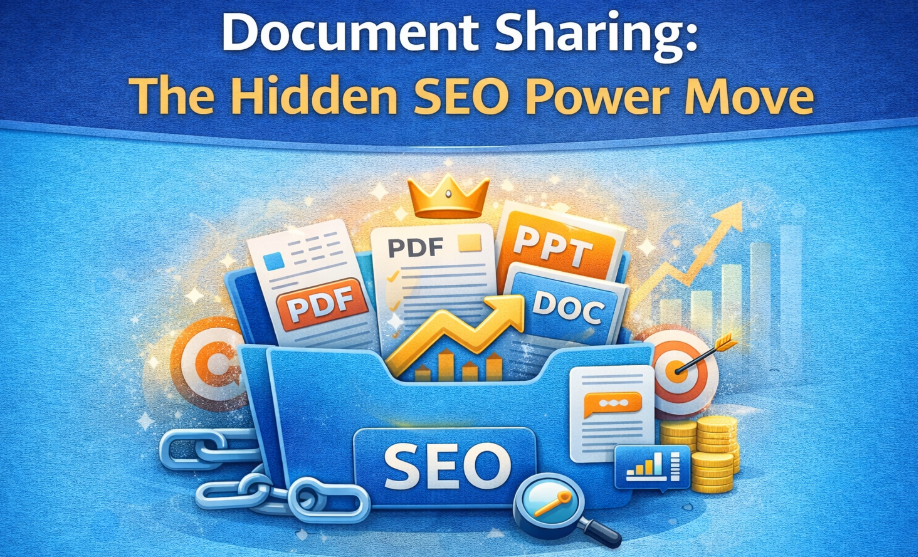
Digital Marketing: The Ultimate Guide to Using Document Sharing for Off-Page SEO Success If you’re serious about winning in digital marketing, have you ever wondered why some brands rank effortlessly while others struggle… even with great content? What if the secret wasn’t more blogs, more backlinks, or more ads—but something as simple as document sharing? Sounds too easy, right? Yet document sharing remains one of the most underrated but powerful off-page SEO strategies that can skyrocket visibility, trust, and brand authority. Ready to learn how? Let’s break it down. What Is Photo/Image Sharing in SEO? (And Why Does It Matter in Digital Marketing?) When most people think of digital marketing, they think of blogs, ads, or videos. But here’s a question many marketers ignore: What if your images could rank on Google… and build SEO power at the same time? That’s where image sharing comes in. Image Sharing in SEO refers to uploading photos, visuals, and graphics on high-authority platforms such as Pinterest Flickr Imgur Instagram Unsplash Google Photos But why does this matter? Because every shared image becomes a new SEO asset. Here’s how: You get a backlink (sometimes do-follow) When you upload images on third-party platforms with your website URL, you earn authority-building links. You increase Google visibility Your images can appear in Google Images—one of the most ignored traffic sources. You boost brand recognition People remember visuals more than text. So image sharing improves trust and recall—an important part of digital marketing. You build off-page seo naturally Search engines see your brand mentioned across multiple platforms, which equals more credibility. But what about sharing infographics? That’s where real magic happens. How to Effectively Share Infographics for Higher SEO Impact Infographics are viral. They are shareable. They attract links without outreach. In other words, they are off-page SEO gold. But here’s the question: Are you sharing your infographics the right way? Let’s look at the best practices. Use High-Quality Visuals That Educate, Not Just Decorate Your infographic should answer a question your audience is already asking. Ask yourself: Does this infographic solve a problem? Is it data-driven? Is it share-worthy? Because no one shares boring visuals. Include Your Branding and Website Link Always add: Logo Website URL Social handles This ensures every time someone reuploads it, your digital marketing visibility grows. Submit Infographics on High-Authority Platforms Some powerful infographic-sharing sites: Visual.ly SlideShare Pinterest Infogram Venngage Canva Community Flickr These websites help you earn massive impressions and quality backlinks—strengthening your off-page SEO. Add an SEO-Friendly Description When you upload an infographic, always include: Keywords Summary Target URL Tags This helps Google understand the context and rank your image better. Promote Infographics Across Social Media The more shares → The more visibility → The more backlinks → The better your digital marketing performance. Simple. Types of Documents to Share for Maximum Impact (PDF/DOC/PPT) Now let’s get into the heart of this strategy— Document sharing is one of the most powerful off-page SEO techniques in digital marketing. But what kind of files actually work? Here are the top-performing formats: PDFs (Most Powerful for SEO) PDFs are Google-friendly. They appear in search results. They get indexed fast. They hold keywords well. Perfect for: Guides Checklists Tutorials Case studies E-books Reports Course material Platforms to upload: Academia.edu ResearchGate SlideShare Scribd Issuu Calameo PDFs build authority and give high-value backlinks. DOC/DOCX Files Many marketers skip DOC files. But here’s the hidden truth: Google crawls DOC files extremely well. You can upload them on: Google Drive (public) Zoho Docs Dropbox Box DocStoc (PDF + DOC sharing) Best for: Articles Blog drafts SEO guides Templates Business documents The more platforms your content appears on, the stronger your digital marketing footprint becomes. PPT/PPTX Files People LOVE slides. They are easy to digest. And they perform extremely well on SlideShare. Best for: Presentations Step-by-step tutorials Reports Training modules Marketing overviews SlideShare backlinks are among the most valuable for off-page SEO. Spreadsheets (XLS/CSV) Yes—SEOs share spreadsheets! Especially when offering: Keyword lists Checklists Templates Research data Google loves structured data assets like these. E-books (EPUB/MOBI) If you’re into advanced digital marketing, creating short e-books is excellent for thought leadership. You can upload them to platforms like Bookboon Smashwords PublishX Free-Ebooks.net E-books spread fast → More mentions → Better authority. Things to Consider When Sharing Documents Online Document Sharing can transform your digital marketing strategy… —but only if done correctly. Let’s avoid the mistakes most marketers make. Optimize File Names for SEO Instead of: final_doc_v2.pdf Use: digital-marketing-document-sharing-guide.pdf Google reads file names. Make them count. Use Keywords Within the Document Insert your primary keyword (digital marketing) in: Title Subheadings Content Footer Image alt text This increases crawlability. Add Clickable Links Every document sharing you upload should include: Homepage link Blog links Landing page links Social links This builds powerful off-page SEO. Use High Authority Document Platforms Some of the best ones: SlideShare Issuu MediaFire Google Drive (public files) Scribd Zoho Docs AuthorSTREAM The higher the domain authority → The more powerful the backlinks. Keep File Size Small Heavy files load slowly. Slow = bad user experience. Bad UX = bad SEO. Compress images before uploading. Maintain Professional Formatting No messy alignment. No broken links. No weird fonts. Your document represents your brand. Always Add a Strong Call-to-Action Every shared document should end with: Visit our website Download our guide Contact us Follow us Learn more This pushes traffic back to your site—fueling your digital marketing success. Why Document Sharing is a Game-Changer in Digital Marketing Let’s pause for a moment. Why does document sharing work so well? Why is document sharing considered one of the most effective off-page SEO strategies? Here’s the simple logic: More platforms = More visibility Your content lives in multiple places instead of just your website. More visibility = More authority When Google sees your content everywhere, it recognizes you as a trusted brand. More authority = Higher rankings Your pages climb the SERPs faster. This is how modern digital marketing works. Not through tricks. Not through shortcuts. But
Newsletter Subscriptions: 10 Powerful Reasons Why Digital Marketing Needs It.

Discover how digital marketing professionals can boost growth using powerful newsletter subscriptions. Learn strategies, types of newsletters, and off-page SEO benefits in this complete guide. Digital Marketing Starts With Building Powerful Newsletter Subscriptions—But Are You Using Them Right? When we talk about digital marketing, why do most businesses still underrate the power of newsletter subscriptions? Isn’t it surprising that brands spend thousands on ads but overlook the one channel that gives direct access to their warmest audience? If your goal is to grow your brand, boost conversions, and strengthen your off-page SEO, newsletters might be the most underrated asset you’re not fully leveraging. Let’s break it down. Why Are Newsletter Subscriptions Important in Digital Marketing? If digital marketing is all about reaching the right people at the right time, then what could be more effective than landing directly in someone’s inbox? Here’s why newsletter subscriptions matter: You Own the Audience On social platforms, your reach depends on algorithms. In email, you control the communication. Higher Engagement Than Social Media Emails still outperform social posts in clicks, engagement, and conversions. Why? Because the reader chose to hear from you. Boosts Off-Page SEO Efforts Ever wondered why your content isn’t getting the traction it deserves? Newsletters can drive: Referral traffic Higher brand searches More social shares Faster indexing These directly support your off-page SEO strategy. Builds Trust and Authority People subscribe because they see value. People stay subscribed because you deliver value consistently. Increases Sales and Leads Email marketing remains one of the highest ROI channels in digital marketing. A strong newsletter list means predictable sales. How to Effectively Increase Newsletter Sign-ups (Proven Methods) If newsletter subscriptions are so powerful, the real question is: How do you actually get more people to sign up? Let’s look at what truly works. Create an Irresistible Lead Magnet What will your audience eagerly trade their email for? Free guide Checklist Template Tool Mini-course Make it simple. Make it actionable. Make it instantly useful. Use High-Converting Sign-Up Forms Where you place your form is just as important as what it says. Use forms in: Header Exit-intent popups Blog sidebar Content upgrades Landing pages Ask for name + email only. Fewer fields = more subscribers. Write a Compelling CTA What makes someone click? Use persuasive CTAs like: “Get Instant Access” “Download Free Checklist” “Join 10,000+ Marketers” Clear. Simple. Action-driven. Add Social Proof People trust what others trust. Show: Subscriber count Testimonials Case studies User reviews A small proof element increases conversions dramatically. Offer Exclusive Content People join for value. People stay when you deliver exclusive value. Share: Industry secrets Insider tips Weekly trends Data-backed insights Your newsletter must feel like a VIP zone. Use Incentives During Checkout or Signup Many brands boost newsletter subscriptions through micro-offers like Discounts Free shipping Bonus resources Simple psychology: people love getting more for less. Add Sign-up CTAs in High-Traffic Blogs Your best-performing digital marketing articles are gold mines. Add newsletter offers inside content where the reader already trusts you. Use Exit-Intent Popups Before a visitor leaves, give them a reason to stay connected. This single method can dramatically increase opt-ins. Promote Your Newsletter on Social Media Tell your audience what they’ll get. Make it sound exclusive. Share newsletter-only snippets to build curiosity. Simplify the Signup Process The fewer steps, the better. One click. One form. One action. Make it effortless. Types of Newsletters for Different Audiences in Digital Marketing Not every audience wants the same thing. So why send one generic newsletter to everyone? Here are the most effective types: Educational Newsletters Perfect for digital marketing learners, beginners, or professionals. Includes: Tips Strategies Step-by-step guides Great for building authority. Promotional Newsletters Best for offers, discounts, product launches, or seasonal sales. Keep them short and impactful. Curated Content Newsletters Don’t have time to create long content? Share: Top industry blogs Trending news Must-read articles Your audience will love the shortcuts. Company Updates Newsletter Useful for brands that want customers to feel connected. Share: New features Behind-the-scenes Upcoming events Company growth Great for brand loyalty. Event-Based Newsletters Running webinars, workshops, or online sessions? This type drives registrations instantly. Story-Based Newsletters People love stories. Share: Personal experiences Case studies Success journeys This builds emotional connection. Weekly Digest Newsletter A summary of all your digital marketing activities, updates, blogs, and insights. Perfect for busy readers. Things to Include in an Engaging Newsletter Creating a newsletter is easy. Creating a newsletter people love reading is an art. Here’s what every engaging newsletter must include: A Strong, Curiosity-Driven Subject Line Your newsletter is useless if it’s never opened. Use: Questions Numbers Promises Benefits People click what sparks curiosity. Personalized Greeting Addressing the user’s name increases open rates and builds connection. Short and Engaging Introduction People scan. People skim. People don’t have time. Start with a hook. Make them want to read more. Valuable, Actionable Content Your content must: Inform Educate Solve a problem Inspire action This makes digital marketing newsletters highly effective. Visual Elements Use: Images Icons Infographics Mini GIFs Visuals reduce bounce and increase engagement. Clear CTA Button One newsletter = one main goal. Examples: “Read Full Guide” “Download Free Template” “Join the Workshop” Make it visible. Make it clickable. Footer With Social Links More channels = more touchpoints. Add: Instagram LinkedIn YouTube Facebook These help your off-page SEO as well. Unsubscribe Link A clean, transparent newsletter builds trust. Always allow easy opt-out. Final Thoughts: Are You Using Newsletter Subscriptions the Smart Way? If digital marketing is the engine of your growth, newsletter subscriptions are the fuel that keeps it running smoothly. With the right strategy, newsletters can: Boost engagement Strengthen off-page SEO Build a loyal audience Increase conversions Grow your brand faster The question is: Are you ready to use newsletter subscriptions the way successful digital marketers do? If yes, start optimizing your newsletter today—and watch your audience grow every single week.
Forum Posting in 2026: Why It Still Works for Digital Marketing Growth

Digital Marketing: The Power of Forum Posting for Massive Off-Page SEO Growth When was the last time you heard someone say, “Forum posting still works in 2026”? Probably never. But here’s the interesting part… If digital marketing is all about visibility, trust, and authority, then why ignore the platforms where people actively discuss problems, ask questions, and seek solutions? And that’s exactly where forum posting shines. In this in-depth guide, you will discover: What Forum Posting really is How to use forums for SEO and branding The types of forums that matter for digital marketing The mistakes that most beginners make And how Forum Posting boosts off-page seo more than many think Let’s break it down. What Is Forum Posting in Digital Marketing? If digital marketing is the engine, then forum posting is one of the underrated fuels that keeps your brand visible across the internet. But what exactly is it? Forum posting is the act of sharing your thoughts, answers, ideas, guides, or expertise on community platforms where people discuss niche topics. These can be: Industry-specific forums Q&A platforms Community discussion boards Niche problem-solving communities Imagine thousands of people discussing questions directly related to your niche. Imagine being the person who consistently offers clear, valuable answers. What do you think happens? People view you as an expert Your threads get attention Your profile gains trust Your brand gets exposure Your links (when allowed) build authority And in the world of digital marketing, authority is greater than everything. Why Do Marketers Use Forum Posting? Because it boosts: Brand visibility Authority building Referral traffic Trust signals Off-page SEO Indexed backlinks (on allowed forums) Niche audience targeting If search engines love authority, then forum posting is simply your shortcut to becoming an authority. How to Engage in Forums for SEO Benefits You might be wondering… “Do I just create an account and drop links?” Absolutely not. If you do that, moderators will kick you out faster than you can say digital marketing. Here’s the right way to do forum posting for SEO. Choose Forums That Match Your Niche If you’re in digital marketing, why post in automotive forums? Your forum strategy should always be niche-relevant. The best places to post include: Marketing communities SEO boards Business & startup forums Entrepreneur communities Technology discussions Content marketing platforms Relevance = Trust = Better off-page seo Build a Strong Profile First Most people skip this part and regret it later. Before posting anything: Add a professional profile image Write a clean and helpful bio Add your expertise (not links yet) Fill in all required details A trustworthy profile gets more visibility and followers. Start by Observing the Community Forums operate like small societies. Every society has unwritten rules. Before posting: Read top threads Study what kind of answers get upvotes Note what moderators allow Understand the community tone This is the secret most people never talk about. Give Value Before You Take Value Think about it… Would you trust someone who only talks about themselves? No, right? The same applies in forum posting. Your first 10–20 posts should be purely: Helpful Insightful Problem-solving Experience-based When members see you as helpful, your future posts get automatically amplified. Add Links Only When Relevant & Allowed Here’s the golden rule: “Link only when your answer becomes incomplete without it.” Never add links: Too early Repeatedly Unrelated On low-quality forums Good links improve: ✔ Off-page seo ✔ Trust ✔ Referral traffic But bad links? They destroy your reputation instantly. Stay Active & Consistent Forum posting is not a one-day activity. Digital marketing rewards consistency. Post regularly: 2–3 answers daily Start new threads once a week Reply to comments Offer insights on trending topics More activity = more visibility = more SEO benefits Types of Forums for Effective Engagement You may think all forums are the same. But they’re not. Each forum type works differently and gives different SEO value. Let’s break them down. Q&A Forums These are problem-solving boards where users ask direct questions. Examples include: Quora (high authority) Stack Exchange communities Reddit subforums (certain subreddits function like Q&A boards) Best For: ✔ Brand awareness ✔ Traffic ✔ Building authority Niche-Specific Forums These are the gold mines for digital marketing. Examples: SEO forums Blogging communities Business forums Social media marketing groups The audience here is highly targeted. Your engagement boosts credibility fast. Industry Authority Forums These are premium-level forums run by experts or big communities. They allow: Long-form discussions Case-study sharing Technical debates These often provide authoritative backlinks (when allowed)—which boost off-page SEO significantly. General Discussion Forums Yes, they don’t sound powerful. But they drive massive traffic because of huge user bases. Topics you can cover: Digital marketing basics SEO tips Social media trends Beginner-friendly explanations Business & Entrepreneur Forums These attract decision-makers. If your audience includes Businesses Freelancers Startup owners Digital marketing learners These forums help you build high-value relationships that convert into clients. Things to Remember While Posting on Forums Most people fail because they treat forums like classified ads or social media posts. Avoid that. Here’s what you must remember: Don’t Spam—Ever Spamming ruins: Your profile Your credibility Your SEO growth If your answer looks like a promotion, you’ve already failed. Follow the Forum Rules Every forum has guidelines. Break them once → warning Break them twice → ban Always check: Link policies Signature rules Allowed content types Limits on promotional content Don’t Copy-Paste Answers Moderators hate duplicates. Users ignore them. Search engines won’t index them. Always: ✔ Rewrite ✔ Add insights ✔ Structure answers neatly Keep Your Tone Conversational People trust real, simple answers. Avoid sounding: Corporate Robotic Over-promotional Be natural, helpful, and human. Maintain Consistency One post won’t change anything. Forum posting pays off only when you: Post regularly Reply to comments Start new discussions Stay visible Think long-term. Track Your Results To measure the real SEO benefits, track: Referral traffic Clicks Impressions Indexed backlinks New followers Engagement on answers Because what gets measured → gets improved. How Forum Posting Supports Off-Page SEO You may
Digital Marketing Today: Why Press Releases Still Matter in 2026

Digital marketing evolves every single year—new platforms, new ranking factors, and new algorithms. But here’s the big question: If everything is changing… why are press releases still a powerhouse in off-page SEO? Simple. Because a press release does what most content formats fail to do: Builds instant authority Earns trusted backlinks Creates brand buzz Sends trust signals to Google Strengthens your entire digital marketing ecosystem But how does it all work? And more importantly… How do you write a press release that actually gets published (and not ignored)? Let’s break it down. What Is a Press Release and Its Role in Digital Marketing? A press release is a short, formal announcement sent to media platforms, journalists, influencers, and news outlets. Its purpose? To share something newsworthy about your brand. But its role in digital marketing goes far beyond news updates. A press release is a bridge between your brand and the digital world. It amplifies visibility, builds trust, and improves off-page SEO. How Does a Press Release Help SEO? Ever wondered why big brands publish press releases every month? Because they know the SEO magic behind it. Here’s how a press release strengthens your digital marketing strategy: Authority-Boosting Backlinks Press release websites often have: High domain authority Strong media credibility Keyword-rich content structure When your Press Release is published with a link back to your site… Google sees it as a strong vote of trust. Massive Brand Exposure Your announcement can reach: • News outlets • Online magazines • Journalists • Bloggers • Industry networks • Local directories This means more brand mentions—a critical off-page SEO factor. Faster Indexing Google crawls press release sites frequently. Your landing pages, blogs, or product pages get indexed faster. Brand Trust Signals A published press release says: “This brand is real, credible, and worth paying attention to.” Google loves it. Users trust it. SEO improves. How to Write an Impactful Press Release for Digital Marketing Success You want media coverage. You want backlinks. You want traffic. But none of that happens unless your press release stands out. So, here’s the formula the pros use… Start With a Clear, Newsworthy Headline Ask yourself: If a journalist saw your headline, would they read further? Your headline must be Clear Direct Interesting Benefit-driven Example: “ABC Agency Launches AI-Powered Digital Marketing Tool for Small Businesses” Use the Inverted Pyramid Structure Journalists love structure. So here’s the winning format: Top (Most Important Info) What’s happening? Why is it important? Who is involved? Middle (Supporting Details) Facts Quotes Statistics End (Extra Information) Links Contact details Additional resources It makes your press release readable and SEO-friendly. Add a Strong Lead Paragraph Your first paragraph should answer the 5Ws: Who, What, When, Where, Why If this part is weak, the entire press release fails. Include Credible Quotes Quotes make your press release feel human. Add a line from: Founder CEO Marketing head Spokesperson This boosts authenticity and builds trust. Keep It Short and Sharp Press releases are not blog posts. Aim for 400–600 words. Short, punchy, and focused. Remember: Journalists don’t want fluff—they want facts. Add Target Keywords Naturally For better digital marketing and off-page SEO, include: Brand name Press Release keyword Product/service keywords Location keywords (if relevant) But keep it natural—no keyword stuffing. End With a Clear Call-to-Action What should readers do after reading? Visit the website. Sign up Check out the product. Attend event Download brochure A clear CTA ensures your press release drives real results. Where to Distribute Press Releases for Maximum Reach A press release only works if it reaches the right platforms. So where do you publish it? Let’s break down your distribution channels… Premium Newswire Services (High Authority) These sites give massive visibility: • PR Newswire • Business Wire • GlobeNewswire • EIN Presswire Best for big announcements Strong backlinks Global media reach Free Press Release Submission Sites Best for startups or small businesses: • OpenPR • PRLog • IssueWire • Online PR Media Good for off-page SEO Decent brand exposure Cost-effective Niche Industry Websites Example: Tech brands → TechCrunch Real Estate → Housing.com news Marketing Brands → MarketingProfs Why publish here? Because niche audiences convert better. Local News Portals Perfect for small businesses, events, launches, and local SEO. Examples: Local newspapers Regional magazines City-based online news portals Local press releases = local rankings + local trust. Influencers and Bloggers Most people ignore this. But bloggers LOVE newsworthy updates. Simply send your press release with a short pitch email. You’ll be surprised how many respond. Social Media Distribution Share your press release on: • LinkedIn • X (Twitter) • Facebook • Reddit • Industry groups This amplifies your announcement without extra cost. Types of Press Releases for Different Digital Marketing Purposes Not all press releases are the same. Each serves a different business goal. Here are the most effective types: Product Launch Press Release Launching a new product? This is the format for creating hype and boosting early sales. Service Launch Press Release Perfect for agencies, SaaS companies, and e-commerce brands. Event Announcement Press Release Use it for: • Webinars • Conferences • Workshops • Record-breaking events Partnership Announcement Press Release Great for brand trust and authority building. Award or Recognition Press Release Won something? Let the world know. Awards strengthen your digital marketing credibility. Company Expansion Press Release New branch? New city? New team? Share it publicly—clients take such updates seriously. Crisis Management Press Release When something goes wrong, transparency builds trust. A crisis press release can save brand reputation. Milestone Achievement Press Release 10,000 customers 1M downloads New record Anniversary Share your growth—it builds brand loyalty. Why Press Releases Strengthen Your Off-Page SEO Strategy If your goal is to dominate search rankings, you need more than on-page optimization. You need authority. And press releases deliver that authority through: High-quality backlinks Brand mentions Media trust Signals to search engines Traffic from trusted sources This is why press releases remain a core pillar of off-page SEO. Final Thoughts: Should Press Releases Be a Part of
Blog Posting in SEO: How to Boost Traffic and Authority with Digital Marketing Strategies

Why Blog Posting Matters in 2026 Have you ever wondered why some websites rank higher on Google while others barely make it past page two? The answer often boils down to blog posting. But isn’t blogging just writing articles? Not quite. In modern digital marketing, blog posting is more than content creation—it’s a strategy that builds authority, attracts traffic, and supports off-page SEO initiatives like backlinking, social signals, and brand mentions. Every business, regardless of size, can benefit from SEO-focused blog posting. From generating leads to establishing thought leadership, the advantages are too significant to ignore. So, how do you start? And what makes blog posting truly effective in 2026? Let’s break it down What is blog posting in SEO? At its simplest, blog posting is creating articles or posts for your website. But when we talk about SEO, it’s a tactical approach aimed at ranking content higher on search engines while engaging your target audience. Think about it: do you want to write just for readers, or do you want your content to be discoverable by people actively searching for solutions? That’s where SEO comes in. Key components of blog posting in SEO include: Keyword Research: Identifying what your audience is searching for. On-Page SEO: Optimizing titles, meta descriptions, headings, and images. Content Structure: Using short paragraphs, bullet points, and subheadings for readability. Off-Page SEO: Building backlinks, social shares, and external mentions. A well-executed blog not only informs readers but also strengthens your digital marketing campaigns. It can be a lead-generation engine and a tool to increase domain authority simultaneously. How to Create and Publish Engaging Blog Posts Creating a blog post isn’t just about typing words. How do you make content that your audience wants to read? Here’s a step-by-step guide: 1. Define Your Audience Who are you writing for? What challenges do they face? Without understanding your readers, you may miss the mark. Create personas: age, location, profession, goals, and challenges. Understand search intent: Are they looking for information, solutions, or comparisons? Align content with audience needs: Solve problems and answer questions they have. 2. Choose the Right Topic Ever struggled to pick a topic that drives traffic? Using tools like Ahrefs, SEMrush, or Google Trends, you can identify trending topics. Solve real problems Answer FAQs Leverage seasonal or trending content For example, “How to Improve it for SEO in 2026” addresses a common pain point while including your focus keyword. 3. Optimize for SEO Is your content discoverable? Optimization matters: Include your focus keyword in the title, headings, and URL Write a compelling meta description using your primary keyword Use alt text for images, e.g., alt=”Blog Posting in SEO.” Add internal links to related posts 4. Write Compelling Content Does your post engage readers, or is it just filler? Keep content: Short and scannable: 2–3-line paragraphs Structured: Use H2, H3, bullet points Actionable: Provide tips, examples, and step-by-step guides 5. Add Visuals Why stick to text when visuals boost engagement? Include: Screenshots Infographics Charts or graphs Visuals make content more digestible and help illustrate your points clearly. 6. Edit and Proofread Would you trust a post full of mistakes? Check for: Grammar and spelling errors Readability Keyword integration Mobile friendliness 7. Publish and Promote Publishing is just the beginning. To boost reach: Share on social media Send via email newsletters Collaborate with other bloggers for Off-Page SEO backlinks Types of Blog Posts That Attract More Traffic Not every blog type performs the same. Which posts drive engagement and backlinks? 1. How-To Guides Step-by-step tutorials are highly valuable. Example: “How to Master Blog Posting in 5 Easy Steps.” Solves problems directly Encourages shares and bookmarks 2. Listicles Why do lists work? They’re easy to scan. Example: “10 Blog Posting Tips for Digital Marketing Success.” Simple, digestible content Increases dwell time 3. Case Studies Show real results with data. Example: “How Company X Increased Traffic by 300% Through Blogging.” Builds credibility Attracts backlinks 4. Opinion Pieces Share insights or predictions. Positions you as an expert Sparks discussions 5. Infographics Visual storytelling is powerful. Highly shareable Attracts natural backlinks 6. Interviews Feature experts or influencers. Example: “SEO Expert Shares Top Blog Posting Strategies for 2026.” Boosts authority Encourages cross-promotion 7. Comparison Posts Example: “Blog Posting vs. Guest Posting: Which Builds More Authority?” Helps readers make decisions Drives organic traffic Things to Consider for Effective Blog Posting Even after writing a post, are you maximizing its potential? Keyword Strategy Keep keyword density natural (~1%). Avoid overstuffing. Consistency How often should you post? Regular posting signals search engines that your site is active. Create a content calendar to maintain frequency. User Engagement Do readers interact? Encourage: Comments and discussion Social shares Clicks to other posts Internal Linking Are your posts connected? Linking improves site navigation, SEO authority, and page views. Mobile Optimization Can users read your blog on mobile? Over 60% of web traffic is mobile. Ensure fast loading and mobile-friendly layouts. Performance Monitoring How do you measure success? Track: Organic traffic growth Time on page Social shares Backlinks acquired Tools like Google Analytics, Ahrefs, and SEMrush can help. How Blog Posting Supports Off-Page SEO Did you know your blog posts can boost off-page SEO? Here’s how: Backlinks: High-quality posts earn natural links from other websites. Social Signals: Shares indicate engagement and authority to search engines. Brand Mentions: Even unlinked mentions can improve domain authority. Guest Posting: Blog content can be repurposed on other platforms for link-building. By thinking beyond on-page SEO, you create content that powers your overall digital marketing strategy. Tips to Maximize Blog Posting ROI How do you ensure your blog posting efforts translate into results? Use long-tail keywords to capture targeted audiences Include CTAs like newsletter sign-ups or free resources Repurpose content into videos, infographics, and social media posts Promote through email marketing and cross-platform campaigns Even a well-written post can fall flat without strategic promotion. Common Blog Posting Mistakes to Avoid Why do some blogs fail despite consistent effort? Avoid: Ignoring SEO: Great content without optimization won’t rank Keyword Stuffing: Hurts readability and search rankings Poor Mobile Optimization: Drives users away Skipping Promotion: Limits traffic potential Overlooking Analytics: You can’t improve what you don’t measure FAQs About Blog Posting, Digital Marketing, and Off-Page SEO
Blog Commenting in SEO: How to Build Authority and Boost Engagement
Introduction: Why Blog Commenting Still Matters Have you ever wondered if commenting on blogs really makes a difference in SEO? In today’s fast-paced digital marketing world, blog commenting is often underestimated—but it remains one of the simplest and most effective ways to build visibility, credibility, and connections online. While it may seem like a small action, a thoughtful comment can drive targeted traffic, strengthen your authority, and play a meaningful role in boosting your off-page SEO. Blog commenting isn’t just about dropping a link and walking away. It’s about engaging with real people, adding value to conversations, and positioning yourself as someone worth paying attention to. When done right, it helps you build relationships with bloggers, opens the door to collaborations, and establishes your presence in your niche. But how do you craft comments that actually stand out? Where should you focus your efforts to get maximum impact? And how can you turn simple comments into long-term digital advantages? Let’s explore the true power of blog commenting and how you can make it a smart, strategic part of your digital marketing toolkit. What is blog commenting? – Basics Explained At its core, blog commenting is leaving feedback or thoughts on a blog post. But in the context of SEO, it’s more than just a casual remark. Blog commenting can help: Build relationships with bloggers and influencers Drive referral traffic to your website Enhance your authority in a niche Improve off-page SEO through backlinks and mentions But not all comments are equal. The goal is to provide value, demonstrate expertise, and engage in a meaningful way rather than just dropping a link. How to Engage Effectively in Blog Commenting Do you want your comments to be read and appreciated? Effective engagement is key. Here’s how: 1. Read the Post Carefully Would you respond to a post without understanding it? Avoid shallow comments. Highlight key points or share personal experiences. 2. Be Relevant and Specific Generic comments like “Great post!” don’t add value. Instead: Ask a thoughtful question Add additional insights or resources Share your perspective on the topic 3. Keep It Professional and Polite How would you feel about a rude or spammy comment? Always maintain professionalism. Respect differing opinions and provide constructive input. 4. Use Your Real Name and Profile Would you trust a comment from “123User”? Authenticity builds credibility. Use your real name and link to your website or profile. 5. Focus on Quality Over Quantity Do you need to comment everywhere? No. Target blogs where your contribution matters. One well-thought-out comment can have more impact than 50 superficial ones. Where to Find Relevant Blogs for Commenting Finding the right blogs is half the battle. How do you ensure your comments reach the right audience? 1. Use Google Search Operators Search queries like “Your niche” + blog “Your keyword” + “leave a comment” This helps you locate blogs relevant to your industry. 2. Check Competitor Backlinks Where are your competitors commenting or guest posting? Tools like Ahrefs or SEMrush can reveal these opportunities. 3. Engage on Industry Forums and Communities Do forums count as blogs? Some do! Platforms like Medium, LinkedIn Articles, or niche forums allow commenting and can drive traffic. 4. Subscribe to Blog Updates Use RSS feeds or newsletters to keep up with new posts in your niche. This ensures you comment on fresh content before others do. Types of Comments That Add Value Not all comments are created equal. Which ones enhance your credibility and help SEO? 1. Insightful Comments Share additional information or examples that complement the post. Example: “Great explanation of SEO basics! In my experience, adding structured data can further improve rankings, especially for local searches.” 2. Questions and Clarifications Asking thoughtful questions can spark discussions: “You mentioned link building as a strategy—do you have tips for acquiring high-quality links without guest posting?” 3. Personal Experience Sharing your experience builds trust and engagement: “I tried a similar approach last year and saw a 40% increase in referral traffic. Thanks for highlighting these strategies!” 4. Resource Sharing Provide helpful resources, articles, or tools that support the topic: “For those interested in keyword research, I found Ubersuggest very helpful in addition to Ahrefs.” 5. Appreciative Yet Relevant Feedback Compliment the content while adding value: “This is an excellent post on blog commenting! I especially liked the point about avoiding spammy links—it’s crucial for maintaining authority.” How Blog Commenting Supports SEO and Digital Marketing Do blog comments really help SEO? While the direct ranking impact is debated, the indirect benefits are significant: Referral Traffic: Visitors click through your profile or website link. Backlink Opportunities: Some blogs allow do-follow links in comments. Relationship Building: Engaging with influencers can lead to guest posts or collaborations. Brand Authority: Thoughtful comments position you as an expert in your niche. Off-Page SEO Signals: High-quality engagement indicates activity and relevance in your industry. Think of commenting as a bridge—it connects you to potential readers, partners, and customers. Tips to Maximize Blog Commenting ROI How can you ensure your efforts pay off? Be Strategic: Target blogs with high authority and relevant audiences. Track Engagement: Monitor traffic coming from your comment links. Be Consistent: Regular commenting maintains visibility in your niche. Repurpose Insights: Some comments can evolve into blog posts or social media content. Follow Up: Respond to replies to keep the conversation going. Common Blog Commenting Mistakes to Avoid Ever wondered why some comments don’t work? Avoid: Spamming Links: Leaving links without context can harm credibility. Being Generic: “Nice post!” adds no value. Ignoring the Topic: Off-topic comments look unprofessional. Neglecting Follow-Up: Not responding to replies misses engagement opportunities. Over-Promotion: Commenting purely for backlinks can hurt reputation. FAQs About Blog Commenting What is blog commenting? Blog commenting is leaving feedback, thoughts, or questions on a blog post, often including a link to your website or profile. Does blog commenting help SEO? Indirectly. While most comment links are no-follow, they can drive referral traffic, build authority, and create opportunities for collaboration. How do I find blogs to comment on? Use Google search operators, competitor backlink analysis, industry forums, and RSS subscriptions. What type of comments are most effective?