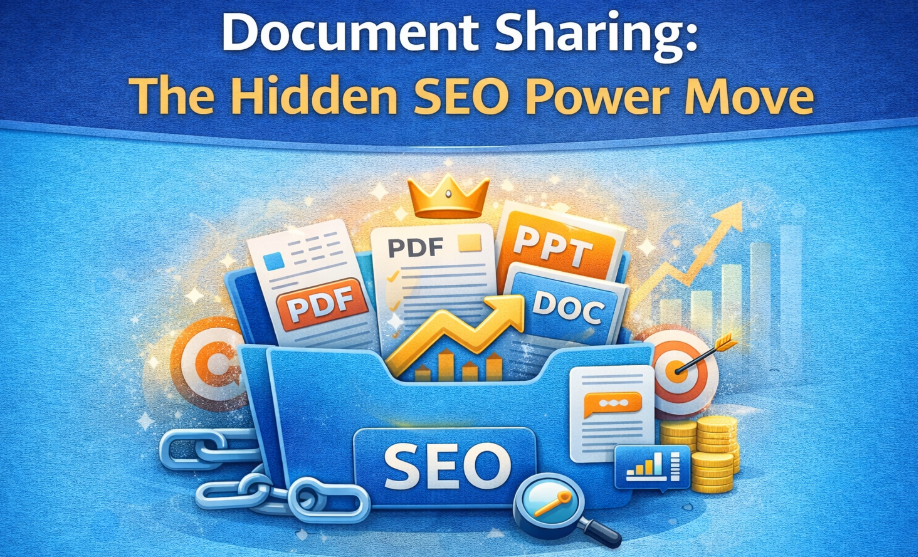
Digital Marketing: The Ultimate Guide to Using Document Sharing for Off-Page SEO Success
If you’re serious about winning in digital marketing, have you ever wondered why some brands rank effortlessly while others struggle… even with great content?
What if the secret wasn’t more blogs, more backlinks, or more ads—but something as simple as document sharing?

Sounds too easy, right?
Yet document sharing remains one of the most underrated but powerful off-page SEO strategies that can skyrocket visibility, trust, and brand authority.
Ready to learn how?
Let’s break it down.
What Is Photo/Image Sharing in SEO? (And Why Does It Matter in Digital Marketing?)
When most people think of digital marketing, they think of blogs, ads, or videos.
But here’s a question many marketers ignore:
What if your images could rank on Google… and build SEO power at the same time?
That’s where image sharing comes in.
Image Sharing in SEO refers to uploading photos, visuals, and graphics on high-authority platforms such as
- Flickr
- Imgur
- Unsplash
- Google Photos
But why does this matter?

Because every shared image becomes a new SEO asset.
Here’s how:
You get a backlink (sometimes do-follow)
When you upload images on third-party platforms with your website URL, you earn authority-building links.
You increase Google visibility
Your images can appear in Google Images—one of the most ignored traffic sources.
You boost brand recognition
People remember visuals more than text.
So image sharing improves trust and recall—an important part of digital marketing.
You build off-page seo naturally
Search engines see your brand mentioned across multiple platforms, which equals more credibility.
But what about sharing infographics?
That’s where real magic happens.
How to Effectively Share Infographics for Higher SEO Impact
Infographics are viral.
They are shareable.
They attract links without outreach.
In other words, they are off-page SEO gold.
But here’s the question:
Are you sharing your infographics the right way?

Let’s look at the best practices.
Use High-Quality Visuals That Educate, Not Just Decorate
Your infographic should answer a question your audience is already asking.
Ask yourself:
- Does this infographic solve a problem?
- Is it data-driven?
- Is it share-worthy?
Because no one shares boring visuals.
Include Your Branding and Website Link
Always add:
Logo
Website URL
Social handles
This ensures every time someone reuploads it, your digital marketing visibility grows.
Submit Infographics on High-Authority Platforms
Some powerful infographic-sharing sites:
- Visual.ly
- SlideShare
- Infogram
- Venngage
- Canva Community
- Flickr
These websites help you earn massive impressions and quality backlinks—strengthening your off-page SEO.
Add an SEO-Friendly Description
When you upload an infographic, always include:
- Keywords
- Summary
- Target URL
- Tags
This helps Google understand the context and rank your image better.
Promote Infographics Across Social Media
The more shares →
The more visibility →
The more backlinks →
The better your digital marketing performance.
Simple.
Types of Documents to Share for Maximum Impact (PDF/DOC/PPT)
Now let’s get into the heart of this strategy—
Document sharing is one of the most powerful off-page SEO techniques in digital marketing.
But what kind of files actually work?
Here are the top-performing formats:
PDFs (Most Powerful for SEO)
PDFs are Google-friendly.
They appear in search results.
They get indexed fast.
They hold keywords well.
Perfect for:
- Guides
- Checklists
- Tutorials
- Case studies
- E-books
- Reports
- Course material
Platforms to upload:
- Academia.edu
- ResearchGate
- SlideShare
- Scribd
- Issuu
- Calameo
PDFs build authority and give high-value backlinks.
DOC/DOCX Files
Many marketers skip DOC files.
But here’s the hidden truth:
Google crawls DOC files extremely well.
You can upload them on:
- Google Drive (public)
- Zoho Docs
- Dropbox
- Box
- DocStoc (PDF + DOC sharing)
Best for:
- Articles
- Blog drafts
- SEO guides
- Templates
- Business documents
The more platforms your content appears on, the stronger your digital marketing footprint becomes.
PPT/PPTX Files
People LOVE slides.
They are easy to digest.
And they perform extremely well on SlideShare.
Best for:
- Presentations
- Step-by-step tutorials
- Reports
- Training modules
- Marketing overviews
SlideShare backlinks are among the most valuable for off-page SEO.

Spreadsheets (XLS/CSV)
Yes—SEOs share spreadsheets!
Especially when offering:
- Keyword lists
- Checklists
- Templates
- Research data
Google loves structured data assets like these.
E-books (EPUB/MOBI)
If you’re into advanced digital marketing, creating short e-books is excellent for thought leadership.
You can upload them to platforms like
- Bookboon
- Smashwords
- PublishX
- Free-Ebooks.net
E-books spread fast → More mentions → Better authority.
Things to Consider When Sharing Documents Online
Document Sharing can transform your digital marketing strategy…
—but only if done correctly.
Let’s avoid the mistakes most marketers make.
Optimize File Names for SEO
Instead of:
final_doc_v2.pdf
Use:
digital-marketing-document-sharing-guide.pdf
Google reads file names.
Make them count.
Use Keywords Within the Document
Insert your primary keyword (digital marketing) in:
- Title
- Subheadings
- Content
- Footer
- Image alt text
This increases crawlability.
Add Clickable Links
Every document sharing you upload should include:
- Homepage link
- Blog links
- Landing page links
- Social links
This builds powerful off-page SEO.
Use High Authority Document Platforms
Some of the best ones:
- SlideShare
- Issuu
- MediaFire
- Google Drive (public files)
- Scribd
- Zoho Docs
- AuthorSTREAM
The higher the domain authority →
The more powerful the backlinks.
Keep File Size Small
Heavy files load slowly.
Slow = bad user experience.
Bad UX = bad SEO.
Compress images before uploading.
Maintain Professional Formatting
No messy alignment.
No broken links.
No weird fonts.
Your document represents your brand.
Always Add a Strong Call-to-Action
Every shared document should end with:
- Visit our website
- Download our guide
- Contact us
- Follow us
- Learn more
This pushes traffic back to your site—fueling your digital marketing success.
Why Document Sharing is a Game-Changer in Digital Marketing
Let’s pause for a moment.
Why does document sharing work so well?
Why is document sharing considered one of the most effective off-page SEO strategies?
Here’s the simple logic:
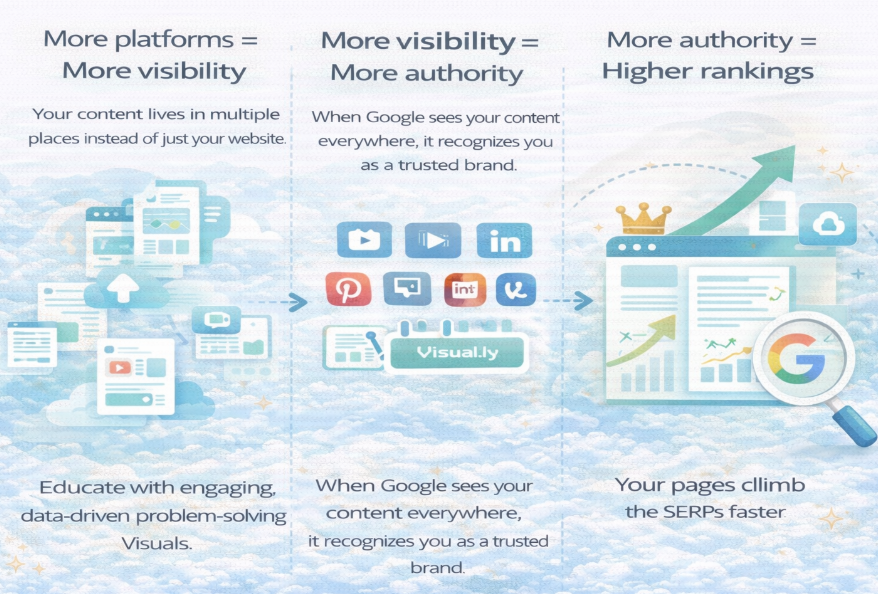
More platforms = More visibility
Your content lives in multiple places instead of just your website.
More visibility = More authority
When Google sees your content everywhere, it recognizes you as a trusted brand.
More authority = Higher rankings
Your pages climb the SERPs faster.
This is how modern digital marketing works.
Not through tricks.
Not through shortcuts.
But through authority building.
And document sharing is the fastest way to build it.
Final Thoughts
If you’re serious about dominating digital marketing, you cannot ignore document sharing.
It helps you:
- Build high-quality backlinks I
- Increase brand authority
- Boost visibility
- Improve off-page SEO
- Create long-lasting content assets
- Rank faster on Google
Whether you share images, infographics, PDFs, PPTs, or e-books—
Each document becomes a new entry point for traffic, authority, and conversions.
So the question is:
Are you ready to use document sharing to 10x your digital marketing results?