Tel Tags completely changed how I look at website conversions.
I still remember the moment it happened.
Traffic was steady.
Engagement looked decent.
But calls?
Almost none.
The phone number was visible on the website, but it was not clickable. Mobile users had to copy the number, open the dialer, paste it, and then call. Most people simply did not bother.
So we fixed one thing.
We turned the number into a tap-to-call link.
Within days, mobile users started calling directly from the website.
- No copying.
- No hesitation.
- Just one tap and instant connection.
That is when it became clear.
Tel Tags are not just HTML links. They are conversion triggers.
What Are Tel Tags?
Tel Tags are HTML links that let users call a phone number directly from a website.
Instead of copying a number manually, users tap once, and the call screen opens automatically.
Here is what a clean implementation looks like:

Without it, your number is just text.
With it, your number becomes interactive.
In a mobile-first world, action wins.
Why Click to Call Matters More Than Ever
Today, most people browse websites on their phones. Google also uses mobile-first indexing, which means it primarily evaluates your mobile version for ranking and usability.
So ask yourself a simple question.
If a visitor is ready to contact you, how easy are you making it?
If calling feels difficult, users leave.
Click-to-call functionality removes friction and makes the next step effortless. A visitor does not need to think. They simply tap.
This is exactly why Tel Tags can directly influence conversions, especially for service-based businesses.
How Tel Tags Work Behind the Scenes
Behind the scenes, Tel Tags use the tel: protocol.
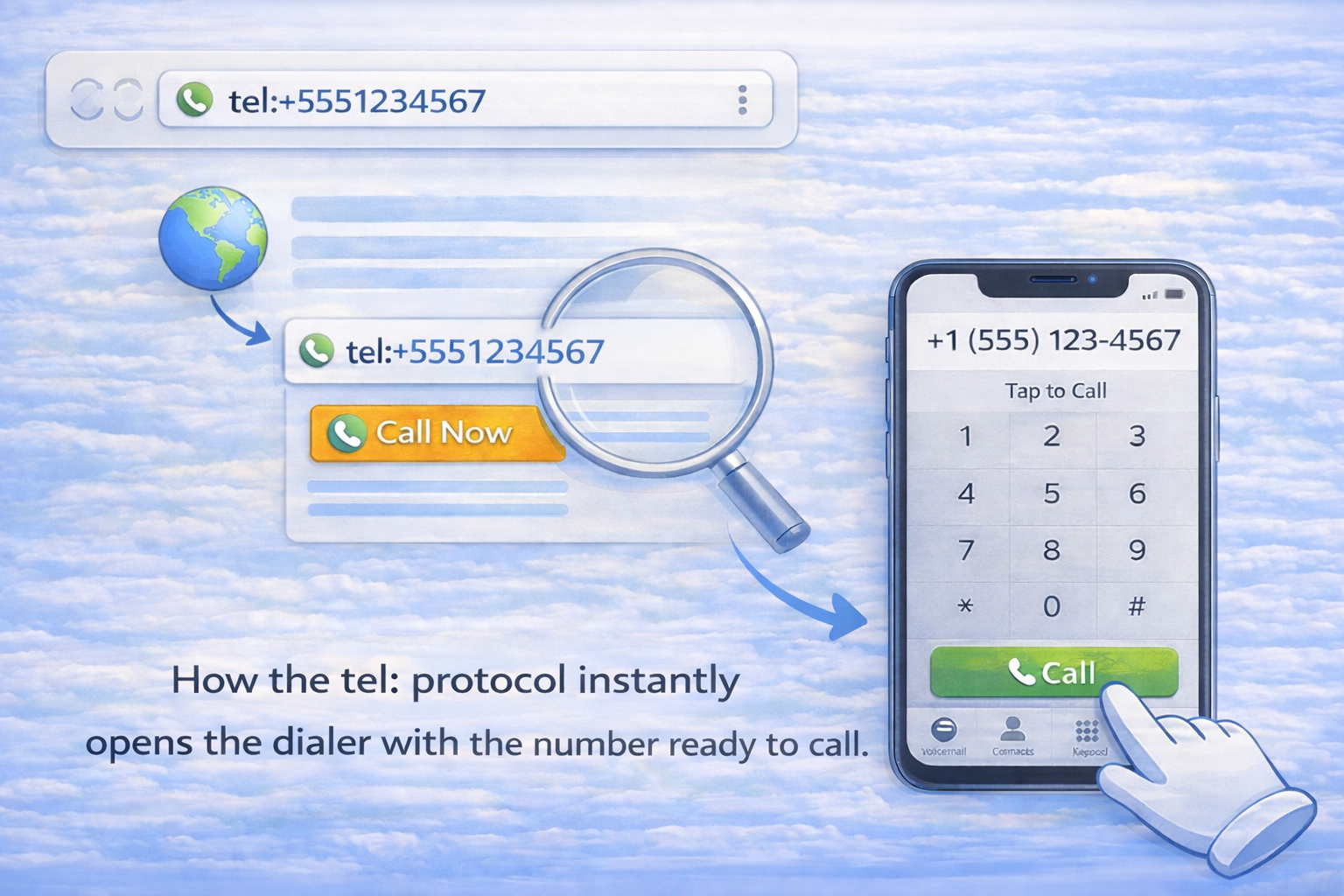
When a user taps the link, the browser recognizes it as a phone action. The dialer opens automatically, and the number appears pre-filled. The user only confirms the call.
There are no apps to search for and no steps to remember.
Search engines also understand this protocol. It does not break crawling, and it does not create indexing issues.
Proper formatting is what makes it work smoothly across devices.
How Click-to-Call Links Behave on Different Devices
These links do not behave the same everywhere. People should understand the differences.
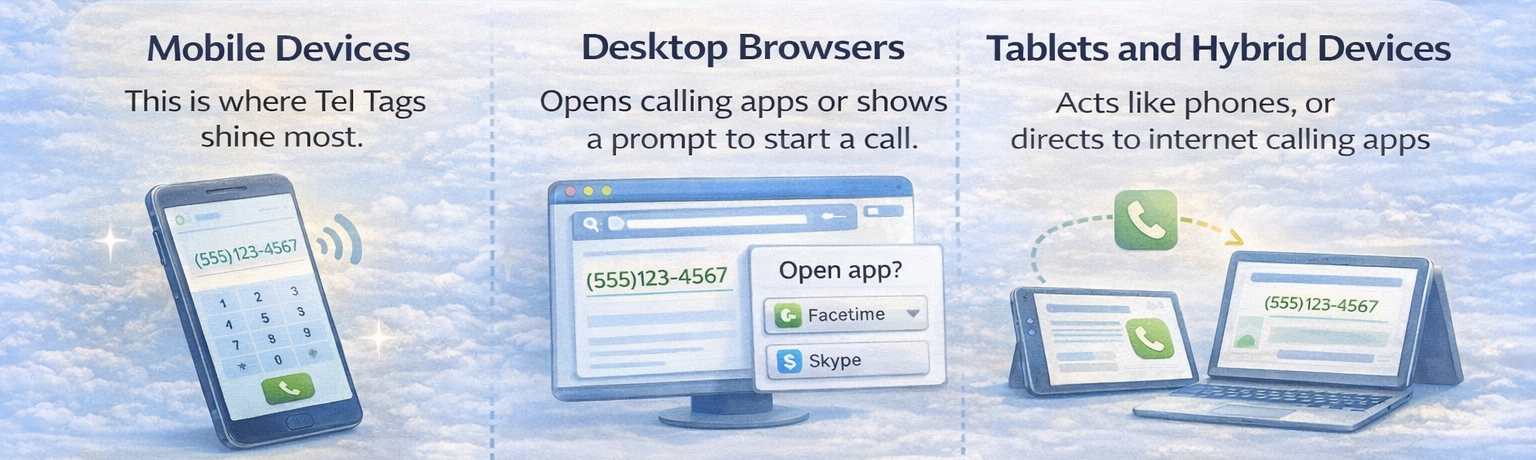
Mobile Devices
This is where Tel Tags shine the most.
One tap opens the dialer instantly. Most service conversions happen on mobile because the user is already in action mode.
Desktop Browsers
On desktops, click-to-call links may open calling applications such as Skype or FaceTime, or the browser may show a prompt. If no calling app exists, nothing may happen.
That is why click-to-call is mainly a mobile conversion feature.
Tablets and Hybrid Devices
Tablets behave like phones when calling is supported. Otherwise, they may redirect users to internet calling tools. Responsive layouts and clear placement matter here.
Understanding how click-to-call behaves across devices helps you implement it strategically, so you optimize for real user behavior instead of assuming the same experience everywhere.
Best Practices for Implementing Click to Call Correctly
Implementation is simple, but small mistakes can break functionality or reduce conversions.
Follow these best practices carefully.
Always Include the Country Code
This is one of the most common errors.
Your link should always include the international country code, even if your audience is local.
Correct format:

It ensures the number works for international visitors
It prevents dialing errors
It keeps formatting consistent
Without the country code, some devices may not recognize the number properly.
Avoid Spaces and Special Characters in the href
The visible number can include formatting for readability, but the href value should be clean.
Good example:

The user sees a nicely formatted number.
The browser reads a clean version.
Avoid unnecessary characters like brackets, dashes, or extra spaces inside the link value because they may interfere with proper recognition.
Make the Number Clearly Visible and Clickable
Do not hide your phone number inside an image.
Do not rely only on icons.
Users should immediately recognize:
This is a phone number.
This is clickable.
You can enhance visibility in simple and effective ways.
- Place the number in the header.
- Use a contrasting color.
- Add a clear call to action.

Visibility directly impacts action.
Use Strong Call-to-Action Text
Instead of just displaying a number, guide the user.
Examples:
- Call Now
- Speak With Our Expert
- Book a Consultation
- Get Instant Support

Clear call-to-action text increases urgency and reduces hesitation.
A number alone informs.
A call to action motivates.
Test Across Devices
After implementation, always test:
- On Android
- On iPhone
- On desktop
- On tablet
Check if:
The dialer opens correctly
The number is formatted properly
The call button is easily accessible
Small testing prevents big user frustration.
Correct formatting and strategic placement ensure Tel Tags function consistently and professionally across devices while maximizing conversions.
Where Click to Call Works Best on a Website
Placement decides performance.
Add clickable phone numbers where people are most likely to act.
Here are the high-conversion areas where click-to-call works best.
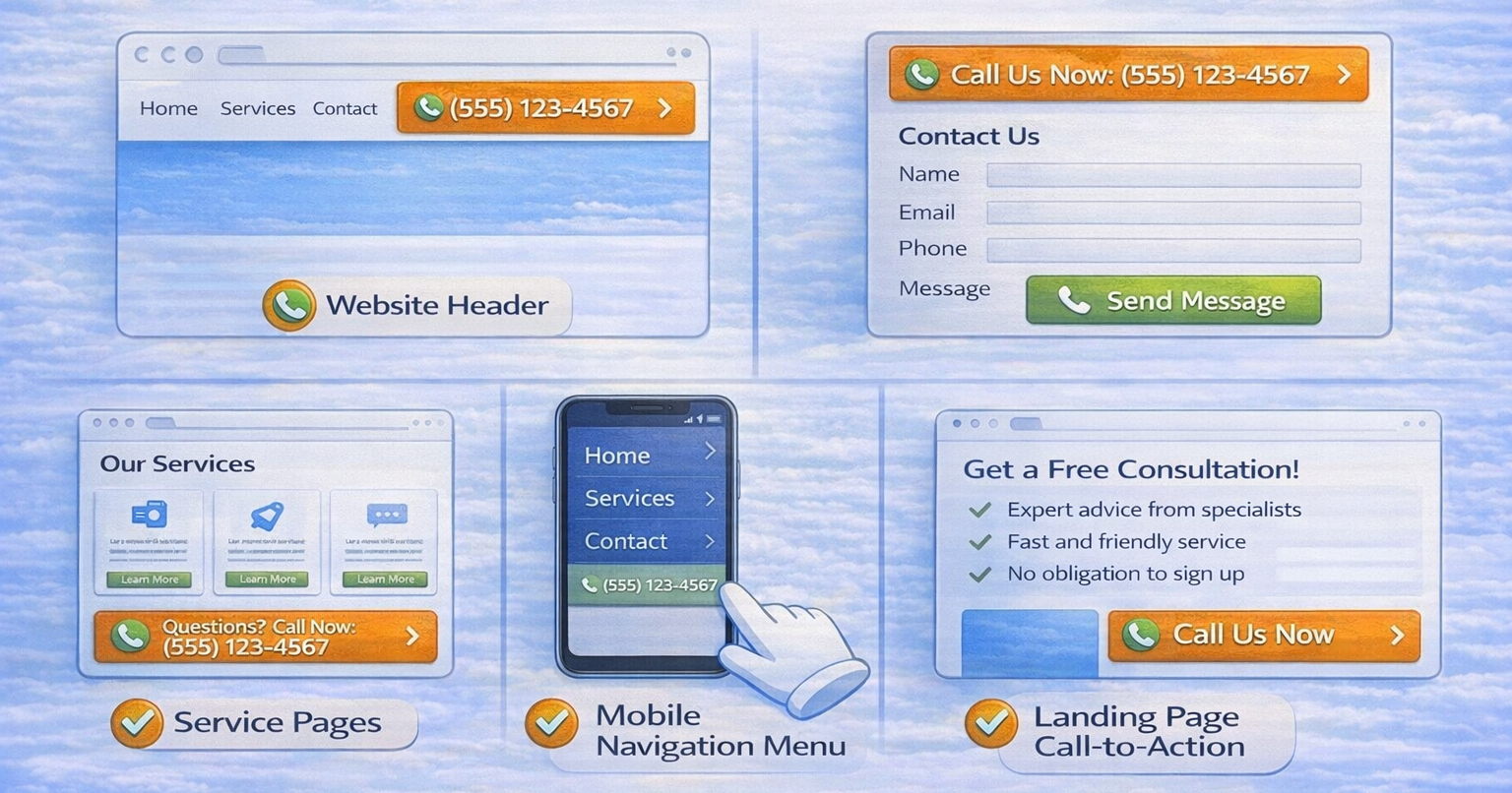
Website header
This is the most visible area. Users looking for immediate contact expect to see a phone number at the top of the page. It reduces effort and builds instant trust.
Contact page
Visitors reaching this page already have intent. A clearly clickable number here removes friction and encourages direct calls instead of form submissions.
Service pages
When users read about a specific service, they may have questions. Placing a click-to-call option nearby captures high-intent visitors at the right moment.
Mobile navigation menu
Mobile users prefer calling over typing. Including a clickable number in the menu ensures quick access without scrolling.
Landing page call-to-action sections
If your landing page encourages immediate consultation, booking, or inquiry, adding a click-to-call button reinforces urgency and increases conversions.
When placed strategically, Tel Tags reduce hesitation, shorten the decision cycle, and increase direct interaction, especially on mobile devices, where speed and convenience matter most.
Tel Tags and On-Page SEO
Let us be clear.
Tel Tags do not directly increase rankings.
However, they influence user behavior, and user behavior matters.
Click to call improves mobile usability, reduces friction, increases engagement, and improves satisfaction signals. Google pays attention to how users interact with a website. When visitors take action instead of leaving, it supports stronger on-page performance over time.
This is the hidden SEO advantage of Tel Tags.
The Local SEO Opportunity Most People Miss
For local businesses, Tel Tags support immediate contact and faster conversions.
They also support NAP consistency when the phone number matches your Google Business Profile and other listings. Local search is action driven. When someone searches for a service nearby, they are often ready to contact immediately.
Clickable numbers accelerate that action and help you capture high-intent leads.
Common Mistakes to Avoid
Many websites reduce conversions without even noticing it.
Click to call only works when implemented correctly. Small technical mistakes can prevent users from contacting you at the exact moment they are ready.
Avoid these common errors that can quietly damage your conversion rate.

Displaying phone numbers as plain text
If the number is not wrapped in a proper Tel Tag, mobile users cannot tap to call. They have to copy the number manually, which increases friction and reduces conversions.
Using phone numbers only inside images
Search engines cannot read numbers embedded in images. Screen readers cannot interpret them either. This hurts accessibility and prevents proper tracking. Always include a clickable text version.
Incorrect number formatting
Improper formatting can break the call function. Always use the international format inside the link, even if the visible number appears differently on the page.
Overusing phone links on desktop-only pages
Desktop users may prefer forms or email. Adding too many call links in areas where users are not ready to act can look aggressive and reduce trust.
The key principle is balance.
A Small Change That Drives Big Action
Most websites focus on content, keywords, and backlinks but forget actionability.
Tel Tags turn passive visitors into active users.
No plugins.
No complexity.
Just one smart link that helps real people connect instantly.
And learning how to implement practical, conversion-focused elements like this is exactly what DSOM (Dehradun School of Online Marketing) teaches. DSOM trains students to combine on-page SEO, user experience, and real-world implementation so websites do not just rank, they convert.