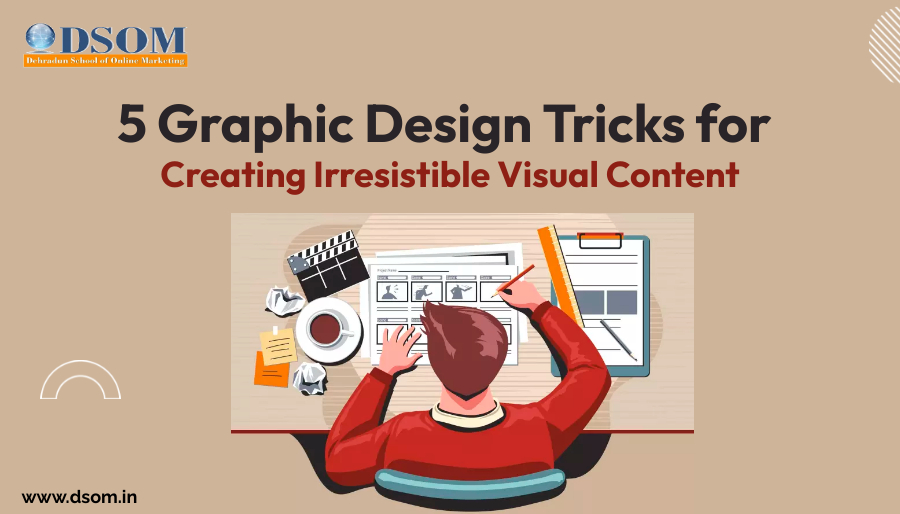
5 Graphic Design Tricks for Creating Irresistible Visual Content
In today’s digital age, visual content has become a powerful tool for brands and businesses to communicate with their audience. Whether you are designing a social media post, a website, or marketing materials, it is essential to create content that is visually appealing and captures the attention of your viewers. In this article, we will explore five graphic design tricks that will help you create irresistible visual content that stands out from the crowd. The Power of Color Color plays a significant role in capturing the attention of your audience and evoking emotions. Understanding color theory can help you create visually harmonious designs that resonate with your viewers. Each color has its own psychological impact. For example, warm colors like red, orange, and yellow evoke feelings of energy and enthusiasm, while cool colors like blue and green create a sense of calmness and tranquility. By using the right color combinations, you can create a visual experience that elicits the desired emotional response from your audience. It is important to pay attention to color contrast as well. Using contrasting colors can make your design elements stand out and create a dynamic visual impact. On the other hand, using similar colors can create a harmonious and cohesive look. Experiment with different color palettes to find the perfect combination that resonates with your brand and captivates your audience. Typography Matters Typography is more than just choosing a font. It is about using different fonts, sizes, and styles to create hierarchy and communicate your message effectively. When selecting fonts for your visual content, consider your brand personality and the emotions you want to evoke. Start by choosing a font that matches your brand identity. Is your brand modern and sleek or fun and playful? Different font styles can convey different moods and attitudes. Once you have chosen your primary font, experiment with varying font sizes and weights to create visual hierarchy. This will guide the viewer’s eyes and emphasize the most important elements of your design. While it’s great to experiment with different fonts and styles, try not to go overboard. Stick to a limited number of fonts per design to maintain consistency and readability. Do not use too many fonts otherwise it make your design look cluttered and confusing. Balance and Composition Creating a balanced composition is vital for visual content. It ensures that your designs are visually pleasing and easy to digest. Symmetrical balance creates a sense of stability and order. It involves arranging elements evenly and mirroring them on either side of a central axis. Symmetry can give your design a formal and traditional look. On the other hand, asymmetrical balance brings a sense of dynamism and modernity. It involves arranging elements in an unbalanced yet visually pleasing manner. This type of balance can create intrigue and capture attention. Experiment with different layouts and placements of elements to find the perfect balance for your designs. Consider the content and message you want to convey and choose a composition that enhances those elements. Negative Space is Your Friend Negative space, also known as white space, is the empty space surrounding your design elements. Many designers underestimate the power of negative space, but it plays a crucial role in aesthetics and usability. Incorporating enough negative space in your designs creates breathing room and allows the viewer’s eyes to rest. It also helps to highlight the important elements of your design and create a clean and polished look. Don’t be afraid to let your design breathe! Negative space can be used strategically to create emphasis and enhance visual hierarchy. By leaving more space around important elements, you can draw attention and guide the viewer’s eyes to where you want them to focus. Use Visual Hierarchy Visual hierarchy is about organizing elements in a way that guides the viewer’s attention and creates a clear flow. It ensures that your audience sees and understands the most important information first. There are several elements you can use to establish visual hierarchy in your designs. Size is one of the most effective ways to create emphasis. Larger elements tend to stand out more and catch the viewer’s eye. Use different font sizes, image sizes, and element sizes to create contrast and establish hierarchy. Color contrast is another powerful tool for visual hierarchy. By using contrasting colors, you can make certain elements pop and draw attention. Experiment with color combinations to find the right balance of contrast and cohesion in your designs. Placement and alignment also play a role in visual hierarchy. Elements placed at the top or left side of a design tend to be noticed first. Take advantage of this by strategically placing your most important elements in these areas. Conclusion By implementing these five graphic design tricks, you can create irresistible visual content that captures attention and engages viewers. Remember to experiment with different color palettes, fonts, compositions, and visual hierarchy techniques to find what works best for your brand. With practice and creativity, you’ll be able to create stunning visuals that leave a lasting impression on your audience.
The Future of Web Design: Trends and Predictions for 2026
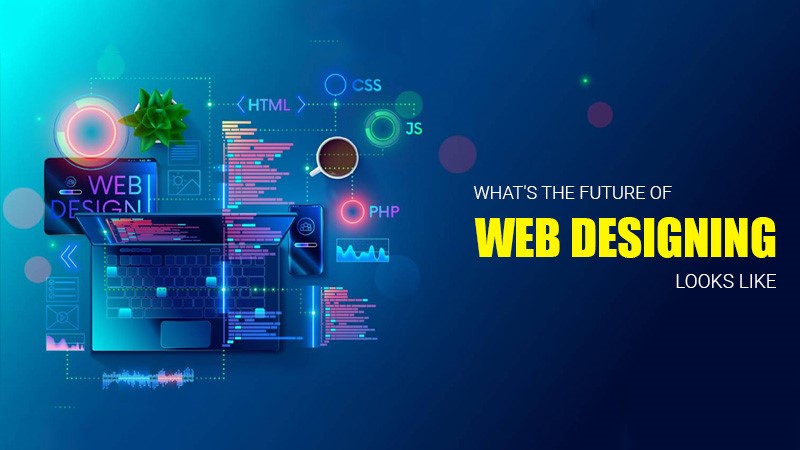
The Future of Web Designing The world is going Automated, With more than the population on the internet, And more companies and businesses are coming in online platforms. Every year companies are registered digitally from all around the world and web designers and developers employment rate grows by 20-25% in coming decades. Some predictions on what we might expect to see in the world of web design include: The Future of Web Design Matters and Why? Yes, of course, the global population on the internet provides Thousands of opportunities across various sectors. Web designers can secure employment in the IT industry, And the overall employment of web designers Grow by 20 – 25% from 2020 to 2030 Artificial Intelligence (AI) Artificial intelligence (AI) The Ability of a computer-controlled Bot to perform multiple tasks for human beings. AI also supports the content creators at every stageof the content creation process. AI tools can help generate new and creative ideas for your content by analyzing your audience’s interests and suggesting relevant topics for you to write about. AI can also help personalize content according to your audience. Some examples of AI tools that can assist with content creation includePersado, which uses machine learning to analyze audience engagement data. Augmented reality (AR) and Virtual reality (VR) Augmented reality (AR) & virtual realityf (VR) are two technologies that are growing in web design. AR is a technology that customizes the natural world and enhancesit with the Virtual World. VR Creates a designing environment for web designers.AR/VR content creation refers to the process of creating immersive, interactive experiences using augmented reality (AR) and virtual reality (VR) technology to create goods AR/VR content requires specialized softwareand hardware including cameras, sensors, and headsets as well as a team of skilled. AR is when digital elements are added on top of the natural world while VR creates a completely simulated environment that replaces the real world entirely. Interactive UI Interactive UI elements such as chatbots and quizzes are expected to become more common in web design. They can help improve user engagement and provide better customer services. Interactive UI refers to the use Interactive elements in web design. Interactive UI can help improve user engagement and make websites more user-friendly. Buttons That change color or shape when hovered over Animations That respond to user actions. Scrolling effects That creates a sense of depth and movement. Interactive forms That allows user to input data and receive feedback. Voice UI That’s the basics of a Voice User Interface (VUI) is a technology that allows users to interact with a system using voice or speech commands. It is an outcome of the combination of several Artificial intelligence (AI) technologies, including Speech Synthesis and automatic Speech. Voice user interfaces (VUI) make it possible for users to interact with a device or an app through voice commands. With the increased use of digital devices. Voice UI refers to theuse of voice commands to interact with websites and applications. Voice UI can help improve accessibility and make websites more user–friendly for people with disabilities. Voice search That Allows user to search for information using their voice Voice Commands That allows users to navigate websites and applications using their voice. Voice feedback That provides users with audio feedback when they interact with websites and applications using their voice. Accessibility Accessibility is the concept of whether a product or service can be used by everyone – however they encounter it. Accessibilities laws exist to aid people with disabilities, but designers should try to accommodate all potential users in many contexts of use anyway. Accessibility refers to the design of websites and applications that can be used by people with disabilities. Accessibility can help improve user engagement and make websites more user – friendly for people with disabilities. Alternative text That describes images for people who are visually impaired. Captions That provide text descriptions of audio content for people who are deaf or hard of hearing. Keyboard navigation That allows users to navigate websites using the keyboard instead of a mouse. Color contrast That makes text easier to read for people with color blindness Sustainability Sustainability in web design is a growing trend. It involves designing websites that are environmentally friendly and sustainable. This can include using renewable energy sources to power the website’s carbon footprint, and using sustainable materials in the website’s design. Sustainability refers to the design of websites and applications that are environmentally friendly. Sustainability can help reduce the carbon footprint of websites and applications. Green Hosting That uses renewable energy to power websites and applications Efficient code That reduces the amount of energy needed to run websites and applications. Minimalism That reduces the amount of data needed to run websites and applications. Do you want to be a part of the future of web design? This world is changing Digitally Every expect of business comes on an online platform. And every year, the numberof web designers rate of jobs is increasing. If you want to learn about Web design here is the LINK. Be an expert in this field with us. We are helping everyone in this with our courses, So join today. Frequently Asked Questions (FAQs) Q1.Will the employment rate of web design increase? Yes, Every Business is going digital and the rate of jobs is also increasing every year. And from the past decade, jobs increased by about 25%. And now there is more scope in web designing. Q2.What are the trends and predictions in web designing in 2024? From the Past records, the employment rate in this field has increased, and the trend and prediction of the future of web design are at an excellent level.
10 WEB DESIGN SKILLS REQUIRED FOR A WEBSITE DESIGNER
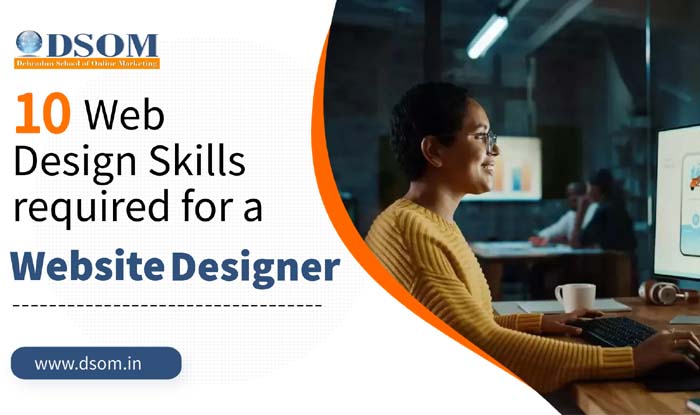
As Web designing has become a highly lucrative profession in today’s digital era. With businesses increasingly focusing on their online presence, the demand for skilled web designers is skyrocketing. We can simply say that the website design process refers to the step-by-step approach that web designers follow to create and develop a website. In other words the website designing process involves tasks that necessitate programming skills and expertise in site usability. These essential “hard skills” are imperative for any web designer. Let’s now talk about the 10 essential web design skills that are crucial for any website designer. Proficiency in HTML: Hyper Text Markup Language (HTML) serves as the foundation of web design. It is essential for designers to have a solid understanding of HTML, even if they use content management systems or WYSIWYG editors. Mastery of HTML enables designers to have greater control over their workflow and work independently when necessary. Mastery of CSS: Cascading Style Sheets (CSS) complements HTML by defining the visual appearance of a website. Proficiency in CSS is crucial for web designers to handle the stylistic aspects of a business website effectively. Knowledge of JavaScript: JavaScript is a powerful programming language that adds interactivity to websites. It empowers web designers to incorporate features such as videos, search bars, and other interactive elements, seamlessly complementing HTML. Familiarity with Content Management Systems (CMS): Understanding popular content management systems like WordPress is essential for web designers. Being proficient in using the “block editor” in WordPress and expanding functionality through plugins is highly valuable. Competence in Other Design Applications: Depending on client requirements, web designers may need experience with image processing software like Photoshop, Adobe After Effects, and Adobe Illustrator. These skills enable designers to create visually appealing and impactful designs. Familiarity with Online Marketing: Web design and search engine optimization (SEO) go hand in hand. A web designer should be well-versed in SEO techniques such as keyword usage, optimizing page load speeds, enhancing domain credibility, and ensuring regular page updates to improve website rankings and attract organic traffic. Implementation of Responsive Design: Designing responsive web pages is essential for accessibility and user experience. Web designers need to ensure that menus, text, and buttons are clear and usable across different devices and screen sizes. Optimizing website performance is also crucial to prevent visitors from leaving due to slow-loading pages. Focus on User Experience (UX): User experience plays a pivotal role in modern web design. Web designers should focus on creating enjoyable and intuitive user experiences by streamlining layouts, organizing content logically, and catering to the specific target audience. Prioritizing UX can yield significant returns on investment. Attention to User Interface (UI): User interface refers to the specific elements that facilitate user interaction with a website. Designing cohesive menus, buttons, and navigation systems that offer a consistent experience is vital. Including clear calls to action and prompts helps guide users effectively. Understanding of Graphic Design: Collaboration with graphic designers is common in web design projects. While web designers handle programming aspects, graphic designers create visuals to convey ideas effectively. Understanding graphic design principles and utilizing tools like Adobe Lightroom can enhance the visual appeal of websites. Therefore, to excel in website designing, professionals must acquire a diverse skill set. Proficiency in HTML, CSS, JavaScript, and content management systems is essential. Additionally, knowledge of online marketing, responsive design, user experience, user interface, and graphic design significantly contributes to creating exceptional websites. By continuously developing and refining these skills, website designers can meet the evolving demands of the digital landscape and deliver outstanding results for their clients.
Unleashing Creativity and Communication: A Career in Graphic Design
In today’s visually-driven society, graphic design has become a thriving industry that expertly combines Creativity and Communication. Graphic designers are essential in communicating ideas, arousing emotions, and grabbing viewers’ attention in everything from brand identities to digital interfaces. This blog explores the opportunities, abilities, and difficulties associated with pursuing a career in this fast-paced field of graphic design. The Power of Visual Communication: Language boundaries cannot stop the effective visual communication of graphic design. Graphic designers produce aesthetically appealing and powerful designs that effectively communicate ideas through text, colour, images, and layout. They have a thorough awareness of the intended audience, which allows them to create designs that are appropriate for particular demographics, cultures, and situations. Graphic designers can use their aesthetic creations to draw in viewers, arouse feelings, and produce life-changing experiences while designing logos, packaging, websites, or marketing materials. Skills and Qualifications: An effective graphic designer must possess both technical and creative abilities. It is necessary to be proficient in design applications like Adobe Creative Suite (Photoshop, Illustrator, and InDesign). It’s also essential to have a solid understanding of typography, colour theory, composition, and layout principles. In this line of work, it’s crucial to have a sharp eye for detail, creativity, problem-solving aptitude, and strong communication abilities. An official education in graphic design or a similar discipline, such visual communication or fine arts, can give ambitious designers the academic understanding and hands-on experience they need to excel in the field. Diverse Career Opportunities: A profession in graphic design offers a wide range of prospects in many different industries. Advertising companies, design studios, publishing firms, marketing departments, and independent contractors are all possible workplaces for graphic designers. They could have areas of expertise in motion graphics, illustration, web design, user interface (UI) and user experience (UX) design, branding and identity design, and so on. The demand for graphic designers that can produce appealing online experiences through website design, social media graphics, and digital marketing campaigns is rising as the digital world expands quickly. Graphic artists can also look into opportunities in print media, package design, gaming, animation, and other fields. Challenges and Growth: Like any job, graphic design has unique difficulties. It might be challenging to manage numerous projects at once, meet deadlines, and satisfy client expectations. In order to be competitive in the always changing business, it is essential to keep up with the most recent design trends and technology developments. But these difficulties also offer chances for improvement and education. Graphic designers can gradually take on more complex projects, establish their reputations, and even open their own design studios or agency with expertise and a strong portfolio. Conclusion: In conclusion, a career in graphic design offers an exciting blend of creativity and communication, and problem-solving. With a strong foundation in design principles, technical skills, and a passion for visual storytelling, individuals can embark on a fulfilling journey in this dynamic field. From creating compelling brand identities to designing immersive digital experiences, graphic designers have the power to shape perceptions, evoke emotions, and leave a lasting impact through their artistic creations So, if you have a love for design, a knack for creativity, and a desire to communicate through visuals, a career in graphic design might be the perfect path for you to unleash your creative potential and make your mark in the world of visual communication.
Top 5 Things to Do Before Building a Website
In today’s digital era, having a strong online presence is an most important for the success of any business or venture. Building a website is often the first step towards establishing that online presence. However, before diving into the process of building a website, there are a few important things that need to be done. In this article, we will explore the top five things to do before building a website. 1. Define website goals and target audience The first and the most crucial step before building a website is to define your goals. What are the goals you aim to accomplish with your website? Is it to provide information, sell products or services, or generate leads? Understanding your goals will help you shape the design, content, and functionality of your website. Along with defining your goals, it is also essential to identify your target audience. Who is your target audience for the website? What are their demographics, interests, and preferences? By gaining a clear understanding of your target audience, you can tailor your website to cater to their needs and expectations. 2. Research and analyze your competitors Before building your website, it is crucial to research and analyze your competitors’ websites. Look at the websites of businesses or organizations that are similar to yours. See what they are doing well and identify areas where they can be improved upon. Analyzing your competitors’ websites will help you gain insights into industry trends, aesthetics, and user experience. This knowledge will allow you to make informed decisions when it comes to designing and building your website, ensuring that you can stand out from the competition. 3. Plan and organize your website structure A well-organized website structure is the foundation for a user-friendly and easily navigable website. Before building your website, take the time to plan and organize its structure. Determine the main categories and subcategories that will make up your website’s navigation menu. Take into consideration the organizational structure of information and the interconnectivity of different pages. This planning phase will ensure that your website is user-friendly and intuitive, allowing visitors to find the information they need quickly and easily. 4. Create a content strategy Content is the heart and soul of your website. Before building your website, it is important to create a content strategy. Determine the type of content you will be creating, such as blog posts, articles, videos, or infographics. Identify the topics and keywords that are relevant to your industry or niche. Develop a content calendar to ensure a consistent flow of content on your website. Having a well-thought-out content strategy will not only attract visitors but also help with search engine optimization (SEO) and improving your website’s visibility. 5. Choose a suitable domain name and hosting provider Finally, before building your website, you need to choose a suitable domain name and a reliable hosting provider. Your domain name should be easily memorable and spell. It should also reflect your business or brand. When it comes to hosting, consider factors like uptime reliability, speed, security, and customer support. Choose a hosting provider that offers the features and resources that align with your website’s needs. Conclusion Building a website requires thoughtful planning and preparation. By defining your goals and target audience, researching your competitors, planning your website structure, creating a content strategy, and choosing a suitable domain name and hosting provider, you can set yourself up for success. These top five things to do before building a website will not only ensure a smooth development process but also contribute to the long-term success of your online presence.
What are Dofollow Backlinks and their Advantage in SEO?

What is a Dofollow Backlink? A Dofollow interface is a connection that aides as far as SEO by passing the power of the beginning site to the objective site. This passing of power is designated, “interface juice.” Acquiring dofollow backlinks will assist with further developing a site’s area authority, or space rating, which thus, assists with further developing catchphrase positioning. As a matter of course, joins are dofollow, so there is no requirement for rel=”dofollow” while connecting to a site. In striking is what a nofollow execution resembles in HTML: <a rel=”nofollow” href=”http://raventools.com”>great seo tools</a> A dofollow esteem is just a descriptor since a dofollow an incentive for the rel trait doesn’t exist in HTML. In this way, dofollow joins are in fact any connections that don’t have a rel characteristic with a nofollow esteem. Here is an illustration of what a dofollow interface resembles in HTML: <a href=”http://raventools.com”>great seo tools</a> Dofollow links are the backlinks that will make your page rank higher in search results. Few of them are below described; 5 ways to Generate Do-follow Backlinks free Google News | DA97 Google News is the top most power source from where you can get a dofollow backlink as well as your post get included on a significant news destinations. For same, your site needs to get seen by these kind of enormous sources. Utilizing Google News is very basic, regardless of whether you’re a starter. Steps to get dofollow backlinks from Google News; Go to “Google News Publisher Center”. Login with your Gmail. (Gmail related with Adsense will be vastly improved) Click on “Add Publication”. Fill all the expected data including your substance source. In the last, click “Audit and Publish” and hang tight for Google’s approx endorsement time for 14 days. By applying this to your site will enjoy the benefit of getting an excellent dofollow backlink. Despite the fact that there are not many standards in which your site ought to persuade fit to be endorsed for appearance in Google News. View my supported distribution on Google News which I rehearsed for my own site to build its area authority. Note – This stunt will support your SEO upgrades, provided that you’re posting content consistently. FeedBurner | DA 95 At the point when you talk about RSS or channel the executives then generally bloggers select the FeedBurner as it gives you a custom choice to deal with your “Truly Simple Syndication”. You can get an opportunity of your blog source to be gotten by renowned media source by setting it up and in like manner there will be a dofollow backlink too. Moz | DA 91 As we as a whole know that Moz, previously SEOmoz, is one of the most amazing SEO instruments of all time. Moz offers a chance to everybody of making a dofollow backlink by its MozPoints interaction. MozPoints resemble the prize focuses for your commitments done in the Moz people group by executing blog remarks and posts. Not just, you can get a dofollow backlink from Moz, yet in addition get a difference in benefiting Moz Pro free membership, Moz shirt, admittance to Q&A segment of Moz and significantly more. Follow beneath simple tasks to get a dofollow backlink from Moz; Make a record on Moz.com Complete your profile. Begin remarking on blog entries. Reach upto 200-499 MozPoints. Get an evacuation element of “nofollow” trait from first custom URL in your profile. Investigate underneath my profile on Moz where I have accomplished in excess of 200 MozPoints to get a dofollow backlink from that point. Podbean | DA 89 On the off chance that you love your voice, utilize the better approach for advertising – the web recording. Record your sound and post it on Podbean to get a dofollow backlink from here. Product Hunt | DA 87 Item Hunt is a stage where any client can submit, share and reveal the fresh out of the plastic new item or administrations. Simply go to the site and there will be a choice of putting your site interface (Will be dofollow backlink). Attempt it now! 4 Reason Why You Should Generate Dofollow Backlinks Dofollow backlinks further develop your page positioning in web crawler results. These backlinks assist your substance with positioning higher for quite a long time. It guarantees your blog more genuine to Google’s calculation of making backlinks. This strategy makes your page rank higher that makes you all the more promotion income. Tips to Create High Quality Dofollow Backlinks It’s vital to expand your connection sources, since Google just considers the primary connect to every site. So the more site you connect to, the better your page positions in SERPs. 1. Profile Creation / Linking Profile creation or profile connecting locales are fundamentally interface industrial facilities. The thought is basic, join to the webpage, make a profile and post a connection of your site. Presently Google will observe genuine profile pages connecting to your site, helping your page positioning in Google’s eyes. Dofollow Profile Creation Sites: www.tripadvisor.com www.theverge.com www.sbnation.com www.ranker.com 2. Content Posting Numerous bloggers characterize content advertising as “making and sharing substance (articles, web journals, infographics, recordings) for the motivations behind directing people to your site and moving guests through your showcasing pipe to get new clients.” The point is to make bunches of connection capable substance and post it on your blog (you want a blog for your site) and connection to it on your web-based entertainment. Content Posting Sites for Dofollow Backlinks: Sites.google.com Medium.com Bloglovin.com Academia.edu www.wattpad.com www.strikingly.com 3. Social Networking Quite possibly the best method for building inbound connections for your site (joins on outside destinations channeling traffic to you) is the YouTube cooperation of external link establishment. Similarly as YouTubers team up with one another to help the endorsers of each vlogger, so web journals and sites should contact comparative destinations in their specialty. It’s a mutually advantageous arrangement all round. You will both post joins for one another. You would visitor be able to post or essentially
Top 10 AI Tools Revolutionizing Digital Marketing in 2026
In the fast-paced world of digital marketing, staying ahead of the curve is essential. With the rapid advancement of artificial intelligence (AI), marketers now have powerful tools at their disposal to analyze data, automate tasks, and personalize experiences like never before. In this blog post, we’ll explore the Top 10 AI tools that are reshaping the landscape of digital marketing in 2026. 1.ChatGPT for Customer Engagement: ChatGPT, powered by Open AI, is an advanced conversational AI tools that enables marketers to engage with customers in real-time. Whether it’s providing customer support, answering queries, or guiding users through a website, ChatGPT offers a personalized and interactive experience that enhances customer satisfaction and drives conversions. 2.Google Analytics 2.0: Google Analytics has long been a staple for digital marketers, but in 2026, it’s undergone a significant transformation with AI integration. Google Analytics 2.0 utilizes machine learning algorithms to provide deeper insights into user behavior, identify trends, and predict future outcomes. Marketers can now make more informed decisions based on data-driven intelligence. 3.ContentBot for Content Generation: Content creation is a time-consuming task for marketers, but ContentBot streamlines the process with AI-generated content. By analyzing existing content and understanding the nuances of language, ContentBot can generate high-quality articles, blog posts, and social media updates in a fraction of the time, freeing marketers to focus on strategy and creativity. 4.AdPredictor for Campaign Optimization: AdPredictor harnesses the power of AI to optimize digital advertising campaigns across various platforms. By analyzing vast amounts of data, including audience demographics, browsing behavior, and ad performance metrics, AdPredictor can predict the effectiveness of different ad creatives, placements, and targeting strategies, maximizing ROI for marketers. 5.SentimentAnalyzer for Social Media Monitoring: Understanding the sentiment of social media conversations is crucial for brand reputation management and customer sentiment analysis. SentimentAnalyzer uses natural language processing (NLP) algorithms to analyze social media mentions, reviews, and comments in real-time, providing marketers with actionable insights to shape their messaging and strategy. 6.Optimize360 for Website Personalization: Personalization is key to delivering tailored experiences that resonate with users. Optimize360 leverages AI to dynamically customize website content, recommendations, and offers based on individual user preferences, browsing history, and demographics. This enhances user engagement, reduces bounce rates, and increases conversion rates for digital marketers. 7.SEO Genius for Search Engine Optimization: SEO remains a critical aspect of digital marketing, and SEO Genius takes it to the next level with AI-driven optimization techniques. From keyword research and on-page optimization to backlink analysis and rank tracking, SEO Genius provides marketers with actionable insights to improve their search engine visibility and drive organic traffic. 8.EmailBot for Automated Email Marketing: Email marketing continues to be a highly effective channel for reaching and engaging customers. EmailBot automates various aspects of email marketing, including list segmentation, personalized content recommendations, A/B testing, and performance tracking. By delivering the right message to the right audience at the right time, EmailBot helps marketers drive conversions and nurture customer relationships. 9.VisualRecognition for Image Analysis: Visual content plays a significant role in digital marketing, but analyzing images manually can be cumbersome. VisualRecognition uses AI-powered image recognition technology to analyze visual content, including logos, products, and user-generated content. Marketers can gain valuable insights into brand visibility, product sentiment, and consumer preferences, enabling them to optimize their visual marketing strategies accordingly. 10.PredictiveAnalytics for Marketing Forecasting: PredictiveAnalytics empowers marketers with predictive modeling capabilities to forecast future trends, customer behavior, and market dynamics. By analyzing historical data and identifying patterns, PredictiveAnalytics helps marketers anticipate market shifts, identify new opportunities, and make data-driven decisions to stay ahead of the competition. In conclusion, AI is transforming the digital marketing landscape in 2026, enabling marketers to achieve unprecedented levels of efficiency, personalization, and effectiveness. By leveraging these top 10 AI tools, marketers can streamline their workflows, optimize their strategies, and deliver exceptional experiences that drive results in today’s competitive digital marketplace.
The Dos and Don’ts of Designing Business Cards
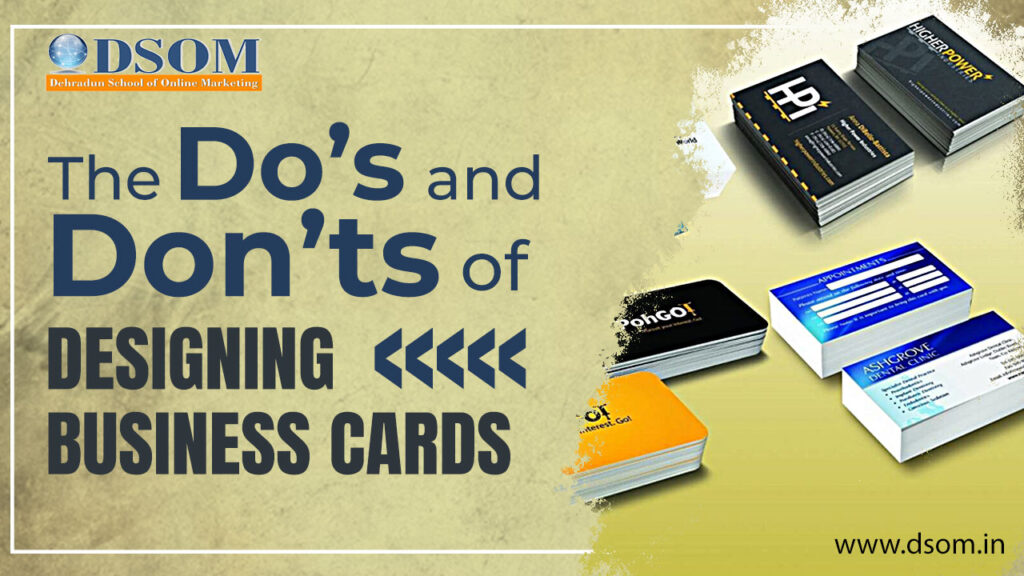
Business cards are a timeless tool in the world of networking and professional branding. Despite living in a digital age, the exchange of physical business cards remains a powerful way to make a lasting impression. However, the success of a business card heavily depends on its design. In this article, we’ll explore the dos and don’ts of designing business cards that leave a lasting impact. The Dos: 1. Keep it Simple: Simplicity is the key to an effective business cards. A cluttered design can be overwhelming and counterproductive. Stick to a clean and minimalistic layout. Use a simple color palette, focusing on your brand’s colors. Simplicity doesn’t mean you have to go monochromatic, but avoid using too many colors that might distract or confuse. 2. Use High-Quality Materials: Invest in quality materials. A well-designed card on a flimsy stock won’t leave a strong impression. Consider thicker cardstock or even textured options to stand out. Add a finish like matte or gloss to enhance the overall look and feel. It can also protect your card from wear and tear. 3. Prioritize Legibility: Ensure that all the text on your card is easily readable. Use a legible font and an appropriate font size. Maintain a good balance between text and negative space. Avoid clutter, which can make your card look chaotic. 4. Brand Consistency: Use your brand’s logo, colors, and style guide to create a cohesive look. This helps reinforce your brand identity. Make sure your business cards complements other marketing materials, like your website or brochures. Consistency is key to brand recognition. 5. Include Essential Information: Provide all necessary contact details, including your name, title, phone number, email, and company name. If applicable, include your website and social media profiles.Consider adding a QR code for easy access to your online presence. It’s a modern touch that can be very convenient for tech-savvy contacts. The Don’ts: 1. Don’t Overdo It: Avoid overcrowding your card with too much information or design elements. Less is often more when it comes to business card design. Steer clear of using too many different fonts or font sizes. Consistency in typography is crucial for a professional appearance. 2. Don’t Sacrifice Readability: Never compromise legibility for style. Fancy fonts or colors that make text hard to read can be detrimental. Avoid using text that’s too small or too large. Finding a balance is essential for a visually pleasing card. 3. Don’t Neglect the Back: Don’t leave the back of your card blank. Utilize this space for additional information, a brief tagline, or a design element that enhances your brand. However, don’t clutter the back either. It should complement the front without overwhelming the recipient. 4. Don’t Ignore Bleed and Margin: Neglect the bleed and margin areas when designing your card. These are essential for the printing process. The standard bleed is about 1/8 inch. Keep critical design elements away from the edges to prevent any accidental cropping during printing. 5. Don’t Use Low-Quality Images: Avoid using low-resolution images or graphics. Blurry or pixelated visuals can diminish the overall quality of your card. Steer clear of stretching or distorting images. Maintain proper aspect ratios to avoid visual distortions. Conclusion Designing an effective business cards is about finding the right balance between simplicity and impact. Your business card should reflect your brand identity, provide essential information, and be visually appealing without overwhelming the recipient. By following the dos and avoiding the don’ts, you can create a business cards that makes a strong and memorable impression in the professional world. Remember, a well-designed business card is a small but powerful marketing tool that can leave a lasting impact on potential clients and partners.
Understand Domain and Hosting: Your Gateway to the Web
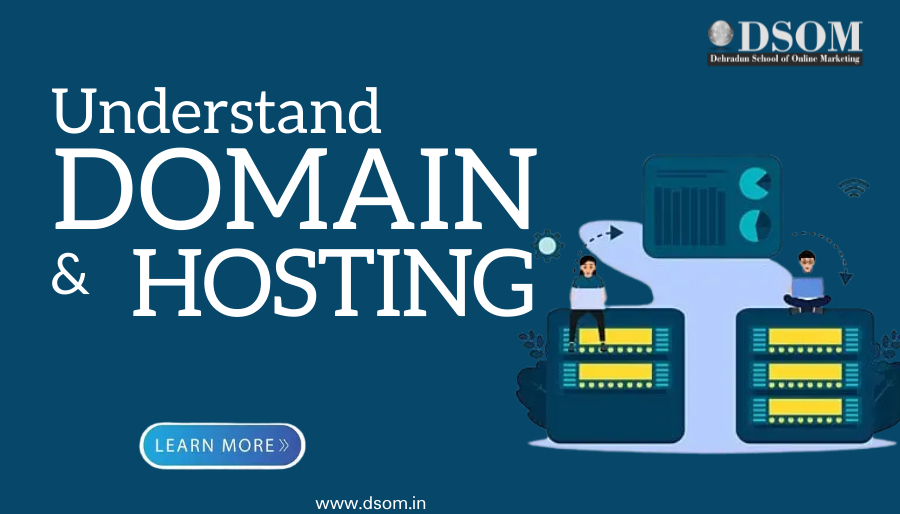
In the vast expanse of the internet, every website has its unique address, much like every house has its own street address. This address comprises two fundamental components: a domain and hosting. Understanding these two pillars is crucial for anyone venturing into the realm of website creation and management. In this blog, we’ll delve into the concepts of domain and hosting, unraveling their significance and how they function together to bring your website to life. What is a Domain? Imagine navigating through the internet without names like google.com, facebook.com, or wikipedia.org. Instead, you’d have to memorize complex strings of numbers known as IP addresses to access websites. Fortunately, domains serve as user-friendly aliases for these numerical addresses, making web navigation intuitive and seamless. A domain name is the unique identifier that represents your website’s address on the internet. It typically consists of two main parts: the actual name (e.g., “Google,” “Facebook,” “Wikipedia”) and a domain extension (e.g., “.com,” “.org,” “.net”). Together, they form what we commonly recognize as URLs (Uniform Resource Locators), such as www.dsom.in Understanding Hosting Now that you have your domain name, you need a place to store all the files, data, and content that comprise your website. This is where hosting comes into play. Website hosting involves renting space on a server—a powerful computer that stores and serves your website files to visitors when they type in your domain name. Think of hosting as renting land to build your house (website). Without hosting, your website wouldn’t have a place to reside on the internet. Hosting providers offer various types of hosting plans, including shared hosting, virtual private servers (VPS), dedicated hosting, and cloud hosting, each catering to different website needs and traffic volumes. The Symbiotic Relationship Domain and hosting go hand in hand, working together to make your website accessible to users worldwide. When someone enters your domain name into their web browser, the domain system directs them to the appropriate hosting server, which then delivers the requested web pages to their device. It’s essential to choose a reliable domain registrar and hosting provider to ensure your website’s performance, security, and uptime. Factors to consider include pricing, customer support, server reliability, scalability, and additional features like SSL certificates for encryption and website backups for data protection. Conclusion In the digital landscape, domains and hosting form the foundation of every website, serving as the gateway for online presence and interaction. Understanding these concepts empowers website owners and creators to make informed decisions when establishing their web presence. Whether you’re launching a personal blog, an e-commerce store, or a corporate website, investing time in comprehending domain and hosting will set you on the path to online success. So, as you embark on your journey into the world wide web, remember that a solid domain-hosting partnership is the key to unlocking the doors to your digital dreams. If you want to learn more about Domain and Hosting, watch full video on https://www.youtube.com/shorts/d5NMGqSVFp8
Google Analytics 4 Essentials: Metrics That One Should Know
Uses of Google Analytics 4 In the digital age, data plays an effective role in marketing strategies. Google Analytics tool is the best and a powerful tool that provides deep insights into website performance, user behaviour, and marketing efforts. To maximize the result of your marketing campaigns, it’s crucial to understand and track reports in the Google Analytics tool. We’ll explore the essential metrics that every marketer should track to optimise their online presence and delivers meaningful results. Is Google Analytics 4 important for your website? Google Analytics tool is important for your website because it can help you understand your users, measure your marketing performance, and improve your website. You can see where your users come from and how they find your website. It provides data about all the different sources of traffic coming to your website, such as organic search, paid search, social media, email, referral, and direct. You can also see which keywords, campaigns, and websites drive the most traffic to your website. This can help you optimize your marketing strategies and reach more potential customers. What is Google Analytics 4 and how it’s different from Universal Analytics? Google Analytics tool is the latest version of GA 4, a web analytics tool that lets you track and measure user traffic and behaviour on your website. It differs from Universal Analytics, the previous version of Google Analytics 4, in several ways. This means that it tracks and measures every interaction as an event, regardless of whether it is a page view, a click, a purchase, or anything else. It has a different data setup and organization than Universal Analytics. It allows you to measure both web and app data in one property, while Universal Analytics requires separate properties for web and app data. How you can set up your Google Analytics 4 Account Simply set up a GA 4 account for your website. Create a Google Analytics account. You can use your own existing Google account or sign up for a new one. Add the name, URL, and industry website you want to track. You can also choose the reporting time zone and currency for your website. Then click on Show advanced options and click on Create a Universal Analytics ID. This will allow you to get a “UA-” tracking ID, by which you can set up GA 4 on your website. Afterwards, By Creating both Google Analytics 4 and Universal Analytics. This will set up a parallel Analytics property that collects data alongside your Universal Analytics property. You can switch between them using the property selector or the Admin screen. Copy the tracking code that is generated for your Universal Analytics property and paste it directly after the head tag of your website’s source code. You can also use Google Tag Manager to install the tracking code on your website. Visit your Google Analytics 4 portal and verify that the code is working. You should see some data in the reports within 24 hours. How to use Google Analytics features Google Analytics tool has many features that can help you understand and improve your website performance and user behaviour. 1.Built-in automation: You can use Google’s machine learning to get fast answers to your questions, predict user actions, and get proactive insights and recommendations from your data. 2.Reporting: You can see how users interact with your website and app, and access various reports on acquisition, engagement, monetization, and more. 3.Data freshness: You can get continuous intraday data via the interface and the API. 4.Sub-properties: You can create separate views of your data for different countries or product lines. 5.Rollup reporting: You can collect data from multiple properties within a single platform. How to improve your website with Google Analytics data You can use Google Analytics data to improve your website to track your referral sources. Referral sources are the websites or platforms that send visitors to your website. By knowing where your traffic comes from, you can optimize your marketing efforts and reach more potential customers. For example, you can see which social media platforms generate the most traffic, which websites link to your content, and which campaigns drive the most conversions To track your referral sources, you can use the Acquisition report in the Google Analytics tool. This report shows you how users find your website and what they do after they arrive. You can see the different channels of traffic, such as organic search, direct, social, referral, email, and paid search. By analyzing your sources, you can: Identify the best-performing channels and sources for your website and focus on them. Discover new opportunities and partnerships with other websites or platforms that can send you more traffic. Evaluate the effectiveness of your marketing campaigns and strategies and plan as needed. Improve your SEO and content marketing by understanding what keywords and topics attract more visitors. Conclusion Thank you for reading my article on Google Analytics 4. I hope you found it useful and informational. In this article, I have explained: What Google Analytics tool is and why it is important for your website What GA 4 is and how it differs from Universal Analytics How to sign up for GA 4 account for your website. How to use GA 4 features to get insights and recommendations from your data How to improve your website with GA 4 data by tracking your referral sources If you have any questions or feedback, please let me know. I would love to hear from you. FAQ’s How do I set up GA 4 Account? To set up Google Analytics, you first have to create a Google Analytics account. Then you need to add a small piece of JavaScript measurement code to each page on your site or use a plugin or tag manager to do it for you. What can I do with Google Analytics 4? With Google Analytics 4, you can measure how users interact with your website or app, such as how many users visited a page, how long they stayed, what they clicked on, where they came from, and more. You can also set up goals, conversions, e-commerce tracking, remarketing, audiences, and data import to get more insights into your business performance. How can I learn more about the Google Analytics 4 tool? You can learn more about the Google Analytics tool by browsing the help topics in