How to Create High-Performing Paid Advertising in Social Media
Check any app right now and you’ll see that many of the posts in your feed are sponsored. On most platforms, this number is higher than you might expect.This trend didn’t happen by chance — over the past few years, algorithms have reduced the reach of organic content, and paid advertising in social media has become a key way for brands to ensure their message is seen. This article explains how paid advertising in social media actually works, what makes a campaign successful compared to one that runs out of budget without results, and where common mistakes often hide. Understanding the Basics Simply put, paid advertising in social media involves paying a platform like Facebook, Instagram, LinkedIn, or TikTok to show your content to people who wouldn’t normally see it. Regular posts only reach those who follow you. Paid ads, however, can reach someone new who fits the profile you’re targeting. Organic content builds trust slowly, over time.Paid advertising in social media, on the other hand, accelerates this process. It trades some of the authenticity of gradual growth for faster, broader reach and clear data on every dollar spent. It is one of the two main ways businesses buy attention online, alongside search-based digital advertising. Navigating the Platform Landscape Platform Best For Common Formats Where It Shines Facebook ads Broad reach, retargeting Image, video, carousel Deep targeting data Instagram ads Visual products Reels, Stories, feed Fashion, beauty, lifestyle LinkedIn ads B2B, recruiting Sponsored content, InMail Job title, industry filters TikTok ads Younger audiences Short-form video High engagement, viral reach Pinterest ads Discovery-stage shoppers Pins, shopping ads Home, weddings, DIY niches X (Twitter) ads Real-time conversation Promoted posts News, tech, trending topics An ad that is well-made but not suited for the platform will still fail. Choosing the right format and audience for the network is often the key difference between a campaign that justifies its costs and one that doesn’t. Why Facebook Remains the Core of Most Ad Budgets Despite the emergence of newer platforms, Facebook continues to be a major choice for paid advertising in social media.This is largely due to the maturity of its advertising tools. Businesses can apply multiple layers of targeting based on interests, behaviors, and demographics. They can even retarget users who have already visited their website. This retargeting strategy is often where the best returns are seen. Instagram’s Case for Visual Brands Instagram operates on the same underlying system as Facebook, so the way ads are targeted is very similar. However, the style of content matters more on Instagram. The platform favors content that blends naturally with the feed rather than looking like a typical advertisement. In particular, Reels ads often perform better than static images when appealing to younger shoppers. Getting Targeting Right When experienced advertisers are asked what is most important, ad targeting almost always comes first. A great ad shown to the wrong audience is a wasted investment, while an ordinary ad shown to the right people can still generate good results. Three types of targeting often work well together. Interest-based targeting reaches people based on what they have already shown interest in. Lookalike audiences help find new users who are similar to existing ones. Retargeting brings back people who have already engaged with the brand. Using these targeting methods across different stages of the customer journey is a key part of any successful social media marketing strategy. How Much to Spend, and When There isn’t a single number that determines the best ad budget. What really works is starting with a small budget, letting the campaign run long enough to gather real data—usually at least a week—and then shifting the budget toward what is performing well. Advertisers who stop campaigns too soon or keep restarting them in search of quick wins reset the platform’s learning process each time, which usually harms results. Matching Format to Message Video is best for messages that need to tell a story. Carousels are useful when displaying multiple products at once. A simple static image can still be effective for a direct offer. Lead forms are ideal when the goal is to capture contact information rather than making a sale immediately. Sponsored posts that don’t look like traditional ads tend to perform better. Viewers are more likely to skip content that appears as an interruption. Final Thought Paid advertising on social media can be a powerful way to reach the right audience, generate quality leads, increase brand visibility, and drive conversions. The key is to combine clear goals, precise targeting, engaging creatives, and continuous performance tracking to get better returns from your ad budget. If you want to build practical skills in paid advertising and other digital marketing strategies, DSOM (Dehradun School of Online Marketing) offers industry-focused digital marketing training.
Powerful Benefits of Social Media Marketing You Can Not Miss
Some business owners still treat social platforms as a nice-to-have — something to update whenever there’s spare time. That mindset quietly costs them customers every single day. The real benefits of social media marketing go far beyond likes and followers; done properly, it becomes one of the most cost-effective ways to build trust, generate leads, and keep a brand relevant in a crowded market. This guide breaks down exactly what a business gains from a consistent presence on social platforms, backed by practical examples instead of vague promises. What Makes Social Media Marketing Worth the Effort? At its core, social media marketing is the practice of using platforms like Instagram, Facebook, LinkedIn, and TikTok to connect with an audience, share value, and drive measurable business results. Unlike traditional advertising, which pushes a message at people, social platforms allow a two-way conversation — and that shift changes everything about how trust gets built. The benefits of social media marketing aren’t limited to big brands with huge budgets either. A local bakery, a freelance consultant, and a growing e-commerce store can all tap into the same advantages, just at different scales. Why These Benefits Matter More Than Ever Consumer behavior has shifted permanently. Before buying almost anything, people check reviews, browse a brand’s page, and look for signs the business is active and trustworthy. Ignoring this shift doesn’t just mean missed opportunity — it actively damages credibility. Here’s what happens to businesses that underestimate the value of social platforms: Potential customers find silent or outdated pages and lose trust instantly Competitors with an active presence capture attention and sales first Word-of-mouth growth slows because there’s nothing shareable to spread Customer questions go unanswered, pushing buyers toward competitors Brand recognition stays flat instead of compounding over time On the other hand, businesses that lean into the benefits of social media marketing build something far more durable than a single ad campaign — they build an audience that keeps coming back, campaign after campaign. Core Benefits at a Glance Before diving deeper into each one, here’s a quick overview of what a well-run social presence actually delivers. These are the benefits of social media marketing that show up across nearly every industry, regardless of business size. Benefit What It Means for Your Business Quick Action Brand Awareness More people recognize your name and offer Post consistently, at least 3–4 times weekly Customer Trust Reviews, replies, and activity build credibility Respond to comments and messages promptly Cost-Effective Reach Lower cost than most traditional advertising Mix organic content with a modest ad budget Direct Customer Feedback Real-time insight into what customers want Monitor comments and DMs for recurring themes Increased Website Traffic Social links drive visitors to your site Include a clear call-to-action in every post Higher Conversion Rates Warm audiences convert better than cold ones Nurture followers with value before selling Every one of these benefits compounds over time. A brand posting consistently for a year builds far more trust and reach than one that posts in bursts and disappears for months. Top Benefits of Social Media Marketing 1. Stronger Brand Awareness Every post, story, or video is a small chance for someone new to discover your business. Over time, consistent visibility turns strangers into people who recognize your name the moment they see it — one of the most valuable benefits of social media marketing for any business trying to stand out in a crowded market. 2. Improved Customer Trust and Loyalty People buy from brands they feel connected to. Replying to comments, sharing behind-the-scenes moments, and showing real people behind the business all build customer trust that a polished advertisement alone simply cannot create. 3. Cost-Effective Marketing Compared to Traditional Channels Running a social media marketing campaign typically costs far less than television, print, or radio advertising, while still reaching a highly targeted audience. Even a modest budget can produce measurable results when combined with consistent organic content. 4. Direct Line to Customer Feedback Comments, polls, and direct messages give businesses real-time insight into what customers actually want, without expensive market research. This kind of direct feedback loop is one of the more underrated benefits of social media marketing that many businesses overlook. 5. Increased Website Traffic and Leads Every post is an opportunity to drive traffic back to a website, landing page, or product listing. Strategic content marketing on social platforms consistently funnels warm, interested visitors toward a business’s main sales channels. 6. Better Understanding of the Target Audience Analytics from every platform reveal exactly who engages with content — their age, location, interests, and behavior. This data helps refine everything from product decisions to future social media strategy, far beyond what guesswork alone could ever achieve. 7. Higher Conversion Rates From Warm Audiences A follower who has engaged with a brand’s content for weeks or months is far more likely to buy than someone seeing a cold ad for the first time. Nurturing an audience before selling consistently produces stronger conversion rates than pushing offers immediately. 8. Real-Time Crisis and Reputation Management When something goes wrong — a shipping delay, a product issue — an active social presence allows a business to respond quickly and transparently, often preventing a small problem from turning into a public relations disaster. Benefits by Business Type Different businesses experience these advantages in slightly different ways, depending on their goals and audience. Business Type Primary Benefit Best Platform Fit Local Service Business Increased local visibility and trust Facebook, Instagram E-commerce Store Direct sales and retargeting opportunities Instagram, TikTok, Pinterest B2B Company Lead generation and industry authority LinkedIn Personal Brand/Creator Audience growth and monetization Instagram, YouTube, TikTok Nonprofit Organization Awareness and community fundraising Facebook, Instagram Common Mistakes That Undermine These Benefits Even businesses that understand the value of social platforms often lose these benefits through avoidable habits. Posting inconsistently, which weakens algorithm reach and audience trust Ignoring comments and messages, which quietly damages customer trust Focusing only on promotional content instead of value-driven posts Never reviewing
Paid Social Media Advertising: Powerful Tips to Avoid Losses
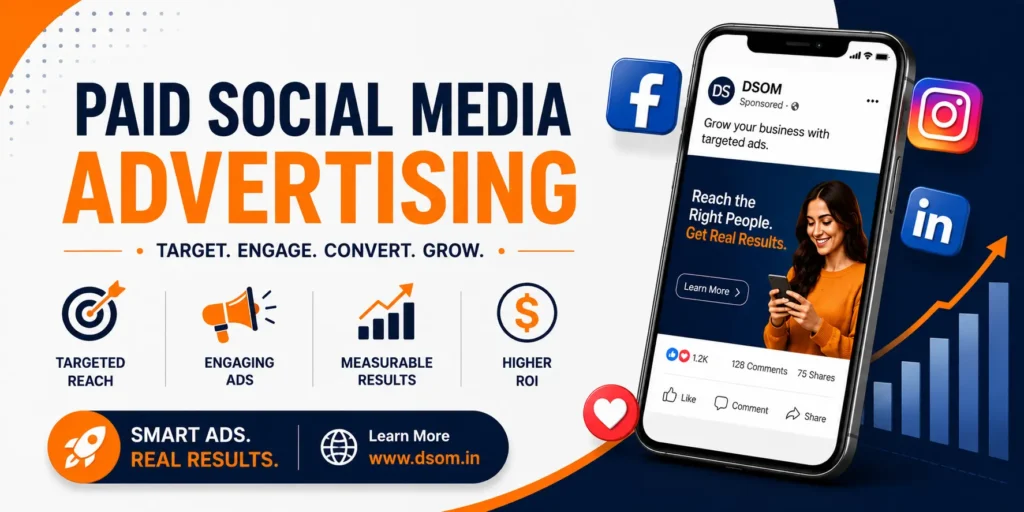
Posting for free and hoping the algorithm notices you is a slow, unreliable way to grow. Paid social media advertising removes that guesswork by putting your content directly in front of the exact people most likely to buy, click, or sign up. Done right, it turns a modest budget into predictable revenue. Done carelessly, it burns cash with almost nothing to show for it. This guide walks through what actually works, the mistakes that quietly drain ad budgets, and how to build campaigns that pay for themselves instead of becoming an expensive experiment. What Is Paid Social Media Advertising? Paid social media advertising refers to any sponsored content — image ads, video ads, carousel ads, or boosted posts — that a business pays a platform to show to a specific audience. Unlike organic posts, which depend entirely on the algorithm and existing followers, paid ads guarantee visibility to whoever you target, whether they follow your page or not. This is different from general social media marketing, which includes free content, community management, and organic growth. Paid advertising is the accelerator layer on top of that foundation — it doesn’t replace organic content, but it dramatically speeds up how fast the right people see it. Why Paid Advertising Matters More Than Ever Organic reach on most platforms has shrunk dramatically over the past few years. Algorithms increasingly favor paid content, meaning even a page with tens of thousands of followers might only reach a small fraction of them organically. Without a paid layer, a lot of good content simply never gets seen. Here’s what happens when brands skip paid promotion entirely: Great content reaches only a tiny slice of the existing audience New customer acquisition slows down because discovery depends on luck Competitors running paid ads capture attention and market share first Growth becomes unpredictable instead of a repeatable, scalable process Sales teams get fewer qualified leads because top-of-funnel traffic stalls On the other hand, a well-managed social media advertising budget — even a small one — gives a business control over exactly who sees its message and when, instead of leaving everything up to chance. This is precisely why paid social media advertising has become a core part of nearly every modern growth plan, not an optional extra. Core Elements of a Strong Paid Advertising Strategy Before spending a single dollar, every paid social media advertising campaign needs these fundamentals in place. Skipping any of them is often the real reason a campaign underperforms. Element Why It Matters Quick Action Clear Objective Determines ad format and bidding strategy Pick one goal: traffic, leads, or sales Audience Targeting Prevents wasted spend on the wrong people Build a detailed audience persona Ad Creative Stops scroll-past and drives clicks Test video, image, and carousel formats Landing Page Converts clicks into actual results Match page message to the ad exactly Budget Allocation Avoids overspending on underperforming ads Start small, scale what works Performance Tracking Shows what to keep and what to kill Check metrics every 3–5 days A beautiful ad with no clear objective, or a great offer sent to a mismatched landing page, is one of the fastest ways to waste an entire month’s budget without realizing why. How to Choose the Right Platform for Your Ad Budget Not every platform suits every business, and spreading a small budget across five Social Media platforms usually performs worse than focusing it on one or two that actually reach your buyers. Ask these questions before choosing where to spend: Where does my ideal customer actually spend time scrolling? Does this platform support the ad format my product needs — video, catalog, or lead forms? Can I realistically manage and optimize campaigns on more than one platform at once? A local service business chasing nearby customers might get more from Facebook and Instagram ads, while a B2B company selling software will likely see stronger results from LinkedIn ads despite the higher cost per click. Spreading a limited ad budget too thin across unrelated platforms is one of the quietest ways paid social media advertising campaigns fail before they even get a fair chance. Best Paid Social Media Advertising Strategies 1. Start With a Clear, Single Objective Every strong paid social media advertising campaign begins with one specific goal — not five vague ones. Trying to drive traffic, leads, and sales all with the same ad usually confuses the algorithm and dilutes results. Pick one objective per campaign and let the platform optimize toward it. 2. Use Detailed Audience Targeting Broad targeting wastes money on people who will never convert. Layer in interests, behaviors, past website visitors, and lookalike audiences based on existing customers. Sharp ad targeting is often the single biggest factor separating a profitable campaign from a losing one. 3. Invest in Strong Creative, Not Just Budget No amount of spend fixes a boring ad. Video consistently outperforms static images across most platforms, and ads that feel native to the platform — rather than obviously promotional — earn cheaper clicks. Testing multiple creative variations is far more valuable than simply increasing the daily budget. 4. Use Retargeting to Recover Lost Visitors Most people don’t buy on their first visit. Retargeting ads shown to people who already visited your site or engaged with your content convert at a much higher rate than cold audience ads, because the audience already knows your brand. 5. Test Before You Scale Launching a large budget on an untested ad is a common way to lose money fast. Run small test budgets across a few creative and audience combinations first, then scale only the winners. This single habit protects far more budget than any targeting trick. 6. Match the Landing Page to the Ad Promise If an ad promises a discount and the landing page doesn’t mention it, conversion rates collapse instantly. Every ad campaign needs a landing page that continues the exact same message, offer, and tone the ad started. 7. Review and Optimize Weekly, Not Monthly Waiting a
Powerful Social Media Marketing Strategies to Avoid Failure!
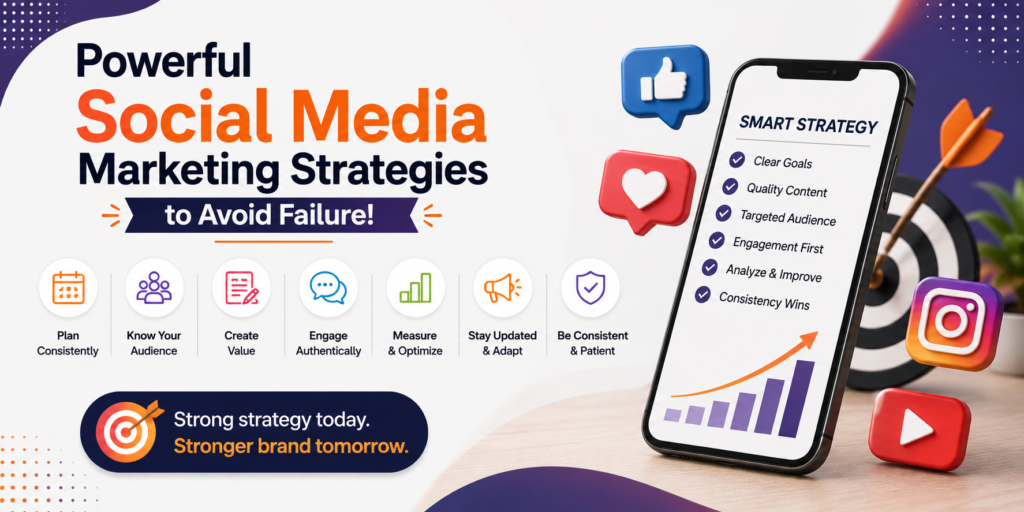
Social Media Marketing Strategies That Actually Work in 2026 Running a business page and posting whenever you remember is not a strategy — it is guesswork. If you have ever wondered why one brand’s posts explode with likes and shares while another’s disappear into silence, the answer almost always comes down to planning. Strong social media marketing strategies separate brands that grow steadily from brands that waste money on content nobody sees. This guide breaks down what actually works right now, why most beginners fail, and how you can build a repeatable system instead of chasing random viral moments. What Are Social Media Marketing Strategies? In simple terms, social media marketing strategies are the specific, documented plans a business uses to reach its audience, build a brand, and drive sales through social media platforms like Instagram, Facebook, LinkedIn, YouTube, and TikTok. Unlike a random posting habit, a real strategy has a goal, a target audience, a content plan, a posting schedule, and a way to measure results. Many small business owners treat social media marketing as an afterthought — something the intern handles between other tasks. That mindset is exactly why so many accounts stay stuck at a few hundred followers for years. A proper social media strategy treats each platform as a serious marketing channel, with its own budget, its own content style, and its own success metrics. Why a Clear Strategy Matters More Than Ever The competition for attention online has never been higher. Every scroll on a user’s feed is a battle between thousands of brands for a few seconds of focus. Without well-planned social media marketing strategies, your posts get buried under algorithm changes, paid ads from competitors, and an endless stream of new content. Here is what happens when brands skip strategic planning: Inconsistent posting kills algorithm trust and reach Messaging feels random instead of building a recognizable brand voice Budget gets wasted on boosted posts with no clear goal Engagement drops because content doesn’t match what the audience actually wants Competitors with a real plan quietly pull ahead in brand awareness and sales On the other hand, businesses that commit to structured social media marketing strategies see compounding benefits: higher social media engagement, better customer trust, and a steady pipeline of leads that doesn’t depend on luck. Core Elements of Winning Social Media Marketing Strategies Before jumping into platform-specific tactics, every solid social media marketing plan needs these foundations in place. Element Why It Matters Quick Action Clear Goals Defines success (sales, leads, awareness) Set 1–3 measurable goals per quarter Audience Research Prevents content that nobody wants Build a simple audience persona Content Pillars Keeps posting consistent and on-brand Pick 3–4 recurring content themes Posting Calendar Removes guesswork and last-minute scrambling Plan content two weeks ahead Platform Fit Stops wasted effort on the wrong channel Match platform to audience age and habits Performance Tracking Shows what to repeat and what to drop Review analytics every two weeks Skipping even one of these elements is often why campaigns fail. A brand can have beautiful graphics and still get zero traction because the audience research step was ignored, or because the posting calendar collapsed after the first busy week. How to Choose the Right Strategy for Your Business Not every business needs the same approach, and copying a strategy that worked for a completely different industry rarely produces the same results. A local bakery and a B2B software company should never run identical social media marketing strategies, because their audiences behave in completely different ways. Before picking tactics, ask three honest questions: Where does my actual target audience spend their time — not where I personally enjoy scrolling? What can I realistically produce every week without burning out my team? What business outcome am I actually trying to move — sales, leads, awareness, or retention? Answering these honestly narrows down which platforms and content formats deserve your energy. A business chasing leads should lean into LinkedIn and targeted ads; a lifestyle brand chasing awareness should lean into Instagram and TikTok. Trying to be everywhere at once, with no clear priority, is one of the quietest ways a social media strategy collapses under its own weight. Best Social Media Marketing Strategies to Follow 1. Build a Content Calendar You Can Actually Stick To The single biggest reason accounts go quiet is a lack of planning. Batch-creating content once a week or once a month, then scheduling it in advance, removes the daily pressure of “what do I post today?” This one habit alone fixes a huge chunk of inconsistent social media marketing problems. 2. Prioritize Video Over Static Images Short-form video continues to outperform static posts across nearly every platform. Reels, Shorts, and TikToks get pushed further by algorithms because platforms want to keep users watching. If your social media marketing strategies still lean heavily on plain image posts, you are leaving reach on the table. 3. Focus on Engagement, Not Just Follower Count A page with fifty thousand silent followers is worth far less than a page with five thousand engaged ones. Reply to comments, ask questions in captions, and run polls. Genuine social media engagement signals to the algorithm that your content deserves more distribution. 4. Use Influencer and Creator Partnerships Influencer marketing remains one of the most trusted forms of promotion because recommendations from a familiar face feel more authentic than a direct ad. Micro-influencers, in particular, often deliver stronger engagement rates than large celebrities because their audiences trust them personally. 5. Repurpose Content Across Platforms One well-made video can become a Reel, a YouTube Short, a TikTok, a LinkedIn clip, and a Twitter/X post. Smart brands stretch every piece of content across multiple social media platforms instead of creating everything from scratch each time. This single shift can double output without doubling workload. 6. Run Targeted Paid Campaigns Organic reach alone rarely scales a business quickly. Pairing organic content with targeted paid ads — built around a clear audience persona — accelerates
Popular Social Media Platforms for Marketing: Boost Your ROI Meta
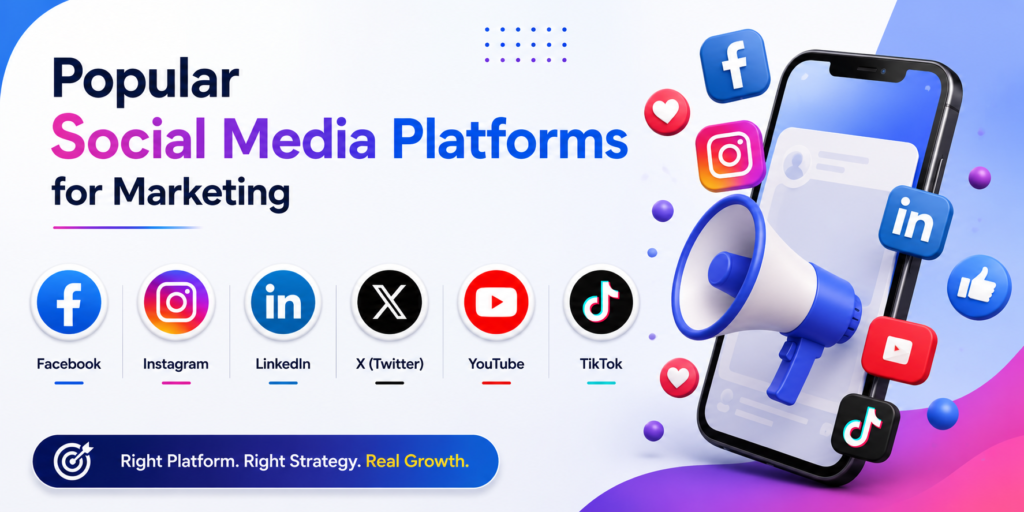
Choosing where to show up online can feel overwhelming when nearly every platform claims to be “essential” for business growth. Yet spreading your budget and energy thin across every single app rarely works, and it often leaves brands exhausted with little to show for the effort. Understanding the social media platforms for marketing that actually matter for your specific audience is what separates campaigns that quietly waste money from campaigns that generate real, measurable results. This guide walks through the platforms worth your attention right now, what each one does best, how they compare side by side, and how to avoid the common mistakes that hold so many brands back month after month. Why Choosing the Right Platform Matters Not every platform serves the same purpose, and treating them as interchangeable is one of the most expensive mistakes a marketer can make. A message that performs beautifully on one app can fall flat, or even feel out of place, on another entirely. Struggling to get engagement often has less to do with your content quality and more to do with posting the right idea in the wrong place at the wrong time. Instead, successful brands study where their audience naturally spends time, then tailor tone, format, and posting frequency to match that specific environment closely. This single shift — choosing your digital marketing strategy deliberately rather than by default — is often the real difference between a campaign that flops quietly and one that builds a genuinely powerful, loyal community over time. Businesses that skip this research step frequently waste months chasing trends that were never relevant to their audience in the first place. Facebook: Still a Marketing Powerhouse Despite repeated predictions of decline, Facebook remains one of the most reliable platforms for facebook marketing, particularly for brands targeting a broad, mixed-age audience across multiple regions. Its detailed ad targeting options, active community groups, and marketplace features give businesses several distinct ways to reach potential customers, both organically and through paid campaigns. Facebook Business Pages also double as a trust signal; customers frequently check reviews, response times, and recent posting activity before deciding whether a brand feels credible enough to purchase from. Ignoring this platform entirely, especially for local or service-based businesses, means missing an audience that still checks Facebook daily out of long-standing habit, regardless of newer platforms competing for attention. Instagram: Visual Storytelling That Converts Instagram marketing continues to dominate for brands with strong visual identities — fashion, food, wellness, travel, and lifestyle businesses in particular thrive here. Reels, Stories, and carousel posts all reward creativity, and the platform’s shopping features let customers purchase directly without ever leaving the app itself. Instagram Feature Best Use Case Why It Works Reels Reaching new audiences Favored by the algorithm for discovery Stories Daily engagement Feels casual, authentic, and immediate Shopping tags Direct sales Removes friction from the buying process Carousels Educational content Encourages longer time spent per post Brands that treat Instagram purely as a static photo gallery, without experimenting with these interactive features, typically see stagnant growth compared to competitors who actively use the full toolkit available to them. TikTok: The Fastest-Growing Discovery Engine Few platforms have reshaped modern marketing as quickly as TikTok has over the past several years. Tiktok marketing thrives on authenticity, humor, and trends rather than polished, corporate-style videos, which is exactly why so many traditional brands initially struggle to adapt their tone. The algorithm rewards watch time and genuine engagement over raw follower count, meaning even brand-new accounts can reach massive audiences with a single well-timed, relatable video. This unpredictability is both the platform’s greatest strength and its biggest challenge for cautious marketers. Brands unwilling to experiment, take creative risks, or occasionally fail publicly often find TikTok frustrating and confusing, while those who embrace its playful culture frequently see explosive, unexpected growth within just a few months of consistent effort. LinkedIn: The Professional Marketing Channel For B2B companies, recruiters, consultants, and service providers, linkedin marketing offers an audience unlike any other platform available today: professionals actively looking to network, learn, and make purchasing decisions for their organizations. Thoughtful articles, detailed case studies, and employee-shared content routinely outperform overly promotional, sales-heavy posts. Unlike more casual platforms, LinkedIn rewards patience and consistency over viral tactics or quick wins. Brands that post genuinely useful insights, rather than constant self-promotion, tend to build the kind of lasting authority that eventually converts into real business inquiries and long-term professional partnerships. X (Formerly Twitter): Real-Time Conversation X remains valuable for brands that want to participate in real-time conversations, customer service exchanges, or industry commentary as events unfold. Its fast-paced nature rewards timely, relevant posts and can quickly amplify a message during trending moments or breaking news relevant to your specific industry. However, the platform’s rapid pace also means content has a remarkably short shelf life, and inconsistent posting can make a brand feel invisible within just days. Businesses that treat X as a slow, occasional afterthought rarely see meaningful traction compared to those who commit to genuine, ongoing conversation with their audience. YouTube: Long-Form Content and Search Visibility YouTube functions as both a social platform and a search engine, making it uniquely powerful for youtube marketing strategies that prioritize long-term discoverability over quick viral spikes. Tutorials, product reviews, and behind-the-scenes content continue to attract viewers long after the original posting date, unlike the fleeting nature of most other social feeds. Because YouTube videos rank directly in Google search results, a single well-optimized video can quietly generate steady traffic for years, creating a return on investment that few other platforms can realistically match over time. Many businesses also repurpose YouTube content into shorter clips for other platforms, effectively multiplying the value of one original recording into weeks of additional material. Pinterest: An Underrated Marketing Opportunity Pinterest is frequently overlooked, yet it functions more like a visual search engine than a traditional social network, making pinterest marketing a genuinely powerful and often underrated channel for the right kind of brand. Home
How to Build a Mobile-Friendly Website That Dominates Search

In today’s mobile-first world, having a mobile-friendly website isn’t optional—it’s essential for success. With over half of all web traffic coming from smartphones, a site that frustrates users on small screens loses visitors, rankings, and revenue fast. This guide covers everything you need to build and optimize a mobile-friendly website, from responsive design basics to advanced technical tweaks. We’ll address the most searched keywords around mobile optimization, including common pitfalls and proven strategies that deliver real results. Whether you’re a business owner, developer, or marketer, these insights will help you create seamless experiences that users love and search engines reward. 1. Understanding the Importance of a Mobile-Friendly Website A mobile-friendly website adapts beautifully to phones, tablets, and desktops, ensuring fast loading, easy navigation, and readable content. Google uses mobile-first indexing, meaning it primarily evaluates the mobile version for rankings. Ignoring this leads to poor user signals like high bounce rates and low dwell time. Businesses with mobile-friendly websites see higher engagement, better conversion rates, and stronger SEO performance. Key statistic highlight: Over 60% of searches happen on mobile devices. A non-optimized site risks losing the majority of potential customers before they even explore your offerings. Focusing on a mobile-friendly website builds trust and keeps visitors coming back. It’s one of the smartest investments for long-term digital growth. 2. Core Elements of Responsive Web Design Responsive design is the foundation of any successful mobile-friendly website. It uses flexible grids, images, and media queries to adjust layout dynamically. Essential components: Fluid layouts that scale with screen size. Flexible images that resize without distortion. CSS media queries to apply different styles based on device width. Start with a mobile-first approach: Design for small screens first, then enhance for larger ones. This ensures your mobile-friendly website performs excellently on phones while scaling up effortlessly. Pro Tip: Test early with real devices alongside emulators for accurate insights. Avoid common traps like fixed-width elements that break on smaller screens. 3. Optimizing Page Speed Speed is critical for a mobile-friendly website. Users expect pages to load in under 3 seconds, or they leave. Slow mobile experiences hurt both UX and rankings. Powerful optimization techniques: Compress images and use modern formats like WebP. Minify CSS, JavaScript, and HTML. Enable browser caching and use a Content Delivery Network (CDN). Eliminate render-blocking resources. Tools like Google PageSpeed Insights provide specific recommendations tailored for mobile. Aim for Core Web Vitals compliance—Largest Contentful Paint (LCP), Interaction to Next Paint (INP), and Cumulative Layout Shift (CLS) all matter hugely on mobile. Highlighted important thing: Every second of delay can reduce conversions by 7% or more. Prioritizing speed turns your mobile-friendly website into a competitive advantage. 4. Mobile Navigation and Usability Best Practices Clunky navigation destroys the experience on a mobile-friendly website. Touch-friendly menus, clear calls-to-action, and intuitive layouts keep users engaged. Best practices include: Hamburger menus or bottom navigation for easy access. Large, tappable buttons with adequate spacing. Readable font sizes (minimum 16px for body text). Simplified forms with auto-fill and minimal fields. Avoid hover effects that don’t work on touchscreens. Ensure critical information appears above the fold without excessive scrolling. A well-designed mobile-friendly website guides users effortlessly toward goals like purchases or sign-ups. Test usability with real users for honest feedback. (Section ~150 words) 5. Technical SEO Factors Technical setup plays a huge role in how search engines view your mobile-friendly website. Must-do actions: Implement responsive design with a single URL (avoid separate mobile sites unless necessary). Use proper viewport meta tag: <meta name=”viewport” content=”width=device-width, initial-scale=1″>. Ensure Google can crawl and render your mobile content effectively. Fix mobile-specific issues like interstitial pop-ups that block content. Submit your site to Google Search Console and monitor the Mobile Usability report for errors. Structured data (schema markup) enhances rich results across devices. These technical foundations strengthen your mobile-friendly website and improve visibility in mobile search results. 6. Content Optimization for Mobile Users Content on a mobile-friendly website must be scannable and valuable on small screens. Effective strategies: Short paragraphs and plenty of white space. Descriptive subheadings and bullet points. High-quality images with optimized alt text. Videos that autoplay muted or load efficiently. Focus on user intent—mobile visitors often seek quick answers or directions. Keep important information prominent. Regularly audit content performance on mobile analytics. Keyword integration note: When creating content for your mobile-friendly website, use terms naturally to support both users and search engines. 7. Common Mistakes (and How to Avoid Them) Many sites fail at mobile optimization due to preventable errors. Frequent pitfalls: Non-responsive elements causing horizontal scrolling. Tiny text and buttons that are hard to tap. Slow-loading heavy resources. Pop-ups that cover the entire screen on mobile. Table: Common Mobile Issues vs. Solutions Issue Impact on Mobile-Friendly Website Quick Fix Fixed Width Layouts Horizontal scrolling, frustration Use percentage-based or flexible units Small Tap Targets High bounce rates Minimum 48px touch targets Unoptimized Images Slow loading Compress + lazy loading Complex Navigation Poor usability Simplify menus, add search Ignoring Core Web Vitals Lower rankings Optimize LCP, INP, CLS Intrusive Pop-ups Blocked content Use non-intrusive formats Regular audits with tools like Google’s Mobile-Friendly Test catch these early. Fixing them dramatically improves your mobile-friendly website performance. 8. Advanced Tips: AMP, PWA, and Future-Proofing For competitive edges, consider Accelerated Mobile Pages (AMP) for lightning-fast content delivery or Progressive Web Apps (PWA) for app-like experiences without downloads. PWAs offer offline functionality, push notifications, and home screen installation—ideal for engagement. Stay ahead by monitoring emerging trends like better foldable device support and improved touch interactions. A forward-thinking mobile-friendly website adapts continuously. Highlighted takeaway: Investing in advanced mobile features positions your site as a leader, boosting loyalty and conversions. 9. Testing and Monitoring Your Website Continuous testing ensures ongoing excellence. Recommended tools and methods: Google Mobile-Friendly Test and PageSpeed Insights. Browser developer tools for device emulation. Real-user testing services. Analytics to track mobile vs. desktop metrics. Set up alerts for issues and review performance quarterly. A/B test layouts and features to find what resonates best with your audience. Monitoring
Avoid Deadly Common SEO Mistakes to Dominate Rankings
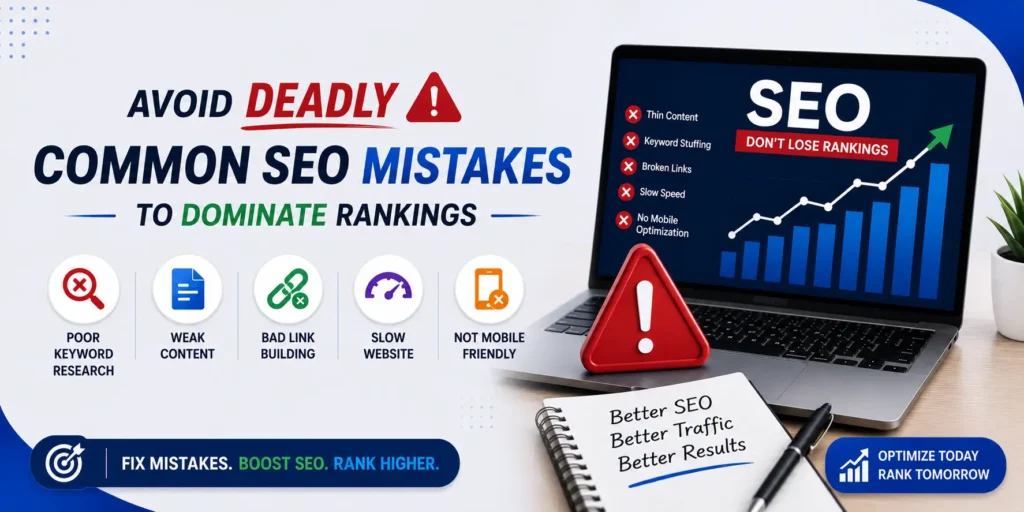
Why Avoiding Common SEO Mistakes Matters More Than Ever In the fast-evolving world of search, even experienced marketers fall into traps that quietly sabotage their efforts. Common SEO mistakes aren’t just minor oversights—they can tank your rankings, drive away visitors, and waste months of hard work. Whether you’re running a small business site or managing a large e-commerce platform, steering clear of these pitfalls is essential for long-term success. This comprehensive guide dives deep into the most searched keywords around SEO mistakes to avoid, drawing from real-world experiences and current 2026 best practices. We’ll cover technical blunders, content issues, on-page oversights, and strategic errors. Expect practical advice, tables for quick reference, and highlighted key takeaways to make implementation straightforward. By the end, you’ll have a clear roadmap to fix issues and build a resilient SEO strategy. Let’s eliminate those frustrating common SEO mistakes and unlock your site’s true potential. 1. Ignoring Proper Keyword Research: (The Foundation of Every SEO Strategy) One of the biggest common SEO mistakes is jumping into content creation without solid keyword research. Many assume they know what their audience searches for, only to discover low search volume or fierce competition later. Why it hurts: You invest time and resources into pages that never attract traffic. Tools like Google Keyword Planner, Ahrefs, or Semrush reveal high-intent phrases with realistic competition. How to fix it: Focus on a mix of head, body, and long-tail keywords. Analyze search intent (informational, navigational, transactional). Track seasonal trends and competitor gaps. Pro Tip: Always validate keywords before writing. Targeting the wrong ones is one of the most expensive SEO mistakes to avoid. Incorporate related terms naturally to maintain keyword density without stuffing. This mistake alone affects countless sites, leading to zero organic growth. 2. Neglecting Search Intent: (Creating Content That Misses the Mark) Search engines prioritize relevance. A classic common SEO mistake is optimizing for keywords while ignoring what users truly want. For example, a query like “best running shoes” might seek reviews, comparisons, or buying guides. Delivering a sales page instead results in high bounce rates and poor rankings. Fixes to implement immediately: Study top-ranking pages for format, depth, and elements. Answer key questions users have. Update existing content to better align with intent. Businesses that master this see significant lifts in engagement and conversions. Avoiding this SEO mistake transforms average content into traffic magnets. Highlight: Match intent = higher dwell time and better signals. 3. Keyword Stuffing and Over-Optimization: (A Recipe for Disaster) Forcing keywords unnaturally remains a stubborn common SEO mistake. Google’s algorithms detect spammy patterns, leading to penalties or suppressed rankings. Signs you’re guilty: Repeating the exact phrase excessively. Awkward sentences that read like robot text. Overloading meta tags and headings. Better approach: Use your focused keyword naturally (aim for ~1% density in longer content). Rely on synonyms, LSI terms, and conversational language for a humanized flow. Write for readers first—search engines follow. This positive shift from outdated tactics builds trust and improves readability scores. 4. Publishing Thin or Low-Quality Content Thin content—short, shallow pages lacking value—is among the top SEO mistakes to avoid in 2026. With helpful content updates, Google favors comprehensive, authoritative material. Characteristics of thin content: Under 1,000 words without substance. Generic info available everywhere. No original insights, data, or examples. Solutions: Aim for in-depth guides (like this 1700+ word piece). Include visuals, tables, stats, and expert quotes. Regularly audit and refresh old posts. Highlighted takeaway: Quality over quantity wins. Invest in E-E-A-T (Experience, Expertise, Authoritativeness, Trustworthiness) to stand out. 5. Slow Page Speed and Poor Core Web Vitals Users hate waiting. Slow-loading pages are a critical common SEO mistake that directly impacts rankings and user experience. Core Web Vitals (LCP, INP, CLS) are official ranking factors. Pages taking over 3 seconds lose over 50% of visitors. Quick wins: Compress images and enable lazy loading. Minify CSS/JS and use CDN. Optimize server response time. Test with Google PageSpeed Insights. Fixing speed issues often delivers fast ranking improvements. 6. Ignoring Mobile Optimization With mobile-first indexing, failing mobile-friendliness is a disastrous SEO mistake. Ensure responsive design, readable fonts, and easy navigation on small screens. Use Google’s Mobile-Friendly Test tool. Common issues: Tiny buttons, horizontal scrolling, slow mobile load times. Prioritize this for better user signals and rankings. 7. Technical SEO Blunders: Crawl Errors, Duplicates, and Indexing Issues Technical problems silently kill visibility. Key common SEO mistakes include: Blocking pages in robots.txt accidentally. Missing or incorrect canonical tags. Duplicate content without proper handling. Broken links and redirect chains. Table: Common Technical SEO Mistakes and Fixes Mistake Impact Fix Robots.txt blocks Pages not crawled Review and allow important URLs No XML Sitemap Poor discovery Create and submit updated sitemap Duplicate content Split authority Use 301 redirects or canonicals Broken internal links Poor UX & crawl budget waste Regular audits with tools like Screaming Frog Submit sitemaps in Google Search Console and monitor for errors. These fixes strengthen your site’s foundation. 8. Weak On-Page Optimization: (Titles, Meta, Headings, and More) Poorly crafted title tags and meta descriptions hurt CTR. Missing alt text or suboptimal headings are frequent common SEO mistakes. Best practices: Unique, compelling titles under 60 characters. Persuasive meta descriptions (~160 chars). Proper H1-H6 structure with keywords. Optimized images with descriptive alt text. Highlighted: Your title is prime real estate—make it powerful and benefit-driven. 9. Keyword Cannibalization: Internal Competition Multiple pages targeting the same keyword confuse search engines and dilute authority—one of the sneakier SEO mistakes to avoid. Detection: Use tools to find overlapping pages. Solution: Consolidate content, set clear page focuses, and improve internal linking. This creates stronger topical clusters and clearer signals. 10. Neglecting Internal and External Linking Weak internal linking wastes crawl budget and equity. Poor backlink profiles (or buying spammy links) invite penalties. Strategies: Build logical site architecture. Link contextually to relevant pages. Earn high-quality backlinks through great content. Avoid black-hat tactics like link farms. Focus on natural growth. 11. Failing to Track and Measure Results Flying blind is a major common SEO mistake.
Why SEO for Websites is Crucial: Boost Growth, Avoid Failure
Every website owner eventually asks the same question: why does my site get visitors while a competitor’s site stays empty? The honest answer, almost every time, comes down to one thing — SEO. It is not a buzzword anymore; it is the backbone of how people find businesses, blogs, and brands online today. Understanding SEO for websites is no longer optional for anyone who wants to be found on Google, Bing, or any other search engine. In this guide, we will break down what SEO actually means, why it matters so much, and how ignoring it can quietly kill your online visibility while embracing it can transform a struggling site into a thriving one. We will also look at practical benefits, common mistakes, and a few numbers that show just how much ranking position really matters in day-to-day traffic. What Is SEO? A Quick Overview SEO stands for search engine optimization — the practice of improving a website so that search engines can understand it, index it correctly, and rank it higher for relevant searches. When someone types a question or phrase into a search bar, this process determines whether your page shows up on the first result or gets buried on page ten, where almost nobody ever looks. SEO is not a single trick or a one-time fix. It is a combination of technical setup, content quality, keyword research, and user experience working together. Done right, it builds long-term, sustainable traffic. Done wrong, or ignored completely, it leaves a website invisible no matter how good the product, service, or content actually is. Search engines are constantly refining how they evaluate pages, which means a website that ranked well two years ago may quietly slip if it is never updated or maintained. Why SEO Is Important for Websites This is the core question, and the answer is fairly simple: SEO for websites is what separates visible businesses from invisible ones. Here is why it matters so much. 1. It Builds Trust and Credibility Websites that rank higher on search engines are automatically seen as more trustworthy by everyday users. Most people assume that Google has already done the work of filtering out low-quality or unreliable pages, so a strong position near the top signals authority. That perceived authority translates into more clicks, longer engagement, and eventually more sales or sign-ups. 2. It Drives Free, Long-Term Traffic Paid ads stop working the moment you stop paying for them. SEO, on the other hand, keeps working long after the initial effort is put in. A well-optimized blog post or landing page can keep attracting new visitors for months or even years, making it one of the most cost-effective marketing efforts a business can invest in. 3. It Improves the Overall User Experience Good optimization is not only about keywords; it also involves faster loading speed, mobile-friendly design, clear navigation, and genuinely readable content. All of these factors improve the overall experience for real visitors, which in turn keeps people on the page longer and reduces how quickly they leave. 4. It Gives You a Competitive Edge If your competitors are actively investing in optimization and you are not, they will win the visibility battle by default. Ranking above competitors for the same search terms means capturing customers who would otherwise have clicked on their listing instead of yours. 5. It Supports Every Other Marketing Channel Social media posts, email campaigns, and paid ads all become more effective when they point toward a website that is properly optimized. A strong technical and content foundation strengthens every other marketing effort that relies on it, from influencer shoutouts to paid social campaigns. The Real Cost of Ignoring SEO Neglecting optimization does not just mean slower growth — it often means outright failure to be discovered at all. Thousands of well-designed websites sit unseen because they were never properly set up for search engines to find and understand. Without solid rankings, even the best content, products, or services remain invisible to the very audience they were built for. In competitive industries, poor visibility can mean losing potential customers to rivals every single day, silently and permanently, without the business owner ever realizing why sales have slowed down. There is also a compounding effect at play. A page that ranks well tends to earn more clicks, more time on site, and often more backlinks from other sites referencing it — all signals that can help it rank even better over time. A page that never gets found rarely accumulates any of these positive signals, so the gap between visible and invisible websites tends to widen rather than shrink. Key Benefits of SEO at a Glance Benefit Impact on Website Higher Google ranking More visibility on search results pages Increased organic visitors Free, consistent traffic without ad spend Better user experience Lower bounce rate, higher engagement Stronger brand credibility Higher trust among potential customers Long-term cost efficiency Reduced dependency on paid advertising Higher conversion rates More visitors turning into paying customers On-Page SEO vs Off-Page SEO To fully understand why optimization matters, it helps to break the discipline into two major categories that work together rather than in isolation. Type Focus Area Examples On-page factors Elements within your own website Keyword usage, meta title, meta description, headings, internal links, content quality Off-page factors Actions taken outside your website Backlinks, social signals, guest posting, brand mentions Both categories must work hand-in-hand. Focusing only on one while ignoring the other usually leads to average, forgettable results instead of real, measurable growth. A site with excellent content but zero external mentions or links often struggles to compete against a well-linked rival, even one with slightly weaker writing, which is exactly why a balanced approach to SEO for websites tends to outperform a one-sided one over time. How SEO Impacts Business Growth A well-executed approach does more than bring in visitors — it brings in the right visitors. People who find a website through a relevant search are already interested in
How to Become a Logo Designer: A Powerful Step-by-Step Guide

Logo design is one of those creative careers that looks deceptively simple from the outside. A logo is just a shape and some text, right? In reality, it’s the distilled visual identity of an entire brand, and the people who make great logos spend years developing a precise skill set that sits at the intersection of art, strategy, and business thinking. If you’ve been wondering how to become a logo designer, the path is more accessible than most creative careers and doesn’t require a formal degree to get started. What it does require is deliberate practice, the right tools, and a portfolio that proves you can think like a brand, not just draw like an artist. This guide walks through exactly what the role involves, the skills worth building first, the tools professionals use every day, and how to land your first paid work even before you feel completely ready. What Does a Logo Designer Actually Do? A professional in this role creates the visual mark that sits at the center of a brand’s identity. That sounds simple until you realize how much thinking happens before a single vector shape gets drawn. The real job involves researching the client’s industry, studying competitors, understanding the target audience, sketching multiple directions, refining the strongest concept, and delivering final files that work across business cards, signage, digital screens, and everything in between. A good logo has to work in black and white, at the size of a favicon, and at the size of a billboard. That functional constraint is what separates logo design from general illustration, and it’s what makes the discipline genuinely challenging. What Logo Designers Do Why It Matters Research client brand and market Ensures the design reflects real positioning Sketch multiple initial concepts Avoids jumping straight to software too early Develop vector artwork Guarantees the logo scales to any size cleanly Present and explain design decisions Clients approve rationale, not just aesthetics Refine based on feedback Professional work always involves revision cycles Deliver production-ready files Multiple formats ensure the logo works everywhere Do You Need a Degree to Become a Logo Designer? This is one of the most common questions, and the answer is a clear no. This field is skill-and-portfolio-based. Employers and clients care far more about the quality of your work than the institution listed on your resume. Many highly paid professionals in this field are entirely self-taught, having built their skills through online courses, personal projects, and consistent practice rather than a four-year degree. That said, a graphic design degree does provide structured grounding in design principles, art history, and typography that self-taught designers sometimes have to work harder to fill in on their own. The honest trade-off is time and money versus structure. A degree takes years and significant investment. A focused self-study path using online platforms, free resources, and real practice projects can make you job-ready in six to twelve months if you’re genuinely consistent. Platforms like Skillshare, Coursera, and YouTube host high-quality instruction on everything from color theory to vector drawing, often at a fraction of what formal education costs. What can’t be shortcut regardless of path is building a strong portfolio, because that is what gets you hired. Core Skills Every Logo Designer Needs Building this career means developing two parallel skill sets: design fundamentals that apply to every visual project, and logo-specific thinking that applies only here. Skill What It Involves Why It Matters for Logos Typography Understanding typefaces, spacing, hierarchy Many logos are entirely type-based Color theory How colors interact, feel, and communicate Color psychology drives brand perception Composition Balance, proportion, visual flow Creates logos that feel settled and intentional Vector drawing Working with scalable paths rather than pixels Essential for clean, infinitely scalable logo files Brand thinking Connecting visuals to business strategy Separates good designers from great ones Client communication Taking briefs, presenting ideas, managing feedback Practical necessity for every paid project The single most important technical skill for logo designers specifically is vector drawing. Unlike photographs or illustrations created in pixels, professional logos need to be drawn in vector format so they can be resized without any loss of quality. This is why Adobe Illustrator has been the industry-standard tool for logo design for decades, and why learning it early makes everything else easier. The Tools Professional Logo Designers Use Tool Purpose Cost Adobe Illustrator Primary vector drawing and logo creation tool Subscription-based, part of Adobe Creative Cloud Adobe Photoshop Mockups, texture work, presentation visuals Included in Adobe Creative Cloud Figma Digital presentations and client-facing mockups Free tier available, paid plans for teams Procreate (iPad) Sketching and ideation before moving to vector One-time purchase Behance / Dribbble Portfolio hosting and community feedback Free Adobe Illustrator is non-negotiable for professional logo work. If you are just starting out and the subscription cost is a barrier, Inkscape is a free, open-source vector editor that teaches the same core concepts, though switching to Illustrator eventually is worth doing before you start working with real clients. Building Your Logo Design Portfolio from Zero Your portfolio is the most important thing you will ever build in this career. It’s more important than any certificate, course, or qualification. A portfolio of eight to ten well-executed, thoughtfully presented logo projects will open more doors than a design degree with no real work to show. Here’s a realistic way to build one from scratch: Design for fictional brands. Pick industries you find interesting, invent a brand name, write a simple brief for it, and design a complete logo. This produces real portfolio-quality work. Redesign existing logos. Pick a real brand whose logo feels dated, research why it’s weak, and create an improved version. Explain your reasoning. This is excellent for showing brand thinking. Take on small free or low-paid projects. Local nonprofits, community groups, or small personal businesses often need logos and can provide real briefs, feedback, and testimonials. Present your process, not just the final logo. Show your sketches, your thinking, your color decisions. Clients
What is Logo Design? Basics, Types, and Key Principles Explained
A logo is one of the most powerful visual elements of any brand. It is the first thing people notice and the last thing they forget. A well-crafted logo communicates who you are, what you stand for, and why customers should choose you over competitors. In a world where attention spans are short and competition is fierce, investing in strong logo design can make all the difference. Whether you are a startup building your identity from scratch or an established business considering a rebrand, understanding what logo design is and how it works is the first step toward creating something truly memorable. This guide covers everything you need to know about logo design — from its definition and core principles to the different types and most common mistakes to avoid. What is Logo Design? Logo design is the process of creating a unique visual symbol or mark that represents a brand, business, or individual. It involves combining typography, colors, shapes, and graphic elements to produce a design that is instantly recognizable and memorable. A good logo design does not just look attractive. It carries meaning and communicates the values, personality, and purpose of a brand. For example, the Apple logo communicates simplicity and innovation. The Nike swoosh communicates movement and performance. Every great logo has a story, and that story is told through intentional design decisions. Logo design is a specialized branch of graphic design that requires both creative skill and strategic thinking. A designer must understand the brand deeply before starting the design process. Why is Logo Design Important? Many businesses underestimate the importance of professional logo design. Here is why logo design matters: It creates a strong first impression. Your logo is often the first interaction a potential customer has with your brand. A professional logo builds immediate credibility. It builds brand recognition. Over time, customers associate your logo with your products and services. A consistent logo makes your brand easier to remember. It differentiates your business. In a crowded marketplace, a unique logo helps you stand out from competitors and signals that your brand has its own identity. It builds customer loyalty. When customers consistently see a logo they associate with quality, they develop trust in the brand. A strong logo reinforces that trust every time it appears. What is Logo Design Made Of? Key Elements Understanding the basic building blocks of logo design helps you make better decisions whether you are designing yourself or working with a professional. Typography: Typography refers to the font or typeface used in a logo. The right typography communicates personality. A serif font can feel traditional and trustworthy. A sans-serif font feels modern and clean. A script font can feel elegant or creative. Choosing the right typography is one of the most important decisions in logo design. Color: Color is one of the most powerful tools in logo design. Different colors evoke different emotions. Blue communicates trust and professionalism. Red communicates energy and urgency. Green communicates growth and nature. Yellow communicates optimism and warmth. Understanding color psychology helps designers choose colors that align with a brand’s personality. Shape and Form: The shapes used in a logo also carry meaning. Circular shapes suggest community and unity. Sharp angular shapes suggest precision and strength. Organic shapes suggest creativity and a natural feel. Iconography: Many logos include an icon or symbol alongside or instead of text. A well-designed icon is simple enough to be recognized at a small size but distinctive enough to stand out. A great icon eventually becomes synonymous with the brand itself. Spacing and Balance: Good logo design pays close attention to spacing and visual balance. A logo that is too crowded feels chaotic. A logo with proper spacing and balance feels professional, polished, and easy to read at a glance. Types of Logo Design There are several types of logos and each works differently depending on the brand and its goals. Wordmark: A wordmark logo uses only the brand name in a stylized typographic treatment. Examples include Google and Coca-Cola. Lettermark: A lettermark uses initials or abbreviations. IBM and HBO are well-known examples of lettermark logos. Pictorial Mark: A pictorial mark is a standalone icon or symbol, like the Twitter bird or the Apple logo. Combination Mark: A combination mark pairs an icon with text, giving brands flexibility to use them together or separately. Abstract Mark: An abstract logo uses geometric shapes to create a unique symbol that does not directly depict a recognizable object. Emblem: An emblem logo features text inside a symbol or icon, often used by schools, sports teams, and government organizations. Logo Design Basics Every Beginner Should Know If you are new to logo design, understanding a few core principles will help you create better work and avoid the most common pitfalls. Simplicity is Key: The best logos in the world are simple. A simple logo is easier to recognize, remember, and reproduce across different sizes and formats. Avoid adding too many elements or details that clutter the design and make it harder to read. Versatility Matters: A good logo works across all applications. It should look great on a website, business card, billboard, and social media profile. It should also work in black and white, not just in full color. Versatility is one of the most important logo design basics to master early. Keep Scalability in Mind: A logo must remain clear and legible at both very large and very small sizes. Test your logo at different sizes during the design process to ensure it holds up in all contexts and use cases. Make it Timeless: Trendy logos can feel outdated within a few years. Aim for a design that will remain relevant and effective for years to come. Focus on creating something classic rather than following the latest design trend. The most iconic logos look as fresh today as they did when they were first created. Understand the Brand First: Before starting any logo design project, take the time to deeply understand the