What Is Search Intent? The Powerful Guide to Better Rankings
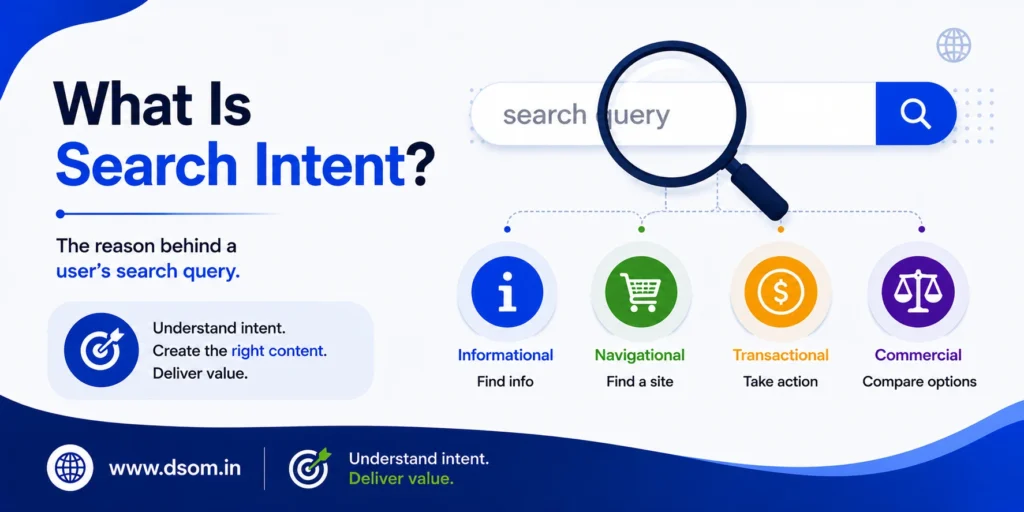
Every time someone types a query into Google, there is a reason behind it. They might want to learn something, find a specific website, compare two products, or buy something right now. That reason, the goal driving the search, is what SEO professionals call search intent. It’s one of those concepts that sounds straightforward but changes everything about how content strategy actually works in practice. Think about how often you’ve seen websites rank for a keyword but completely miss the mark on what the searcher actually needed. That gap, between what a page offers and what a user actually wanted, is exactly what this concept is designed to fix. If you’ve ever published a page that ranked for a keyword but failed to convert, or spent months chasing rankings that never came, a misaligned user intent is often the real reason. This guide explains what search intent is, why it matters more than ever in 2026, how the four main types work, and how to use this understanding to create content that actually serves both search engines and real people. What Is Search Intent? Search intent, also called user intent or query intent, is the primary goal a person has when they type something into a search engine. It answers a deceptively simple question: what does this person actually want to find? The words in a query are just the surface layer. Two searches can share almost identical keywords but have entirely different goals. Someone searching for “running shoes” might want to browse options, read a review, or buy a pair immediately. The words are the same; the expectation behind them is completely different. Google has become remarkably good at detecting this difference, and it ranks results accordingly. This is why publishing the right content on the wrong topic is rarely enough. Matching the correct content type to what a searcher genuinely expects is equally important, and it’s a mistake far more websites make without ever realizing it. Why Search Intent Matters More Than Ever in 2026 For years, SEO was primarily about keywords and backlinks. Match enough of the right phrases on a page, earn enough links, and rankings would follow. That relationship has quietly shifted. In 2026, relevance and usefulness, not exact-match phrases, are the deciding factors. Google’s Helpful Content System and ongoing algorithm improvements make intent even more important. A page stuffed with a target keyword but built to serve the wrong type of searcher will not hold rankings regardless of its technical quality or link profile. There’s a second reason intent has become more critical: AI Overviews now appear for a large share of informational queries. Click-through rates on broad informational keywords have dropped sharply. A page ranking third today can receive a fraction of its previous traffic simply because the behavior of the results page changed, not the ranking itself. Getting cited inside an AI-generated answer has become as valuable as ranking first for many queries. Content that clearly addresses the intent behind a query is far more likely to earn that citation. The Four Main Types of Search Intent Most searches fall into one of four categories. Understanding these categories is the practical foundation of any intent-driven content strategy. Informational Intent This is the most common type of query purpose. The user wants to understand something, not buy anything. Queries like “what is search intent,” “how to improve page speed,” or “why does my email go to spam” all carry informational intent. Content for this type should prioritize clarity and depth. Trying to sell too early on an informational page almost always pushes readers away and signals to Google that the content doesn’t match what searchers expect. A well-structured guide, a clear explainer, or a thorough tutorial are the formats that consistently perform well here. Navigational Intent The user already knows where they want to go and is using a search engine to get there faster. Searching “Google Search Console login” or “Semrush pricing page” are classic examples. There’s limited room to compete here unless your brand is the destination. Optimizing for navigational intent means making sure your brand pages are correctly indexed, easily discoverable, and not buried under competitor comparison content. Commercial Intent This sits between informational and transactional. The user is close to a decision but still comparing options. Searches like “best CRM software for small businesses” or “Ahrefs vs Semrush comparison” are driven by commercial intent. Content here should help readers evaluate options rather than pushing for an immediate sale. Comparison tables, pros and cons lists, and honest reviews match this intent well. Crucially, the moment you push too hard for conversion on a page with commercial intent, you often lose the reader before they’ve decided you’re trustworthy. Transactional Intent The user is ready to act. Price isn’t usually the barrier at this stage; friction is. Searches including words like “buy,” “order,” “sign up,” or “get started” carry transactional intent. Product pages and landing pages should be optimized with clear calls to action, simple checkout flows, and minimal distractions. Ranking a long-form blog post for a transactional keyword is one of the most common, and most invisible, intent mismatches in SEO. Intent Type What the User Wants Common Search Signals Best Content Format Informational To learn something or find an answer “What is,” “how to,” “why,” “guide” Blog posts, explainers, how-to guides Navigational To reach a specific website or brand Brand name, product name, “login,” “pricing” Homepage, brand pages, login portals Commercial To compare options before deciding “Best,” “vs,” “review,” “top,” “2026” Listicles, comparison pages, roundups Transactional To take action or buy right now “Buy,” “order,” “get,” “download,” “sign up” Product pages, landing pages How to Identify Search Intent Correctly The most reliable way to understand what intent a keyword carries is to look at the actual search results, not to guess. Google has already done the interpretation work. The results page reflects what real users found satisfying for that query. When analyzing a keyword, look at three signals in
Broken Link Building: A Surprisingly Powerful SEO Tactic!
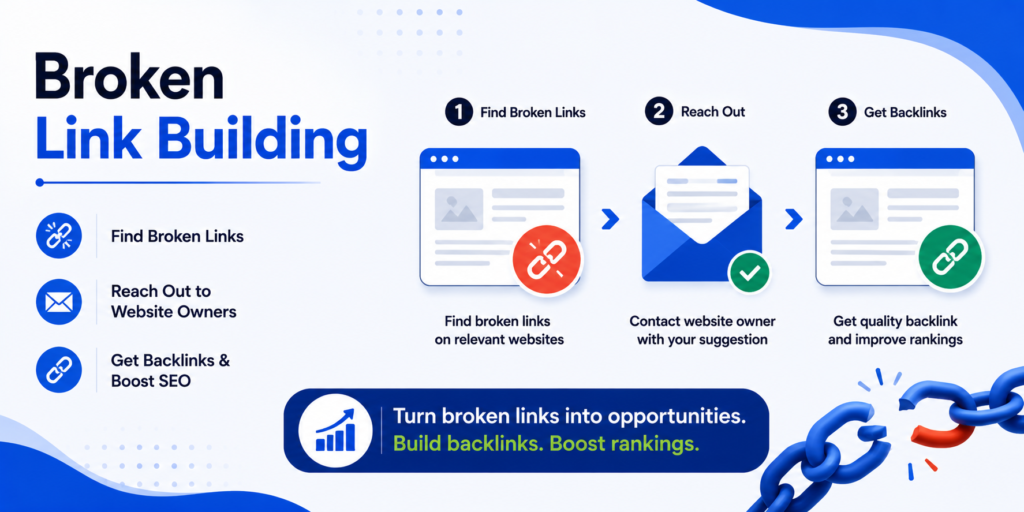
Most SEOs chase backlinks through guest posting, digital PR, or expensive influencer outreach. Few realize there is a quieter, white hat link building strategy that delivers consistently high-quality backlinks with a fraction of the rejection rate — and it works by helping the website you are pitching, not just asking for a favor. Broken link building is the practice of finding dead, broken links on relevant websites and reaching out to suggest your own content as a replacement. It is one of the oldest tricks in the SEO playbook — and despite years of marketers predicting its decline, this tactic remains one of the most effective and underused strategies available in 2026. This guide explains exactly what the process is, why it works so well, and how to execute it step by step to earn genuine, high-authority backlinks for your website. hat Is Broken Link Building? Broken link building is an SEO outreach technique where you find broken (404) links on other websites, then contact the website owner or webmaster to suggest replacing the dead link with a working link to relevant content on your own site. Key Definition: Broken link building is a white-hat link acquisition method that helps website owners fix dead links on their pages while earning you a high-quality backlink in return. The reason this works so well comes down to incentive alignment. Broken links hurt the website that has them — they create poor user experience, waste link equity, and can even hurt that site’s own SEO rankings. When you point out a broken link and offer a relevant replacement, you are not asking for a favor. You are solving a real problem for them. Why Broken Link Building Still Works in 2026 Despite years of SEOs declaring various tactics “dead,” this method has remained durable because it is grounded in genuine value exchange rather than manipulation. Reason Why It Matters Higher Acceptance Rates You are helping, not asking — webmasters respond more positively Naturally White-Hat Fully compliant with Google’s guidelines — zero penalty risk Scalable Process Once systemized, it can be repeated across hundreds of prospects High Relevance You target pages already discussing your topic — built-in relevance Low Competition Most competitors overlook this tactic in favor of guest posting Sustainable Long-Term Websites constantly break links — fresh opportunities appear continuously Important Insight: Web pages decay over time. Studies consistently show that a meaningful percentage of links on any older website eventually break — meaning broken link building opportunities are constantly renewing themselves. How Broken Link Building Works: The Process The mechanics of this strategy follow a consistent, repeatable structure. Here is the full process broken down. Step 1: Find Relevant Websites in Your Niche Start by identifying resource pages, guides, and articles in your industry that are likely to contain outbound links — “best tools for X,” “ultimate guide to Y,” resource roundups, and link directories are ideal targets. Search Google using operators like: “resources” + your keyword “useful links” + your keyword intitle:”links” + your keyword Step 2: Identify Broken Links Using a Dead Link Checker Once you have a list of target pages, run them through a dead link checker tool to identify which outbound links are broken (returning 404 errors or other dead-link signals). Tool Function Cost Ahrefs Broken Link Checker Scans any domain for broken outbound links Free tool + Paid platform Check My Links (Chrome Extension) Highlights broken links directly on any webpage Free Screaming Frog SEO Spider Crawls entire sites to find broken links at scale Free (limited) + Paid Dead Link Checker Simple, dedicated broken link scanning tool Free Semrush Site Audit Identifies broken links as part of a full site audit Paid Pro Tip: Ahrefs’ free Broken Link Checker is one of the fastest ways to find broken link building opportunities — simply enter any competitor or resource page URL and instantly see every dead outbound link. Step 3: Create or Identify Replacement Content Before reaching out, you need content on your own site that genuinely serves as a relevant replacement for the broken link. This is the step most marketers skip — and it is the most important one. If the broken link pointed to “10 Best SEO Tools,” your replacement content needs to cover the same topic with equal or better depth. Sending an irrelevant link as a replacement suggestion will get ignored — or worse, damage your credibility with that webmaster for future outreach. Step 4: Find the Right Contact Identify the website owner, content manager, or webmaster responsible for the page. Check the “About” or “Contact” page, look for an author byline, or use tools like Hunter.io to find verified email addresses associated with the domain. Step 5: Send a Personalized Broken Link Outreach Email This is where most broken link building campaigns succeed or fail. A generic, templated email gets ignored. A specific, helpful one gets results. Effective Broken Link Outreach Email Structure: Specific opener — mention exactly which page and which broken link you found Brief context — explain you noticed it while researching the topic The solution — suggest your content as a relevant replacement No pressure close — make it easy to say yes, with zero obligation Example template: Subject: Found a broken link on your [Page Name] page Hi [Name], I was reading your article on [topic] and noticed that the link to [broken resource name] in the [section] section appears to be broken (I got a 404 error). I recently published a detailed guide on the same topic that might be a useful replacement: [your URL] Either way, thought you’d want to know about the broken link! Best, [Your name] Broken Link Building Outreach: Best Practices Practice Why It Matters Personalize every email Generic templates have dramatically lower response rates Lead with the value, not the ask Mentioning the broken link first builds trust before any request Keep it short Webmasters are busy — concise emails get read and acted on Follow up once,
Do-Follow vs No-Follow Links: Brutal SEO Truth You Must Know
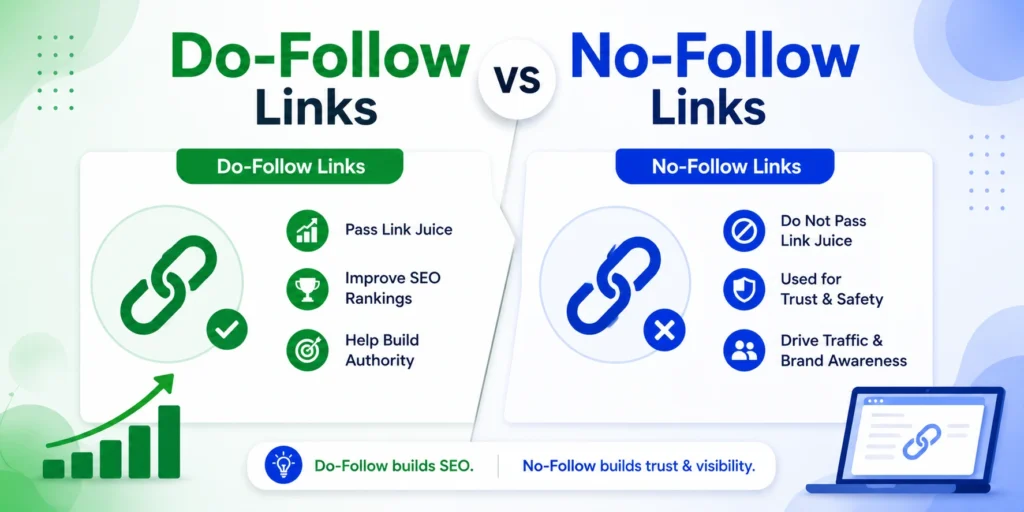
If you have been building backlinks without understanding the difference between do-follow vs no-follow links, there is a very real chance you have been misallocating time, effort, and budget. Do-follow vs no-follow link sit at the heart of how Google evaluates your website’s authority — and how much credit you actually receive for every external mention your brand earns. Most marketers know the terms. Far fewer understand the nuance. This guide cuts through the confusion and gives you the full picture of do-follow vs no-follow links — what each one does technically, how they affect your SEO, what the real-world impact is on authority of domain and rankings, and how to build a link profile that genuinely moves the needle in 2026. What Are Do-Follow Links? A do-follow link (also written as dofollow link) is the default state of any hyperlink. When one website links to another without adding any restricting attribute, the link passes what SEO professionals call link equity — sometimes referred to as link juice — from the linking page to the destination page. Key Definition: A do-follow link is any hyperlink that tells search engines to follow it, credit it, and pass authority from the source page to the destination page. Here is what a standard dofollow link looks like in HTML: <a href=”https://yourwebsite.com”>anchor text</a> No special attribute. No instruction to ignore. Google’s crawlers follow this link, index the destination, and count it as a vote of confidence for that page. What Do-Follow Links Do for SEO: Pass link equity (PageRank) to the linked page Contribute directly to the destination site’s domain authority Signal to Google that the linked page is trustworthy and relevant Improve the linked page’s rankings over time Are the primary target of most link building strategies What Are No-Follow Links? A no-follow link (also written as nofollow link) includes the rel=”nofollow” attribute in its HTML, which tells search engines: “I am linking to this page, but I am not vouching for it — do not pass ranking credit.” Key Definition: A no-follow link instructs search engines not to pass links equity to the destination page. It does not contribute directly to PageRank or domain authority. Here is what a nofollow link looks like in HTML: <a href=”https://yourwebsite.com” rel=”nofollow”>anchor text</a> The nofollow attribute was introduced by Google in 2005 to combat comment spam and paid link manipulation. Before it existed, comment sections and forum posts were flooded with low-quality links because any link — no matter how spammy the source — passed ranking credit. What No-Follow Links Do: Do not pass links equity directly Do not contribute directly to domain authority improvements Can still send referral traffic to your website Are counted as a hint by Google (not an absolute rule, since 2019) Help create a natural, diverse link profile Build brand visibility even without direct SEO credit Do-Follow vs No-Follow Links: Side-by-Side Comparison Factor Do-Follow Links No-Follow Links HTML Attribute No special attribute (default) rel=”nofollow” Link Equity Passed Yes — directly improves rankings No (treated as a hint since 2019) Domain Authority Impact Positive — builds DA over time Minimal direct impact Referral Traffic Yes Yes SEO Value High — primary goal of building links Lower direct SEO value Google Treatment Followed, credited, indexed Hint — may or may not follow Best Sources Editorial mentions, news sites, blogs Wikipedia, social media, comments Risk of Manipulation Penalizable if bought/schemed Lower risk Natural Profile Need Yes — should make up most quality links Yes — natural mix signals authenticity The Two Additional Link Types You Need to Know Since 2019, Google introduced two additional rel attributes that sit alongside nofollow in modern link building strategy. Sponsored Links (rel=”sponsored”) The rel=”sponsored” attribute is used for paid or commercial links — advertisements, sponsored content, affiliate links, and paid placements. If you pay for a link placement, using rel=”sponsored” keeps you within Google’s guidelines and prevents penalties associated with undisclosed paid links. Important: Using a dofollow link for paid content without the sponsored attribute is a violation of Google’s link schemes policy and can result in manual penalties. UGC Links (rel=”ugc”) UGC stands for User Generated Content. The rel=”ugc” attribute marks links posted by users in comments, forums, review platforms, and community discussions. These carry minimal SEO value because they require no editorial judgment from the hosting website — anyone can post them. Attribute Use Case SEO Value None (dofollow) Editorial, organic mentions High rel=”nofollow” General uncertain links Low–Medium hint rel=”sponsored” Paid placements, affiliate links Declared, no penalty rel=”ugc” Comments, forums, user posts Very Low Does No-Follow Really Have Zero SEO Value? This is one of the most persistent myths in the do-follow vs no-follow conversation — and the answer in 2026 is more nuanced than a simple yes or no. Understanding this distinction is what separates informed link builders from those still treating do-follow and no-follow links as a binary good/bad choice. In September 2019, Google announced that it would treat rel=”nofollow” as a hint rather than a directive. This means Google may choose to follow a nofollow link and use it as a ranking signal — at its own discretion. The change was introduced because Google found value in understanding the full web of links, even those marked nofollow. The Real-World Impact: Google still largely does not pass PageRank through nofollow links in most cases. But a nofollow link from a high-authority source — Wikipedia, a major news site, The Guardian, Forbes — still carries implicit trust signals, drives referral traffic, and contributes to brand entity recognition that can indirectly influence rankings. Do not dismiss nofollow links entirely. A nofollow link from the BBC is more valuable for your brand than a dofollow link from an unrelated low-traffic blog. Why Your Link Profile Needs Both Types One of the biggest mistakes in building links is focusing exclusively on acquiring dofollow link and treating every nofollow mention as worthless. A backlink profile made up entirely of dofollow link is a red flag to Google —
Master PPC: What is PPC Advertising and How PPC works 2026
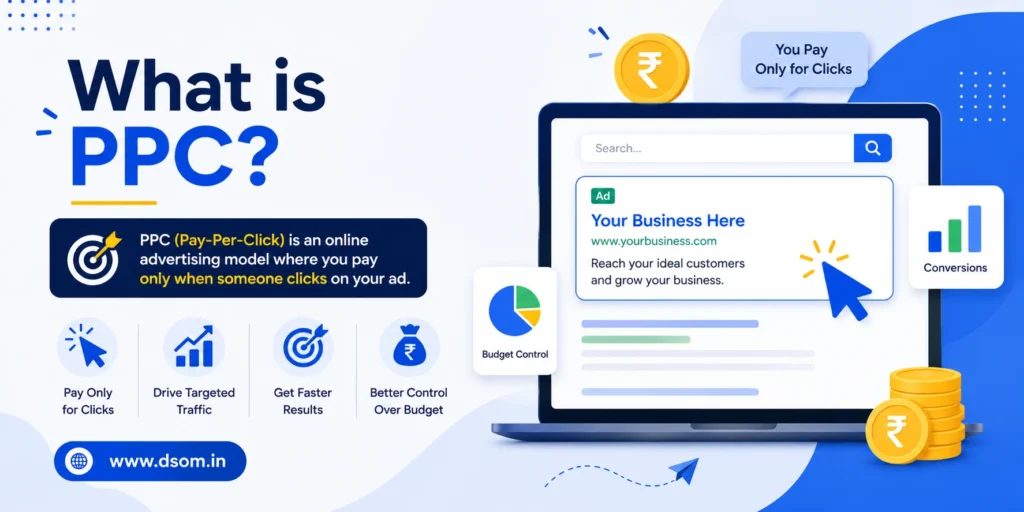
If you have ever searched something on Google and noticed the “Sponsored” results at the top of the page before the organic listings, you have already seen PPC advertising in action. It is one of the most widely used digital marketing channels in the world — and one of the most frequently misunderstood. Whether you are a business owner considering your first ad campaign or someone completely new to paid digital marketing, this guide covers everything you need. By the end, you will understand exactly what is PPC, how PPC advertising works from click to conversion, and how to use it effectively for your business. What is PPC? PPC stands for Pay-Per-Click — a model of digital advertising where you pay a fee each time someone clicks on your ad. Instead of earning traffic organically through SEO, you essentially buy visits to your website by placing ads on search engines, social media platforms, and display networks. Key Definition: PPC (Pay-Per-Click) is a paid advertising model where you are charged only when a user clicks your ad — not when they simply see it. The most common form of PPC advertising is search engine advertising — particularly through Google Ads, where businesses bid on keywords so their ads appear in search results when users search for those terms. But the channel also includes display ads, video ads, shopping ads, and social media advertising on platforms like Meta, LinkedIn, and TikTok. The core principle is simple: you only pay when someone actually clicks your ad, not just when they see it. This makes pay per click advertising a highly accountable and measurable channel — every click has a known cost, and every conversion can be traced back to a specific ad, keyword, or campaign. How Does PPC Advertising Work? Understanding how PPC advertising works involves knowing three key components: the auction, the bid, and the ad rank. The PPC Auction Every time a user performs a Google search, an instantaneous auction takes place behind the scenes. Advertisers who have bid on keywords related to that search enter the auction. The winner’s ad appears — but winning the auction is not purely about who bids the most. Ad Rank and Quality Score Google determines which ads appear (and in what position) using a metric called Ad Rank, calculated from: Your maximum bid — the most you are willing to pay per click Quality Score — Google’s rating of your ad’s relevance, expected click-through rate, and landing page quality Expected impact — the influence of your ad extensions and additional formats This means a well-optimized ad with a strong Quality Score can outrank a competitor who is bidding more money. Critical Insight: Quality matters as much as budget in PPC advertising. A lower bid with a higher Quality Score regularly beats a higher bid with poor relevance — meaning smarter campaigns beat bigger spenders. How Much Do You Pay? In most PPC campaigns, you do not actually pay your maximum bid. You pay just enough to beat the Ad Rank of the advertiser below you — often significantly less than your maximum. This is called the actual CPC (cost per click), and it is typically lower than your stated bid, making PPC advertising more efficient than many newcomers expect. Key Components of a PPC Campaign Understanding how PPC advertising works also means understanding the building blocks of any campaign. Component What It Is Why It Matters Keywords The search terms you bid on Determines when your ads show Negative Keywords Terms you exclude from triggering your ads Prevents wasted budget on irrelevant clicks Ad Copy Headlines and descriptions of your ad Determines whether users click Landing Page The page users arrive at after clicking Determines whether clicks convert Bid Strategy How you set and manage your bids Controls cost and volume Quality Score Google’s relevance rating (1–10) Affects ad position and cost per click Ad Extensions Extra information added to ads Improves CTR and ad visibility Conversion Tracking Measuring actions after a click Tells you what is actually working Each of these components interacts with the others. A high-converting landing page improves Quality Score, which lowers your cost per click. Better ad copy improves CTR, which also improves Quality Score. In PPC advertising, everything is connected. Types of PPC Ads PPC advertising is not limited to the text ads you see in Google search results. The channel spans several formats across different platforms. PPC Ad Type Where It Appears Best For Search Ads Google / Bing search results High-intent buyers actively searching Display Ads Websites, apps, YouTube Brand awareness and retargeting Shopping Ads Google search results (product cards) Ecommerce and physical products Video Ads YouTube, Google Display Network Brand storytelling and awareness Responsive Search Ads Google search (auto-optimized) Testing multiple headlines at scale Social PPC Ads Facebook, Instagram, LinkedIn, TikTok Audience targeting by demographics/interests App Ads Google Play, App Store, Display Network Driving app installs and in-app actions Google Ads PPC is the dominant platform and the starting point for most businesses, but social media PPC campaigns on Meta and LinkedIn can deliver strong results — especially for B2C and B2B brands respectively. PPC vs SEO: What is the Difference? One of the most common questions from those new to digital marketing is how PPC advertising compares to SEO (search engine optimization). Both aim to get your website visible on search engines, but they work very differently. PPC Advertising SEO Speed Immediate results — live within hours Slow — months to see significant rankings Cost Pay per click — ongoing spend required Primarily time investment; no per-click cost Visibility Guaranteed if budget is available Earned through optimization over time Sustainability Stops when budget stops Continues generating traffic after the work Targeting Control Very precise — keywords, location, device, time Less granular targeting Click Trust Some users skip ads Organic results often get more inherent trust PPC vs SEO is not a competition — the most effective digital strategies use both. PPC advertising delivers
Search Ads vs Display Ads: Powerful Complete Guide for 2026!
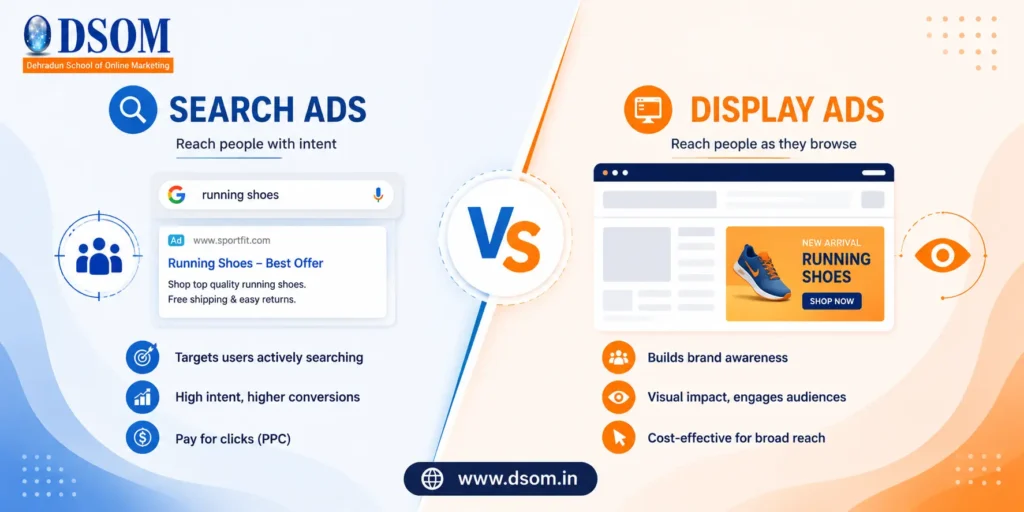
If you have ever set up a Google Ads account and stared at the campaign type options wondering which one to choose, you are not alone. Search Ads vs Display Ads is one of the most debated topics in paid advertising — and getting it wrong means money spent on the wrong audience at the wrong moment. Both campaign types live inside Google Ads, both can drive results, but they work in fundamentally different ways. Understanding Search Ads vs Display Ads is the strategic foundation of every paid advertising decision you make in 2026. What Are Search Ads? In the Search Ads vs Display Ads debate, Search Ads are the high-intent option. Google Search Ads are text-based paid advertisements that appear at the top and bottom of Google’s search results pages when a user types in a relevant keyword. They are the most recognizable form of PPC advertising — the “Sponsored” listings you see when you search for almost anything commercial online. The core mechanism behind Search Ads is intent. A user actively types a query — “emergency plumber Dubai,” “best CRM software,” “dentist near me” — and your ad appears in response to that specific search. You are not interrupting someone. You are answering them at exactly the moment they are looking. Key Characteristics of Search Ads: Text-based format — headlines, descriptions, and a URL Keyword-triggered — ads appear when specific search terms are used High purchase intent — users are actively searching for a solution Pay-per-click (PPC) — you only pay when someone clicks Immediate visibility — appears in search results within hours of launch Competitive bidding — you bid against competitors for ad position What Are Display Ads? On the other side of Search Ads vs Display Ads, Display Ads are the reach-and-awareness option. Google Display Ads appear across the Google Display Network (GDN) — a vast network of over 2 million websites, apps, and YouTube that have partnered with Google to show ads. These are the visual banner ads, image ads, and responsive ads you see while reading a news article, browsing a blog, or using a mobile app. Unlike Search Ads, Display Ads are not triggered by a specific search. Instead, they are shown to audiences based on who they are — their demographics, interests, browsing behavior, or previous interactions with your website. Key Characteristics of Display Ads: Visual format — images, banners, responsive display ads, rich media Audience-triggered — shown based on targeting settings, not keywords Lower purchase intent — users are browsing, not actively searching Lower cost-per-click — typically much cheaper per click than Search Massive reach — the GDN reaches over 90% of internet users globally Strong for retargeting — ideal for re-engaging past website visitors Search Ads vs Display Ads: Side-by-Side Comparison Factor Search Ads Display Ads Placement Google Search results pages Websites, apps, YouTube (GDN) Trigger User’s search keyword Audience targeting settings Format Text only Images, banners, responsive visuals User Intent High — actively looking for solution Low — passively browsing Average CPC Higher ($1–$50+ depending on industry) Lower ($0.10–$1.50 typically) Click-Through Rate Higher (for relevant queries) Lower (0.1%–0.5% average) Best Funnel Stage Bottom — ready to buy Top/Mid — awareness and consideration Targeting Type Keyword-based Demographic, interest, behavioral Retargeting Capability Limited Very strong — core use case Conversion Rate Generally higher Generally lower Creative Required No — text only Yes — design or images needed Best For Lead gen, direct sales, local services Brand awareness, retargeting, product launch The Core Difference: Intent vs Interruption This is the most important concept when understanding Search Ads vs Display Ads — and the one that makes all the strategic decisions fall into place. Search Ads capture demand. When someone searches for your product or service, they have already decided they have a need. Your ad meets them at that critical moment of active intent. This is why Search Ads typically convert at a higher rate — you are not convincing someone they have a problem, you are simply being the best answer to one they already know about. Display Ads create demand. Users seeing Display Ads have not searched for your product. They may not know your brand exists. Display Ads work by interrupting a user’s browsing experience with a visually compelling message that introduces your brand, keeps it top of mind, or re-engages someone who has already shown interest. The goal is not immediate conversion — it is visibility, familiarity, and consideration. Key Insight: Think of Search Ads as fishing with a baited hook (targeting someone who is hungry) and Display Ads as putting up a billboard (reaching anyone who passes by). Cost Comparison: Search Ads vs Display Ads Cost is where Search Ads vs Display Ads look very different on paper — but the comparison requires more context to be meaningful. Search Ads Costs Average CPC: $1 to $10 for most industries; $20–$50+ for competitive niches (legal, finance, insurance) Why it’s higher: You are bidding for high-intent traffic — users who are ready to act Cost driver: Keyword competition. More advertisers bidding on the same keyword = higher CPC Display Ads Costs Average CPC: $0.10 to $1.50 across most campaigns Why it’s lower: You are reaching passive audiences who may or may not be interested Cost driver: Audience quality and targeting precision The critical point: A $10 Search Ads click that converts at 10% costs $100 per acquisition. A $0.50 Display Ads click that converts at 0.5% also costs $100 per acquisition. Neither is inherently cheaper when measured by actual results. Important: Always measure cost per acquisition (CPA) — not cost per click — when comparing the efficiency of Search Ads vs Display Ads for your campaigns. Targeting: How Each Platform Finds Your Audience Search Ads Targeting Search Ads targeting is built around what people are actively searching for. Your targeting levers include: Keywords — the specific phrases that trigger your ad Match types — broad, phrase, or exact match control how closely the search must match Location —
What is Content Marketing? Ultimate Guide Every Brand Needs
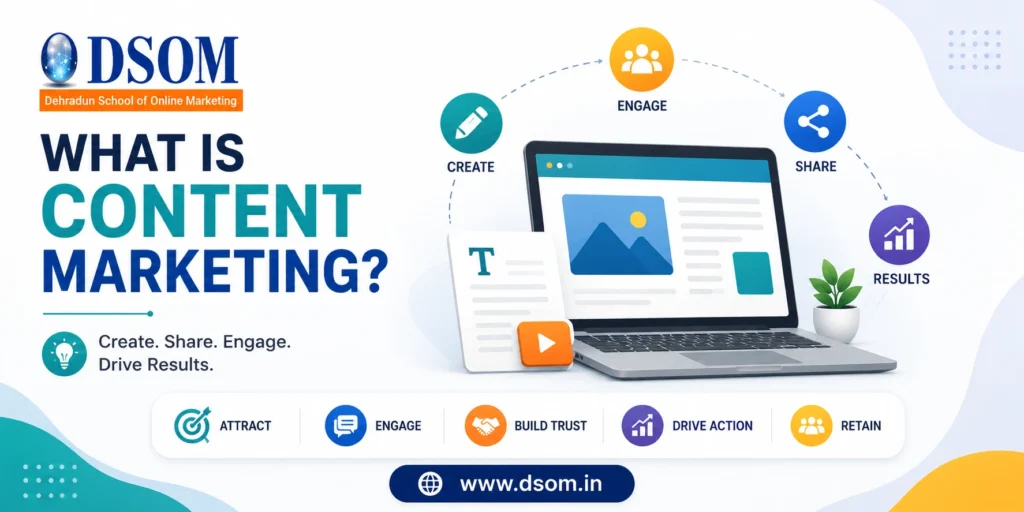
Ask ten marketers what this strategy means and you will get ten slightly different answers. Some will say it is blogging. Others will say social media. A few will mention podcasts or YouTube. All of them are partially right — but none of them are giving you the complete picture. Done well, this strategy builds audiences, earns trust, drives organic traffic, and converts strangers into loyal customers — all without the interruptive, push-based tactics that modern consumers increasingly ignore. Done poorly, it wastes enormous resource producing pieces that nobody reads and nothing that ranks. This guide answers the question of what is content marketing completely — covering the definition, why it works, the types available, how to build a strategy, and what results you can realistically expect. Content Marketing Definition The most accepted content marketing definition comes from the Content Marketing Institute: it is a strategic approach focused on creating and distributing valuable, relevant, and consistent content to attract and retain a clearly defined audience — and ultimately drive profitable customer action. Notice what is absent from that definition: sales pitches and product promotions. The strategy is not about telling people how great your product is. It is about providing genuine value to your target audience — solving their problems, answering their questions, helping them make better decisions — in a way that builds trust over time. That trust eventually converts a reader, viewer, or listener into a paying customer. It is a longer game than paid advertising, but the results are far more durable. Why Content Marketing Matters in 2026 The internet is noisier than it has ever been — over 7 million blog posts published every single day. Attention is the scarcest resource in marketing. So why does this strategy still work, and why does it work better than ever for brands that commit to it seriously? Reason Why It Matters Ad Fatigue is Real Over 25% of internet users block ads — content reaches them organically Search Engine Traffic Optimized content earns free, compounding organic traffic over time Trust Building Builds credibility before the sale, not during it Lower Long-Term Cost Evergreen content generates results long after it was published Audience Ownership Your content assets belong to you — you cannot be priced out Supports Every Channel Good content fuels email, social, SEO, and sales simultaneously Brands that have invested consistently in this practice for five years are pulling ahead of competitors who relied entirely on paid advertising — because their organic assets compound in value while ad costs keep rising. Types of Content Marketing One of the most common misconceptions is that it just means blog posts. In reality, the types of content marketing available to brands in 2026 span every format and channel where your audience spends time. Content Type Format Best For Blog Posts and Articles Written, long-form SEO, organic traffic, thought leadership Video Content YouTube, short-form Reels, TikTok Brand awareness, engagement, demonstrations Podcasts Audio, episodic Loyalty building, niche authority Infographics Visual, shareable Data communication, social sharing Email Newsletters Written, direct to inbox Nurturing leads, retention, announcements Case Studies Written, data-driven Bottom-funnel conversion, B2B trust Whitepapers and Ebooks Downloadable, gated or ungated Lead generation, deep expertise demonstration Social Media Content Images, captions, stories Discovery, engagement, community building Webinars and Live Events Video, interactive Consideration stage, direct audience connection User-Generated Content Reviews, testimonials, social posts Social proof, authenticity, trust building Choosing the right format depends on where your audience spends time, what stage of the buying journey you are targeting, and what your team has the skills and resources to produce consistently. Content Marketing vs Digital Marketing A common point of confusion for beginners is content marketing vs digital marketing — are they the same thing? The short answer is no, but they are closely related. Digital marketing is the umbrella term covering all online marketing activities — including paid advertising, SEO, email marketing, social media, and content marketing as one specific strategy within it. Content marketing is a specific strategy within digital marketing, defined by its focus on creating and distributing valuable content rather than paid or interruptive promotion. Content Marketing Digital Marketing Scope Specific strategy Broad umbrella Cost Model Primarily organic Mix of paid and organic Timeframe Long-term asset building Varies — can be immediate (paid) Ownership You own the content You rent paid placement Goal Build trust and audience over time Drive traffic, leads, and conversions In practice, the most effective digital strategies use content marketing as the foundation — high-quality content that earns organic search rankings, supports email campaigns, powers social media, and gives paid advertising something worth sending people to. Benefits of Content Marketing Understanding the benefits of content marketing helps explain why the world’s most recognized brands — from HubSpot and Salesforce to Red Bull and Patagonia — invest so heavily in content. Sustainable Organic Traffic A well-optimized piece of SEO content marketing can rank in Google and drive traffic consistently for months or even years after it is published. Unlike paid ads that stop working the moment you stop paying, great content keeps earning clicks long after the initial investment. Builds Brand Authority and Trust When your brand consistently publishes helpful, accurate, and well-researched content on topics your audience cares about, you become the go-to resource in your niche. That authority is one of the most valuable assets a business can own — and it is built through this approach entirely. Generates Qualified Leads The benefits of content marketing extend directly to lead generation. Someone who found your brand by reading a detailed guide you published, and then subscribed to your email list, is a far warmer prospect than someone who clicked a cold ad. They already know your brand, trust your expertise, and have actively opted into hearing more. Supports Every Stage of the Funnel This strategy serves buyers at every stage of their journey — from blog posts that answer early-stage research questions to case studies and testimonials that convert buyers at the decision stage.
The Ugly Truth: AI vs Human Content Creation Compared 2026!
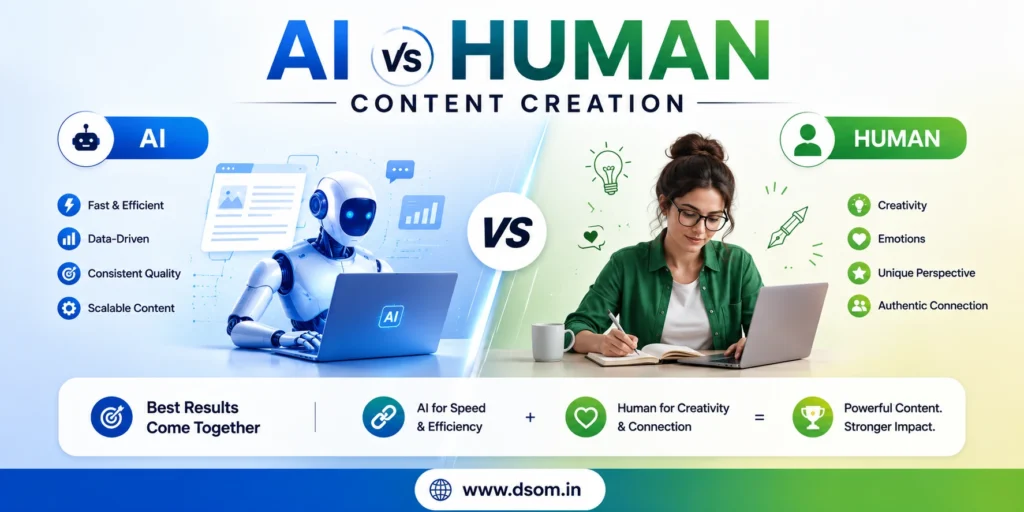
The debate around AI vs human content creation has never been louder — or more consequential. Every marketing team, content manager, and solo creator is wrestling with the same question: should I be using AI writing tools to speed up production, or am I risking my brand’s voice, my SEO rankings, and my audience’s trust by doing so? The honest answer is more nuanced than either camp wants to admit. AI vs human content creation is not a binary choice where one side wins entirely. It is a spectrum, and where your content sits on that spectrum should be driven by strategy, not hype or fear. Getting this wrong in either direction is costly — over-relying on AI produces content that underperforms long-term, while refusing to use AI at all leaves your competitors producing more content faster at lower cost. This guide breaks down AI vs human content creation across every dimension that matters — quality, SEO performance, cost, speed, creativity, and long-term brand impact — so you can make an informed decision about how to use both in 2026. What Has Changed in AI vs Human Content Creation A few years ago, AI-generated content was easy to identify. It was generic, structurally awkward, and often factually unreliable. That is no longer true across the board. Today’s AI writing tools — including GPT-4o, Claude, and Gemini — produce fluent, well-structured text that can be difficult to distinguish from human writing at the surface level. But surface-level fluency is not the same as genuine depth, original insight, or authentic voice. And that distinction is precisely what the AI vs human content creation debate in 2026 is really about — not whether AI can write, but whether what it writes genuinely serves your audience better than a skilled human could. Factor Changed Old AI (2021–2023) Current AI (2025–2026) Text Fluency Often awkward, detectable Highly fluent and natural-sounding Factual Accuracy Frequent hallucinations Improved, but still requires human verification Original Thought Rare Still largely absent — synthesis not creation Tone Customization Limited Strong with detailed prompting SEO Optimization Weak Can be good with proper prompting Brand Voice Poor Possible to replicate with extensive training AI Content Creation: The Real Strengths Understanding where AI content creation tools genuinely excel helps you deploy them strategically rather than reactively. These are the areas where, in any honest assessment of AI vs human content creation, AI wins clearly. Speed and Scale This is where AI vs human content creation has the most decisive gap. An AI writing tool can produce a 1,000-word first draft in under two minutes. A skilled human writer typically takes 2–4 hours to produce the same. For teams that need to produce high volumes of content — product descriptions, FAQ pages, social media captions, or location-based landing pages — AI content creation is a genuine operational advantage. Cost Efficiency AI content creation tools are significantly cheaper per word than professional human writers. For routine, templated content with low creative requirements, the cost savings are substantial and often impossible to ignore from a business perspective. Consistency at Scale When you need to produce content that follows a consistent structure — job listings, product specs, category page descriptions — AI content creation delivers predictable results without the variability that comes from using multiple human writers with different styles. First Draft Acceleration Even teams committed to high-quality human-written content often use AI as a starting point. Generating a rough structure, a list of subheadings, or an opening paragraph with AI — then having a human writer develop and refine it — is a legitimate hybrid workflow that genuinely combines the speed of AI with the depth of human expertise. Human Content Creation: Where It Cannot Be Replaced For all the advances in AI writing tools, there are categories of content where the AI vs human content creation comparison is not remotely close — and where deploying AI is a genuine mistake. Original Reporting and Research AI cannot interview sources, attend events, or break news. Any content that requires first-hand reporting, original primary research, or verified expert quotes is firmly in human territory. AI synthesizes existing information — it cannot create genuinely new knowledge. Complex Opinion and Analysis Strong opinion pieces, nuanced cultural commentary, and industry analysis that draws on lived professional experience require a human perspective that AI tools cannot replicate authentically. When readers detect that a point of view lacks genuine conviction or professional grounding, engagement drops — and so does trust. Emotional Storytelling Compelling brand stories, deeply personal narratives, and content designed to create an emotional response rely on a kind of human understanding that AI consistently falls short on. AI content quality in emotionally-driven writing is technically competent but often rings hollow. Highly Sensitive Topics Medical advice, mental health content, legal guidance, and financial recommendations need human expertise, professional accountability, and genuine empathy — none of which AI writing tools can provide responsibly. AI vs Human Content Creation: SEO Performance Compared Is AI content good for SEO? When it comes to AI vs human content creation, this is the question that determines most marketing budgets — and the answer is more layered than most people expect. Google has stated it does not penalize AI-generated content per se — it penalizes low-quality, unhelpful content regardless of how it was produced. That means high-quality AI content can rank, and low-quality human content can fail. The mechanism of production is not what matters — the result is. SEO Factor AI Content Human Content Keyword Optimization Strong when prompted correctly Strong when written by an SEO-aware writer Content Depth Average — synthesizes, doesn’t discover High — can offer original insight E-E-A-T Signals Weak — no experience, no expertise trail Strong — bylines, credentials, original research Engagement Metrics Often lower (thinner content) Generally higher Natural Link Earning Rare — few share AI templated content More common — original insight attracts links Freshness Fast to produce and update Slower to update at scale The honest picture of human-written content
Stop Wasting Budget: Types of Google Ads Campaigns Explained
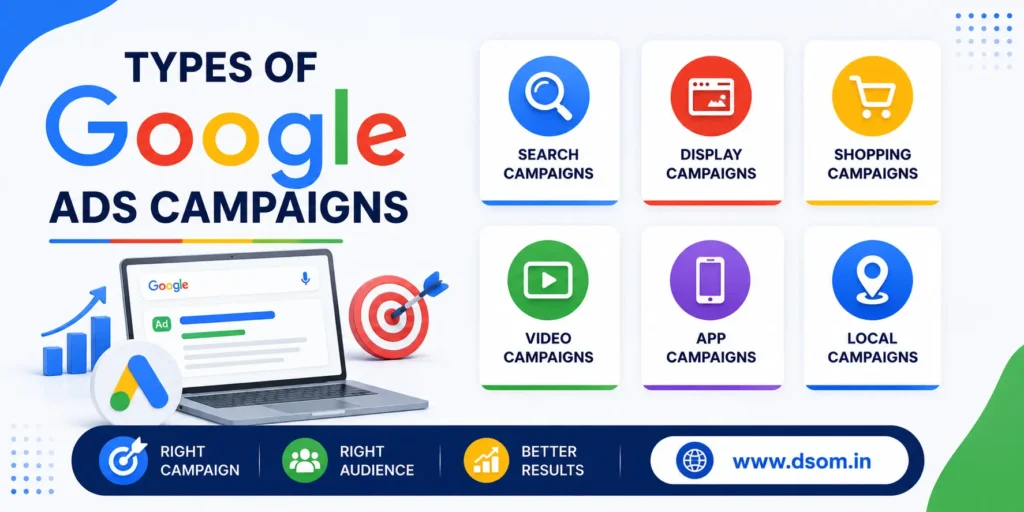
Every rupee, dirham, or dollar you spend on Google Ads without understanding the different types of Google Ads campaigns is money at risk. The most common mistake businesses make is setting up the wrong campaign type — running a Display campaign when they need search intent, or pushing a generic Search campaign when their product needs visual discovery. The types of Google Ads campaigns each serve a specific purpose, and matching your objective to the right one is the single most important decision you make before spending a cent. This guide breaks down all types of Google Ads campaigns clearly, explaining how each works, what it is best for, and how to choose the right one for your business in 2026. Why Understanding Types of Google Ads Campaigns Matters Google Ads is not a single tool — it is a suite of campaign types built for different stages of the buyer journey, different business goals, and different audience behaviors. Running the wrong type of Google Ads campaign for your objective is one of the fastest ways to burn through a PPC campaign budget with minimal results. This guide to Google Ads campaign explained covers every option in plain language — whether you are a seasoned marketer or exploring Google Ads for beginners. Campaign Type Primary Goal Best Audience Moment Search Capture active buying intent When users are actively searching Display Build awareness, retarget When users are browsing other sites Shopping Drive product sales When users search for specific products Video (YouTube) Brand awareness, engagement When users are consuming video content Performance Max Maximize conversions across all channels All moments simultaneously App Drive app installs and in-app actions When users are likely to install or engage Smart Simplified automation for local businesses Local intent searches and Maps Demand Gen Drive consideration and interest Social-style feed browsing behavior Understanding these types of Google Ads campaigns at this level gives you a framework for every campaign decision that follows. 1. Google Search Campaign The Google Search campaign is the most widely used of all types of Google Ads campaigns. Ads appear as text listings at the top and bottom of Google search results pages when users actively search for keywords relevant to your business. Because the user is already searching for a solution, Search campaigns capture the highest-intent traffic of any campaign type. How it works: You bid on keywords, write compelling ad copy with headlines and descriptions, and your ads appear when those keywords are triggered by a user search. You pay per click (PPC), not per impression. Best for: Service businesses, local businesses, B2B companies, legal and medical practices, and any business where customers are actively searching to solve a problem or make a purchase. Key considerations: Negative keywords are essential — without them, Search campaigns will match irrelevant queries and waste budget Responsive Search Ads (RSAs) are now the default format, combining multiple headlines and descriptions automatically Broad, phrase, and exact match keyword types require thoughtful strategy Among all types of Google Ads campaigns, a well-managed Search campaign typically delivers the strongest direct return for businesses with clear, searchable intent behind their offerings. It is the first campaign type most Google Ads for beginners should learn and master. 2. Google Display Ads Google Display ads reach users across the Google Display Network — over two million websites, apps, and videos. Unlike Search campaigns, these ads appear to people browsing content, not actively searching. This makes Google Display ads a top-of-funnel and mid-funnel tool, and one of the most flexible types of Google Ads campaigns for building awareness. How it works: Visual banner ads are shown to targeted audiences based on demographics, interests, in-market behavior, or remarketing lists. Best for: Brand awareness, retargeting website visitors who have not converted, and keeping your brand top of mind during long consideration cycles. Key considerations: Click-through rates are lower than Search, but impressions are much higher at lower cost Retargeting past website visitors is often the highest-ROI application Creative quality matters enormously — poor visuals significantly lower CTR 3. Google Shopping Ads Google Shopping ads are purpose-built for ecommerce. They appear in Google search results as product cards — showing an image, price, product name, and store — making them highly effective for capturing purchase-ready traffic. How it works: Ads are generated directly from your Google Merchant Center product feed rather than manually written ad copy. Google automatically matches your products to relevant search queries based on your feed data. Best for: Ecommerce businesses of any size selling physical products online. Google Shopping ads are among the highest-converting types of Google Ads campaigns for direct product sales. Key considerations: Product feed quality is everything — accurate titles, descriptions, pricing, and high-quality images drive better placement Shopping campaigns now operate primarily through Performance Max, though Standard Shopping remains available Competitive pricing visibility can be a double-edged sword — your price appears directly in the ad 4. Google Video Ads (YouTube) Google Video ads run on YouTube and across the broader Google video partner network. As the world’s second-largest search engine with over 2.5 billion users, YouTube offers reach that few platforms can match. How it works: Video ads appear before, during, or after YouTube videos. Formats include skippable in-stream ads (skippable after 5 seconds), non-skippable in-stream ads (15 seconds), bumper ads (6 seconds), and in-feed video ads that appear in YouTube search results. Best for: Brand awareness campaigns, product launches, storytelling-based marketing, and businesses where video demonstrations add meaningful value (software, fitness, beauty, food). Key considerations: Skippable ads only charge when viewers watch for at least 30 seconds — highly cost-efficient for awareness Bumper ads are effective for retargeting and reinforcing messages Audience targeting through YouTube’s interest, behavioral, and custom intent audiences is highly precise 5. Performance Max Campaign Performance Max (PMax) is Google’s AI-driven campaign type that runs ads across every Google channel simultaneously — Search, Display, YouTube, Gmail, Maps, and Discover — using machine learning to maximize conversions. How it works: You
How to Create a WordPress Website: A Simple Beginner’s Guide
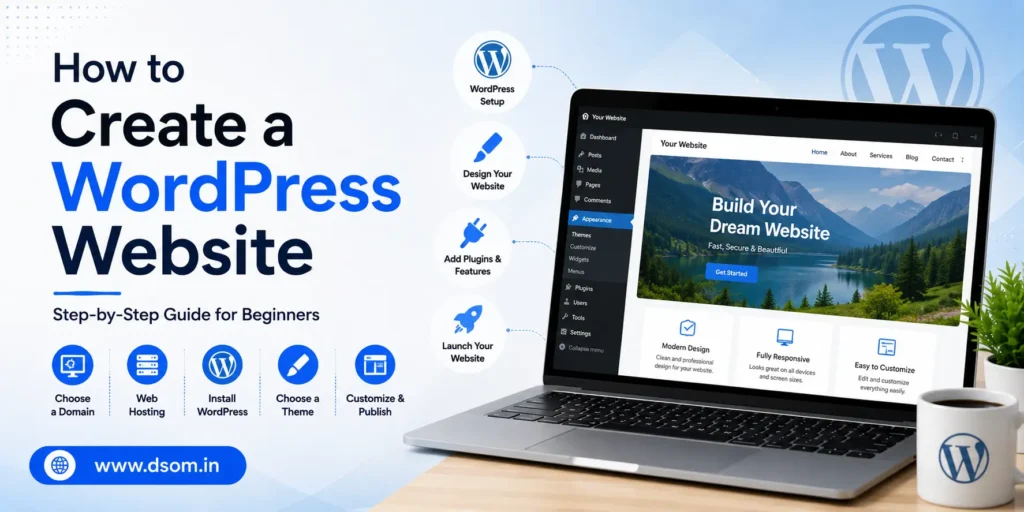
WordPress now powers a huge share of all websites on the internet, and for good reason. It doesn’t require coding knowledge, it’s free to use as software, and it scales from a simple personal blog all the way up to a full online store. If you’ve been putting off building your own site because the process sounds technical, learning how to create a WordPress website is far simpler than most people expect, and you can realistically have something live within a single afternoon. This guide walks through every step in order: choosing between the two versions of WordPress, picking a domain and hosting plan, installing WordPress itself, selecting a theme, adding your core pages, and setting up the plugins that actually matter. By the end, you’ll have a working, professional-looking website rather than a half-finished project sitting in a browser tab. Whether you’re building a portfolio, a small business site, or your first blog, the process to create a WordPress website stays largely the same. WordPress.org vs WordPress.com: Know the Difference First Before you start, it helps to understand that “WordPress” actually refers to two different things, and mixing them up trips up a lot of beginners. Version What It Means Best For WordPress.org Free, self-hosted software you install yourself Full control, custom plugins, your own hosting WordPress.com A hosted service that manages everything for you Quick blogs, less technical control, paid upgrades for features For most businesses, freelancers, and anyone planning to grow their site over time, self-hosted WordPress.org is the better path. You get full ownership of your content, the freedom to install any plugin, and no platform locking you into a limited plan later on. This guide focuses on that self-hosted route, since it’s what most people actually mean when they ask how to create a WordPress website with real long-term flexibility. Step One: Choose a Domain Name Your domain name is your website’s address, the words people type into a browser to find you. Keep it short, easy to spell out loud, and as close to your brand name as possible. Avoid numbers, hyphens, and confusing spellings if you can help it. A few quick rules worth following: Stick to a .com extension when it’s available, since it’s still the most trusted by visitors. Avoid trademarked names or anything too close to an existing well-known brand. Check that the name isn’t already taken on major social platforms too, for consistency. Most domain names cost a modest amount per year, and many hosting providers include the first year free when you sign up for a hosting plan. Step Two: Pick a Reliable Hosting Plan Hosting is where your website’s actual files live. If your domain name is the address, hosting is the house itself, and choosing a good one matters more than most beginners realize. Hosting Type Good For Typical Cost Range Shared hosting New sites, blogs, small businesses Low monthly cost Managed WordPress hosting Sites that need speed and less maintenance Mid-range monthly cost VPS or cloud hosting Growing sites with more traffic Higher monthly cost Most beginners do perfectly well starting with shared or managed WordPress hosting, then upgrading later if traffic grows. Look for a host that offers a one-click WordPress installer, responsive customer support, and a reasonable uptime guarantee, since a slow or unreliable host will undercut every other effort you make on the site. Many providers also bundle a free SSL certificate, which secures your site with the padlock icon visitors expect to see and which search engines increasingly favor when ranking pages. It’s worth reading a handful of independent reviews before committing to a yearly plan, since renewal pricing is often higher than the attractive first-year rate advertised on the signup page. Step Three: Install WordPress Once your hosting is active, installing WordPress itself is usually the easiest part of the whole process. Most hosting dashboards include a one-click installer, so you rarely need to touch any code. A typical installation flow looks like this: Log into your hosting account dashboard. Find the WordPress installer, often labeled clearly in the control panel. Choose your domain and confirm the installation. Set your site title, admin username, and a strong password. Wait a few minutes, then log in through your new /wp-admin login page. If your host doesn’t offer a one-click option, you can still install WordPress manually by downloading the software from the official site and uploading it through your hosting’s file manager, though this is rarely necessary with most modern hosts. Step Four: Choose and Customize Your Theme A theme controls how your website looks: colors, fonts, layout, and overall structure, without touching your actual content. By default, your fresh install will use a generic placeholder theme, which works but won’t make your site stand out. A few tips when picking a theme: Choose something genuinely designed for your type of site, whether that’s a blog, portfolio, or business homepage. Prioritize speed over flashy animations; a fast, simple theme almost always outperforms a heavy, decorative one. Check that the theme is regularly updated, since outdated themes can introduce both security and compatibility issues. To change it, go to your dashboard, open Appearance, then Themes, and browse the available options. You can filter by popular, latest, or specific categories depending on what kind of site you’re building. Step Five: Add Your Core Pages Every website needs a handful of essential pages before it’s ready for real visitors. Skipping these is one of the most common reasons a new site feels unfinished even after the design looks good. Page Purpose Home First impression and main navigation hub About Builds trust by explaining who you are Services or Products Describes what you actually offer Contact Makes it easy for visitors to reach you Blog Optional, but useful for ongoing content and search visibility To add a page, go to Pages, then Add New, in your dashboard. WordPress uses a block-based editor, so you can drag in text, images, buttons, and other elements without
Google Ads for Beginners: A Complete Step-by-Step 2026 Guide

If you’ve ever typed something into Google and noticed a small “Sponsored” label above the first few results, you’ve already seen Google Ads in action. For anyone starting out, Google Ads for beginners can feel intimidating at first glance, with auctions, bidding strategies, and a dashboard full of unfamiliar terms. The truth is simpler than it looks. Once you understand the core pieces, you can launch a working campaign in an afternoon and start learning from real data within days. This guide walks through exactly how the platform works, the campaign types you’ll choose between, how budgets and bidding actually function, and the mistakes that quietly drain budgets for people who skip the basics. Whether you’re managing your own small business or learning the ropes before a marketing job, this beginner’s walkthrough covers what actually matters in 2026, not outdated advice from years ago. What Is Google Ads and How Does It Work Google Ads is Google’s online advertising platform, and it lets businesses show ads on Google search results, YouTube, partner websites, and apps. When someone searches for a product or service, an instant auction runs behind the scenes, and Google decides which ads to show based on bid amount and ad quality combined, not on who simply pays the most. This is one of the most important things to understand about Google Ads for beginners: a smaller business with a well-written ad and a relevant landing page can often outrank a bigger competitor who bids more but offers a poorer match for the search. Relevance is rewarded just as much as budget. How the Google Ads Auction Actually Works Every time someone searches, Google runs a real-time auction among advertisers targeting that keyword. Your position in the results depends on your Ad Rank, which combines your bid with your Quality Score. Quality Score is built from three factors: Score Factor What It Measures Expected click-through rate How likely people are to click your ad Ad relevance How closely your ad matches the search intent Landing page experience How useful and fast your landing page is A higher score lowers your effective cost per click and can push your ad above competitors who are bidding more but offering a weaker overall experience. This is why beginners who focus only on raising their bid often see disappointing results compared to those who also improve their ad copy and landing pages. Choosing the Right Campaign Type One of the first real decisions you’ll make is picking the right format, and this single choice shapes everything else about how your ads behave. Format Where Ads Appear Best For Search Google search results Capturing people actively searching for what you sell Display Partner websites and apps Building awareness with visual banner ads Shopping Google Shopping and search Selling physical products with images and prices Video YouTube Brand awareness through video content App Search, Display, YouTube, Play Store Driving app installs and engagement Performance Max All Google channels at once Letting Google’s AI find conversions across every surface Demand Gen Discover, Gmail, YouTube feeds Reaching people earlier in their buying journey For most beginners, a Search campaign is the natural starting point, since it captures people who already have buying intent. Performance Max has become extremely popular too, because it uses AI to automatically place your ads across Search, Display, YouTube, Gmail, and Maps from a single setup, but it also hands over more control to Google’s algorithm, which can feel uncomfortable until you trust the data it’s working with. Keywords: The Foundation of Search Ads Keywords are the words and phrases people type into Google, and your ads only show when someone’s search matches your chosen keywords closely enough. Choosing the right keywords is arguably the single biggest factor separating profitable campaigns from wasted budgets. There are three match types to understand: Broad match: shows your ad for searches related to your keyword’s meaning, even if the wording is different. Phrase match: shows your ad when the search includes your keyword phrase in the same order. Exact match: shows your ad only for searches that closely match your exact keyword. Most experienced advertisers recommend that beginners lean toward phrase match and exact match early on, since broad match can trigger your ads on loosely related searches before you’ve built up enough data to guide Google’s automated systems effectively. Negative Keywords Save Your Budget Negative keywords tell Google which searches you don’t want your ad to appear for, and they are one of the most underused tools by people new to Google Ads. If you sell premium furniture, adding “cheap” and “free” to your exclusion list stops your budget from being spent on shoppers who were never going to convert. A simple habit that pays off quickly: review your search terms report every week during your first month, spot irrelevant searches that triggered your ad, and add those terms as negatives. This single habit alone often improves campaign performance more than any bid adjustment. Setting Your Budget and Bidding Strategy There’s no minimum spend required to start, and many small businesses begin with just a few dollars a day. That said, a workable starting budget matters, since campaigns need enough data before they can optimize properly. As a general guideline, a monthly Search budget in the range of a few thousand dirhams or dollars gives most beginners enough volume to see meaningful patterns within the first month. You’ll also need to choose between manual and automated bidding: Manual bidding gives you direct control over how much you pay per click, which suits advertisers who want tight oversight while they learn. Automated bidding, often called Smart Bidding, uses Google’s machine learning to adjust bids in real time based on signals like device, location, time of day, and search intent. Smart Bidding strategies such as Maximize Conversions or Target CPA typically need a steady flow of conversion data, often around twenty to thirty conversions in the past month, before they can learn effectively. Starting with