YouTube SEO Complete Guide: Rank Your Videos in 7 simple Steps
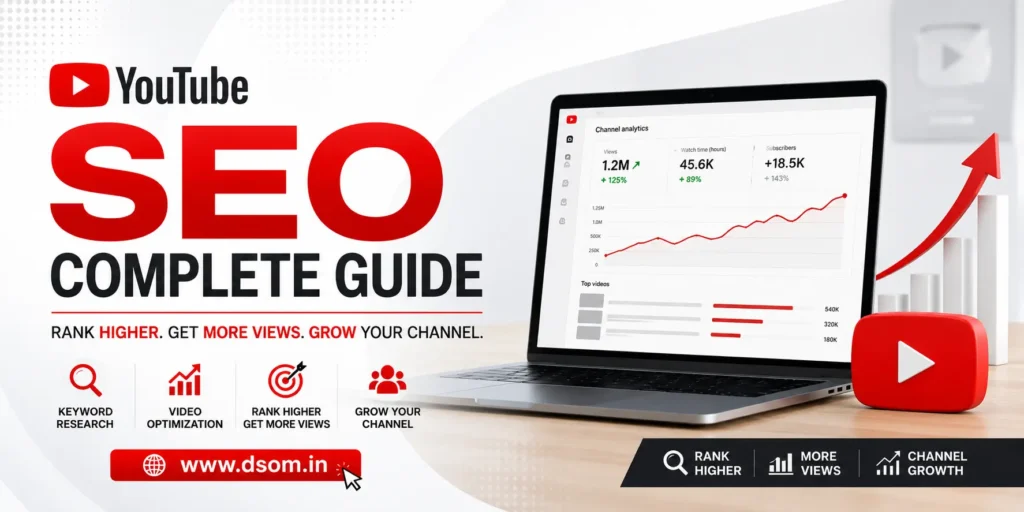
YouTube is the second largest search engine in the world. With over 500 hours of video uploaded every minute, simply uploading good content is no longer enough to get seen. If you want your videos to rank, get recommended, and consistently grow your channel, you need a deliberate YouTube SEO strategy behind every upload. This complete guide covers everything you need to know about youtube search engine optimization — from keyword research and title optimization to the YouTube algorithm and the ranking factors that matter most in 2026. What Is YouTube SEO? YouTube SEO is the process of optimizing your videos, channel, and metadata so they rank higher in YouTube search results and get recommended more often across the platform. Just like Google SEO helps web pages rank, youtube search engine optimization helps your videos appear when people search for topics you cover — and keeps them appearing in suggested feeds long after upload day. The goal of youtube search engine optimization goes beyond search rankings. It is about maximizing every signal the algorithm uses to decide whether your content deserves to be surfaced — to searchers, to subscribers, and to new audiences discovering your channel for the first time. How the YouTube Algorithm Works Understanding the YouTube algorithm is essential before applying any YouTube SEO tactic. YouTube does not rank videos purely by view count or upload date. It evaluates a combination of three signals: Relevance — how closely your video matches what a viewer searched for. Title optimization, description writing, and tag selection all communicate relevance directly to the algorithm. Engagement — how viewers interact with your content. Watch time, click-through rate (CTR), likes, comments, shares, and saves all signal that your video is worth showing to more people. Satisfaction — measured through post-watch behavior like thumbs ratings and whether viewers return to your channel. High satisfaction keeps the algorithm recommending your content long-term. Every youtube search engine optimization decision you make should serve one of these three signals. YouTube SEO Ranking Factors at a Glance Ranking Factor What It Measures Impact Level Video Title Keyword relevance and click appeal Very High Description Context, keywords, and searchability High Tags Topic relevance and category signals Medium Click-Through Rate (CTR) How often viewers click your thumbnail Very High Watch Time Total minutes watched per session Very High Audience Retention Percentage of video viewers watch Very High Engagement Rate Likes, comments, shares, saves High Channel Authority Subscriber count, overall performance Medium–High Closed Captions Accessibility and keyword indexing Medium Video File Name Keyword signal before upload Low–Medium Publish Frequency Channel consistency signals Medium Step 1: YouTube Keyword Research Every strong YouTube SEO strategy starts with YouTube keyword research. You need to know what your audience is actually searching for before you create or optimize a single video. YouTube’s Search Bar — Type your topic and study the autocomplete suggestions. These are real queries people are searching for right now. Each suggestion is a viable keyword opportunity. YouTube Studio Analytics — If you have existing videos, Studio shows which search terms are already bringing viewers to your channel. This is your richest source of real audience keyword data. Keyword Tools — TubeBuddy, VidIQ, and Ahrefs all provide keyword search volume, competition data, and related ideas. For serious YouTube video optimization, these tools are worth the investment. Competitor Research — Study top-performing videos on channels with similar audiences. What titles keep appearing? What topics get the most views? Their success signals what your audience wants to watch. The goal of keyword research is finding terms with meaningful search volume and manageable competition — especially important when your channel is still building authority. Step 2: YouTube Title Optimization Your video title is the most important youtube search engine optimization element outside of the video itself. It directly influences both your search ranking and your click-through rate — affecting discovery and engagement simultaneously. YouTube Title Optimization Best Practices: Place your primary keyword as close to the beginning of the title as possible Keep titles under 60 characters so they display fully on all devices Write for the human reader first — the title needs to earn the click, not just contain a keyword Use numbers, questions, or power words (Complete, Proven, Step-by-Step) to increase CTR Avoid misleading titles — they spike early drop-off and hurt audience retention over time A title like “YouTube SEO: 10 Proven Steps to Rank Any Video in 2026” works because it contains the focus keyword, communicates a clear benefit, includes a number, and sets an honest expectation. Step 3: YouTube Description Optimization Your video description is one of the most underused YouTube SEO tools available. YouTube reads it to understand your video’s topic, and viewers use it for context before clicking or subscribing. Description Best Practices: Put your primary keyword and core value in the first two sentences — only the first 150 characters show before “Show More” Write a genuine 200–300 word description that naturally incorporates your focus keyword and related terms Include timestamps for longer videos — they improve UX and create additional keyword-rich anchor points Add relevant links and a clear call to action (subscribe, comment, visit your website) Think of YouTube description optimization as writing a mini article about your video. The more useful context you provide, the better the YouTube algorithm understands your content — and the more searches it can rank you for. Step 4: YouTube Tags Strategy YouTube tags help the algorithm connect your video to related content and surface it as a suggested video alongside similar material. Their direct ranking impact has decreased, but tags remain a useful video SEO signal for topic categorization. How to Use YouTube Tags: Use your exact focus keyword as the first tag Add 2–3 keyword variations and related terms Include broader topic category tags Use 5–10 total tags — quality over quantity Never use irrelevant tags — YouTube can penalize misleading tagging Tools like TubeBuddy and VidIQ show which tags competitors use on their top videos,
Google Ads vs Facebook Ads: Which One Is Right for Your Business?
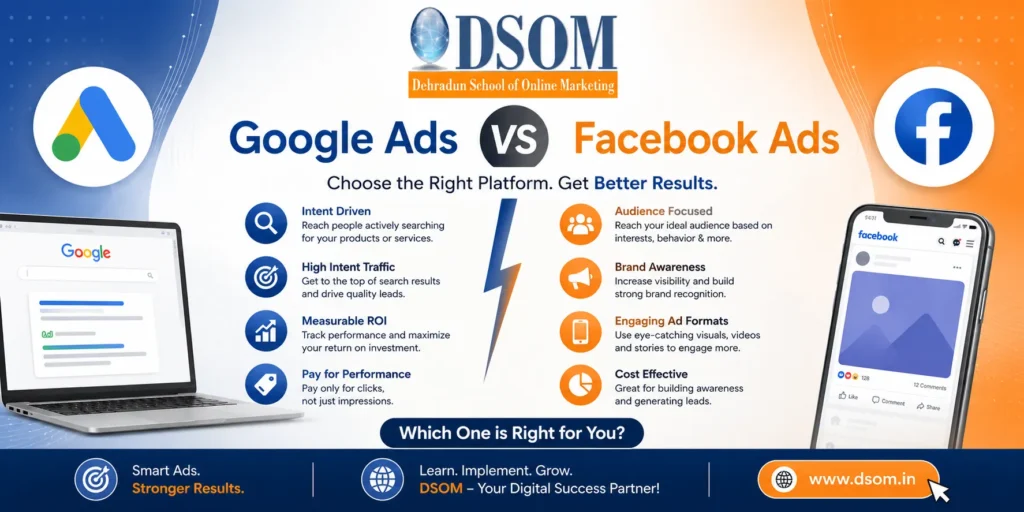
Choosing between Google Ads vs Facebook Ads is one of the most debated questions in digital marketing. Marketers constantly ask which is better Google Ads or Facebook Ads — and the honest answer is: it depends on your goals, your audience, and where your customers are in the buying journey. Both platforms are powerful. Both can drive real results. But they operate on fundamentally different principles, and choosing the wrong one for your goals is a fast way to burn through your budget without much to show for it. This guide gives you a clear, practical comparison of Google vs Facebook Ads across targeting, cost, ad formats, and ROI — so you can make a confident decision about where to invest. The Core Difference: Intent vs Discovery The most important distinction in Google Ads vs Facebook Ads comes down to one word: intent. Google Ads capture demand that already exists. When someone searches “emergency plumber Dehradun” or “best CRM for small business,” they are actively looking for a solution right now. Google search ads put your business directly in front of that intent at the exact moment someone is ready to act — which is why google ppc advertising consistently performs well for transactional, high-intent searches. Facebook Ads create demand that does not yet exist. Facebook users are not searching for your product — they are scrolling feeds and catching up with connections. Social media paid campaigns on Facebook interrupt that experience with a well-targeted message that introduces your brand through powerful facebook ad targeting options before the customer even knows they need you. Neither platform wins by default. Which is better Google Ads or Facebook Ads depends entirely on your campaign goals. Google Ads vs Facebook Ads: Side-by-Side Comparison Feature Google Ads Facebook Ads User Intent High intent — active searching Low intent — passive browsing Ad Formats Search, Display, Shopping, YouTube Image, Video, Carousel, Stories, Reels Targeting Basis Keywords, location, in-market audiences Demographics, interests, behaviors, lookalikes Average CPC $1–$10+ depending on industry $0.50–$3.00 depending on audience Best For Bottom-funnel, transactional goals Top-funnel, awareness, retargeting Creative Required No (text-based search ads) Yes (visual content essential) Retargeting Yes — Google Display Network Yes — Custom Audiences, Pixel ROI Timeline Fast for search intent Faster for awareness, slower for conversions Ideal Industries Legal, finance, healthcare, SaaS Ecommerce, fashion, lifestyle, B2C brands Ad Formats: What Each Platform Offers Google Ads Formats Google Ads covers several formats that serve different stages of the buyer journey — far more than the text listings at the top of search results. Google search ads are text-based ads triggered by specific keywords. They are the foundation of google ppc advertising for most businesses and the most direct way to capture active purchase intent. When someone is ready to buy, Google search ads are the first thing they see. Display Ads appear as visual banners across Google’s network of over two million partner websites — most effective for display advertising and retargeting ads for visitors who have not yet converted. Shopping Ads show product images, prices, and store names directly in search results — the highest-performing format for ecommerce businesses and a key part of any Google Ads vs Facebook Ads strategy for product-based brands. YouTube Ads deliver video content before or during YouTube videos, reaching 2.5 billion monthly users for both awareness and direct-response. Performance Max runs google ppc advertising across Search, Display, YouTube, Gmail, and Maps in a single AI-optimized campaign, automatically finding conversions across every Google surface. These format choices are central to understanding Google Ads vs Facebook Ads — Google covers intent across multiple surfaces while Facebook dominates the social feed through visual creative. Facebook Ads Formats Facebook Ads, which includes Instagram, Messenger, and the Audience Network, offers visual formats built for attention in a fast-scrolling feed. Image Ads — one static image, copy, and a call to action. With strong creative, one of the most cost-effective formats in social media paid campaigns. Video Ads — consistently the highest-engagement format. Short-form (15–30 seconds) works for awareness; longer formats suit product demos and testimonials. Carousel Ads — up to ten images or videos in one swipeable ad, ideal for ecommerce or sequential storytelling. Stories and Reels Ads — full-screen vertical format with strong Facebook Ads ROI for brands with mobile-first creative, especially on Instagram. Lead Generation Ads — a native form opens inside Facebook on click, no landing page required. Strong for service businesses running social media paid campaigns focused on contact capture. Running social media paid campaigns across these placements gives you access to over three billion monthly active users. Targeting Capabilities Targeting is where Google Ad vs Facebook Ad differ most dramatically — and where your platform choice has the biggest real-world impact on results. This is often the deciding factor when businesses are weighing which is better Google Ads or Facebook Ads. Google Ads Targeting Google Ads targeting is anchored to what people are searching for right now — real-time purchase intent. Your ad appears when a relevant keyword is triggered. Layer on location, device, in-market audiences, and demographic filters, and google ppc advertising delivers exceptional precision for bottom-of-funnel campaigns. Facebook Ads Targeting Facebook Ads targeting is built around who people are. The facebook ad targeting options available are unmatched — covering age, gender, location, interests, job title, purchase behaviors, and life events. The most powerful facebook ad targeting options are Lookalike Audiences (finding new users who match your existing customers) and custom audiences, which enable retargeting ads for website visitors, video viewers, and email subscribers. Custom audiences are the backbone of any mid-funnel Facebook strategy and one of the strongest arguments for running social media paid campaigns alongside google ppc advertising. Google Ads vs Facebook Ads Cost Google advertising pricing varies significantly by industry. Legal, finance, and insurance sectors often see CPCs of $5 to $50+. Local service businesses typically pay $1 to $5 per click. Understanding google advertising pricing before building your budget prevents overspending and helps set realistic
Backlinks: Types, Benefits and Risks Explained (2026 Guide)
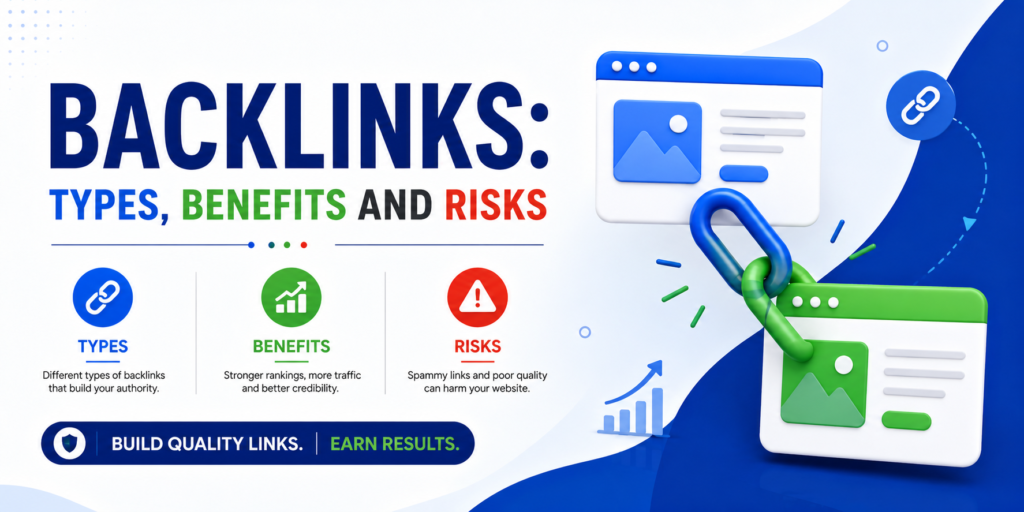
If there is one SEO factor that has remained consistently influential since Google launched, it is backlinks. Algorithm updates have come and gone, but the relationship between quality inbound links and strong search rankings has held firm through all of it. Understanding backlinks — the different types, the genuine benefits they deliver, and the real risks of poor practice — is essential knowledge for anyone serious about SEO in 2026. This guide breaks it all down in plain, practical terms. What Are Backlinks? Backlinks are links from one website that point to a page on a different website. When another site links to your content, that link is a backlink to your page — an inbound link from their domain to yours. Search engines treat backlinks as votes of confidence. When a well-respected website links to your content, it signals to Google that your page is trustworthy and worth referencing. The more credible sites that link to you, the more authority Google associates with your domain — and that authority translates into better rankings for competitive search terms. Not all of them carry equal weight, though. A single link from a major publication is worth far more than dozens from obscure, low-traffic blogs. Quality consistently outweighs quantity when building a backlink profile that actually moves rankings. Types of Backlinks Knowing the different types of backlinks helps you build a strategy that earns the right links and avoids the ones that can silently damage your site. 1. Dofollow Links Dofollow links are the standard link type and the most valuable for SEO. When a site links to your page without any special attribute, that link passes what is known as link equity — essentially a transfer of authority from their domain to yours. These are the links most backlink building strategies are designed to earn. Every dofollow link from a reputable, relevant website strengthens your backlink profile and tells search engines that your content is credible. These are the connections you actively want through content creation, outreach, and digital PR. 2. Nofollow Links Nofollow links include a rel=”nofollow” attribute that tells search engines not to pass link equity to the destination page. They were originally introduced to combat spam and paid link schemes. For years, SEO professionals dismissed them entirely — but that position has shifted. Google now treats the nofollow attribute as a hint rather than a hard rule, meaning some of these links may still contribute to rankings indirectly. More importantly, a site whose backlink profile consists entirely of dofollow links looks unnatural. A healthy mix of nofollow and dofollow links signals organic growth rather than manipulation. High-authority nofollow links — from Wikipedia, major news platforms, or large social networks — still drive significant referral traffic and build brand recognition, even when they pass limited direct SEO value. 3. Sponsored Links Sponsored links use the rel=”sponsored” attribute to identify paid placements, advertisements, or affiliate arrangements. Using this attribute for any paid link keeps you within Google’s guidelines and protects your site from penalties linked to undisclosed paid placements. 4. UGC Links UGC (User Generated Content) links come from comments, forum posts, and community discussions where users post links themselves. Search engines discount them heavily since anyone can create them without editorial oversight. They carry minimal SEO value but can contribute to brand visibility and referral traffic in active communities. 5. Natural Backlinks Natural backlinks are earned without any direct outreach or manipulation. A journalist cites your research. A blogger recommends your tool. A forum user shares your guide because it genuinely answers a question. These are the links Google values most because they represent authentic, independent endorsement. Creating content that earns natural links — original research, comprehensive guides, free tools, and data others cannot easily find elsewhere — is the most sustainable backlink building strategy available. Results take longer to materialize, but the links earned this way are the strongest and most durable in any backlink profile. 6. Editorial Backlinks Editorial backlinks are links placed within content by a writer or editor because your page genuinely adds value to their piece. They are contextually embedded, come from relevant content, and carry strong trust signals because they represent independent judgment. Earning editorial links through digital PR, expert commentary, and consistently high-quality content is one of the most effective long-term link building for SEO approaches in 2026. 7. Guest Post Links Guest post links come from articles you write and publish on other websites, with a link back to your own content. Done correctly — producing genuinely valuable content for reputable, relevant publications — this remains one of the most practical ways to build high-quality backlinks at a reasonable pace. Relevance and quality are everything here. A guest post on a respected industry blog carries real domain authority transfer. A post on a low-quality site that exists only to sell link placements achieves the opposite. Benefits of Backlinks The reasons backlinks matter for SEO go beyond a single ranking factor. Here is what a strong link profile actually delivers. Better Search Rankings The most direct benefit is improved rankings. Pages with strong backlink profiles consistently outrank pages with weak or no inbound links for competitive keywords. Google treats each quality link as a credibility signal — pages with more credible signals rank higher. The relationship between backlinks and domain authority is one of the most consistently documented patterns across every major SEO study. Stronger Domain Authority Every high-quality link you earn raises the overall authority of your domain. As your backlink profile grows, new pages you publish benefit from that accumulated authority — they rank faster and with less effort than they would on a low-authority domain. This compounding effect is why consistent link building for SEO delivers stronger returns over time. Referral Traffic Backlinks are direct pathways for readers on other websites to reach yours. A link placed in a widely read industry article can send hundreds of targeted visitors to your page — traffic that is valuable
On-Page SEO vs Off-Page SEO: Key Differences Explained
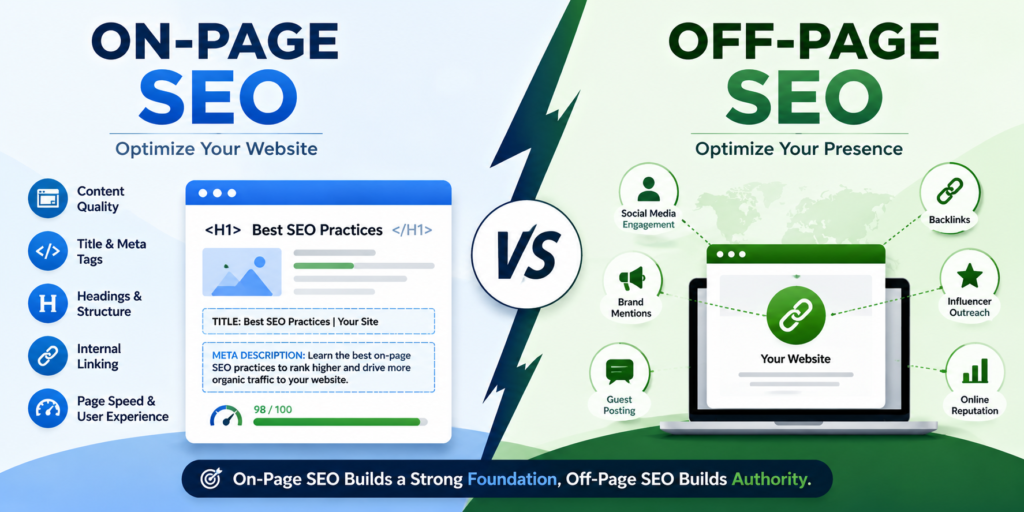
If you have been trying to improve your website’s search rankings, you have almost certainly come across the debate around on-page SEO vs off-page SEO. Both terms get used constantly in the SEO world, but they describe two completely different sets of activities. Understanding on-page SEO vs off-page SEO is not just a theory exercise — it shapes where you invest your time, how you build your strategy, and how quickly your website climbs in search results. This guide breaks down what is on-page SEO, what is off-page SEO, how they differ, and exactly why on-page SEO vs off-page SEO is a distinction every serious marketer needs to understand in 2026. What Is On-Page SEO? On-page SEO refers to all the optimizations you make directly on your own website to help search engines understand and rank your pages. You have full control over every element — content, structure, speed, and code. That makes on-page SEO the foundation every site needs to get right before doing anything else. When Google crawls your website, it reads dozens of signals on each page to determine what it covers and whether it deserves to rank for specific search queries. These are the core on-page SEO techniques every marketer and website owner should know. Title Tags and Meta Descriptions: Your title tag is the most critical on-page SEO element. It communicates the page topic to both search engines and users in search results. Include your focus keyword naturally, keep it under 60 characters, and make it compelling enough to earn the click. Meta descriptions do not directly influence rankings, but strong ones improve click-through rates — which signals relevance to Google over time. Heading Structure (H1, H2, H3): Proper heading hierarchy is one of the most basic yet consistently overlooked on-page SEO techniques. Your H1 tag should contain your primary keyword and appear only once. H2 and H3 subheadings organize the page into clear sections and naturally incorporate supporting search terms. A logical structure helps both users and crawlers navigate your content efficiently. Keyword Placement and Density: On-page SEO requires placing your target keyword in the right spots — the title, opening paragraph, at least one subheading, and throughout the body at a natural frequency. Aim for a density between 1% and 1.5% for your focus keyword. Stuffing keywords into every sentence hurts readability and risks over-optimization penalties. Let related terms fill the content naturally around your primary keyword. Content Quality and Depth: Google consistently rewards content that thoroughly answers what the searcher is looking for. Thin, surface-level pages lose ground to detailed, well-structured content that addresses the full topic. Content quality is where on-page SEO and content marketing fully overlap — strong writing and smart SEO optimization tips work together, never separately. Internal Linking: Linking between related pages on your own site is one of the most underused on-page SEO techniques available. Internal links help search engines discover and index your content more efficiently, distribute link equity across pages, and improve overall site architecture. For blogs and ecommerce sites especially, a solid internal linking strategy compounds over time. Page Speed and Core Web Vitals: Page loading speed is a confirmed ranking factor. Slow pages, layout shifts during load, and poor interactivity all send negative signals to Google. Improving these technical SEO elements falls under on-page SEO because they live on your own server and codebase — and fixing them produces direct ranking benefits. URL Structure and Image Optimization: Clean, keyword-rich URLs communicate page relevance clearly. A URL like /on-page-seo-vs-off-page-seo outperforms /page?id=482 in both rankings and click-through rates. Similarly, every image should have descriptive alt text and a compressed file size — small details that collectively strengthen your on-page SEO profile. What Is Off-Page SEO? While on-page SEO covers what happens on your website, off-page SEO covers everything that happens elsewhere on the internet that influences how search engines perceive your website’s authority and credibility. You do not fully control it — but you can absolutely influence it through deliberate off-page SEO strategies. Link Building for SEO: Backlinks — links from external websites pointing to yours — are the single most powerful off-page SEO ranking signal. When a reputable site links to your content, it is essentially casting a vote of confidence in your page’s quality. The most effective link building strategies focus on quality over volume. Domain Authority: Domain authority is a score that reflects the overall strength of your website’s backlink profile. Sites with high domain authority consistently outrank weaker competitors for competitive keywords, even when on-page SEO is comparable. Building domain authority is a long-term off-page SEO strategy. Brand Mentions and Online Reputation: Not every external reference to your brand includes a clickable link, but brand mentions still contribute to your off-page SEO standing. Google recognizes unlinked brand mentions as relevance and trust signals. Being cited in news coverage, industry roundups, podcast notes, and expert commentary all build the brand presence that supports how to improve search rankings sustainably. Social Signals and Content Distribution: Social media activity does not directly move Google rankings. However, strong distribution on social platforms puts your content in front of more people — which naturally generates more links, mentions, and referral traffic over time. Content that gets widely shared tends to earn backlinks organically, feeding your off-page SEO without additional outreach. Local Citations: For businesses with a physical presence, off-page SEO includes maintaining accurate citations — consistent business name, address, and phone number — across local directories, review platforms, and Google Business Profile. Citation consistency is a direct ranking factor for local search results and one of the most impactful off-page SEO strategies for location-based businesses. On-Page SEO vs Off-Page SEO: Core Differences The clearest way to understand on-page SEO vs off-page SEO is to think about control. On-page SEO is everything you own and can change today. Off-page SEO is influence you build through reputation and relationships over time. Factor On-Page SEO Off-Page SEO Location Your website External sites and platforms Control Direct and immediate Indirect
SEO Friendly Web Design: How to Build a Website That Ranks and Converts
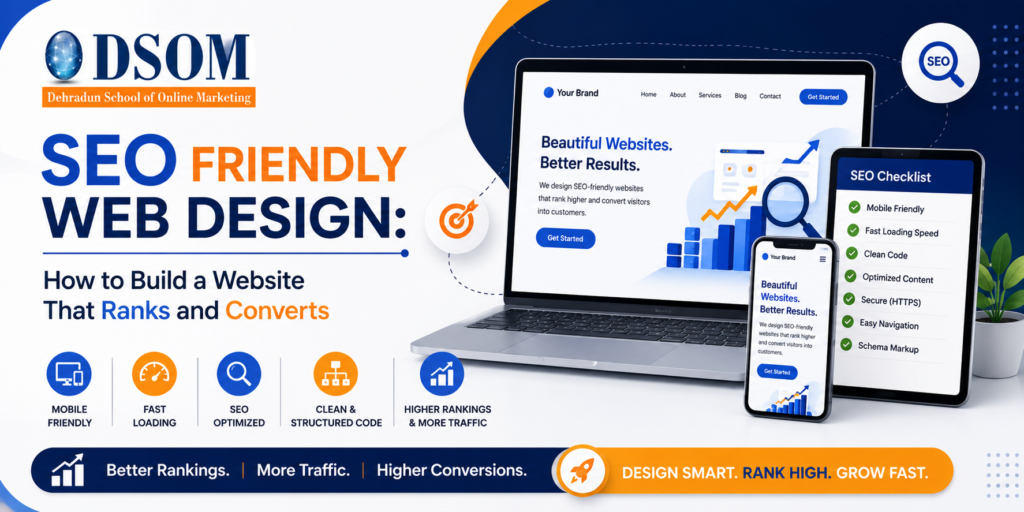
A well-designed website is more than just attractive visuals. Many businesses invest heavily in design but overlook one critical aspect—search engine optimization. Without proper SEO integration, even the most beautiful website may fail to attract traffic. This is where SEO Friendly Web Design becomes essential. It ensures that your website is not only visually appealing but also structured in a way that search engines can understand and rank effectively. In today’s competitive digital environment, combining design with SEO is no longer optional. It is a necessity. A properly optimized website improves user experience, increases visibility, and drives long-term growth. What is Web Design? Web design is the process of planning, creating, and arranging the visual appearance, layout, and functionality of a website. It focuses on how a website looks, feels, and works for visitors, ensuring a positive and engaging user experience. A well-designed website combines aesthetics with usability by incorporating elements such as: Layout and Structure – Organizing content in a clear and logical way. Visual Design – Using colors, fonts, images, and graphics to create an attractive appearance. User Experience (UX) – Making the website easy to navigate and use. Responsive Design – Ensuring the website works seamlessly across desktops, tablets, and smartphones. Performance and Accessibility – Providing fast loading times and making the site accessible to all users. Effective web design helps businesses build credibility, engage visitors, and convert them into customers. In today’s digital landscape, a professionally designed website is essential for establishing a strong online presence and supporting business growth. What is SEO Friendly Web Design? SEO Friendly Web Design refers to designing and developing a website in a way that helps search engines crawl, index, and rank it efficiently. It involves a combination of: Clean website structure Fast loading speed Mobile responsiveness Proper use of keywords User-friendly navigation In simple terms, SEO web design focuses on both users and search engines. A good website should be easy to use for visitors and easy to understand for search engines. Why SEO Friendly Web Design is Important Many people think SEO starts after the website is built, but that approach often leads to poor results. SEO should be integrated from the beginning of the design process. Here’s why SEO Friendly Web Design is important: First, it improves visibility. A well-structured website is easier for search engines to crawl and index. Second, it enhances user experience. Visitors stay longer on websites that are fast and easy to navigate. Third, it increases conversions. When users find what they are looking for quickly, they are more likely to take action. Finally, it reduces future costs. Fixing SEO issues after development is more time-consuming and expensive. Key Elements of SEO Friendly Web Design To build a successful SEO optimized website design, you need to focus on several key elements. 1. Mobile-Friendly Design With most users browsing on mobile devices, having a responsive design is essential. A mobile-friendly website adapts to different screen sizes and provides a seamless experience. Search engines also prioritize mobile-friendly websites in rankings. 2. Fast Loading Speed Website speed plays a major role in both SEO and user experience. Slow websites frustrate users and increase bounce rates. To improve speed: Optimize images Use lightweight code Choose reliable hosting 3. Clean URL Structure URLs should be simple, readable, and keyword-rich. Example: Good: yourwebsite.com/seo-web-design Bad: yourwebsite.com/page?id=123 Clean URLs help both users and search engines understand your content. 4. Proper Use of Headings Headings (H1, H2, H3) organize your content and make it easier to read. They also help search engines understand the structure of your page. 5. Optimized Images Images improve user experience, but they should be optimized for SEO. Use: Proper file names Alt text with keywords Compressed image sizes SEO Web Design Overview Element Importance Benefit Mobile-Friendly High Better rankings Page Speed High Lower bounce rate URL Structure Medium Easy indexing Headings Medium Content clarity Image Optimization Medium Faster loading User Experience and SEO Connection One of the most important aspects of website design for SEO is user experience. Search engines aim to provide the best results to users, so they prioritize websites that offer a good experience. Factors that improve user experience include: Easy navigation Clear layout Readable content Fast loading speed When users stay longer on your site and interact with your content, it signals search engines that your website is valuable. On-Page SEO in Web Design On-page SEO is a key part of SEO Friendly Web Design. It includes optimizing individual pages for better rankings. Important elements include: Title tags with keywords Meta descriptions Internal linking Keyword placement in content These elements help search engines understand your content and improve visibility. Common Mistakes to Avoid Even with good design, certain mistakes can negatively impact your SEO. Avoid these: Using heavy images that slow down the site Ignoring mobile optimization Poor navigation structure Duplicate content Missing meta tags Fixing these issues can significantly improve your SEO performance. How to Build an SEO Optimized Website Design Creating an SEO optimized website design requires a step-by-step approach. Step 1: Plan Your Website Structure Start with a clear structure that organizes your pages logically. Step 2: Research Keywords Identify keywords relevant to your business and include them naturally in your content. Step 3: Design for Users First Focus on user experience while keeping SEO in mind. Step 4: Optimize Technical Elements Ensure fast loading speed, mobile responsiveness, and clean coding. Step 5: Test and Improve Regularly analyze your website performance and make improvements based on data. Real-Life Example Imagine you have a business website with great design but slow loading speed. Users leave quickly, and your rankings drop. By improving speed, optimizing images, and simplifying navigation, your website becomes more user-friendly. As a result, your rankings improve and traffic increases. This shows how SEO web design directly impacts performance. Benefits of SEO Friendly Web Design A well-optimized website offers multiple benefits: Higher search engine rankings Better user experience Increased traffic Higher conversion rates Long-term growth These benefits make
SEO Metrics: The Complete Guide to Measuring Your Website Performance
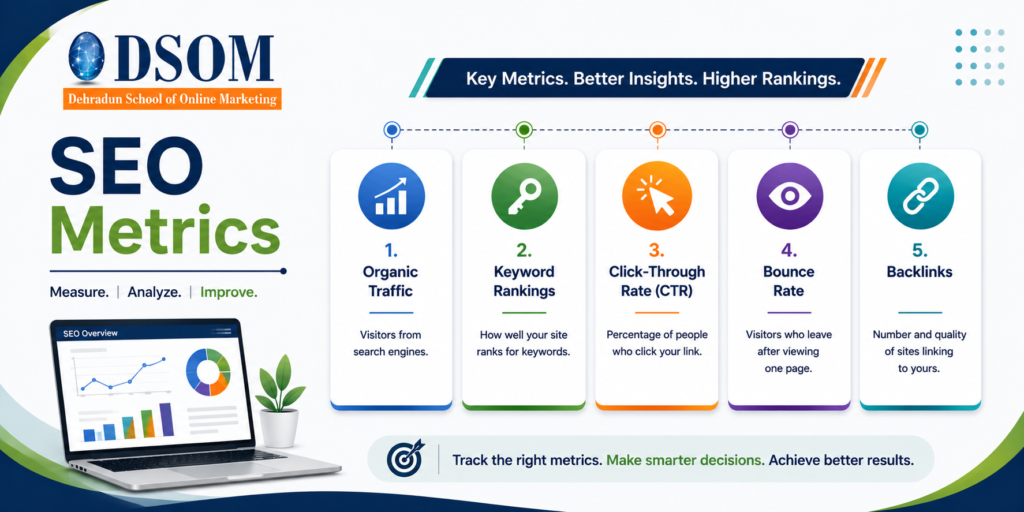
Search engine optimization is often seen as a long-term process, and one of the biggest challenges people face is understanding whether their efforts are actually working. Many beginners focus only on publishing content and targeting keywords, but without measuring performance, it becomes difficult to improve results. This is where SEO Metrics become essential. They help you track progress, identify weaknesses, and make data-driven decisions. Instead of relying on assumptions, SEO metrics provide clear insights into how your website is performing and how users are interacting with your content. Whether you are managing a blog, business website, or e-commerce platform, understanding SEO metrics is critical for growth. In this guide, we will explore what SEO metrics are, why they matter, and how you can use them effectively to improve your website performance. What Are SEO Metrics? SEO Metrics are measurable data points that help evaluate the effectiveness of your SEO strategy. These metrics provide insights into various aspects of your website, such as traffic, engagement, rankings, and conversions. In simple terms, SEO metrics answer important questions like: How many people are visiting your website? Which keywords are bringing traffic? Are users engaging with your content? Is your website improving in search rankings? By analyzing these metrics, you can understand what is working well and what needs improvement. Why SEO Metrics Are Important SEO is not just about ranking on search engines; it is about delivering value to users and achieving measurable results. Without tracking SEO metrics, you are essentially working without direction. Here are some key reasons why SEO metrics are important: First, they help you evaluate your performance. Instead of guessing whether your strategy is effective, you can rely on actual data. Second, they allow you to identify problems early. For example, if your traffic drops suddenly, metrics can help you find the cause. Third, they support better decision-making. You can focus on strategies that deliver results and avoid wasting time on ineffective approaches. Finally, SEO metrics help you track growth over time. This is especially important for long-term success. Key SEO Metrics You Should Track Understanding the right metrics is crucial for improving your SEO performance. Below are the most important SEO metrics you should focus on. 1. Organic Traffic Organic traffic refers to the number of visitors who come to your website through search engines. This is one of the most important website performance metrics because it directly reflects your visibility. If your organic traffic is increasing, it indicates that your SEO efforts are working. On the other hand, a decline may signal issues with your content, keywords, or competition. 2. Keyword Rankings Keyword rankings show the position of your website in search engine results for specific keywords. This metric helps you understand how visible your content is to users. Higher rankings generally lead to more traffic. Monitoring keyword rankings also helps you identify which keywords are performing well and which need improvement. 3. Click-Through Rate (CTR) Click-through rate measures how many users click on your website after seeing it in search results. It is calculated by dividing clicks by impressions and multiplying by 100. A high CTR indicates that your title and meta description are appealing. If your CTR is low, you may need to improve how your content appears in search results. 4. Bounce Rate Bounce rate refers to the percentage of visitors who leave your website without interacting with it. This metric is a strong indicator of user experience. A high bounce rate may suggest that your content is not relevant, your website is slow, or your design is not engaging. Improving content quality and usability can help reduce bounce rate. 5. Backlinks Backlinks are links from other websites that point to your site. They play a major role in SEO analytics because search engines consider them as a sign of credibility. The quality of backlinks is more important than quantity. Links from reputable websites can significantly improve your rankings. SEO Metrics Overview Metric Purpose Impact Organic Traffic Measures visitors High Keyword Rankings Tracks visibility High CTR Measures engagement Medium Bounce Rate Indicates user behavior Medium Backlinks Builds authority High Advanced SEO Metrics to Consider Once you understand the basics, you can explore advanced metrics to gain deeper insights. Domain Authority Domain Authority is a score that predicts how well your website can rank. Higher authority often means better ranking potential. Page Speed Page speed measures how quickly your website loads. Faster websites provide better user experience and tend to rank higher. Conversion Rate Conversion rate shows how many visitors complete a desired action, such as making a purchase or signing up. This is an important metric when you want to measure SEO performance in terms of business results. Tools for Tracking SEO Metrics Tracking SEO metrics becomes easier with the right tools. Some popular tools include: Google Analytics for traffic and user behavior Google Search Console for keyword and search performance Ahrefs and SEMrush for backlinks and competitor analysis These tools provide detailed insights and help you make informed decisions. How to Improve Your SEO Metrics Improving SEO metrics requires a combination of strategy and consistency. Here are some effective methods. 1. Focus on High-Quality Content Content remains the most important factor in SEO. Your content should be informative, engaging, and relevant to user needs. High-quality content naturally improves traffic and engagement. 2. Optimize Keywords Properly Use keywords in a natural and meaningful way. Include them in titles, headings, and throughout the content without overusing them. 3. Improve Website Speed A fast-loading website enhances user experience and reduces bounce rate. Optimizing images and using reliable hosting can help improve speed. 4. Build Quality Backlinks Focus on earning backlinks from trustworthy and relevant websites. This improves your website’s authority and rankings. 5. Enhance User Experience A user-friendly website encourages visitors to stay longer and explore more pages. Ensure your site is mobile-friendly and easy to navigate.
LSI (Latent Semantic Indexing): 1 Powerful Concept That Transforms Content Relevance in SEO
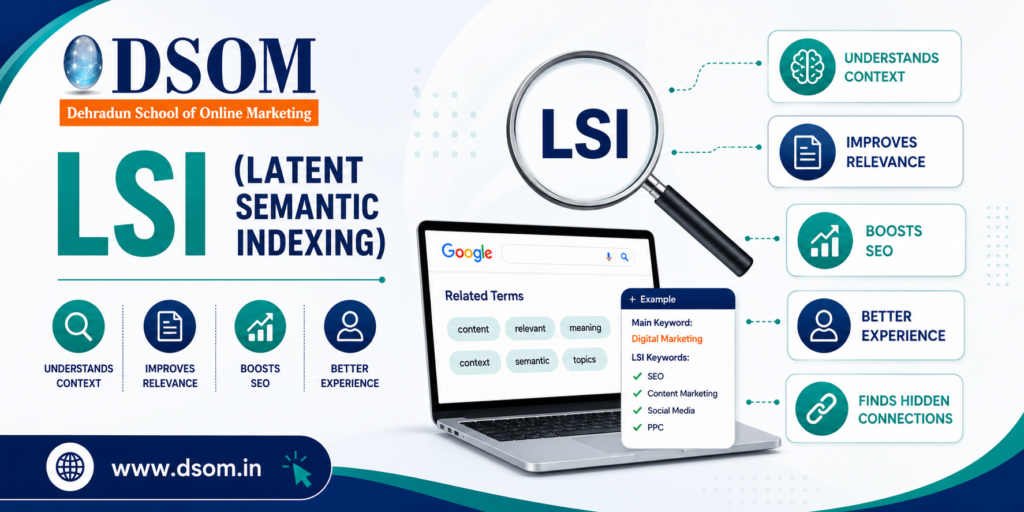
LSI: How Context Changed the Way My Content Ranked LSI changed the way my content ranked—and I didn’t realize it at first. A few years ago, I wrote a blog post that I thought was perfectly optimized. The main keyword was everywhere.The headings were structured.The content was detailed. Yet the page refused to rank. It hovered on page two for months. Then I noticed something important. The article was repetitive—but not meaningful. So I rewrote it using contextual principles. I reduced repetition. I expanded context. I focused on clarity. Within weeks, rankings improved. That’s when it clicked: LSI isn’t about stuffing related words—it’s about helping search engines understand meaning, especially when paired with strong on page SEO. What Is LSI? LSI (Latent Semantic Indexing) is a concept that focuses on understanding relationships between words and topics within content. Instead of relying on exact keyword matches, it emphasizes context. In simple terms, LSI helps search engines understand what a page is truly about, rather than what keyword appears most often. Why Context Matters More Than Keywords Alone Search engines no longer work like scanners. They interpret meaning. They analyze: Topic coverage Concept relationships Search intent This is where LSI becomes important. From an on-page SEO perspective, contextual depth reduces keyword stuffing and increases relevance signals. Types of Related Keywords and Their Applications Contextual terms are not synonyms. They are words and phrases that naturally appear within a topic. Common categories include: Topical Terms Words commonly associated with the subject. Co-Occurring Phrases Terms that frequently appear together in trusted content. Intent Modifiers Words that clarify user purpose. Supporting Concepts Ideas that expand topic depth. Using these correctly strengthens LSI signals without forcing optimization. How to Use Contextual Keywords in Content The biggest mistake people make is forcing related words unnaturally. Here’s the correct approach: Use them naturally in sentences Add them where they improve explanation Include them in examples Avoid repetition for SEO purposes When done right, LSI improves readability instead of hurting it. Where Context Fits in SEO Strategy Semantic understanding is not a standalone tactic. It works alongside: Keyword research Content structure Internal linking Search intent In a complete SEO strategy, LSI helps strengthen topical authority and ranking stability. Context and On-Page SEO: The Real Connection On page, SEO is not just about tags. It’s about clarity. When content covers ideas naturally and completely, LSI helps search engines connect the dots. This leads to: Better crawl interpretation Stronger relevance Improved ranking consistency Going Beyond the Basics At an advanced level, contextual optimization helps with: Content expansion Avoiding over-optimization Ranking for related queries Supporting semantic search One well-written page can rank for multiple queries without duplication. Enhancing Content Relevance Naturally Relevance is the foundation of modern SEO. When content answers questions thoroughly, search engines reward it. LSI works quietly in the background by improving: Engagement Readability User satisfaction All of which support long-term on page SEO. Common Misunderstandings Let’s clear the confusion: It’s not keyword stuffing It’s not synonym replacement It’s not a ranking hack It’s about meaning and clarity Understanding this prevents poor optimization decisions. Do Search Engines Actually Use This Concept? Search engines don’t use the academic version directly. But they absolutely use semantic understanding. When SEOs talk about LSI, they’re referring to how search engines interpret topic relationships in real-world content. Final Thoughts: Meaning Always Wins SEO has evolved. Repetition no longer works.Context does. LSI helps content feel natural to readers and clear to search engines. It improves depth, relevance, and long-term performance. And learning how to apply contextual SEO correctly is exactly what DSOM (Dehradun School of Online Marketing) focuses on—training students to master on page SEO, content strategy, and real-world optimization techniques that lead to sustainable rankings and authority.
Site Navigation & Breadcrumb: How Structure Improves UX and SEO

Site Navigation & Breadcrumb play a critical role in how users and search engines experience your website. A few years ago, I audited a site that had excellent content. The blogs were informative.The keywords were optimized.The backlinks were strong. Yet users were leaving quickly. Bounce rate was high. Pages per session were low. Conversions were suffering. The problem wasn’t the content. It was structure. Users couldn’t understand where they were—or where to go next. Once we redesigned the Site Navigation & Breadcrumb system, engagement improved, crawl paths became clearer, and overall on page SEO performance strengthened. That experience made one thing clear: when structure is intuitive, everything else works better. What Is Site Navigation & Breadcrumb? Site Navigation & Breadcrumb refer to the systems that help users and search engines understand how pages are organized and connected. Site navigation helps users move between sections Breadcrumbs show users where they are within the site hierarchy In simple terms, they answer two questions: Where am I?Where can I go next? When these answers are clear, user experience improves—and so does SEO. Why Site Navigation & Breadcrumb Matter for SEO Search engines don’t just rank pages. They analyze structure. Clear Site Navigation & Breadcrumb systems help search engines: Understand page hierarchy Discover deeper pages Distribute link equity Improve crawl efficiency From an on page SEO perspective, good navigation supports internal linking, relevance, and engagement signals. Types of Navigation Structures & Breadcrumb Designs Not all navigation systems work the same way. Here are the most common types: Hierarchical Navigation Organizes pages from broad categories to specific subpages. Flat Navigation Keeps important pages closer to the homepage with fewer clicks. Mega Menus Used on large websites to display multiple categories clearly. Breadcrumb Designs Hierarchy-based (Home > Category > Page) Attribute-based (Product filters) History-based (User navigation path) Each format supports usability differently, depending on site size and goals. How to Design Intuitive Site Navigation Good navigation feels invisible. Users shouldn’t have to think. Best practices include: Clear menu labels Logical category grouping Limited menu depth Mobile-friendly layouts A well-designed Site Navigation & Breadcrumb structure helps users move naturally through content without frustration. Where to Implement Breadcrumb for Maximum Effect Breadcrumbs shouldn’t be everywhere—but they should be strategic. They work best on: Blog posts Category pages Product pages Deep content structures Placed near the top of a page, breadcrumbs help users retrace steps easily and signal hierarchy to search engines. Mastering User-Friendly Site Navigation User-friendly navigation is about clarity, not creativity. When navigation is predictable: Users stay longer Pages per session increase Bounce rates drop These behavioral signals indirectly support on page SEO by improving engagement and satisfaction. The Importance of Breadcrumb Trails Breadcrumbs are often underestimated. But they provide powerful benefits: Reduce user confusion Improve internal linking Help search engines understand structure Enhance SERP appearance with breadcrumb markup When implemented correctly, breadcrumb trails reinforce a clean and crawlable site architecture. Site Navigation & Breadcrumb and Internal Linking Navigation and breadcrumbs are internal links. And internal links matter. They: Distribute authority Help search engines discover pages Clarify topical relationships A strong Site Navigation & Breadcrumb system creates a natural internal linking framework without manual effort. Common Navigation Mistakes to Avoid Even good sites make these errors: Overcrowded menus Confusing labels Broken breadcrumb paths Inconsistent structure These issues frustrate users and weaken SEO performance. Simple, consistent navigation always wins. Does Navigation Directly Affect Rankings? Not directly. But indirectly? Absolutely. Clear Site Navigation & Breadcrumb systems improve: Crawl efficiency User engagement Content discoverability Search engines reward sites that are easy to explore—for both bots and humans. Navigation vs Breadcrumb: Know the Difference Navigation helps users move forward.Breadcrumbs help users understand location. Both serve different purposes—but work best together. When combined, they create a complete orientation system for your website. Final Thoughts: Structure Is the Silent SEO Advantage Most websites focus on content and keywords. But forget structure. Site Navigation & Breadcrumb systems quietly shape how users experience your site and how search engines understand it. They don’t replace on page SEO—they strengthen it. And learning how to design intuitive navigation systems and breadcrumb trails correctly is exactly what DSOM (Dehradun School of Online Marketing) focuses on—training students to master on page SEO, site structure, and real-world optimization strategies that improve usability, visibility, and long-term growth.
Nofollow Links: Understanding Control, Trust, and SEO Safety
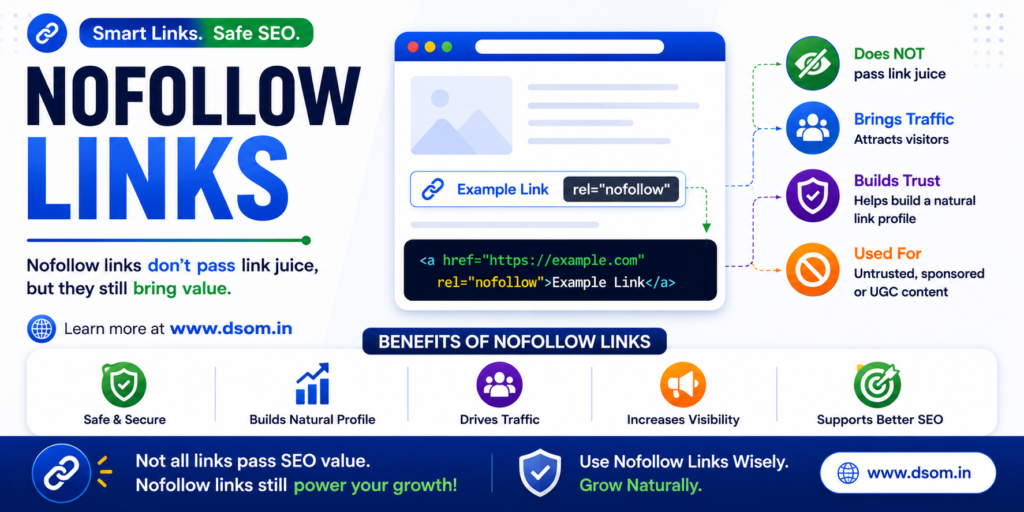
Introduction: How One Nofollow Link Saved a Website From Trouble A few years ago, I audited a website that looked fine on the surface. Good traffic.Decent rankings.Clean design. But something was off. The site was linking out aggressively—to comments, forums, and sponsored content—without any control. A manual action followed. That’s when I learned the real importance of Nofollow Links. After fixing the outbound links and applying the correct attributes, the site slowly recovered. Rankings stabilized. Trust was restored. That experience made one thing clear: Nofollow Links are not weak links—they are protective signals, especially when combined with solid on page SEO. What Are Nofollow Links? Nofollow Links are hyperlinks that include a special attribute telling search engines not to pass link equity to the linked page. In simple terms, they say: “You can see this link, but don’t count it as a vote of trust.” These links are commonly used when you don’t want to endorse or transfer authority to another website. Why Link Control Matters More Than You Think Many people assume the nofollow attribute is useless. That’s a mistake. Nofollow Links play a crucial role in protecting your website from spam, penalties, and trust issues. From an on page SEO perspective, they help you maintain a clean and natural linking profile—something search engines value heavily. SEO isn’t just about gaining authority.It’s also about controlling risk. Types and Uses of Nofollow Links This attribute is used in specific situations where trust or intent is unclear. Common use cases include: Comment section URLs Sponsored or paid promotions User-generated content External references you don’t endorse Each use case ensures Nofollow Links help safeguard your site’s credibility. How Nofollow Links Work Behind the Scenes Search engines crawl these links—but treat them differently. Instead of transferring authority, they simply acknowledge the connection. This helps search engines: Understand link intent Identify paid or user-generated content Prevent manipulation That’s why Nofollow Links signal transparency, not weakness. How to Use the Nofollow Attribute in SEO Strategy Using this attribute strategically is a sign of mature SEO. Best practices include: Applying it to paid or sponsored content Using it in comment sections and forums Combining it with high-quality dofollow references Avoiding overuse on editorial links A balanced mix supports long-term on page SEO health. Where These Links Are Typically Used You’ll most often see Nofollow Links in places where control is limited. Typical locations include: Blog comments Social media platforms Advertisements and banners Affiliate links User profiles These areas are prone to spam, making controlled linking essential. Understanding the Role of Link Attributes in Trust SEO is built on trust. Search engines want to see that you’re responsible with your links. By using Nofollow Links correctly, you signal that: You understand linking intent You’re not manipulating rankings You protect users from misleading endorsements That trust contributes indirectly to stronger on page SEO signals. Nofollow vs. Dofollow: Strategic Link Usage Both link types serve different purposes. Nofollow Links control risk Dofollow links pass authority Use dofollow references when you trust and endorse content. Use the nofollow attribute when: The link is paid The content is user-generated You don’t fully trust the destination Smart SEO isn’t choosing one—it’s knowing when to use each. Are These Links Safe for SEO? Yes—when used correctly. Search engines expect natural usage of nofollow attributes. Pages that never use Nofollow Links often look suspicious. Used responsibly, they protect your site from penalties and improve long-term stability. Final Thoughts: Control Is the Real SEO Advantage Most people chase backlinks. Smart SEOs manage links. Nofollow Links give you control—over trust, authority flow, and risk. They don’t weaken your SEO.They protect it. And learning how to balance nofollow and dofollow links correctly is exactly what DSOM (Dehradun School of Online Marketing) focuses on—training students to master on page SEO, ethical link strategies, and real-world optimization techniques that ensure sustainable growth, credibility, and long-term success.
Broken Links: 1 Silent Threat That Damages SEO and User Trust
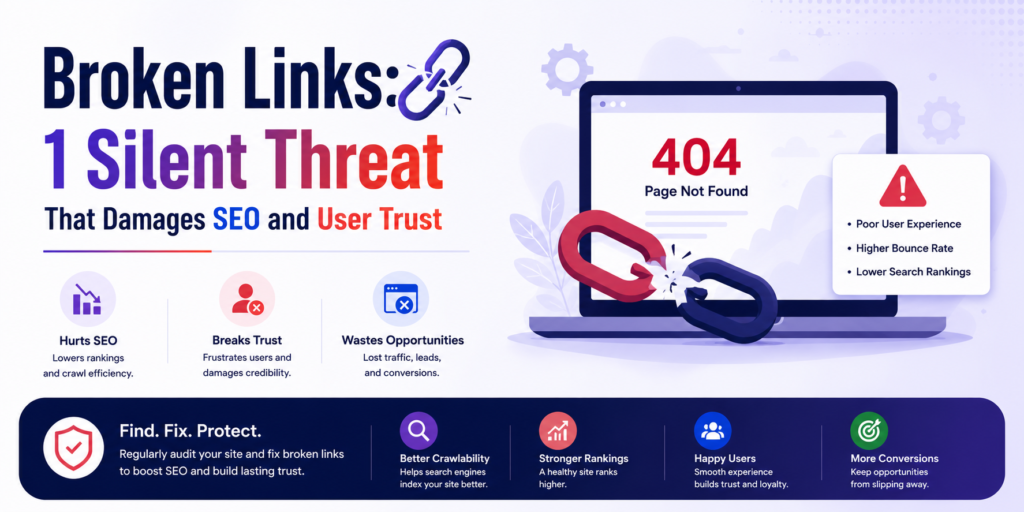
Introduction: How Broken Links Quietly Killed My Rankings A few years ago, one of my blog posts suddenly stopped performing. Traffic dropped.Bounce rate increased.User engagement collapsed. At first, nothing looked wrong. The content was still relevant.Keywords were ranking.Backlinks were intact. Then I noticed it. Multiple Broken Links inside the article. Some pages no longer existed. Some external resources were removed. Some images failed to load. Users clicked… and hit dead ends. That’s when I realized something important: Broken Links don’t announce themselves—but they silently destroy trust, experience, and SEO performance, especially when ignored in on page SEO. What Are Broken Links? Broken Links are hyperlinks that no longer lead to a valid destination. Instead of opening the intended page, they usually return errors like: 404 Not Found 410 Gone Server errors Blank pages In simple terms, a broken link promises information—but delivers nothing. And for users and search engines, that’s a bad experience. Why Link Errors Are More Dangerous Than You Think Many website owners ignore them. After all, it’s “just a link,” right? Wrong. Broken Links create friction, confusion, and frustration. From an on page SEO perspective, they signal: Poor maintenance Weak user experience Low content reliability Search engines want to send users to trustworthy websites—and broken paths damage that trust. Types of Broken Links and Their Impact Not all link errors behave the same way. Here are the most common types and why they matter: Internal Link Errors Links pointing to pages on your own website that no longer exist. Impact:Confuses users and search engines, harming crawlability. External Link Errors Links pointing to third-party websites that removed or changed pages. Impact:Reduces credibility and interrupts content flow. Image Load Failures Images that fail to load due to incorrect URLs or deleted files. Impact:Hurts visual experience and accessibility. Redirect Issues Links stuck in redirect loops or pointing to outdated URLs. Impact:Wastes crawl budget and slows down pages. Each type of Broken Links chips away at user trust in different ways. How Broken Links Affect On Page SEO Search engines evaluate how users interact with your pages. Broken paths increase: Bounce rate Exit rate Time-to-frustration From an on page SEO standpoint, this tells search engines: “This page doesn’t deliver what it promises.” Over time, rankings suffer—even if content quality is high. How to Find and Fix Broken Links You can’t fix what you don’t detect. Here’s how professionals handle it: 1. Use Crawling Tools SEO tools can scan your site and identify problem URLs instantly. 2. Check Google Search Console Coverage and crawl error reports often highlight link issues. 3. Manual Audits Click through key pages, menus, and CTAs—especially older content. 4. Fix Strategically Once identified, you can: Update the link Redirect it Remove it Replace it with a better resource Fixing Broken Links restores both usability and SEO strength. Where These Issues Commonly Occur on Websites Some areas are more vulnerable than others. Common problem zones include: Old blog posts Deleted product pages Website footers Resource pages External references If content isn’t reviewed regularly, errors multiply silently. Detecting and Fixing Link Errors the Right Way Fixing isn’t just about removal—it’s about intent. Best practices include: Redirecting removed pages to relevant alternatives Updating outdated external references Removing useless links entirely Maintaining internal link hygiene Smart handling of Broken Links improves user flow and crawl efficiency. The Hidden Costs of Broken Links The real damage isn’t obvious. Hidden costs include: Lost conversions Lower trust Wasted crawl budget Reduced authority signals Poor brand perception A single broken path may seem harmless—but dozens create friction across your entire site. Are Broken Links a Direct Ranking Factor? Not directly. But indirectly? Absolutely. They affect: User satisfaction Crawl efficiency Engagement metrics Search engines reward websites that provide seamless experiences. Broken experiences don’t rank well. Final Thoughts: Small Errors, Massive Impact Most SEO problems aren’t dramatic. They’re subtle. Broken Links quietly sabotage trust, experience, and performance—one click at a time. Fixing them doesn’t require advanced tactics.It requires awareness and consistency. And learning how to audit, detect, and fix such real-world SEO issues is exactly what DSOM (Dehradun School of Online Marketing) focuses on—training students to master on page SEO, website maintenance, and practical optimization skills that protect rankings, users, and long-term growth.