Sitemap: How Search Engines Discover and Understand Your Pages
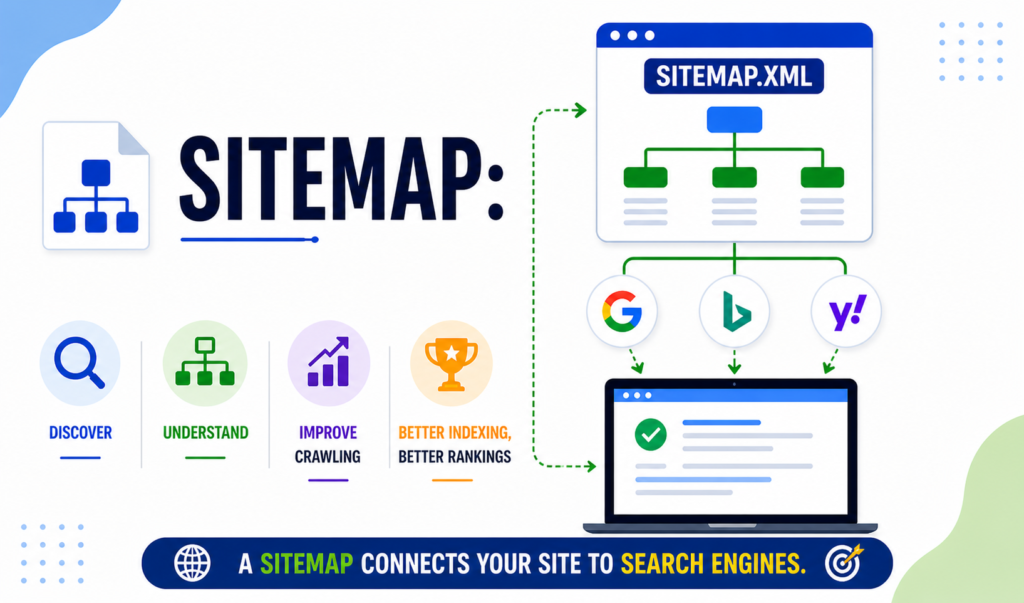
Introduction: How Missing Structure Hid an Entire Website A few years ago, I audited a website that looked perfect on the surface. Great design.Helpful content.Strong keywords. Yet traffic was unusually low. Pages weren’t appearing in search results—even months after publishing. The issue wasn’t content quality. It was discoverability. The site had no Sitemap. Once we created and submitted one, search engines began finding pages faster. Indexing improved. Visibility followed. That experience proved a simple truth: even the best content struggles when search engines don’t know where to look. When combined with solid on page SEO, proper structure quietly becomes a technical foundation. What Is a Sitemap? A Sitemap is a file that lists the important pages of a website to help search engines and users understand its structure. In simple terms, it acts like a roadmap. Instead of forcing crawlers to discover pages randomly, you guide them directly to what matters. It communicates: Which pages exist How they relate to one another When content was last updated This guidance improves crawling efficiency and indexing clarity. Why Structure Matters for SEO Search engines don’t automatically find every page. This is especially true for new, large, or frequently updated websites. A Sitemap supports SEO by: Speeding up indexing Improving crawl coverage Highlighting priority pages Supporting on page SEO efforts Without it, valuable content may remain invisible. Types of Sitemaps Not all sitemap formats serve the same role. XML Version Designed for search engines.It lists URLs with metadata such as update frequency and priority. HTML Version Designed for users.It provides a clear navigation path for visitors. Used together, both formats improve usability and crawl understanding. Visual Version A visual sitemap is a graphical layout that shows the structure and hierarchy of a website’s pages.It helps designers and users easily understand navigation flow and how different pages are connected. How Page Discovery Supports On Page SEO On page SEO improves individual pages. But pages still need to be discovered. A Sitemap supports on page SEO by ensuring: Important pages are crawled New content is found faster Updated pages are reprocessed efficiently Optimization improves quality. Structure ensures visibility. How to Create and Submit One Correctly You can generate this file using: WordPress SEO plugins Online generators Manual XML creation Once created, submit it through: Google Search Console Bing Webmaster Tools Submitting a Sitemap doesn’t guarantee rankings—but it guarantees discovery. Where to Place It for Easy Access The file should live at a standard location: yourwebsite.com/sitemap.xml You should also: Reference it inside robots.txt Keep it updated with new content Remove outdated URLs Easy access ensures search engines always know where to look. Guiding Search Engines and Users Together Search engines use structured files for crawling. Users use them for navigation. A Sitemap serves both purposes. For crawlers, it improves crawl paths.For users, it improves accessibility. This dual role strengthens overall site experience. Common Mistakes That Hurt Discovery Many websites create these files—but configure them poorly. Avoid: Including blocked or redirected URLs Forgetting updates after publishing new pages Submitting multiple conflicting versions Listing low-value pages A poorly maintained Sitemap can confuse crawlers instead of helping them. Does It Directly Improve Rankings? No—indirectly. This file doesn’t boost rankings on its own. But it improves: Indexing speed Crawl efficiency Page discovery Which supports ranking potential when paired with strong content and on page SEO. Final Thoughts: Visibility Starts With Structure Most SEO issues aren’t about content quality. They’re about access. A Sitemap ensures your pages are discoverable, organized, and crawl-ready. It doesn’t replace on page SEO—it supports it. And learning how to implement technical SEO foundations like this is exactly what DSOM (Dehradun School of Online Marketing) focuses on—training students to master on page SEO, site structure, and real-world optimization strategies that protect visibility and drive long-term growth.
Title Tag: 1 Simple Line That Dramatically Boosts Clicks and SEO
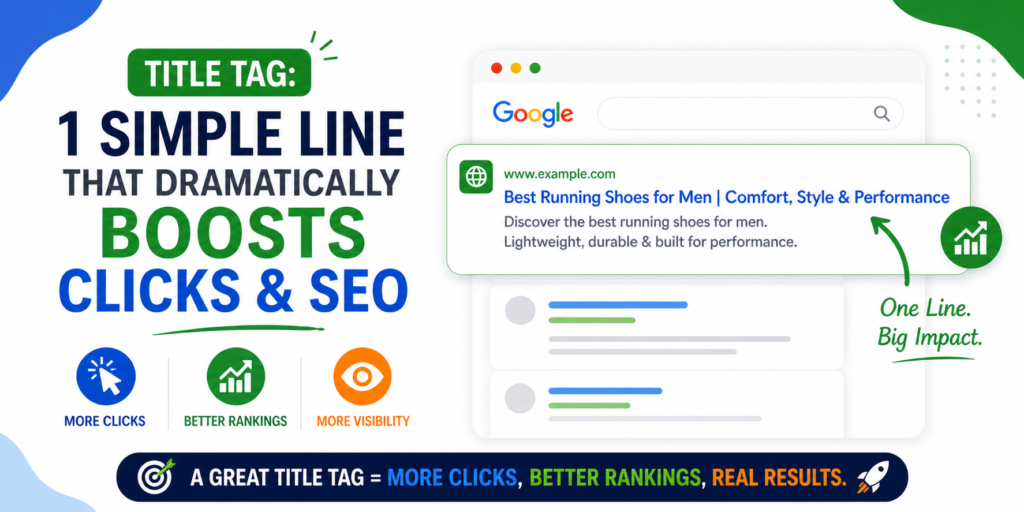
The Day I Realized Rankings Weren’t Enough Title Tag was something I underestimated for years. My page ranked well. The content was strong. The keywords were right. Yet traffic stayed flat. At first, I blamed competition.Then I blamed algorithms. But the real issue was simpler. The search headline was boring. It didn’t spark curiosity.It didn’t promise value.It didn’t earn the click. Once I rewrote the Title Tag, impressions turned into clicks almost overnight—without changing the content itself. That moment changed how I approached SEO forever. What Is a Title Tag? A Title Tag is an HTML element that defines the main title of a webpage. It serves as the primary identifier of a page across multiple platforms. You’ll see it in: Google search results Browser tabs Social media link previews In simple terms, it tells search engines like google what the page is about and tells users why they should click. It’s the first impression of your content. Why the Title Tag Matters in SEO Search engines analyze multiple signals to understand relevance. The Title Tag is one of the strongest. From an on page SEO perspective, it helps search engines: Understand page topic Match the page with search intent Evaluate content relevance For users, it works as a decision-maker. A clear, relevant headline earns attention.A weak one gets ignored—no matter how good the content is. Types of Effective Page Titles Different search intents require different headline styles. Here are proven formats that work well: Keyword-Focused Titles Clear and informational. Ideal for educational content. Benefit-Driven Titles Highlight what the user gains by clicking. Question-Based Titles Directly match how users search. List-Based Titles Use numbers to set expectations and improve scannability. The best-performing headlines always align with intent—not trends. Where Is the Title Tag Displayed and Used? The Title Tag plays a visible role beyond search results. It appears: As the clickable headline in Google On browser tabs, helping users navigate In social previews when shared Because it’s reused across platforms, accuracy and clarity are essential. Misleading headlines damage trust and increase bounce rate. How to Create an Effective Title Tag Writing a strong Title Tag requires balance. Follow these best practices: Keep it under 60 characters Place important keywords early Make it readable, not robotic Match the page content exactly Think of it as a promise. If the headline overpromises and underdelivers, users won’t stay. Crafting Compelling Headlines That Get Clicks Users don’t read search results carefully. They scan. A compelling Title Tag stands out because it is: Clear Specific Relevant Intent-driven Clarity always beats cleverness. When users immediately understand what they’ll get, clicks follow naturally. Common Title Mistakes to Avoid Many websites hurt performance without realizing it. Avoid: Duplicate headlines across pages Keyword stuffing Overly long titles that get truncated Generic phrases like “Home” or “Services” One poorly written Title Tag can suppress traffic even if rankings are strong. The Art of Effective Title Creation Creating strong headlines isn’t about tricks or formulas. It’s about empathy. A great Title Tag understands: What the user is searching for Why they are searching What problem they want solved When your headline answers those questions instantly, engagement improves. Title Tag and On Page SEO: The Direct Connection On page SEO is about alignment. The Title Tag aligns: Search queries Page content User expectations When alignment is strong, users stay longer, interact more, and trust the page. Search engines notice that behavior. Final Thoughts: Small Line, Massive Impact Most people chase rankings. Smart marketers chase clicks. A Title Tag may be a single line of text, but it carries enormous influence. It shapes first impressions.It influences trust.It drives traffic. And learning how to master such practical SEO fundamentals is exactly what DSOM (Dehradun School of Online Marketing) focuses on—training students to excel in on page SEO, content optimization, and real-world strategies that convert visibility into measurable results.
Schema Tags: The Powerful Markup That Transforms Search Results
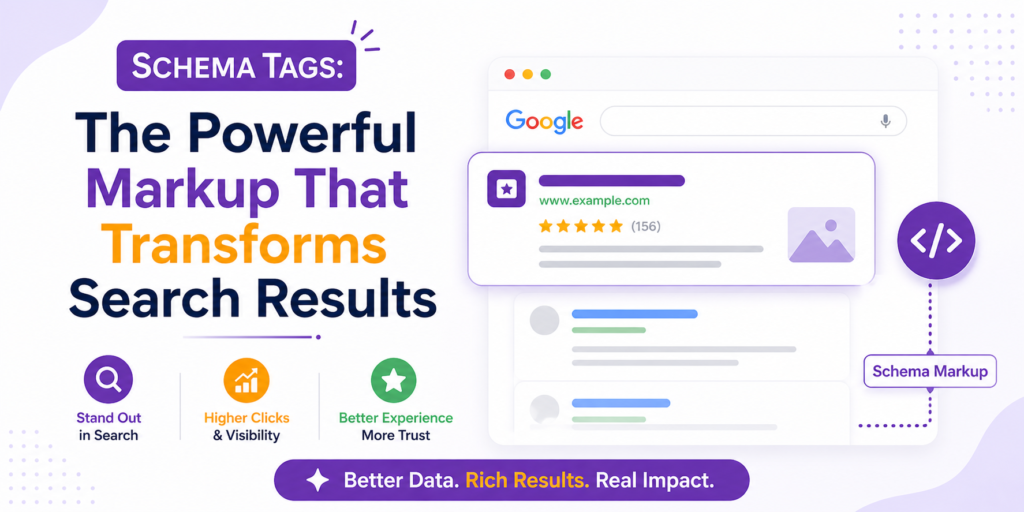
A few years ago, I worked on a blog that seemed to have everything going for it. The content was well written.The keywords were carefully researched.Backlinks were slowly increasing. Yet the pages barely stood out in Google Search results. There were no star ratings. No FAQ dropdowns. No enhanced visual features. Just plain blue links. Compared to competing pages, the site looked almost invisible. That was when we implemented schema tags across the website. Within weeks, the same pages began appearing with rich snippets, FAQ sections, and more detailed search listings. Click-through rates improved even though the content itself had not changed. That experience revealed something important. Visibility in search results is not only about ranking higher. It is also about how your pages appear. Schema tags help search engines interpret your content more clearly so it can be presented in richer and more engaging formats. What Are Schema Tags? Schema tags are structured data snippets added to a webpage’s code that help search engines understand the meaning of the content. Without structured data, search engines must interpret pages using surrounding text and signals. With structured data, the information becomes clearer and more precise. In simple terms, these tags act like labels attached to your content. They tell search engines things such as the following: This page represents a product This section contains a review This page describes an event This content includes frequently asked questions The vocabulary used for these labels comes from Schema.org, a collaborative project supported by major search engines. When websites implement schema tags, they provide structured context that helps search engines interpret and display content more effectively. Why Structured Data Matters More Than Ever Search results are no longer just lists of links. Today’s search results include enhanced features such as the following: Star ratings FAQ dropdowns Product prices Images Event details Many of these features are powered by schema tags. For example, imagine searching for a chocolate cake recipe. Some results simply display the page title and description. Others show star ratings, cooking time, calories, and even images directly within the search listing. Even if both pages rank similarly, the richer result is far more likely to attract clicks. From an on-page SEO perspective, structured data improves how search engines interpret content and display it to users. Types of Schema Markup for Different Content Structured data can be applied in many ways depending on the type of content on a page. Here are several common uses. Article Schema Used for blog posts and news content. It helps search engines understand details such as headline, author, and publication date. Product Schema Displays product information like price, availability, and ratings directly in search results. Review and Rating Schema Adds star ratings that instantly capture user attention. FAQ Schema Allows questions and answers to appear directly in search results below a listing. Local Business Schema Helps businesses appear in local search results with important information like address, phone number, and opening hours. Each implementation relies on schema tags to provide structured context for search engines. How Schema Tags Work Behind the Scenes Structured data uses formats that search engines can easily read. The most recommended format today is JSON-LD, although Microdata and RDFa are also supported. A simple example looks like this: When search engines crawl a page containing schema tags, they read this structured information to understand relationships between elements on the page. Think of a website like a large library. Without labels, every book looks similar, and finding the right information becomes difficult. Structured data works like labeling each book with its category, author, and topic. In the same way, schema tags organize your content so search engines know exactly what each page represents. How to Implement Schema Tags on Your Website In the past, adding structured data required technical expertise. Today, it is much easier. You can implement schema tags in several ways: Adding JSON-LD scripts directly into your page header Using SEO plugins such as Rank Math or Yoast in WordPress Generating markup through Google’s Structured Data Markup Helper After implementation, testing is essential. Useful tools include: Google Rich Results TestSchema Markup ValidatorGoogle Search Console enhancement reports Testing ensures your structured data is valid and eligible for rich search features. Where Schema Tags Influence Search Results Structured data directly affects how your pages may appear in search results. Pages using Schema Tags can become eligible for features such as: Rich snippets FAQ dropdown listings Knowledge panels Event results Product cards These enhanced search results often attract more attention than standard listings. Even when ranking positions remain unchanged, improved presentation can significantly increase click-through rates because users naturally trust results that provide more information. Schema Tags and On Page SEO Structured data does not directly increase rankings. However, Schema Tags influence several signals that contribute to long-term SEO performance. They improve search appearance. They increase click-through rates. They help users find answers faster. They strengthen topical relevance. Search engines monitor how users interact with search results, and improved engagement often supports stronger overall performance. Common Mistakes to Avoid Many websites misuse structured data without realizing it. Avoid adding markup that does not match visible page content. Avoid overusing FAQ or review schema on pages where it is not appropriate. Avoid ignoring validation errors. Avoid forgetting to update structured data when page content changes. Incorrect use of Schema Tags can prevent pages from appearing in rich search features. Accurate implementation always matters more than quantity. Final Thoughts: Small Code, Big Visibility SEO success is not only about writing good content or building backlinks. It is also about helping search engines clearly understand your content. Schema Tags bridge that gap by giving search engines structured information about what each page represents. When implemented correctly, they help search engines display your content in richer formats that attract more attention and clicks. In modern SEO, visibility is not just about ranking higher. It is about appearing more informative, more trustworthy, and more clickable than competing pages. Learning how to implement Schema Tags effectively
Tel Tags: How One Click-to-Call Link Can Boost Conversions
Tel Tags completely changed how I look at website conversions. I still remember the moment it happened. Traffic was steady.Engagement looked decent. But calls? Almost none. The phone number was visible on the website, but it was not clickable. Mobile users had to copy the number, open the dialer, paste it, and then call. Most people simply did not bother. So we fixed one thing. We turned the number into a tap-to-call link. Within days, mobile users started calling directly from the website. No copying. No hesitation. Just one tap and instant connection. That is when it became clear. Tel Tags are not just HTML links. They are conversion triggers. What Are Tel Tags? Tel Tags are HTML links that let users call a phone number directly from a website. Instead of copying a number manually, users tap once, and the call screen opens automatically. Here is what a clean implementation looks like: That single line turns a phone number into an action. Without it, your number is just text.With it, your number becomes interactive. In a mobile-first world, action wins. Why Click to Call Matters More Than Ever Today, most people browse websites on their phones. Google also uses mobile-first indexing, which means it primarily evaluates your mobile version for ranking and usability. So ask yourself a simple question. If a visitor is ready to contact you, how easy are you making it? If calling feels difficult, users leave. Click-to-call functionality removes friction and makes the next step effortless. A visitor does not need to think. They simply tap. This is exactly why Tel Tags can directly influence conversions, especially for service-based businesses. How Tel Tags Work Behind the Scenes Behind the scenes, Tel Tags use the tel: protocol. When a user taps the link, the browser recognizes it as a phone action. The dialer opens automatically, and the number appears pre-filled. The user only confirms the call. There are no apps to search for and no steps to remember. Search engines also understand this protocol. It does not break crawling, and it does not create indexing issues. Proper formatting is what makes it work smoothly across devices. How Click-to-Call Links Behave on Different Devices These links do not behave the same everywhere. People should understand the differences. Mobile Devices This is where Tel Tags shine the most. One tap opens the dialer instantly. Most service conversions happen on mobile because the user is already in action mode. Desktop Browsers On desktops, click-to-call links may open calling applications such as Skype or FaceTime, or the browser may show a prompt. If no calling app exists, nothing may happen. That is why click-to-call is mainly a mobile conversion feature. Tablets and Hybrid Devices Tablets behave like phones when calling is supported. Otherwise, they may redirect users to internet calling tools. Responsive layouts and clear placement matter here. Understanding how click-to-call behaves across devices helps you implement it strategically, so you optimize for real user behavior instead of assuming the same experience everywhere. Best Practices for Implementing Click to Call Correctly Implementation is simple, but small mistakes can break functionality or reduce conversions. Follow these best practices carefully. Always Include the Country Code This is one of the most common errors. Your link should always include the international country code, even if your audience is local. Correct format: Why this matters: It ensures the number works for international visitors It prevents dialing errors It keeps formatting consistent Without the country code, some devices may not recognize the number properly. Avoid Spaces and Special Characters in the href The visible number can include formatting for readability, but the href value should be clean. Good example: The user sees a nicely formatted number.The browser reads a clean version. Avoid unnecessary characters like brackets, dashes, or extra spaces inside the link value because they may interfere with proper recognition. Make the Number Clearly Visible and Clickable Do not hide your phone number inside an image. Do not rely only on icons. Users should immediately recognize: This is a phone number.This is clickable. You can enhance visibility in simple and effective ways. Place the number in the header. Use a contrasting color. Add a clear call to action. Visibility directly impacts action. Use Strong Call-to-Action Text Instead of just displaying a number, guide the user. Examples: Call Now Speak With Our Expert Book a Consultation Get Instant Support Clear call-to-action text increases urgency and reduces hesitation. A number alone informs.A call to action motivates. Test Across Devices After implementation, always test: On Android On iPhone On desktop On tablet Check if: The dialer opens correctlyThe number is formatted properlyThe call button is easily accessible Small testing prevents big user frustration. Correct formatting and strategic placement ensure Tel Tags function consistently and professionally across devices while maximizing conversions. Where Click to Call Works Best on a Website Placement decides performance. Add clickable phone numbers where people are most likely to act. Here are the high-conversion areas where click-to-call works best. Website header This is the most visible area. Users looking for immediate contact expect to see a phone number at the top of the page. It reduces effort and builds instant trust. Contact page Visitors reaching this page already have intent. A clearly clickable number here removes friction and encourages direct calls instead of form submissions. Service pages When users read about a specific service, they may have questions. Placing a click-to-call option nearby captures high-intent visitors at the right moment. Mobile navigation menu Mobile users prefer calling over typing. Including a clickable number in the menu ensures quick access without scrolling. Landing page call-to-action sections If your landing page encourages immediate consultation, booking, or inquiry, adding a click-to-call button reinforces urgency and increases conversions. When placed strategically, Tel Tags reduce hesitation, shorten the decision cycle, and increase direct interaction, especially on mobile devices, where speed and convenience matter most. Tel Tags and On-Page SEO Let us be clear. Tel Tags do not directly increase
Alt Tag: The Ultimate Guide to Better Accessibility and SEO
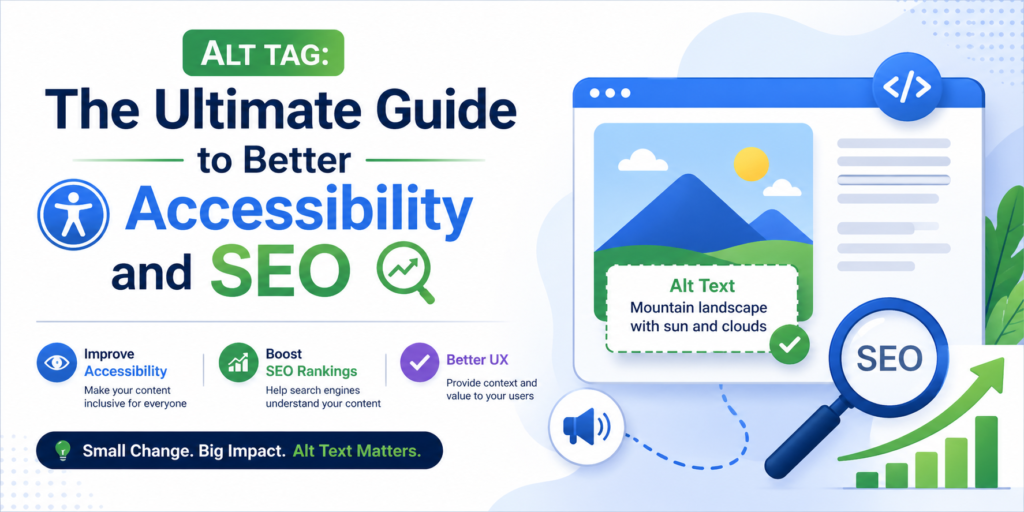
Alt Tag was something I once ignored. The pages looked polished.The images loaded perfectly.Everything seemed fine. Until an accessibility audit revealed the truth. Screen readers skipped key visuals.Search engines failed to understand important images.Critical information never reached some users. The problem was not design. It was missing image descriptions. After fixing the Alt Tag implementation, accessibility improved, image visibility increased, and overall on-page SEO performance strengthened. That experience taught me something simple. What users cannot see can still determine whether your website succeeds or fails. What Is an Alt Tag? An alt tag, short for alternative text, is a written description added inside an image’s HTML code. It explains what the image represents when it cannot be visually accessed. Here is what it looks like in code: That short sentence tells search engines and screen readers exactly what the image contains. Without it, the image becomes invisible to both. In simple terms, an alt tag converts visual information into readable context. Why Alt Tags Matter More Than You Think Many beginners assume image descriptions are optional. They are not. Proper image descriptions play a crucial role in improving accessibility and visibility. Web Accessibility Web accessibility ensures that everyone, including people with visual impairments, can access and understand your content. Screen readers rely on descriptive text to explain what an image represents. If an important image has no description, users who depend on assistive tools may miss key information entirely. Accessibility is about equal access. When you provide proper descriptions, you make your website usable for all. Inclusive User Experience Not every user interacts with your website the same way. Some users browse with slow internet connections where images fail to load. Others use assistive technology. In both cases, descriptive text ensures the message is still delivered. Inclusive design means your content works regardless of device, ability, or connection quality. Content Clarity Images often add meaning to a page. A chart may show growth. A product image may display features. A screenshot may explain a process. Without descriptive context, that meaning can be lost. Clear image descriptions reinforce the message of the page and make the content more understandable. They support the written content instead of leaving gaps. Image Indexing Search engines cannot “see” images like humans. They rely on text to interpret what the image represents. When descriptive alternative text is provided, search engines can index the image correctly. This increases the chances of appearing in image search results and strengthens the page’s topical relevance. How Search Engines Interpret Images Here is something important. Search engines like Google do not analyze images visually like humans. If you upload an image of a “blue running shoe” but provide no image description, search engines do not automatically know what it is. With proper alternative text like, “Blue running shoe with white sole on a track field” The context becomes clear. That clarity strengthens topical relevance and supports image search visibility. How to Write Alt Tags for Different Types of Images Not every image serves the same purpose. Your alt tag should match the intent of the image. Informational Images These communicate data or meaning. Example: “Line graph showing 40 percent traffic growth in six months” Be specific and clear. Decorative Images Purely visual elements should use empty attributes so screen readers skip them. Example: This prevents confusion. Functional Images Icons or buttons should describe their action. Instead of: “Magnifying glass icon” Use: “Search button” Describe the function, not the design. Product Images Focus on the product itself. Example: “Black leather office chair with adjustable armrests” Avoid promotional phrases. How to Write an Effective Alt Tag Writing an effective alt tag is not about adding keywords everywhere. It is about adding clarity and meaning. Follow these simple principles. Describe What Truly Matters Focus on the core purpose of the image. Ask yourself what information the image is adding to the page. Your description should communicate that essential detail. There is no need to mention every minor visual element. The goal is to convey meaning, not decoration. If the image supports a key idea, the description should reflect that idea clearly. Keep It Concise Alt text should be brief but complete. One clear sentence is usually enough. Long and complicated descriptions can overwhelm users who rely on screen readers and reduce readability. Clarity and precision are more important than length. Avoid Redundant Phrases There is no need to begin with phrases like “image of” or “picture of.” Assistive technologies already announce that the element is an image. Starting directly with the description keeps the text clean and professional. Match the Page Context Alt text should align with the topic of the page. The description should reinforce the content around it rather than exist in isolation. When the image and text work together, search engines can better understand the overall theme of the page. Context strengthens relevance. Do Not Stuff Keywords Keyword stuffing harms both accessibility and SEO. Overloading the description with repeated keywords makes it unnatural and difficult to understand. Search engines prioritize helpful, human-readable content. A well-written alt tag should sound natural when read aloud. Think of alt text as a bridge between visuals and meaning. If someone cannot see the image, your description should allow them to understand what they are missing clearly and naturally. When written thoughtfully, a small detail like this can quietly elevate both accessibility and long-term SEO performance. Common Alt Tag Mistakes to Avoid Many websites weaken their SEO unintentionally. Avoid: Leaving important images without text Repeating the same description across multiple images Using vague phrases like “photo” or “image” Stuffing keywords unnaturally One poorly written alt tag can confuse both users and search engines. Alt Tag vs Image Title These two are often confused. An alt tag supports accessibility and search engine understanding. An image title is optional and mostly appears as hover text. If you must choose one, prioritize accessibility. Always. How Alt Tags Support On-Page SEO Properly written alternative text strengthens SEO in subtle
Dofollow Links: Building Authority the Right Way in SEO
A few years ago, I was struggling to move a blog post beyond page two of Google. The content was strong.The keywords were researched.The on-page structure was optimized. Still, rankings would not improve. Then something unexpected happened. A reputable website mentioned my article and linked to it using a dofollow link. Within weeks, impressions increased.Clicks followed.Positions improved steadily. That single link changed everything. That was the moment I truly understood the power of dofollow links. They are not just hyperlinks. They are signals of trust that influence how search engines evaluate credibility. What Are Dofollow Links? Dofollow links are hyperlinks that allow search engines to crawl them and pass authority from one page to another. By default, most links are followed unless they contain a specific attribute that tells search engines otherwise. In simple terms, these links communicate: This page is credible and worth referencing. They help search engines understand which pages deserve visibility. How Search Engines Interpret These Links Search engines such as Google use links to measure authority and relevance. When a trusted site links to your page with dofollow links, part of its authority flows to you. This process is often referred to as passing link equity. Think of it like a professional recommendation. If an industry expert publicly recommends you, your credibility increases instantly. That is how dofollow links work behind the scenes. Why Dofollow Links Matter for SEO Links help search engines determine importance. When authoritative websites reference your content through dofollow links, they strengthen your site’s trust signals. From an on-page SEO perspective, this reinforces topical authority and improves how your content competes within its niche. Not every link impacts rankings equally. Followed links carry measurable weight. Types of Strategies to Earn Them Authority-passing links are earned in different ways. Editorial Mentions These happen naturally when another website references your content because it is useful, informative, or unique. For example, if you publish a detailed guide and a blogger cites your research in their article, that is an editorial mention. You did not ask for it directly. You earned it through value. These links are powerful because they are organic and based on trust. Guest Contributions Guest posting means writing high-quality content for another relevant website in your industry. In return, you usually receive a link back to your site within the content or author bio. The key is to contribute genuine insights, not promotional material. When done properly, guest contributions help you build authority, visibility, and professional relationships. Resource Page Links Many websites maintain resource pages that list helpful tools, guides, or educational materials for their audience. If your content solves a problem or provides clear value, you can request to be included. These links work well because they are placed in curated lists designed to help users find trustworthy information. Contextual Content Links These are links placed naturally within the main body of an article. For example, if someone writes about SEO strategies and links to your detailed keyword research guide inside their paragraph, that is a contextual link. Because it appears within relevant content, it often carries strong authority and relevance signals. The most important rule is simple. Every approach should prioritize relevance, quality, and genuine value. Links earned through trust last longer and protect your rankings, while manipulative tactics can harm your website in the long run. How They Work Technically Here is what a standard followed link looks like in HTML: And here is a link marked not to pass authority: Search engines crawl dofollow links and evaluate several important factors before deciding how much value to pass. Page Authority Not all websites carry the same weight. If a well-established, trusted website links to you, the impact is much stronger than a link from a brand-new or low-quality site. Think of it like a recommendation. A reference from an industry expert carries more credibility than a recommendation from someone unknown. Search engines measure this credibility when evaluating links. Relevance Search engines look at whether the linking page is related to your topic. For example, if you run a digital marketing blog and receive a link from another marketing website, that is relevant. But if the link comes from an unrelated niche like cooking or gaming, the value decreases. Relevance tells search engines that the connection makes logical sense. Anchor Text Anchor text is the clickable text of a link. Search engines analyze these words to understand what your page is about. If the anchor text says “SEO strategies,” it signals that your page likely covers that topic. However, using the same keyword repeatedly in anchor text can look unnatural. Balanced and natural wording is important. Context Search engines do not just look at the link itself. They examine the surrounding content. Is the link placed inside meaningful content?Does it support the paragraph naturally?Is it surrounded by relevant discussion? A link placed inside a well-written, relevant article carries more value than one hidden in a footer or unrelated section. Quality always matters more than quantity. One link from a trusted, relevant website placed naturally within strong content can outweigh dozens of low-quality or irrelevant links. Search engines prioritize trust, context, and authenticity over volume. Anchor Text and Its Influence Anchor text is the clickable text in a hyperlink. For example: If the link says “SEO strategies guide,” those words are the anchor text. Search engines read this text carefully. It helps them understand what the linked page is about. When dofollow links use meaningful anchor text, they send stronger topical signals. But using anchor text incorrectly can look manipulative. That’s why balance matters. Let’s break down the main types so it’s easy to understand. Branded Anchors These use the brand name as the clickable text. Example:DSOMDehradun School of Online Marketing This type signals credibility without pushing keywords aggressively. It looks natural because websites often reference brand names. Best for: Building trust and safe link profiles. Exact Match Keywords These use the exact keyword you want to rank for. Example:If your
Inbound Links: Understanding Their Role in Modern SEO
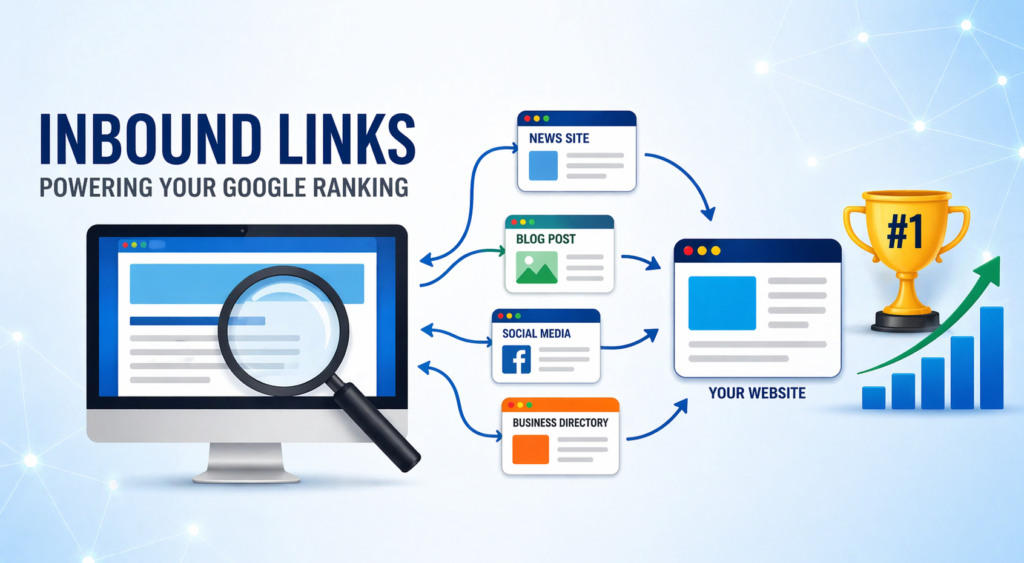
Introduction: How One Link Changed Everything A few years ago, one of my blog posts did something unexpected. Traffic spiked overnight. No ads.No social promotion.No new content. Just one thing had changed. A respected industry website had linked to my article. That single Inbound Links signal pushed the page from page two to page one. That moment made one thing very clear: links from other websites are not just technical SEO elements—they are votes of trust. And when they work alongside strong on page SEO, rankings don’t just improve, they stabilize. What Are Inbound Links? Inbound Links are hyperlinks that point from another website to your website. They are often called backlinks or incoming links. In simple terms, they act as recommendations. When another site links to your content, it tells search engines that your page is worth referencing. Why External Trust Signals Matter in SEO Search engines like Google don’t rank pages in isolation. They evaluate credibility. Links from relevant and trusted websites help search engines understand: Authority Relevance Reliability From an on page SEO perspective, even well-optimized content struggles without external validation. Content explains what your page is about, but links explain why it matters. Types of Inbound Links and Their SEO Value Not all links from other websites carry the same weight. Here are the most impactful types: Editorial Links Naturally earned when content is cited or referenced. Guest Content Links Earned through informative contributions on relevant websites. Resource Page Links Placed on curated lists of helpful tools or guides. Brand Mention Links Given when your brand or content is referenced online. Each form of Inbound Links contributes differently, but relevance and context always matter more than volume. How External Links Work With On Page SEO Links don’t work alone. They amplify what already exists. When strong on page SEO is combined with credible Inbound Links, search engines gain confidence in your content. This alignment improves indexing, ranking consistency, and long-term visibility. How to Acquire Quality Inbound Links You don’t force these links—you earn them. What works: Publishing original, useful content Creating data, guides, or insights others want to reference Building relationships within your niche Guest posting with value, not manipulation Sustainable Inbound Links come from usefulness, not shortcuts. Where to Find Link Opportunities Opportunities exist wherever relevant content already lives. Common places include: Industry blogs Educational resources News sites Content roundups Authority websites in your niche Sites that already link to similar content are the best prospects for earning Inbound Links naturally. The Power of Inbound Links in SEO Links from trusted sources do more than improve rankings. They help: Drive referral traffic Build brand credibility Strengthen topical authority A single strong Inbound Links signal can outperform dozens of low-quality ones. That’s real SEO leverage. Common Link-Building Mistakes to Avoid Many websites damage their SEO unintentionally. Avoid: Buying low-quality links Over-optimizing anchor text Linking from irrelevant websites Ignoring content quality Search engines reward natural patterns, not manipulation. Are Inbound Links Still a Ranking Factor? Yes—absolutely. Despite algorithm changes, Inbound Links remain one of the strongest indicators of trust and authority. What has changed is how they are evaluated. Relevance, context, and credibility decide whether a link helps or harms. Final Thoughts: Authority Is Earned, Not Forced SEO isn’t about tricks. It’s about trust. Inbound Links are how the web expresses trust. They validate your content, strengthen your authority, and multiply the impact of on-page SEO. And learning how to earn and manage links ethically and effectively is exactly what DSOM (Dehradun School of Online Marketing) focuses on—training students to master on-page SEO, responsible link strategies, and real-world optimization techniques that deliver long-term growth and credibility.
What Are Outbound Links? Why Linking Out Can Strengthen Your SEO
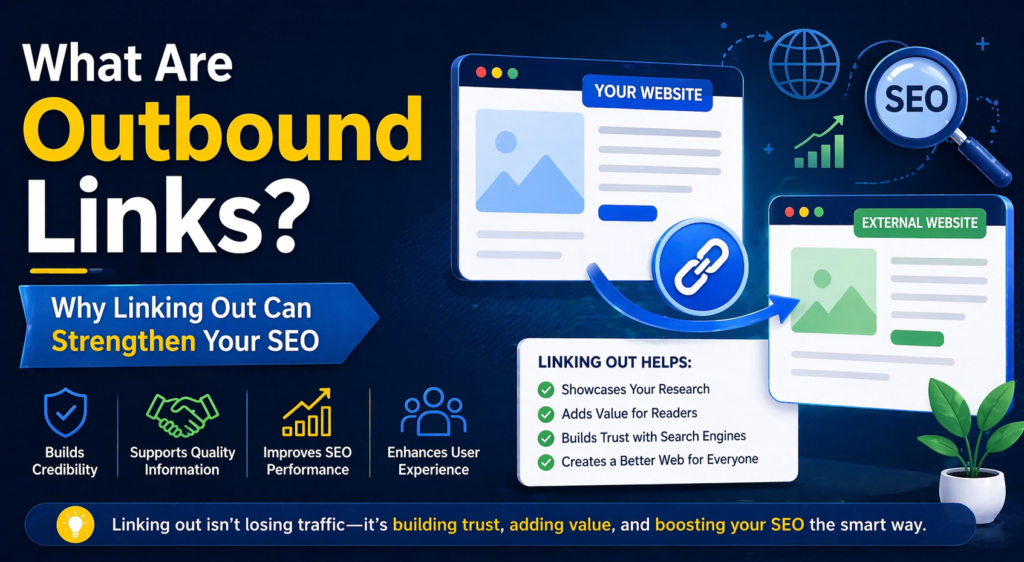
A few years ago, I published a blog post I was confident about. The content was strong.The keywords were optimized.The structure was clean. But something felt missing. The article stood alone. It didn’t connect to anything beyond itself. So I did something many site owners hesitate to do. I added a few carefully selected outbound links to trusted industry sources. The result surprised me. Engagement improved. Time on page increased. The content felt more credible. That was the moment I understood something important. When used correctly, outbound links don’t weaken SEO. They strengthen trust. If you believe linking out hurts rankings, it’s time to rethink that assumption. What Are Outbound Links? Outbound links are hyperlinks that take users from your website to another website. In simple terms, they send readers to an external source for additional context or verification. Think of them like academic citations. When you reference credible sources, you show that your content is supported, researched, and part of a larger knowledge ecosystem. And search engines value connected information. Why Linking Out Builds Credibility Many beginners fear losing traffic when they link externally. But search engines such as Google do not reward isolated content. They reward relevance and helpfulness. Google’s Search Quality principles emphasize experience, expertise, authority, and trust. Linking responsibly supports those signals. Strategic outbound links show that you are confident enough to reference credible sources instead of pretending your page is the only answer. That builds trust. The Real SEO Role of Outbound Links Let’s clarify something. Outbound links do not directly push your page to the top of search results. However, they help search engines interpret your content more accurately. Here’s how. Context Context means clarity about your topic. When you link to relevant, authoritative sources, you help search engines understand what your content is truly about. If your article discusses SEO and you reference trusted SEO resources, it confirms your subject focus. This reduces confusion and strengthens thematic alignment. Topical Reinforcement Topical reinforcement means strengthening your niche identity. If your outbound links consistently relate to your main subject, your content appears focused and specialized. Instead of looking random, your page fits clearly within a specific topic cluster. This consistency improves how search engines categorize your content. Credibility Signals Credibility signals relate to trust. When you connect your content to reliable, authoritative sources, it shows responsible publishing behavior. Search engines evaluate not just who links to you, but also who you choose to reference. Linking thoughtfully builds perceived reliability. Search engines aim to understand how your page fits into the broader web ecosystem. When your content connects logically to trustworthy sources, it appears grounded and relevant. Understanding always comes before ranking. Outbound Links vs Internal Links Internal links connect your pages to each other. Outbound links connect your page to the wider web. Both matter. Internal links strengthen structure and crawlability. External links strengthen context and trust. A healthy website uses both strategically. Types of External Linking You Should Know Not all links serve the same purpose. Understanding the intent behind a link helps you use it strategically instead of randomly. Here are the most common types and how they function. Editorial References These are links naturally placed within your content to support an explanation. For example, when you mention a concept, guideline, or framework, you may link to the original source to provide credibility. Editorial references show that your content is researched and grounded in reliable information. They strengthen trust because they demonstrate transparency. Search engines recognize contextual editorial linking as a quality signal. Citations Citations point to studies, statistics, reports, or official documentation. When you reference data or make a factual claim, linking to the original source increases accuracy and authority. This is especially important when discussing technical topics, trends, or guidelines. It reduces misinformation and builds reader confidence. Well-placed citations make your content feel professional and responsible. Resource Links These links guide users to tools, tutorials, templates, or additional learning materials. They improve user experience by helping readers go deeper into a topic without cluttering your page with excessive information. Resource links show that your goal is to help, not just rank. When users find value beyond your page, trust increases. Affiliate or Partner Links These links are used when recommending products or services that may generate commission. Transparency is essential here. Clear disclosure maintains credibility and protects your site from compliance issues. Ethical linking builds long-term trust, which is more important than short-term gains. Every link should serve the reader first. If a link does not add context, clarity, or value, it should not be there. SEO benefits are a natural outcome of helpful, responsible linking, not the primary reason to add a link in the first place. When value comes first, rankings tend to follow. How Search Engines Interpret Linking Behavior Search engines analyze linking patterns to understand content quality. They do not just look at keywords. They examine how your page connects to other pages across the web. For example, suppose your website focuses on health topics. If you regularly link to official research reports, medical studies, or trusted health guidelines, search engines recognize that your content is connected to authoritative sources. This pattern signals that your content is researched, responsible, and part of a broader information network. On the other hand, pages with zero external references can appear isolated or incomplete. Strategic outbound links show that your website participates in a larger ecosystem of credible information. Over time, this strengthens perceived authority and trust. How to Use Outbound Links Effectively More links do not equal better SEO. Better links do. Best practices include: Link only to relevant and credible sources Avoid low-quality or outdated sites Use natural anchor text Open links in a new tab for user convenience Ensure affiliate links are disclosed Responsible outbound links improve flow without pushing users away permanently. Common Mistakes to Avoid Even experienced bloggers misuse external linking. Avoid: Linking to irrelevant content Adding excessive links in a single paragraph Referencing low-authority domains Hiding sponsored
What is an Open Graph? How 1 Tag Controls Your Social Media First Impression
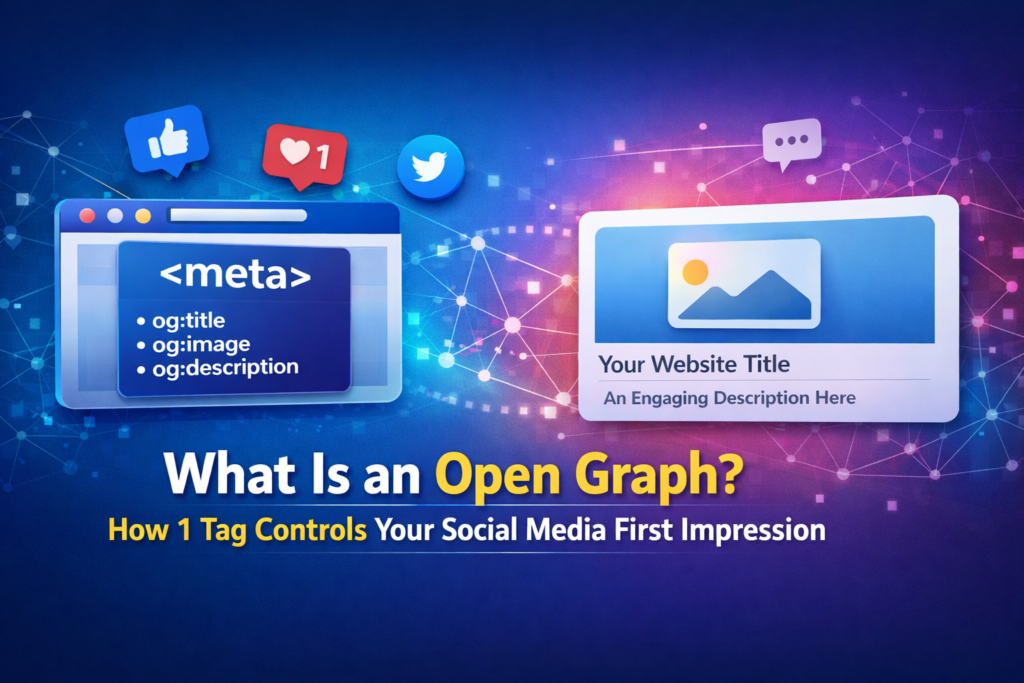
A few years ago, I shared a blog post on social media expecting traffic. The content was strong.The headline was optimized.The page followed on-page SEO best practices. But the preview looked terrible. The image was broken.The title felt random.The description made no sense. No one clicked. That experience taught me something simple but powerful. The issue was not the quality of the content.It was how the content was being presented. That is when I truly understood what an Open Graph is. It does not change what you write.It changes how your content appears when it is shared. And in a scroll-first world, appearance is often what determines whether someone clicks or keeps scrolling. What Is an Open Graph in Simple Words It is a protocol that tells social media platforms exactly how your webpage should appear when someone shares it. Instead of letting platforms decide what to show, you define: The title The description The image The URL The content type Think of it like the cover of a book. The content inside may be excellent.But if the cover looks messy, people ignore it. Why Social Media Previews Matter People do not click links blindly. They scan. They judge. They decide within seconds. When your link appears messy or incomplete, users scroll past. When your preview looks clean and intentional, users pause. Platforms like Facebook and LinkedIn use Open Graph tags to generate link previews. A strong preview builds trust instantly. More trust leads to more clicks. More clicks lead to better engagement. That engagement supports your overall on-page SEO performance. How Sharing Looks With and Without Open Graph Without proper configuration, the platform may select a random image from your page. The title can appear cut off. The description might pull unrelated or incomplete text. With a correctly implemented Open Graph setup, the preview displays a clear headline, a high-quality image, and a concise description that aligns perfectly with your message. The content itself does not change. But the way it appears changes dramatically. That is the real power of structured sharing metadata. It gives you control over how your content is presented, instead of leaving it up to guesswork. When you control the presentation, you control the first impression, and first impressions determine clicks. Important Open Graph Tags You Should Know Open Graph works through meta tags placed inside the head section of your HTML. Here are the most important ones. og:title This controls the headline that appears in the social preview. og:description This defines the short preview text shown below the title. og:image This specifies the image that appears with the shared link. og:url This ensures the correct page URL is shared. og:type This defines the content type, such as article or website. These tags work together to shape your first impression on social platforms. How Open Graph Works Behind the Scenes When someone shares your link, the platform scans your webpage. If Open Graph metadata exists, the platform reads it directly. If the metadata is missing, the platform tries to guess what to display. Guessing often leads to incorrect images, incomplete titles, and poorly formatted descriptions. That is why understanding how it works becomes essential for anyone serious about digital visibility. Does Open Graph Help With SEO Open Graph does not directly increase your Google rankings. However, it supports on-page SEO indirectly. When your link preview looks professional and intentional, more users are likely to click. When more users click, engagement improves. Higher engagement signals that your content is relevant and valuable. As engagement improves, your content begins to perform better overall. Better performance strengthens your brand credibility and attracts higher-quality traffic. In this way, structured sharing metadata improves visibility through better presentation and stronger user interaction, even if it does not directly influence rankings Open Graph and Other Platforms Most major platforms use Open Graph for link previews. For example, Facebook and LinkedIn rely heavily on it. X uses Twitter Cards, which function slightly differently. However, if Twitter-specific tags are missing, the platform typically falls back to the available sharing metadata on your page. Because of this fallback behavior, structured preview tags become the backbone of social sharing optimization. They ensure consistency across platforms and prevent unpredictable or poorly formatted previews when your content is shared. Recommended Image Size for Best Results Images play a major role in social previews. For best performance, use: 1200 by 630 pixels Minimum 600 by 315 pixels Aspect ratio close to 1.91 to 1 High-resolution images create a stronger visual impact and increase clicks. Avoid blurry or text-heavy images when optimizing Open Graph previews. How to Add Open Graph Tags Easily You do not need advanced coding skills. You can add Open Graph tags in several ways: Using WordPress SEO plugins such as Yoast SEO or Rank Math Adding meta tags manually inside your HTML head section Using built-in theme settings Once added, your previews become consistent and controlled through Open Graph. How to Test Your Open Graph Setup Always test before sharing publicly. Use tools such as the Facebook Sharing Debugger and the LinkedIn Post Inspector to preview and verify how your Open Graph tags appear when your content is shared. Testing ensures your sharing configuration works properly and prevents unexpected images, incorrect titles, or outdated descriptions from appearing. A quick check before publishing helps you catch errors early, maintain consistency, and present your content exactly the way you intended across social platforms. Common Mistakes to Avoid Many websites completely ignore social metadata. They focus only on keywords and rankings but forget how their content appears when it is shared. That is a mistake. Avoid these common errors: Missing image tag If no image is defined, platforms may choose a random graphic from your page. This can look unprofessional or unrelated to your topic. Using low-quality images Blurry, stretched, or poorly designed images reduce trust instantly. Social media is highly visual, and image quality directly affects clicks. Copying SEO title without adjusting for social A title written
On-Page SEO Made Simple—Secrets to Rank #1 on Google
Introduction: What Is On-Page SEO? On-Page SEO is the process of optimizing individual web pages so search engines can understand them—and rank them higher. That’s it. No hype. No hacks. It’s everything you do on your website itself to improve visibility, including: Content quality and keyword usage Page titles and meta descriptions Headings, URLs, and internal links Page speed, mobile-friendliness, and user experience Unlike Off-Page SEO (which depends on backlinks and external signals), On-Page SEO is 100% under your control. Here’s why that matters: Google doesn’t “see” your page the way humans do. It relies on signals—your content structure, HTML elements, and engagement data—to answer two critical questions: What is this page about? Is this the best result for the searcher? Strong On-Page SEO makes those answers obvious. When your pages are properly optimized, Google understands your content faster, users stay longer, and rankings follow naturally. In short:On-Page SEO turns good content into content that actually ranks. Why On-Page SEO Matters More Than Ever Google’s algorithms are smarter than ever.They understand search intent, context, quality, and content experience — all of which are essential pillars of modern digital marketing. That’s why your content needs to be structured, clear, and aligned with real search intent. And the numbers prove it: 53% of all website traffic comes from Google search The #1 result gets nearly 30% of all clicks Without strong On-Page SEO, even the best digital marketing campaigns struggle. With it, your page becomes: Easy for users to read, and Easy for Google’s bots to understand It’s not about stuffing keywords — it’s about creating a smooth, helpful, trustworthy experience that Google wants to rank. Types of On-Page SEO Elements To simplify, On-Page SEO can be divided into three main categories: content, HTML, and site architecture. Each plays a different but essential role in how Google and users perceive your page. Content Elements Content is the heart of On-Page SEO and the backbone of every digital marketing strategy. Here’s what strong content optimization looks like: Keyword Research: Find keywords that your audience — and potential digital marketing clients — actually search for. Search Intent Alignment: Your content must match what the user expects. For example, if they search “how to do On-Page SEO,” they want steps – not theory. Quality & Depth: Go beyond surface-level answers. Offer depth, examples, visuals, and clear explanations. Internal Links: Connect your articles to each other. This keeps users exploring and helps Google crawl your site. Google loves when a page solves the user’s problem completely. So always aim to educate, not just inform. HTML Elements HTML elements are the signals you give to search engines to explain your content. They include: Title Tag: The clickable blue text in search results. It should include your keyword and attract clicks. Example: “On-Page SEO: A Complete Guide to Boost Your Rankings.” Meta Description: A short summary below your title. It doesn’t directly impact ranking but can boost click-through rates. Headings (H1, H2, H3): Help both users and crawlers understand the structure. Each section should have a clear purpose. URL Structure: Keep it short, readable, and keyword-rich. For example: /on-page-seo-guide/ Image Alt Text: Describe images so Google and visually impaired users can understand them. Think of HTML elements as the grammar rules of your website – invisible, but critical. Site Architecture & UX Elements Even the best content can fail if your site is hard to navigate. Site structure, user experience, and speed are powerful ranking signals. A clean layout, fast loading time, and mobile optimization make your website friendly for both people and bots. Follow these golden rules: Use short URLs with proper hierarchy. Optimize your site for mobile users. Make sure all pages are interlinked logically. Keep navigation simple and intuitive. Google measures how users interact with your site. If people stay longer, scroll deeper, and bounce less – you win. How to Implement On-Page SEO Step-by-Step Here’s a step-by-step process that top SEO experts swear by. Step 1: Start with Intent Before writing a word, identify your reader’s goal. Are they looking to learn, compare, or buy? When your content matches their intent, it automatically performs better. Google rewards relevance above all else. Step 2: Choose and Place Keywords Wisely Use tools like Serpsuggest, Ahrefs, Semrush, or Google Keyword Planner to find your main and related keywords. Add the main keyword in: The title tag The first 100 words At least one subheading Meta description Naturally in the content Keep keyword density around 1%. That’s enough for search engines without sounding spammy. Step 3: Craft a Compelling Title and Meta Description Your title is your first impression. It should grab attention and make people want to click. Example: “On-Page SEO Made Simple – Secrets to Rank #1 on Google” Your meta description should summarize the value of your content in under 160 characters. Both together can dramatically increase your click-through rate. Step 4: Optimize Your Headings and Structure Break your content into scannable sections using H1, H2, and H3 tags. Readers love clarity, and search engines love order. Each heading should introduce one main idea. Example: H1: On-Page SEO Mastery H2: What Is On-Page SEO? H3: Why It Matters for Your Business This structure keeps readers engaged and bots happy. Step 5: Improve Readability Use short sentences, active voice, and bullet points. Add visuals and infographics where possible. Good formatting increases “dwell time” – the time users spend on your page – which signals quality to Google. Step 6: Add Internal and External Links Linking to your own content keeps readers exploring your site. This reduces bounce rate and boosts page authority. Linking to authoritative sites, like Google adds trust and credibility. It shows you’ve done your research. Step 7: Optimize Images and Media Compress images before uploading to speed up your page. Use descriptive filenames and alt text like “on-page-seo-checklist.jpg”. Remember: fast-loading, accessible images improve user experience and SEO. Step 8: Check Page Speed & Mobile Optimization A slow site can kill your rankings.